Getting your meta description length right can make or break your search results performance. SEO professionals, content marketers, and website owners who want to boost their click-through rates and search rankings need to understand meta description length best practices.
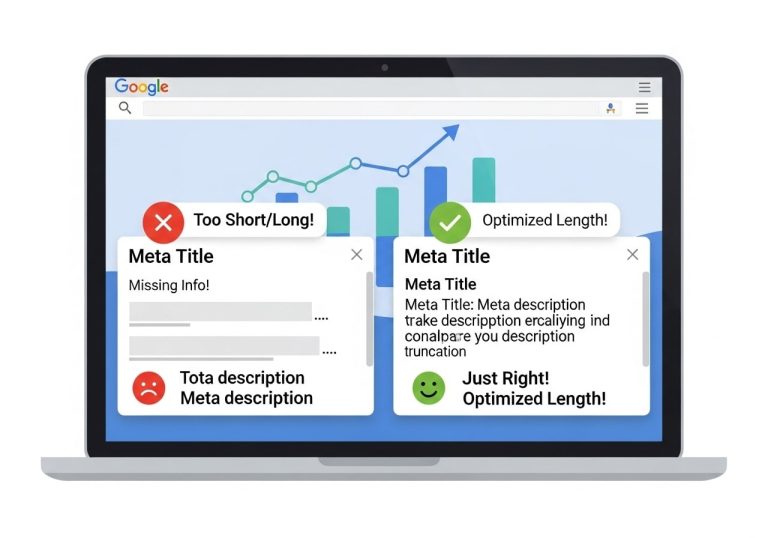
Google displays different character counts depending on device and search context, making it tricky to nail the perfect length every time. A meta description that’s too short wastes valuable real estate in search results, while one that’s too long gets cut off with those dreaded ellipses.
This guide covers the current optimal meta description length for maximum CTR based on Google’s display patterns and how meta description length directly impacts your search rankings. You’ll also learn practical techniques for crafting compelling descriptions that work within character limits and drive more clicks to your site.
Understanding Meta Description Length Requirements
Current Google character limits and display rules
Google typically displays meta descriptions between 150-160 characters on desktop search results, though this can extend up to 920 pixels in width. The search engine doesn’t strictly count characters but rather measures the pixel width of text, which explains why some descriptions appear longer than others. Letters like ‘W’ and ‘M’ take up more space than ‘i’ or ‘l’, affecting how much text fits within Google’s display limits.
The meta description character limit varies based on font rendering and device specifications. Google generally truncates descriptions that exceed approximately 155-160 characters, though this number isn’t absolute. The search engine uses a proportional font, meaning character count alone doesn’t determine truncation points.
Recent algorithm updates show Google sometimes pulls longer snippets directly from page content when it believes they better match user intent, regardless of your crafted meta description length.
Mobile versus desktop length differences
Mobile search results typically display shorter meta descriptions compared to desktop versions. The optimal meta description length for mobile devices usually caps around 120 characters due to smaller screen real estate and different font rendering.
Desktop users see more generous character limits, often accommodating descriptions up to 160 characters before truncation occurs. This creates a challenge for SEO professionals who must balance meta description length best practices across multiple device types.
| Device Type | Typical Character Limit | Pixel Width |
|---|---|---|
| Desktop | 150-160 characters | ~920 pixels |
| Mobile | 120-130 characters | ~680 pixels |
| Tablet | 140-150 characters | ~800 pixels |
Smart SEO strategies prioritize mobile-first descriptions since mobile traffic dominates most websites today.
How search engines truncate longer descriptions
When meta descriptions exceed length limits, search engines cut them off with an ellipsis (…). This truncation happens at the pixel level, not at complete words, which can create awkward breaks mid-sentence.
Google’s truncation algorithm looks for natural breaking points when possible, but longer descriptions risk losing critical information or call-to-action elements. The recommended meta description length accounts for this truncation behavior by keeping essential information within the safe zone.
Search engines may also replace your meta description entirely with content from your page if they determine it better matches the search query. This happens more frequently with longer descriptions that don’t align closely with user intent.
Impact of special characters on character count
Special characters, emojis, and symbols can significantly impact your meta description length for Google calculations. Characters like em dashes (—), quotation marks, and accented letters may consume more pixel space than standard letters.
Emojis are particularly tricky since they can take up the space equivalent of 2-4 regular characters. While they can boost click-through rates, they reduce the amount of descriptive text you can include within optimal length guidelines.
Common special characters and their impact:
- Quotation marks (” “) – minimal impact
- Em dashes (—) – wider than hyphens
- Ellipses (…) – counts as three characters
- Emojis (🔥⭐) – equivalent to 2-4 characters each
- Ampersands (&) – slightly wider than letters
The best meta description length for SEO considers these character variations when crafting descriptions that maximize both readability and search engine compatibility.
Optimal Meta Description Length for Maximum CTR

Sweet Spot Between 150-160 Characters
The optimal meta description length sits comfortably between 150-160 characters, and this range isn’t arbitrary. Google typically displays about 155-160 characters in desktop search results before cutting off with an ellipsis. Mobile results can be even shorter, often truncating around 120-130 characters depending on the device width.
This meta description character limit gives you enough space to craft a compelling message while ensuring your complete description shows up in search results. When your description gets cut off, searchers miss your call-to-action or key selling points, which directly impacts click-through rates.
Search engines use pixel width rather than character count, so wider letters like ‘W’ and ‘M’ take up more space than narrow ones like ‘i’ and ‘l’. However, the 150-160 character guideline works well as a practical benchmark for most content.
Why Shorter Descriptions Often Perform Better
Shorter meta descriptions frequently outperform longer ones because they deliver focused, punchy messages that grab attention quickly. Users scan search results rapidly, spending just seconds evaluating each option. A concise description that gets straight to the point often wins over wordy alternatives.
Best meta description length for SEO isn’t always about maxing out the character limit. Many high-performing descriptions clock in at 120-140 characters, leaving breathing room while delivering maximum impact. These shorter descriptions tend to:
- Load faster on mobile devices
- Display completely across all screen sizes
- Force writers to focus on essential benefits
- Create urgency through concise messaging
- Avoid keyword stuffing temptations
Testing Different Lengths for Your Industry
Every industry has unique user behavior patterns that affect ideal meta description length performance. E-commerce sites might need longer descriptions to include price points and product features, while news sites often perform better with shorter, headline-style descriptions.
Start by analyzing your top competitors’ meta descriptions and their lengths. Tools like SEMrush or Ahrefs can show you which descriptions drive the most traffic in your niche. Then create A/B tests comparing:
| Length Range | Best For | Example Industries |
|---|---|---|
| 120-140 chars | Quick decisions | News, entertainment, local services |
| 140-155 chars | Balanced approach | SaaS, professional services, blogs |
| 155-160 chars | Detailed explanations | E-commerce, technical content, tutorials |
Run these tests for at least 4-6 weeks to gather meaningful data, as search result performance can fluctuate based on seasonality and algorithm updates.
Balancing Completeness with Brevity
The real challenge lies in cramming your value proposition into limited space without sacrificing clarity. Start with your core message and work backwards, cutting unnecessary words while preserving meaning.
Focus on action words and specific benefits rather than generic descriptions. Instead of “We provide high-quality services for businesses looking to improve their online presence,” try “Boost your website traffic 300% with proven SEO strategies and expert content marketing.
Recommended meta description length guidelines suggest including these elements in order of priority:
- Primary keyword (naturally placed)
- Clear value proposition
- Specific benefit or number
- Call-to-action when space allows
Remember that meta descriptions don’t directly impact rankings, but they significantly influence click-through rates, which can indirectly boost your search performance through improved user engagement signals.
Meta Description Length Impact on Search Rankings

Google’s official stance on meta descriptions and rankings
Google has been crystal clear about this: meta descriptions don’t directly impact search rankings as a ranking factor. John Mueller and other Google representatives have repeatedly stated that the search algorithm doesn’t use meta description content to determine where pages should rank in search results.
The search giant treats meta descriptions purely as snippet text to help users understand what a page contains before clicking. Google’s algorithm focuses on content quality, relevance, backlinks, and hundreds of other factors – but meta description text isn’t one of them.
However, this doesn’t mean you should ignore meta description length best practices. While the text itself won’t boost your rankings, how users interact with your search results absolutely can affect your SEO performance.
Indirect ranking benefits through improved CTR
Even though meta descriptions don’t directly influence rankings, they create a powerful indirect effect through click-through rates. When you craft compelling descriptions within the optimal meta description length, you’re more likely to attract clicks from search results.
Higher click-through rates send positive signals to Google about your content’s relevance and quality. Think about it – if more people choose your result over others on the same search page, that tells Google your content might be more valuable for that query.
The recommended meta description length of 150-160 characters gives you enough space to create enticing descriptions that encourage clicks. Pages that consistently receive more clicks often see gradual improvements in their search positions over time.
Research shows that well-optimized meta descriptions can increase CTR by 5-15%, which can translate into meaningful ranking improvements across months of consistent performance.
User engagement signals that boost SEO performance
Click-through rate is just the beginning. Once users click through to your site, their behavior continues to influence your SEO performance. The ideal meta description length helps set proper expectations, leading to better user engagement.
When your meta description accurately represents your content within Google’s meta description character limit, visitors are more likely to:
- Stay on your page longer (improved dwell time)
- Explore additional pages (lower bounce rate)
- Share or link to your content
- Return to your site in the future
Google tracks these engagement signals and uses them to assess content quality and user satisfaction. Pages that consistently deliver on the promises made in their meta descriptions tend to perform better in search results.
The best meta description length for SEO balances being descriptive enough to set expectations while staying concise enough to display properly across different devices and search interfaces.
Crafting Compelling Meta Descriptions Within Length Limits

Front-loading important keywords and phrases
When you’re working with limited space, every character counts. Smart marketers place their most important keywords and phrases right at the beginning of their meta descriptions. This strategy works because search engines often truncate descriptions after 155-160 characters, and users scan the first few words to decide if a result is relevant.
Think about what your target audience is searching for and lead with those exact terms. If someone searches for “organic dog food,” your meta description should start with those words, not buried in the middle. This approach aligns with meta description length best practices and ensures your core message gets seen even if the text gets cut off.
Here’s how to prioritize your opening words:
- Start with your primary keyword or phrase
- Follow with the most compelling benefit or unique selling point
- Save supporting details and brand names for later in the description
- Test different keyword placements to see what drives better click-through rates
Including clear calls-to-action in limited space
Your meta description needs to do more than describe—it should motivate action. With the recommended meta description length being so tight, you need concise calls-to-action that pack a punch. Skip generic phrases like “click here to learn more” and opt for specific, benefit-driven language.
Strong CTAs for meta descriptions include:
- “Get instant access to…”
- “Download your free guide”
- “Start your 30-day trial today”
- “Compare prices and save”
- “Book your appointment now”
The key is matching your CTA to user intent. Someone searching for “how to” wants information, while someone searching for “buy” is ready to purchase. Your meta description should reflect this search behavior while staying within the optimal meta description length for Google.
Writing for humans while optimizing for search engines
The best meta descriptions strike a perfect balance between SEO optimization and human appeal. Yes, you need to include relevant keywords for search visibility, but your description should read naturally and provide real value to potential visitors.
Start by writing for your audience first. What would make them want to click on your link instead of the nine other results on the page? Once you have compelling copy, weave in your target keywords naturally. If your primary keyword doesn’t fit smoothly into the sentence, rework the entire description rather than forcing it in.
Remember that real people are reading these descriptions on their phones, tablets, and computers. They want quick, clear information that helps them solve a problem or find what they’re looking for. Meta description SEO tips always emphasize relevance over keyword density.
Avoiding keyword stuffing in short descriptions
With such limited space, the temptation to cram in multiple keywords is strong, but this backfires quickly. Keyword-stuffed meta descriptions look spammy, don’t rank well, and definitely don’t encourage clicks. Search engines have become sophisticated at detecting and penalizing this practice.
Instead of stuffing keywords, focus on natural language that incorporates one or two relevant terms. Your meta description character limit forces you to be selective, which actually improves your messaging. When you can only use 160 characters, every word needs to earn its place.
Signs your meta description is over-optimized:
- Keywords appear multiple times unnaturally
- The text doesn’t flow when read aloud
- You’ve sacrificed clarity for keyword inclusion
- The description doesn’t accurately represent your page content
Quality meta descriptions within the ideal meta description length guidelines perform better than keyword-heavy alternatives every time.
Tools and Techniques for Measuring Meta Description Length

Free online meta description length checkers
Several web-based tools help you measure meta description character limits without any software installation. These checkers instantly analyze your meta descriptions and show whether they fit within Google’s recommended 155-160 character range.
Popular options include SERP Snippet Optimizer, which provides real-time character counting and preview of how your description appears in search results. The tool highlights when you exceed optimal meta description length guidelines, making it easy to trim excess text. Another reliable choice is Portent’s SERP Preview Tool, which shows desktop and mobile previews while tracking character count.
Many of these free checkers also include pixel-width measurements, since Google actually truncates based on pixel width rather than strict character count. This feature helps ensure your descriptions display properly across different devices and screen sizes.
SEO plugin features for real-time character counting
WordPress users benefit from SEO plugins that monitor meta description length directly within the content management interface. Yoast SEO displays a green, orange, or red indicator based on your description length, making it simple to optimize while writing.
RankMath offers similar functionality with additional insights about meta description SEO best practices. The plugin shows character count in real-time and provides suggestions for improvement when descriptions are too short or exceed recommended limits.
These plugins save significant time by eliminating the need to copy-paste descriptions into separate tools. The integrated approach means you can adjust meta descriptions immediately after seeing length warnings, streamlining your content creation workflow.
Bulk analysis tools for large websites
Enterprise websites with hundreds or thousands of pages need efficient ways to audit meta description lengths across their entire domain. Screaming Frog SEO Spider crawls websites and exports comprehensive reports showing meta description character counts for every page.
Ahrefs Site Audit includes meta description length analysis within its broader SEO health checks. The tool identifies pages with missing, duplicate, or improperly sized meta descriptions, allowing webmasters to prioritize optimization efforts.
| Tool | Pages Analyzed | Export Options | Pricing |
|---|---|---|---|
| Screaming Frog | 500 (free) / Unlimited (paid) | CSV, Excel | Free/$259/year |
| Ahrefs | Unlimited | CSV, PDF | $99+/month |
| SEMrush | Varies by plan | CSV, Excel | $119+/month |
For smaller sites, Google Search Console provides meta description insights through the HTML improvements report, highlighting pages where descriptions might be too long or short.
Setting up automated length monitoring
Continuous monitoring prevents meta description length issues from recurring after initial optimization. Many enterprise SEO platforms offer automated alerts when new pages are published with improperly sized descriptions.
DeepCrawl and Botify provide scheduled crawling with customizable alerts for meta description length violations. These tools can send email notifications when descriptions exceed character limits or fall below minimum thresholds.
Custom monitoring solutions using tools like ContentKing or Conductor track meta description changes over time, helping teams identify when content updates accidentally break previously optimized descriptions. This automated approach ensures consistent adherence to meta description length best practices across large websites without manual oversight.
Testing and Optimizing Meta Description Performance

A/B testing different description lengths
Testing different meta description lengths gives you real data about what works for your specific audience and industry. Start by creating two versions of meta descriptions for the same page – one at around 150-155 characters and another at 155-160 characters. This approach helps you discover whether your audience responds better to concise descriptions or those that provide more detail within the optimal meta description length for Google.
Set up your tests using Google Search Console or third-party tools like Google Optimize. Run each version for at least two weeks to gather meaningful data, ensuring you account for any weekly traffic patterns. Track click-through rates, impressions, and average position for each variant. The winning description length often depends on your industry – technical topics might perform better with longer descriptions that explain complex concepts, while simple products could benefit from shorter, punchier copy.
Remember to test only one element at a time. If you’re testing length, keep the messaging and keywords consistent between variations. This isolates the length variable and gives you clear insights into ideal meta description length preferences for your specific pages.
Analyzing CTR data to find optimal length
Your click-through rate data reveals the sweet spot for meta description character limits across different page types. Google Search Console provides the most accurate CTR data since it reflects actual search performance. Export your data for pages with different description lengths and create segments based on character count ranges: 120-140, 140-160, and 160+ characters.
Look for patterns in your highest-performing pages. Many sites discover that descriptions between 150-155 characters achieve the best balance of information and readability. However, mobile vs. desktop performance can vary significantly. Mobile users often prefer shorter descriptions due to limited screen space, while desktop users might engage more with detailed descriptions.
Create a spreadsheet tracking your top 50 pages by traffic, noting their meta description lengths and corresponding CTRs. This analysis often reveals that recommended meta description length guidelines need adjustment based on your specific audience behavior. Pages with CTRs above your site average become templates for optimal length and structure.
Seasonal adjustments and ongoing optimization
Meta description performance fluctuates throughout the year based on search intent changes and seasonal trends. Holiday shopping periods, back-to-school seasons, and industry-specific peak times all influence how users interact with search results. Your meta description length best practices should account for these variations.
During high-competition periods like Black Friday, shorter descriptions with clear value propositions often outperform longer ones. Users make quicker decisions when faced with numerous options. Conversely, during research-heavy periods, slightly longer descriptions that provide more context can improve CTRs.
Monthly performance reviews help identify seasonal patterns. Compare your CTR data year-over-year to spot trends. Some pages might benefit from seasonal description updates – adjusting length to match changing user behavior. This ongoing optimization ensures your meta descriptions stay aligned with evolving search patterns and maintain strong performance throughout different seasons.
Tracking competitor meta description strategies
Monitoring how competitors structure their meta descriptions provides valuable insights for optimizing your own approach. Tools like SEMrush, Ahrefs, or even manual searches reveal competitor strategies for similar keywords. Pay attention to their character counts, messaging approaches, and how they handle the meta description length for SERPs in your industry.
Create a competitive analysis spreadsheet tracking top competitors’ meta descriptions for your key target keywords. Note their average lengths, common phrases, and call-to-action styles. This research often uncovers gaps in your own strategy or reveals effective approaches you haven’t considered.
Watch for changes in competitor descriptions, especially after Google algorithm updates or during seasonal campaigns. Competitors who consistently rank well might have discovered optimal meta description length guidelines specific to your niche. However, don’t simply copy their approach – use these insights to inform your own testing strategy and develop descriptions that differentiate your pages while following proven best practices.
Getting your meta description length right makes a real difference in how many people click on your search results. The sweet spot sits between 150-160 characters, giving you enough room to write something compelling while staying within Google’s display limits. When you nail this balance, your click-through rates improve, and search engines better understand what your page offers.
The key is finding that perfect mix of being descriptive and persuasive without going overboard. Use the available tools to check your character count, test different versions, and keep an eye on your performance data. Small tweaks to your meta descriptions can lead to big improvements in both your search rankings and the number of visitors clicking through to your site. Start optimizing your existing meta descriptions today – your traffic numbers will thank you for it.
FAQs
What is the ideal length for a meta description?
The ideal meta description length is between 150-160 characters. This ensures your full description appears in search results without being cut off. Google may show longer descriptions in some cases, but staying within this range gives you the best control over how your content appears.
What happens if my meta description is too long?
If your meta description exceeds 160 characters, Google will cut it off and add “…” at the end. This can make your listing look incomplete and may cut off important information that could convince users to click on your result.
Can I write meta descriptions shorter than 150 characters?
Yes, you can write shorter meta descriptions, but you might be missing opportunities to provide more compelling information. Aim for at least 120 characters to give yourself enough space to include key details that encourage clicks.
How do I count characters in my meta description?
You can count characters using built-in tools in most SEO plugins, online character counters, or simply by typing in Google Docs or Word processors that show character counts. Many SEO tools also provide real-time character counting as you write.
Does meta description length affect my search rankings directly?
Meta descriptions don’t directly impact search rankings, but they significantly affect click-through rates. Higher click-through rates can indirectly improve your rankings because they signal to Google that users find your content relevant and valuable.
Should I include keywords in my meta description?
Yes, include your main keyword naturally in the meta description. When users search for that term, Google will bold the matching keywords in your description, making your result more noticeable and relevant to searchers.
What should I include in my meta description besides keywords?
Include a clear benefit or value proposition, a brief description of what users will find on your page, and if appropriate, a call-to-action. Focus on what makes your page unique and why someone should click on your result instead of others.
How often should I update my meta descriptions?
Review and update your meta descriptions when you update your content, when you notice low click-through rates, or when your focus keywords change. There’s no set timeline, but checking them every few months as part of regular SEO maintenance is good practice.
Can I let Google create meta descriptions automatically?
While Google can generate meta descriptions from your page content, writing your own gives you better control over your message. Custom meta descriptions typically perform better because they’re crafted specifically to encourage clicks.
How do I write meta descriptions for mobile users?
Mobile devices may show slightly fewer characters, sometimes around 120-130 characters. Put your most important information at the beginning of your meta description, and make sure it reads well and makes sense even if cut short.