Dynamic URLs can make or break your website’s search engine performance, but many site owners don’t realize how much these parameter-heavy links affect their crawling and indexing success. This guide is for SEO professionals, web developers, and site owners who want to optimize their dynamic URL structure without sacrificing functionality.
Dynamic URLs—those web addresses packed with parameters like session IDs, tracking codes, and filter options—often confuse search engines and create duplicate content issues. While your e-commerce filters and user personalization features need these parameters to work properly, search bots can struggle to crawl and index your pages effectively when faced with endless URL variations.
We’ll walk through proven strategies for managing URL parameters that keep search engines happy while preserving your site’s dynamic features. You’ll learn technical solutions, such as canonical tags and URL parameter handling, in Google Search Console that directly affect how search engines treat your dynamic URLs. We’ll also cover advanced crawling control techniques, including robots.txt optimization and structured internal linking, that help search bots focus on your most important pages instead of getting lost in parameter combinations.
Dynamic URLs and Their Impact on SEO

Define dynamic URLs and how they differ from static URLs
Dynamic URLs contain parameters that change based on user interactions or database queries, while static URLs remain constant regardless of how users access them. A dynamic URL might look like example.com/products?category=shoes&color=red&size=10, where the parameters after the question mark generate different content. Static URLs, on the other hand, appear as example.com/mens-running-shoes and always display the same content.
The key difference lies in how these URLs are generated. Static URLs exist as physical files on the server or follow predetermined URL structures. Dynamic URLs are created on-the-fly through server-side scripts that pull information from databases based on the parameters passed.
| Aspect | Dynamic URL | Static URL |
|---|---|---|
| Structure | Contains parameters (?id=123&cat=5) | Clean, descriptive path (/category/product-name) |
| Generation | Server-side processing required | Pre-existing or rule-based |
| User Experience | Often complex and hard to remember | Simple and intuitive |
| SEO Friendliness | Requires optimization | Naturally search-friendly |
Identify common crawling challenges caused by dynamic parameters
Search engine crawlers face significant obstacles when processing dynamic URLs. Parameter variations can create infinite URL combinations, causing crawlers to waste time and resources on duplicate content. For instance, session IDs, tracking parameters, and sorting options generate unique URLs that display identical content.
Crawler traps represent another major challenge. Faceted navigation systems can produce millions of URL variations through parameter combinations. A product catalog with filters for color, size, price, and brand can generate exponential URL permutations, overwhelming search engine crawlers and diluting crawl budget.
Parameter order variations compound the problem. URLs like example.com/search?color=red&size=large and example.com/search?size=large&color=red appear different to crawlers but display identical content. This creates duplicate content issues and fragments link equity across multiple URLs.
Temporary parameters such as session tokens, timestamps, and referral codes constantly change, making it difficult for crawlers to identify the canonical version of pages. These parameters serve functional purposes but create SEO challenges by generating numerous URL variants.
Recognize indexing issues that affect search engine visibility
Dynamic parameters often prevent proper page indexation due to content duplication and crawler confusion. Search engines struggle to determine which version of a dynamically generated page deserves indexing priority. Multiple URLs serving identical content dilute ranking signals and confuse search algorithms about the authoritative version.
Pagination parameters create significant indexing challenges. URLs with page numbers like example.com/products?page=1, example.com/products?page=2 often contain overlapping content, making it difficult for search engines to understand the relationship between pages and properly distribute ranking authority.
Filter combinations can generate thin or duplicate content pages that provide little value to users. When product listings with minimal items get indexed through parameter combinations, they create poor user experiences and waste valuable crawl budget. Search engines may choose not to index these low-quality pages, reducing overall site visibility.
Session-specific parameters pose another indexing challenge. URLs containing user session data, shopping cart contents, or personalization parameters cannot be properly indexed since they represent temporary, user-specific states rather than permanent content.
Assess the impact on website ranking and user experience
Dynamic URL structures directly affect search rankings through several mechanisms. Complex parameter-heavy URLs receive lower user click-through rates in search results because they appear untrustworthy and difficult to understand. Users gravitate toward clean, descriptive URLs that clearly indicate page content.
Link sharing becomes problematic with dynamic URLs containing temporary parameters. When users share URLs with session IDs or time-sensitive tokens, recipients may encounter errors or different content, damaging user trust and reducing viral content potential.
Page load speeds often suffer with dynamic URLs due to server-side processing requirements. Database queries, parameter parsing, and content generation add latency compared to static pages. Search engines factor page speed into ranking algorithms, making this performance impact particularly harmful.
Internal linking efficiency decreases with dynamic URL structures. Complex parameter combinations make it harder to create consistent internal linking patterns, reducing the flow of link equity throughout the site. This fragmentation weakens overall domain authority and individual page rankings.
Mobile user experience particularly suffers from long, complex dynamic URLs that are difficult to read and share on smaller screens. The proliferation of mobile search makes URL usability increasingly important for maintaining competitive search visibility.
Essential URL Parameter Management Strategies

Implement URL parameter handling in Google Search Console
Google Search Console provides powerful tools for managing how search engines handle your dynamic URLs. The URL Parameters tool helps you tell Google which parameters to ignore or how to treat them differently. You can specify whether parameters change page content significantly or just filter existing content.
Access this feature through the Legacy Tools section and add parameters like ?color=red or ?sort=price. For each parameter, choose between “Let Googlebot decide,” “No URLs,” or “Every URL.” The “No URLs” option works best for parameters that don’t change content meaningfully, like tracking codes or session IDs.
| Parameter Type | Recommended Setting | Example |
|---|---|---|
| Session IDs | No URLs | ?sessionid=abc123 |
| Sorting options | Let Googlebot decide | ?sort=price&order=asc |
| Tracking codes | No URLs | ?utm_source=google |
| Pagination | Every URL | ?page=2 |
Use canonical tags to consolidate duplicate content
Canonical tags solve one of the biggest challenges with dynamic URLs – duplicate content issues. When multiple parameter combinations show identical or very similar content, canonical tags tell search engines which version to prioritize.
Place canonical tags in the HTML head section of every page with dynamic parameters. For product pages with color variations showing the same product details, point all variants to the main product URL:
<link rel="canonical" href="https://example.com/products/shoes/nike-air-max" />
This approach works especially well for ecommerce sites where ?color=blue and ?color=red display the same product information. The canonical tag prevents search engines from treating these as separate pages while still allowing users to access different variations.
Configure robots.txt to block problematic parameter combinations
Your robots.txt file can prevent search engines from crawling parameter combinations that create crawl traps or waste crawl budget. Block parameters that generate infinite URL variations or don’t add value to search results.
Common problematic patterns include calendar widgets with endless date parameters, search result pages with multiple sorting combinations, and internal search pages. Add these directives to your robots.txt:
Disallow: /*?*session*
Disallow: /*?*sort=*&filter=*
Disallow: /search?*
Disallow: /*?*page=*&sort=*
Be careful not to block parameters that create unique, valuable content. Product filters that significantly change available items should remain crawlable, while purely cosmetic changes like theme switching can be blocked.
Set up proper URL rewriting rules
URL rewriting transforms messy dynamic URLs into clean, SEO-friendly versions that both users and search engines prefer. Apache’s .htaccess and Nginx configuration files handle most rewriting scenarios.
Transform URLs like /product.php?id=123&category=shoes into /products/shoes/123/ using rewrite rules:
RewriteEngine On
RewriteRule ^products/([^/]+)/([0-9]+)/?$ product.php?category=$1&id=$2 [L]
For Nginx servers:
location ~ ^/products/([^/]+)/([0-9]+)/?$ {
    try_files $uri /product.php?category=$1&id=$2;
}
URL rewriting improves click-through rates from search results and makes sharing easier. Clean URLs also reduce the chance of parameter-related crawling issues while maintaining the dynamic functionality your application needs.
Technical Solutions for Dynamic URL Optimization

Create SEO-friendly URL structures using URL rewriting
URL rewriting transforms messy dynamic URLs into clean, readable formats that both search engines and users love. Instead of showing parameters like /product.php?category=shoes&id=12345&color=red, you can create beautiful URLs like /shoes/red-sneakers-12345/. This approach makes your dynamic URLs appear static while maintaining their functionality.
Apache’s mod_rewrite and Nginx’s rewrite rules are your best friends here. For Apache, you can set up rewrite rules in your .htaccess file:
RewriteEngine On
RewriteRule ^products/([^/]+)/([^/]+)/?$ /product.php?category=$1&id=$2 [L,QSA]
This rule converts clean URLs back to their dynamic counterparts internally. The magic happens behind the scenes – users see the pretty URL while your application processes the parameters normally.
For more complex scenarios, consider implementing URL routing in your application framework. Django dynamic URLs, Flask dynamic URL patterns, and React router dynamic URL configurations all provide built-in solutions for creating SEO-friendly structures. These frameworks handle the heavy lifting of parameter extraction and routing automatically.
When designing your rewrite patterns, keep URLs short, descriptive, and keyword-rich. Include relevant product names, categories, or identifiers that help both users and search engines understand the page content. Avoid special characters and stick to hyphens for word separation.
Implement proper pagination handling for dynamic pages
Pagination presents unique challenges for dynamic URLs because search engines need clear signals about page relationships and content organization. Poor pagination handling can lead to duplicate content issues, crawl budget waste, and indexing problems.
Start by implementing rel=”next” and rel=”prev” tags in your HTML head section. These tags help search engines understand the sequence of paginated content:
<link rel="prev" href="/products?page=1" />
<link rel="next" href="/products?page=3" />
For large paginated sets, consider implementing a “View All” page or use the rel=”canonical” tag to point to a single authoritative version. This prevents search engines from seeing multiple pages with similar content as duplicates.
Parameter consistency is crucial across paginated URLs. Maintain the same parameter order and naming conventions throughout your pagination system. If your first page uses /products?category=electronics&page=1, stick to this format for all subsequent pages.
Implement proper HTTP status codes for pagination boundaries. Return 404 errors for pages beyond your actual content range, and use 301 redirects to handle parameter variations. For example, redirect /products?page=1 to /products/ since the first page is typically the default view.
Consider implementing infinite scroll with proper URL updates using the HTML5 History API. This provides a seamless user experience while maintaining crawlable URLs for each content section.
Configure server-side caching to improve crawl efficiency
Server-side caching dramatically reduces the computational load when search engine bots crawl your dynamic URLs. Without proper caching, each crawler request triggers database queries and application processing, potentially overwhelming your server during intensive crawl sessions.
Implement page-level caching for frequently accessed dynamic content. Tools like Redis, Memcached, or built-in application caching can store rendered HTML output, reducing response times from seconds to milliseconds. Set appropriate cache expiration times based on content update frequency – product pages might cache for hours, while news articles need shorter cache periods.
Database query caching prevents repeated expensive operations. When multiple dynamic URLs share similar database queries, caching the results eliminates redundant processing. Most frameworks provide query caching mechanisms that work seamlessly with dynamic URL generation.
Edge caching through CDNs like Cloudflare or AWS CloudFront can cache dynamic content at multiple geographic locations. Configure your CDN to cache dynamic responses based on URL parameters while respecting cache-control headers. This reduces server load and improves crawler response times globally.
HTTP response caching headers guide crawler behavior effectively. Set appropriate Cache-Control, ETag, and Last-Modified headers to help crawlers understand when content has changed. This enables conditional requests using If-Modified-Since headers, reducing bandwidth usage and server processing for unchanged content.
Monitor cache hit rates and adjust strategies based on crawler behavior patterns. Google’s crawl patterns often differ from user traffic, so analyze your server logs to optimize caching specifically for search engine efficiency.
Advanced Crawling Control Techniques

Set up crawl budget optimization for dynamic content
Search engines allocate a limited amount of time and resources to crawl your website, making crawl budget optimization crucial for sites with dynamic URLs. The key lies in directing search bots toward your most valuable pages while preventing them from wasting time on low-value or duplicate dynamic content.
Start by identifying which dynamic URLs generate the most traffic and conversions. These high-priority pages should receive the majority of your crawl budget. Block unnecessary dynamic parameters using robots.txt directives – for example, session IDs, tracking parameters, or filter combinations that create duplicate content won’t add SEO value.
Configure your server to respond with appropriate HTTP status codes. Dynamic pages that don’t exist should return 404 errors, not 200 status codes with “no results found” content. This prevents search engines from indexing empty or low-quality dynamic pages that could dilute your site’s overall quality score.
Implement crawl delay directives in your robots.txt file if your server struggles with bot traffic. However, be careful not to slow down important search engine crawlers too much, as this could hurt your indexing speed.
Use structured data markup to enhance page understanding
Structured data markup helps search engines understand the content and context of your dynamic URLs, especially when page content changes based on parameters. This becomes particularly important for e-commerce sites, job boards, and content management systems that generate dynamic URLs.
JSON-LD schema markup works exceptionally well for dynamic content because you can programmatically generate it based on the page parameters. For product pages with dynamic URLs, include Product schema with details like price, availability, and reviews. Event listings should use Event schema, while job postings benefit from JobPosting markup.
Dynamic recipe sites should implement Recipe schema, including ingredients, cooking time, and nutritional information that changes based on URL parameters like serving size or dietary restrictions. Local business listings with dynamic location pages need LocalBusiness schema with accurate NAP (Name, Address, Phone) data.
Test your structured data implementation using Google’s Rich Results Test tool. Dynamic pages often have unique schema requirements, so validate multiple URL variations to ensure consistent markup across all parameter combinations.
Implement proper internal linking strategies for dynamic pages
Dynamic pages often struggle with internal link equity distribution because their URLs change based on parameters. Create a strategic internal linking architecture that passes authority to your most important dynamic URL variations while maintaining logical site navigation.
Establish hub pages that link to various dynamic URL configurations. For example, a category page should link to popular product variations, filtered results, and sorted views. This creates multiple pathways for search engines to discover and crawl different dynamic URL combinations.
Avoid linking to every possible parameter combination, as this creates an infinite crawl trap. Instead, focus on linking to the most valuable variations – typically those that represent distinct content rather than simple view preferences like sorting options.
Use descriptive anchor text that reflects the dynamic content’s purpose. Instead of generic “click here” links, use specific phrases like “red widgets under $50” for filtered product results. This helps search engines understand the relationship between pages and the value of different parameter combinations.
Configure XML sitemaps to guide search engine discovery
XML sitemaps become essential for dynamic URL management because they provide direct communication channels with search engines about which dynamic pages deserve attention. Create separate sitemaps for different types of dynamic content to maintain organization and improve processing speed.
Generate sitemaps dynamically based on your actual content, not every possible URL combination. Include only dynamic URLs that contain unique, valuable content and have been accessed by real users within a reasonable timeframe. This prevents submitting thin or duplicate pages that could harm your site’s perceived quality.
Update sitemap files regularly to reflect new dynamic content and remove outdated URLs. Implement automated sitemap generation that responds to database changes, new content creation, or significant traffic patterns. This ensures search engines always have current information about your most important dynamic pages.
Set appropriate priority values and change frequencies for different types of dynamic content. Product pages might have higher priorities than filtered search results, while frequently updated dynamic content should have more frequent change frequencies than static reference materials.
Submit multiple specialized sitemaps through Google Search Console rather than one massive file. This approach allows better monitoring of indexing performance for different content types and makes troubleshooting easier when issues arise with specific dynamic URL patterns.
Monitoring and Measuring Dynamic URL Performance

Track crawling statistics using webmaster tools
Google Search Console provides the most comprehensive view of how search engines crawl your dynamic URLs. The Coverage report reveals which dynamic pages get indexed and which encounter issues. Pay close attention to the “Excluded” section where you’ll find dynamic URLs that Google chose not to index due to parameter issues or duplicate content concerns.
The Crawl Stats section shows daily crawling activity, including how many requests Google made to your dynamic URLs. Monitor the average response time and any crawl errors specific to parameterized pages. Set up alerts for sudden drops in crawl requests, which might signal that Google is devaluing your dynamic content.
Use the URL Inspection tool to test individual dynamic URLs and see how Google processes them. This helps identify if your URL parameter handling works correctly and whether canonical tags are properly implemented.
Monitor indexing status and coverage reports
Dynamic URLs often face indexing challenges that static URLs don’t encounter. The Index Coverage report breaks down your dynamic pages into categories: indexed, excluded, error, and valid with warnings. Focus on the “Duplicate, submitted URL not selected as canonical” error, which frequently affects dynamic URLs with similar content.
Create custom segments in your coverage reports to isolate dynamic URLs by parameter types. This allows you to spot patterns in indexing issues specific to certain URL structures. For example, filter URLs containing “?category=” to see how product category pages perform versus “?sort=” parameters.
| Coverage Status | Common Dynamic URL Issues | Action Required |
|---|---|---|
| Excluded | Parameter variations creating duplicates | Implement canonical tags |
| Error | Server timeout on complex queries | Optimize database queries |
| Valid with warnings | Soft 404s from empty parameter results | Add proper error handling |
Analyze organic traffic patterns for dynamic pages
Dynamic URLs typically show different traffic patterns compared to static pages. Use Google Analytics to segment organic traffic by URL parameters and identify which dynamic content drives the most valuable visitors. Create custom reports that group similar dynamic URLs together to understand content performance trends.
Track bounce rates and session duration for different parameter combinations. Dynamic pages with complex parameters often have higher bounce rates, indicating poor user experience or irrelevant content matching. Compare conversion rates between static and dynamic URLs to measure the true impact of your URL structure on business goals.
Set up goal tracking specifically for dynamic URL conversions. E-commerce sites should monitor how product filtering parameters affect purchase completion rates. B2B sites can track lead generation from dynamic content pages versus static landing pages.
Measure page load speeds and technical performance metrics
Dynamic URLs typically load slower than static pages due to database queries and content generation. Use Google PageSpeed Insights to test representative dynamic URLs from different parameter combinations. Database-heavy dynamic pages often score lower on performance metrics, affecting both user experience and search rankings.
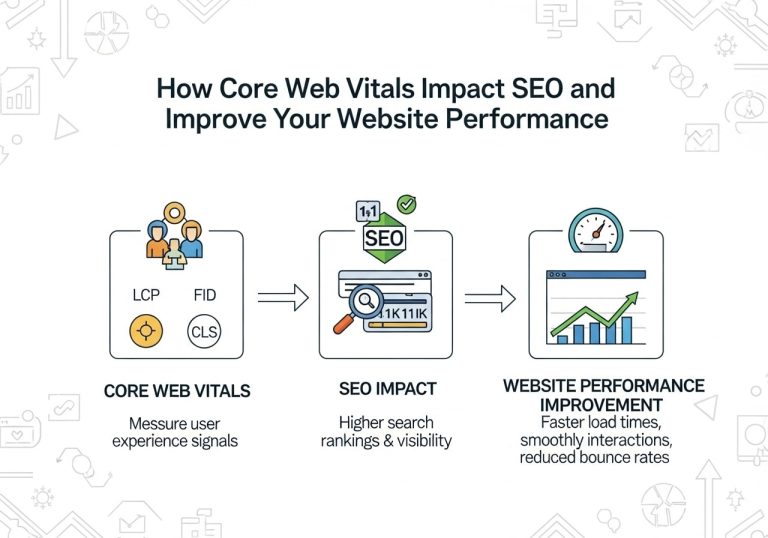
Monitor Core Web Vitals specifically for your dynamic content. Largest Contentful Paint (LCP) often suffers when dynamic pages make multiple database calls. Cumulative Layout Shift (CLS) can be problematic if dynamic content loads in unexpected orders. First Input Delay (FID) may increase when JavaScript processes complex URL parameters.
Track server response times for different parameter combinations using your web analytics or server monitoring tools. Some parameter combinations might trigger expensive database operations that significantly slow down page generation. Identify these patterns and optimize the underlying queries or implement caching strategies for commonly requested dynamic URLs.

Dynamic URLs can make or break your website’s search engine performance, but with the right approach, you can turn them into powerful SEO assets. The key is getting smart about URL parameter management, cleaning up messy query strings, and giving search engines clear signals about which pages matter most. When you combine technical solutions like URL rewriting and canonical tags with advanced crawling controls, you create a website that’s both user-friendly and search engine-friendly.
Don’t let dynamic URLs become a roadblock to your organic traffic growth. Start by auditing your current URL structure, implement parameter-handling strategies that make sense for your site, and set up proper monitoring to track your progress. Remember, small changes to how you handle dynamic URLs can lead to big improvements in how search engines crawl and index your content. Take action today – your future rankings will thank you for it.
FAQs
What are dynamic URLs, and how do they affect my health website?
Dynamic URLs are web addresses that change based on user input or database queries, often containing parameters like “?” and “&” symbols. On health websites, these can hurt your search engine rankings because search engines may have trouble understanding and indexing pages with constantly changing URLs.
Why should I be concerned about dynamic URLs on my health and wellness site?
Dynamic URLs can create duplicate content issues, confuse search engines, and make it harder for people to find your health articles. This can reduce your website’s visibility in search results, meaning fewer people will discover your valuable health content.
How can I identify if my website has problematic dynamic URLs?
Look for URLs containing symbols like “?”, “&”, “=”, or “%” followed by numbers or random characters. Examples include “/article.php?id=123&category=nutrition” instead of cleaner URLs like “/healthy-nutrition-tips”. You can also use website crawling tools to audit your URL structure.
What is the best way to convert dynamic URLs to static ones?
Use URL rewriting techniques through your website’s .htaccess file or content management system. Convert URLs like “/page.php?topic=exercise&id=45” to readable formats like “/exercise-tips-for-beginners”. This makes URLs more user-friendly and search engine-friendly.
Should I completely avoid using parameters in my health website URLs?
Not necessarily. You can use parameters, but keep them simple and limit the number. For essential features like search filters or tracking, use canonical tags to tell search engines which version of the page is the main one to index.
How do canonical tags help with dynamic URL issues?
Canonical tags tell search engines which version of a page is the original when you have multiple URLs showing similar content. This prevents search engines from getting confused by different parameter combinations and helps consolidate your page’s ranking power.
What URL structure works best for health and wellness content?
Use descriptive, keyword-rich URLs that clearly indicate the page content. For example, “/diabetes-prevention-tips” is better than “/article.php?id=789”. Include relevant health topics in the URL path to help both users and search engines understand your content.
How can I handle search and filter functions without creating URL problems?
Use AJAX for filtering content without changing URLs, or implement proper parameter handling with canonical tags. You can also create separate landing pages for popular filter combinations while keeping the main page as the canonical version.
Will changing my dynamic URLs affect my current search engine rankings?
Yes, URL changes can temporarily impact rankings. Implement 301 redirects from old dynamic URLs to new static ones to preserve your search engine authority. Monitor your website’s performance closely during the transition period and update internal links.
How can I monitor if my URL changes are improving crawling and indexing?
Use Google Search Console to track indexing status, crawl errors, and search performance. Check for improvements in page indexing rates and monitor organic traffic to affected pages. Look for reduced duplicate content issues and better search result appearances.