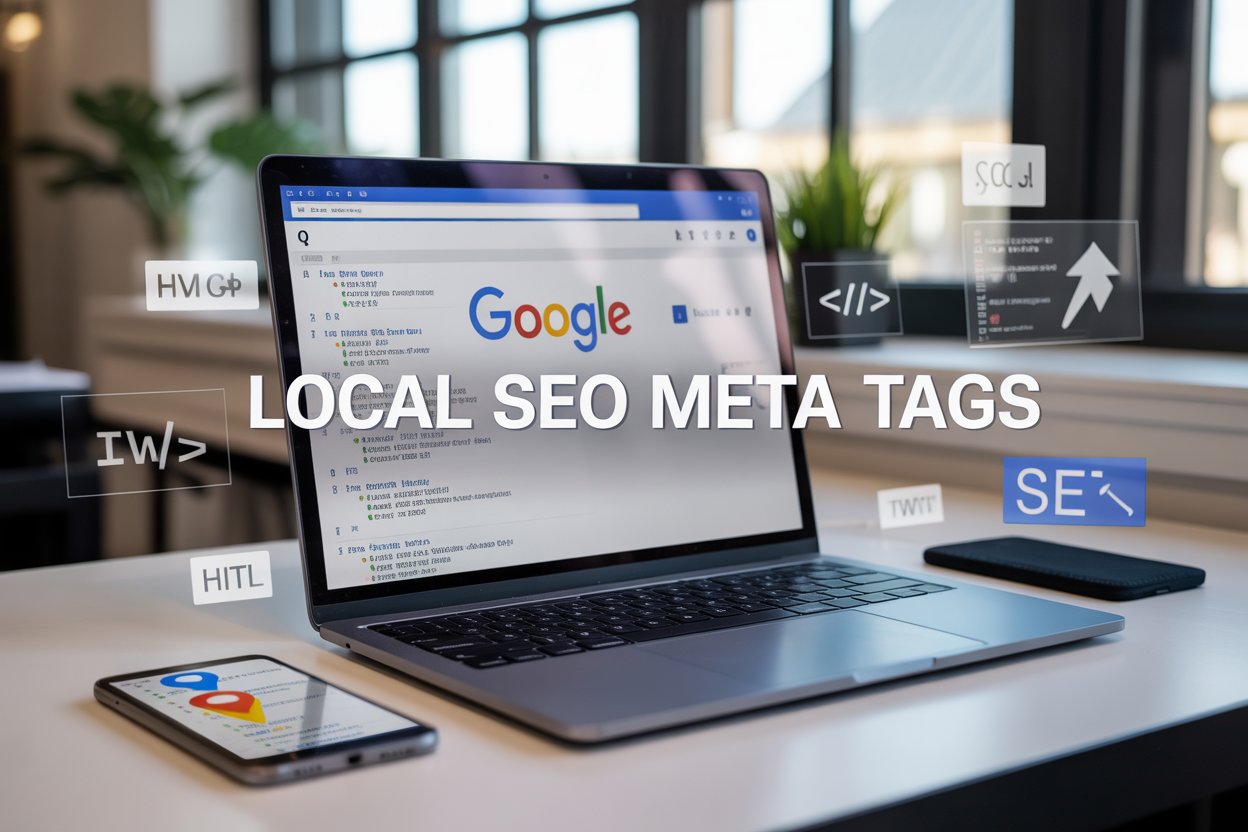
Local businesses lose thousands of potential customers every month because their websites don’t show up in local search results. The problem often starts with poorly optimized local SEO meta tags that fail to communicate location and relevance to Google’s algorithms.
This guide is for local business owners, digital marketers, and SEO professionals who want to boost their local search rankings through strategic meta tag optimization. You’ll discover how to craft compelling title tags that capture local search intent and learn proven techniques for writing meta descriptions that drive qualified local traffic to your website.
We’ll also walk through implementing schema markup to enhance your local visibility and show you how to measure the real impact of your meta tag improvements on local search performance.
Understanding Local SEO Meta Tags and Their Impact on Rankings

Defining meta tags and their role in local search visibility
Meta tags serve as behind-the-scenes communicators between your website and search engines, providing essential information about your web pages in HTML code. These HTML meta tags act like digital business cards, telling Google what your page contains and how it should be displayed in search results.
For local businesses, seo meta tags become even more critical because they help search engines understand your geographic relevance. When someone searches for “pizza near me” or “dentist in Portland,” Google relies heavily on these meta data elements to determine which local businesses deserve prominent placement in search results.
The most important local seo meta tags include title tags, meta descriptions, and geographic modifiers that signal your business location and service areas. These tags work together to create a complete picture of your business’s local relevance, helping Google connect your website with nearby searchers.
Key differences between general SEO and local SEO meta tags
Local seo meta tags differ significantly from general seo approaches because they must incorporate location-specific elements. While traditional seo meta tags focus primarily on keywords and broad topics, local seo meta tags require geographic modifiers, business names, and location-based keywords to establish local relevance.
| General SEO Meta Tags | Local SEO Meta Tags |
|---|---|
| Focus on broad keywords | Include city, state, and neighborhood names |
| Target wide audiences | Target specific geographic areas |
| Generic business descriptions | Include NAP (Name, Address, Phone) information |
| Brand-focused titles | Location + service combination titles |
Local businesses must weave location identifiers naturally into their meta tags without keyword stuffing. This means incorporating city names, neighborhood references, and regional terms that locals actually use when searching for services.
How Google uses meta tags to determine local relevance
Google’s algorithm examines your seo metadata tags to assess three key local ranking factors: relevance, distance, and prominence. Your meta tags directly influence the relevance component by signaling what services you offer and where you’re located.
The search engine analyzes patterns in your html meta tags to understand your business category, service area, and target customers. When your title tags consistently mention specific locations and your meta descriptions reference local landmarks or service areas, Google gains confidence in your local authority.
Google also cross-references your meta tag information with other local seo elements like your Google My Business profile, local citations, and schema markup. Consistency across these elements strengthens your local search signals and improves your chances of appearing in the coveted local pack results.
Connection between optimized meta tags and click-through rates
Well-crafted local seo meta tags directly impact your click-through rates by making your search listings more compelling and relevant to local searchers. When your title tags include location-specific keywords that match what people are searching for, they’re more likely to click on your result.
Meta descriptions that mention specific neighborhoods, local landmarks, or unique selling propositions create immediate connections with potential customers. For example, a meta description reading “Family-owned Italian restaurant in downtown Seattle, serving authentic pasta since 1985” provides clear local context and builds trust.
Higher click-through rates from optimized meta tags create a positive feedback loop with Google’s algorithm. When more people click on your listings, Google interprets this as a signal that your content matches search intent, potentially boosting your local search rankings even higher.
The key lies in balancing seo meta tags best practices with genuine local appeal, creating titles and descriptions that both satisfy search engines and entice real customers to visit your business.
Essential Meta Tags for Local SEO Success

Title Tags with Location-Specific Keywords
Your title tag acts as the first impression for both search engines and potential customers. Smart local businesses weave their city, neighborhood, or region directly into their title tags alongside their primary keywords. Instead of just “Best Italian Restaurant,” go with “Best Italian Restaurant in Downtown Portland | Authentic Pasta & Pizza.”
Location-specific keywords in title tags help Google understand exactly where your business operates. This geographic context becomes crucial when someone searches for “dentist near me” or “plumber in Chicago.” Your title tag should include your primary service keyword plus your target location within the 50-60 character sweet spot.
Consider this approach: place your most important local keyword combination at the beginning of your title tag. Denver Auto Repair | Complete Car Service & Oil Changes” performs better than “Car Service and Oil Changes in Denver Auto Repair Shop.” The city name gets priority, immediately signaling relevance to local searchers.
Different pages on your website can target different local areas if you serve multiple locations. Your main service page might target the primary city, while landing pages focus on specific neighborhoods or suburbs. This strategy helps you capture searches across your entire service area without keyword cannibalization.
Meta Descriptions that Highlight Local Services
Meta descriptions give you 150-160 characters to convince local searchers that your business deserves their click. These snippets should feel like a compelling local advertisement that speaks directly to neighborhood needs and concerns.
Start your meta description with action-oriented language that includes your location. “Serving Seattle families since 2010” or “Trusted by Phoenix homeowners for reliable HVAC service” builds immediate local credibility. Include your specific services alongside geographic indicators to match various local search queries.
Local service calls-to-action work exceptionally well in meta descriptions. Phrases like “Call for same-day service in Miami” or “Free estimates throughout Orange County” create urgency while reinforcing your local presence. Don’t forget to include your phone number when space allows – many mobile users prefer calling directly from search results.
Address common local concerns or unique selling points in your meta descriptions. “Family-owned bakery in historic Savannah” or “24/7 emergency plumbing service across Greater Boston” speaks to specific local values and needs that larger, non-local competitors can’t match.
Header Tags for Organizing Local Content Structure
Header tags create a clear hierarchy that helps both users and search engines understand your local content structure. Your H1 should feature your primary service and location, while H2 and H3 tags break down specific services, service areas, and local information.
Structure your headers to mirror how customers think about local services. After your main H1 like “Portland Wedding Photography Services,” use H2 tags for different service types: “Engagement Photography in Portland,” “Downtown Portland Wedding Venues,” and “Pacific Northwest Outdoor Ceremonies.”
Geographic header organization works particularly well for businesses serving multiple areas. Create H2 sections for each city or region you serve, then use H3 tags for specific neighborhoods or landmarks within those areas. This structure helps you rank for both broad city searches and hyper-local neighborhood queries.
Local businesses should also use header tags to highlight unique community connections. “Proudly Serving the Eastside Community” or “Your Neighborhood Auto Shop Since 1995” headers create local authority signals while organizing content about community involvement, local partnerships, and area-specific expertise.
Remember that header tags should flow naturally within your content while maintaining keyword relevance. Search engines use this structure to understand your local expertise and service coverage, making proper header organization a critical factor in local SEO meta tag success.
Crafting High-Converting Title Tags for Local Businesses

Incorporating primary location and service keywords
Your title tags need to speak directly to local searchers by combining your core services with specific geographic locations. Place your primary location (city, neighborhood, or region) and main service keyword within the first 30-40 characters to maximize visibility in search results. For example, “Emergency Plumber Brooklyn” or “Dallas Wedding Photography” immediately tells both Google and users exactly what you offer and where.
Target long-tail local seo keywords that reflect how people actually search. Instead of just “dentist,” use “family dentist downtown Seattle” or “pediatric dentist near Pike Place Market.” These specific combinations help you compete against larger brands while attracting customers who are ready to book services.
Consider including service modifiers that locals commonly search for, such as “24/7,” “emergency,” “same-day,” or “mobile service.” A title like “24/7 HVAC Repair Austin TX | Same Day Service” captures urgent local searches while highlighting your competitive advantages.
Optimal character length for maximum visibility
Keep your title tags between 50-60 characters to ensure they display fully in Google search results. Mobile searches, which dominate local queries, show even fewer characters, so front-load your most important keywords and location information.
Desktop searches can display up to 60 characters, while mobile typically shows only 50. Test your titles across different devices to see how they appear. A title that gets cut off might lose crucial information like your location or main service, reducing click-through rates.
| Device Type | Character Limit | Pixel Width |
|---|---|---|
| Desktop | ~60 characters | ~600 pixels |
| Mobile | ~50 characters | ~480 pixels |
| Tablet | ~55 characters | ~540 pixels |
Structure your titles with the most critical information first: primary keyword, location, then brand name or additional details. This approach ensures essential seo meta tags information remains visible even if the title gets truncated.
Adding compelling calls-to-action for local customers
Local customers often need immediate solutions, so your title tags should create urgency and encourage action. Words like “Call Now,” “Book Today,” “Free Estimate,” or “Open 24/7” can significantly boost click-through rates for local searches.
Include action-oriented language that speaks to local customer pain points. “Fast Auto Repair Chicago | Same Day Service” appeals to busy commuters who can’t wait days for car repairs. “Wedding Venues Miami | Tour Available” encourages immediate engagement from couples actively planning events.
Consider seasonal or time-sensitive elements in your calls-to-action. “Tax Preparation Boston | File by April 15th” or “Snow Removal Denver | 24/7 Emergency Service” align with when customers most need these services.
Use brackets or pipes to separate your call-to-action from your main keywords, making titles scannable and professional while maintaining local seo best practices.
Avoiding keyword stuffing while maintaining relevance
Balance keyword optimization with readability by focusing on natural language patterns that locals actually use. Avoid cramming multiple city names or service variations into a single title tag, as this looks spammy and reduces user trust.
Instead of “Plumber NYC Manhattan Brooklyn Queens Bronx Repair Emergency,” use “Emergency Plumber NYC | Manhattan & Brooklyn Service Areas.” This approach maintains geographic relevance without appearing manipulative to search engines.
Write titles that real people would want to click. “Best Pizza Downtown Portland” sounds more natural than “Pizza Restaurant Food Downtown Portland Oregon Best.” Google’s algorithms increasingly favor titles that match user intent and reading patterns.
Test different title variations using seo meta tag checker tools to see how they perform. Monitor your click-through rates and rankings to identify which approaches resonate best with your local audience while maintaining strong search visibility.
Writing Meta Descriptions That Drive Local Traffic

Including Neighborhood and City-specific Terms
Location-specific language transforms generic meta descriptions into powerful local search magnets. Smart local businesses weave their neighborhood names, city districts, and regional landmarks directly into their meta descriptions to capture hyperlocal searches. When someone searches for “coffee shop downtown Portland” or “dentist near Pioneer Square,” your meta description becomes their first impression of relevance.
Place these geographic terms naturally within the 155-character limit. A bakery in Brooklyn Heights might craft: “Fresh artisan bread and pastries daily in Brooklyn Heights. Visit our cozy storefront two blocks from the Promenade for authentic New York flavors.”
Consider micro-neighborhoods, cross-streets, and local landmarks your customers actually use. People don’t just search for “Chicago” – they search for “Lincoln Park,” “River North,” or “near Millennium Park.” Local seo meta tags work best when they mirror how locals describe their own area.
Highlighting Unique Local Value Propositions
Your meta description needs to answer the crucial question: “Why choose you over the competitor three blocks away?” Local businesses succeed by emphasizing what makes them irreplaceable in their specific market.
Maybe you’re the only 24-hour pharmacy in downtown Sacramento, the family-owned restaurant that’s been serving authentic Thai food in Little Italy for 30 years, or the auto repair shop that offers free pickup service within five miles of your Tempe location.
Build these differentiators into every meta description:
- Service area advantages: “Serving Mesa and surrounding areas with same-day appliance repair”
- Local partnerships: “Partnered with City of Austin for eco-friendly landscaping solutions”
- Community connections: “Trusted by San Francisco families since 1985 for reliable childcare”
- Specialized local knowledge: “Experts in earthquake-resistant home foundations for Bay Area properties”
Using Action Words to Encourage Clicks
Meta descriptions that drive local traffic pulse with energy through strategic action verbs. These power words create urgency and compel searchers to choose your business over organic search results that feel flat and corporate.
Replace passive descriptions with active commands that speak directly to local searchers:
| Weak Language | Strong Local Action Words |
|---|---|
| “We provide dental services” | “Schedule your dental cleaning today” |
| “Our restaurant offers food” | “Taste authentic Italian cuisine tonight” |
| “We fix cars” | “Get your car running smoothly this week” |
| “Hair salon available” | “Transform your look with Phoenix’s top stylists” |
Layer in urgency and local relevance: “Book your heating repair before Denver’s next snowstorm” or “Reserve your table for Seattle’s freshest seafood experience.” Action words like “discover,” “experience,” “schedule,” “visit,” and “explore” turn browsers into customers.
Local seo meta tags perform best when they create an immediate call-to-action tied to geographic relevance.
Maintaining Consistency with Landing Page Content
Your meta description makes a promise that your landing page must deliver completely. Search engines and users both punish businesses when meta descriptions create false expectations about page content.
If your meta description mentions “24-hour emergency plumbing in downtown Austin,” your landing page needs clear information about your 24-hour availability, service areas covering downtown Austin, and emergency contact details. Mismatched messaging destroys trust and increases bounce rates, which signals to Google that your content doesn’t satisfy searcher intent.
Audit your current meta descriptions against their corresponding pages:
- Do promised services appear prominently on the page?
- Are mentioned locations clearly covered in your service area?
- Do special offers referenced in meta descriptions exist on the landing page?
- Are business hours and contact information consistent?
Strong local seo meta tags create a seamless bridge between search results and user experience. When someone searches for local services, they’re often ready to take action immediately. Your meta description and landing page should work together to convert that high-intent local traffic into actual customers who walk through your door or call your business.
Implementing Schema Markup for Enhanced Local Visibility

Adding LocalBusiness schema to boost search presence
Schema markup acts like a translator between your website and search engines, helping Google understand your business details better. For local businesses, LocalBusiness schema is your secret weapon for standing out in search results and map listings.
The LocalBusiness schema tells Google exactly what your business does, where it’s located, and how customers can reach you. This structured data format makes your website eligible for rich snippets, which can display star ratings, business hours, and contact information directly in search results.
To implement LocalBusiness schema, you’ll need to add JSON-LD code to your website’s header or specific pages. The code should include your business type (restaurant, dentist, plumber), name, address, phone number, and website URL. Google recognizes over 600 business types, so choose the most specific category that matches your services.
Here’s what your basic LocalBusiness schema structure should include:
- Business name and legal name
- Complete address with postal code
- Phone number and email
- Website URL
- Business category/type
- Operating hours
- Geographic coordinates (latitude/longitude)
- Payment methods accepted
- Areas served
Including NAP information in structured data
NAP (Name, Address, Phone) consistency is the backbone of local SEO success. Your structured data must match the NAP information across all online directories, Google My Business listing, and your website footer.
Search engines use NAP data to verify your business legitimacy and location. Any discrepancies between your schema markup and other online listings can hurt your local search rankings. Double-check that your business name appears exactly as registered, your address includes the full street address with proper abbreviations, and your phone number uses a consistent format.
When adding NAP information to your schema markup, include both the main business address and any service areas. For businesses that serve multiple locations, you can specify the geographic areas covered without listing physical addresses for each area.
Pay special attention to these NAP elements in your schema:
| Element | Best Practice |
|---|---|
| Business Name | Use official registered name, avoid keyword stuffing |
| Address | Include full street address, city, state, zip code |
| Phone Number | Use local phone number, consistent formatting |
| Service Areas | List specific cities, regions, or zip codes served |
Marking up business hours and contact details
Business hours and contact information in your schema markup help customers find you when they need your services most. Google uses this data to show accurate hours in search results and prevent frustrated customers from visiting during closed times.
Your opening hours should include regular weekly hours, special holiday hours, and any seasonal changes. Use the standardized format (Monday 09:00-17:00) to ensure proper display across different platforms. Mark temporary closures or modified hours due to holidays or special circumstances.
Contact details go beyond just phone numbers. Include email addresses, social media profiles, and any specialized contact methods like appointment booking systems or emergency hotlines. This comprehensive approach helps customers reach you through their preferred communication channel.
Don’t forget to update your schema markup when business hours change. Outdated information can damage customer trust and hurt your local search performance. Set up a monthly reminder to review and update all time-sensitive information in your structured data.
For businesses with multiple locations, create separate schema markup for each location with its specific hours and contact details. This granular approach helps Google show the most relevant information to local searchers.
Optimizing Header Tags for Local Search Authority

Structuring H1 Tags with Primary Local Keywords
Your H1 tag serves as the foundation of your page’s local SEO strategy. This crucial element should combine your primary service with your target location in a natural, compelling way. Rather than stuffing keywords awkwardly, craft H1 tags that speak directly to local customers while signaling relevance to search engines.
Start with your main service followed by your city or neighborhood: “Emergency Plumbing Services in Downtown Seattle” or “Family Dentistry Practice in North Austin.” This structure immediately tells both users and Google what you do and where you serve. The key is maintaining readability while incorporating geo-specific terms that your potential customers actually search for.
Avoid generic H1 tags like “Welcome to Our Website” that waste this prime real estate. Instead, make every H1 tag work harder by including modifiers that reflect local search behavior. Terms like “near me,” specific neighborhoods, or regional landmarks can boost your local search authority when used strategically.
Using H2 and H3 Tags for Service Area Expansion
H2 and H3 tags create perfect opportunities to expand your geographic footprint without keyword stuffing. These subheadings allow you to naturally mention surrounding areas, neighborhoods, and service zones while maintaining content flow.
Structure your H2 tags around main service categories, then use H3 tags to drill down into specific locations: “Residential HVAC Services” as an H2, followed by H3s like “AC Repair in Westside Neighborhoods” or “Heating Installation for East Valley Homes.” This hierarchy helps search engines understand your service area scope.
Create location clusters within your header structure. Group related neighborhoods under broader geographic areas, making it easier for both users and crawlers to navigate your coverage zones. This approach supports local seo tactics by building topical authority across multiple areas without creating thin content.
Creating Location-Based Content Hierarchies
Smart header tag organization creates a logical flow that guides users through location-specific information. Build hierarchies that start broad and narrow down to specific areas, services, or customer needs. This structure supports local seo best practices while improving user navigation.
Design your content hierarchy around customer search patterns. Start with city-wide services in H2 tags, then break down into neighborhoods with H3 tags, and finally address specific streets or landmarks with H4 tags when relevant. This mirrors how people actually think about local services.
| Header Level | Purpose | Example |
|---|---|---|
| H2 | Service + City | “Roof Repair in Portland” |
| H3 | Service + Neighborhood | “Emergency Roofing in Pearl District” |
| H4 | Specific Location Details | “24/7 Service Near Pioneer Courthouse Square” |
Balancing User Experience with SEO Optimization
The best header tags serve both search engines and real humans equally well. While local seo meta tags optimization matters, never sacrifice readability for keyword density. Your headers should guide users through your content naturally while supporting your local search rankings.
Write headers that answer specific questions local customers ask. Instead of “Our Services,” try “Same-Day Appliance Repair Throughout Greater Boston.” This approach satisfies both user intent and local SEO requirements without feeling forced or robotic.
Test your header hierarchy by reading it out loud or having someone unfamiliar with your business scan your page. If the headers tell a clear story about what you do and where you serve, you’ve struck the right balance. Remember that search engines increasingly reward content that genuinely helps users find what they’re looking for.
Keep header length reasonable while including location terms. Aim for headers that fit comfortably on mobile screens while still incorporating your target keywords. This ensures your local seo elements work across all devices and user experiences.
Measuring and Improving Local Meta Tag Performance

Tracking Local Search Ranking Improvements
Monitoring your local SEO meta tags performance starts with tracking where you actually rank for location-based searches. Set up rank tracking tools like SEMrush, Ahrefs, or BrightLocal to monitor your positions for local keywords. Focus on tracking rankings for searches that include your city name, neighborhood, or “near me” queries.
Create a baseline by documenting your current rankings before making any meta tag changes. Track rankings weekly to spot trends and measure the impact of your optimizations. Remember that local rankings can vary significantly based on the searcher’s location, so use tools that allow you to check rankings from specific geographic points within your service area.
Pay attention to Google My Business insights, which show how customers find your listing. This data reveals which search terms trigger your business to appear in local results, helping you understand if your local SEO meta tags are working effectively.
Monitoring Click-Through Rates from Local Searches
Google Search Console provides valuable data about your local search performance through click-through rates (CTR). Filter your search analytics to focus on location-specific queries and examine how your title tags and meta descriptions perform in attracting clicks.
A good local CTR typically ranges from 3-7% for organic results, but this varies by industry and position. If your CTR falls below industry benchmarks, your meta descriptions might need more compelling calls-to-action or location-specific benefits.
Track CTR changes after updating your seo meta tags to measure improvement. Look for patterns in which types of meta descriptions generate higher clicks. Local businesses often see better results when meta descriptions include specific neighborhood names, hours of operation, or unique selling propositions.
| Metric | Good Performance | Needs Improvement |
|---|---|---|
| Local CTR | 5-8% | Below 3% |
| Local Impressions | Increasing trend | Declining/stagnant |
| Average Position | Top 5 | Below 10 |
Testing Different Meta Tag Variations for Better Results
A/B testing your local seo meta tags helps identify what resonates best with your target audience. Start by testing different title tag variations that include location modifiers. Try variations like “Business Name + City” versus “Service + Near Location + Business Name” to see which format generates better results.
Test meta descriptions with different approaches – some emphasizing convenience (“5 minutes from downtown”), others highlighting expertise (“serving [City] for 15+ years”), and others focusing on immediate benefits (“same-day service in [Area]”).
Use tools like Google Optimize or create manual tests by updating meta tags on different pages and comparing performance over 30-60 day periods. Document everything in a spreadsheet including the original version, test variation, time period, and results.
When testing schema markup variations, try different local business schema types to see which ones help your listings stand out in search results. Test whether adding additional schema properties like opening hours, price ranges, or customer review aggregates improves your local search visibility.
The key is testing one element at a time to clearly identify what drives improvement. Keep successful variations and continue testing new approaches to steadily improve your local search performance.
Getting your local meta tags right can make or break your business’s online visibility. From crafting compelling title tags that include your location and primary service to writing meta descriptions that speak directly to local customers, every element plays a role in how Google sees and ranks your business. Don’t forget about schema markup – it’s like giving Google a roadmap to understand exactly what your business offers and where you’re located.
The real magic happens when you start tracking your results and making adjustments based on what’s working. Keep an eye on your local rankings, click-through rates, and how your header tags are performing in search results. Remember, local SEO isn’t a set-it-and-forget-it game – it’s about consistently optimizing and refining your approach. Start with one meta tag at a time, test different variations, and watch as your local search presence grows stronger each month.
FAQs
What are local SEO meta tags and why do they matter?
Local SEO meta tags are pieces of code in your website’s HTML that tell search engines about your business location, services, and other relevant information for local searches. They help Google understand where your business is located and what you offer, making it easier for nearby customers to find you when they search for local services.
Which meta tags are most important for local SEO?
The most important meta tags for local SEO include the title tag, meta description, and schema markup. Your title tag should include your main keyword and location, the meta description should mention your city or area, and schema markup helps search engines understand your business details like address, phone number, and operating hours.
How should I write my title tags for better local rankings?
Write title tags that include your main service or product plus your location. Keep them under 60 characters so they display fully in search results. For example, “Best Pizza Restaurant in Downtown Chicago” or “Plumbing Services in Austin, TX.” Make sure each page has a unique title tag.
What should I include in my meta descriptions for local SEO?
Your meta descriptions should mention your location, main services, and what makes your business special. Keep them between 150-160 characters. Include a call to action like “Call today” or “Visit us.” For example, “Family-owned bakery in Portland serving fresh bread and pastries daily. Open 7 days a week. Call (503) 555-0123.”
How do I add location information to my meta tags without keyword stuffing?
Include your city or neighborhood naturally in your title and description. Don’t repeat the same location multiple times or stuff multiple city names into one tag. Focus on one primary location per page and write naturally. If you serve multiple areas, create separate pages for each location.
What is schema markup and how does it help with local SEO?
Schema markup is code that provides search engines with detailed information about your business. For local businesses, it can include your address, phone number, business hours, reviews, and services. This helps search engines display rich results and can improve your chances of appearing in local search features.
Should I include my phone number and address in meta tags?
While you shouldn’t put your full address in title tags or meta descriptions due to character limits, you can include your phone number in the meta description if space allows. However, it’s more important to include this information in your schema markup and on the actual webpage content.
How often should I update my local SEO meta tags?
Review and update your meta tags every 3-6 months or whenever you change your services, location, or business focus. If you notice certain pages aren’t ranking well for local searches, consider updating those meta tags first. Always update them when you move locations or change your business name.
Can the same meta tags work for multiple locations if I have several business locations?
No, each location should have its own unique meta tags. If you have multiple locations, create separate pages for each one with location-specific title tags and meta descriptions. This helps search engines understand that you serve different areas and improves your chances of ranking in each local market.
How do I know if my local SEO meta tags are working?
Monitor your local search rankings using tools like Google My Business insights or Google Search Console. Look for increases in local search visibility, more phone calls, and website visits from people in your area. Track which keywords bring local traffic to your site and adjust your meta tags accordingly.