Getting your best heading structure for SEO right can make the difference between ranking on page one or getting lost in the search results. When you understand seo headings best practice, you create content that both search engines and readers love.
What is Heading Structure and Why Does it Matter?
Heading structure for seo refers to how you organize your content using HTML heading tags from H1 to H6. Think of it like creating an outline for your content – just like you learned in school when writing essays.
Search engines use your seo header structure to understand what your content is about. When Google crawls your page, it reads your headings first to figure out the main topics and how they relate to each other. This helps Google decide if your content matches what people are searching for.
Your heading structure also helps real people read your content. Good headings for seo work like a roadmap, showing readers what they’ll learn and helping them find the information they need quickly.
Here’s why seo and headings work so well together:
- Headings tell Google your main topics and subtopics
- They improve user experience by making content easy to scan
- They can feature in Google’s featured snippets
- They help with voice search optimization
- They increase time spent on your page
Understanding SEO Heading Hierarchy
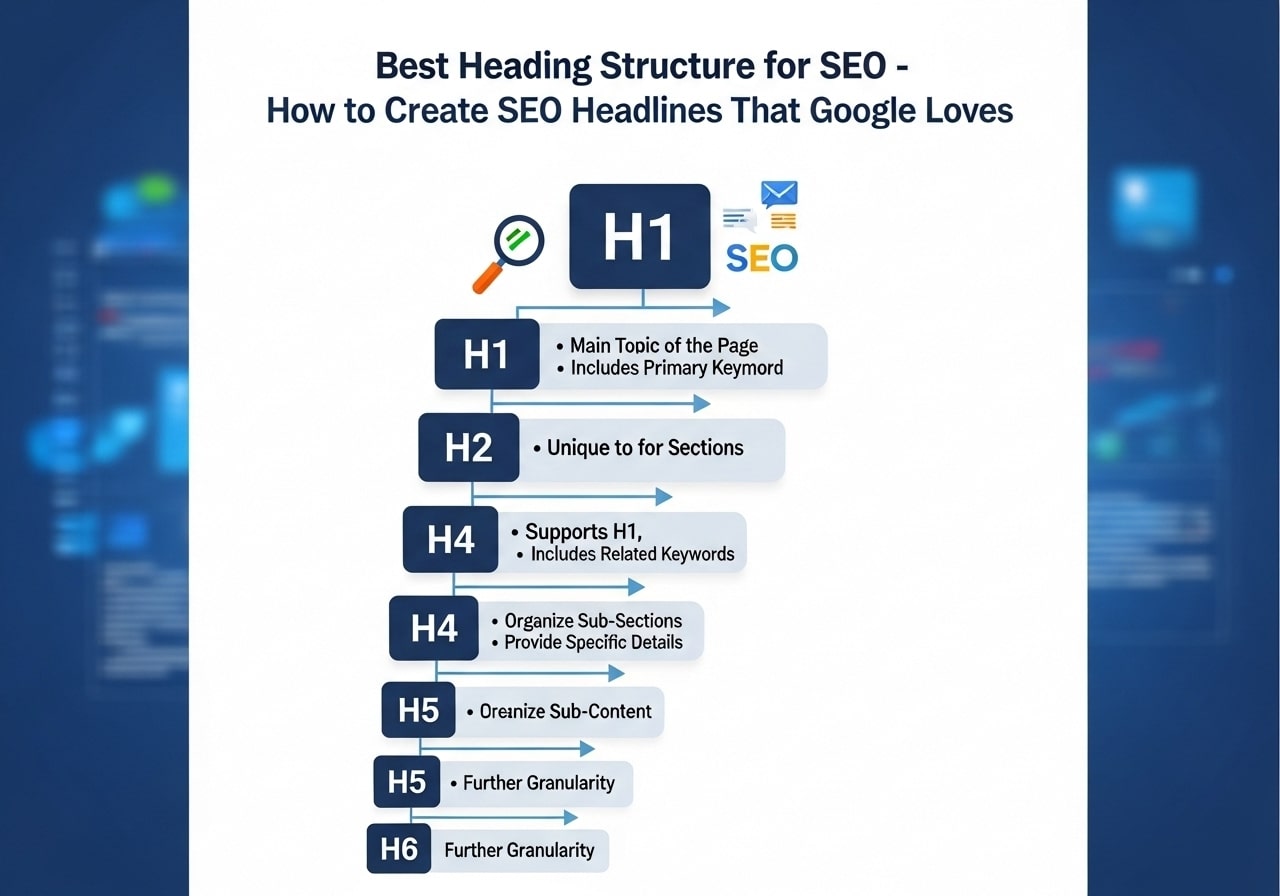
The seo heading hierarchy follows a logical order from H1 down to H6. Think of it like a family tree where each level has its place and purpose.
H1 Tags – Your Main Title
Your H1 tag is your page’s main headline. You should only have one H1 per page, and it should include your primary keyword. The H1 tells both Google and readers what your entire page is about.
H2 Tags – Major Section Headers
Heading 2 for seo tags divide your content into major sections. These are like chapter titles in a book. Each H2 should cover a distinct topic related to your main keyword.
H3-H6 Tags – Subsections and Details
These heading levels break down your H2 sections into smaller parts. Most content doesn’t need to go deeper than H3 or H4 tags.
The Perfect SEO Header Structure
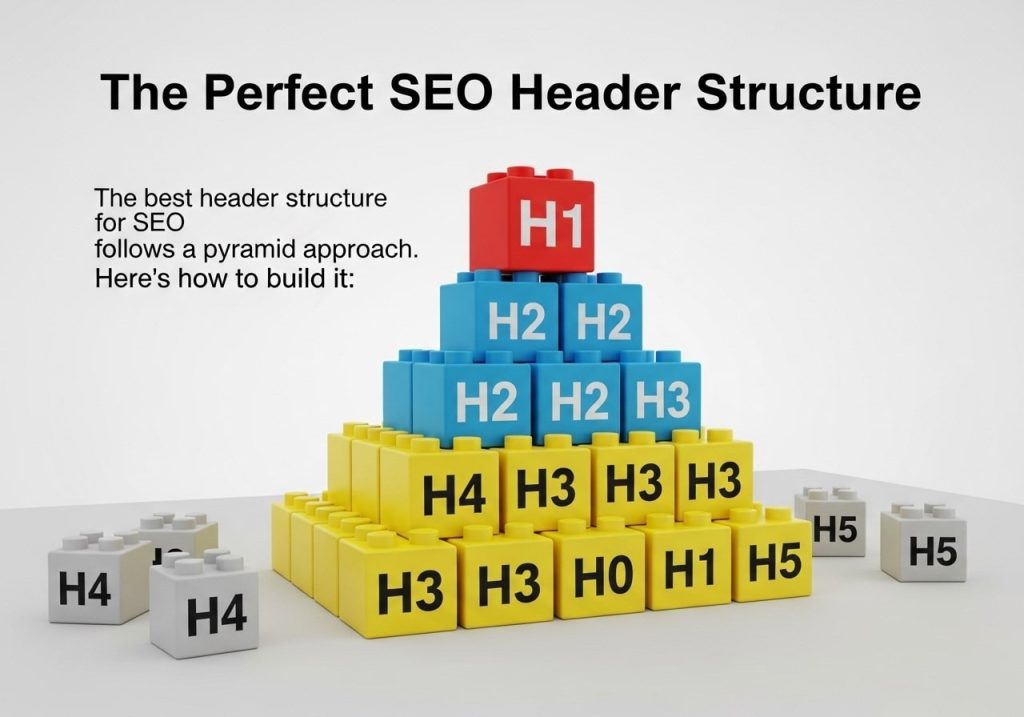
The best header structure seo follows a pyramid approach. Here’s how to build it:
Start with one H1 tag that includes your main keyword. Make it clear and descriptive. For example, if you’re writing about dog training, your H1 might be “Complete Dog Training Guide for Beginners.
Use H2 tags for main sections. Each H2 should cover a major topic. Following our dog training example:
- H2: Basic Commands Every Dog Should Know
- H2: House Training Your New Puppy
- H2: Dealing with Common Behavior Problems
Add H3 tags under H2s when needed. Under “Basic Commands Every Dog Should Know,” you might have:
- H3: Teaching the Sit Command
- H3: Training Your Dog to Stay
- H3: Getting Your Dog to Come When Called
The best headings for seo create a clear path through your content. Each heading should make sense on its own and fit logically with the headings around it.
Best SEO Header Structure Examples
Let’s look at some real examples of best header structure for seo in action:
Example 1: Recipe Blog
H1: Easy Chocolate Chip Cookies Recipe (Ready in 30 Minutes)
H2: Ingredients You’ll Need
H2: Step-by-Step Instructions
H3: Mixing the Dough
H3: Baking the Cookies
H2: Tips for Perfect Cookies Every Time
H2: Storage and Serving Suggestions
Example 2: Software Tutorial
H1: How to Use Photoshop for Beginners (Complete 2024 Guide)
H2: Getting Started with Photoshop
H3: System Requirements
H3: Installing Photoshop
H2: Understanding the Photoshop Interface
H3: Tools Panel Overview
H3: Layers Panel Basics
H2: Your First Photo Edit
H3: Opening and Importing Images
H3: Basic Adjustments
These examples show how header structure seo creates a logical flow that helps both readers and search engines understand your content organization.
Common Heading Structure Mistakes to Avoid

Many content creators make these heading structure seo mistakes that hurt their rankings:
Using multiple H1 tags confuses search engines about your main topic. Stick to one H1 per page that clearly states your primary focus.
Skipping heading levels breaks the logical flow. Don’t jump from H1 straight to H3. Follow the natural order: H1, then H2, then H3, and so on.
Stuffing keywords into every heading looks spammy. Use your main keyword in the H1 and maybe one H2, then use related terms and natural language in other headings.
Making headings too long reduces their impact. Keep headings under 60 characters when possible. They should be descriptive but concise.
Using headings just for styling instead of structure confuses search engines. Don’t use an H3 tag just because you like how it looks. Use CSS to change appearance while keeping proper heading hierarchy.
SEO Headings Best Practice Guidelines
Follow these seo headings best practice rules to improve your search rankings:
Make headings descriptive and specific. Instead of “Introduction,” use “What You Need to Know About Solar Panel Installation.” Specific headings help readers and search engines understand your content better.
Include keywords naturally. Work your target keywords into headings where they fit naturally. Don’t force keywords if they don’t make sense in context.
Keep headings consistent in style. If your first H2 is “How to Choose the Right Tools,” make your next H2 follow a similar pattern like “How to Prepare Your Workspace.”
Write for humans first. Good seo headline best practices focus on helping real people. If your heading helps someone understand what they’ll learn, it’s probably good for SEO too.
Use action words when appropriate. Headings like “Choose,” “Create,” “Build,” or “Fix” tell readers they’ll learn to do something specific.
How to Optimize Heading 2 for SEO
Heading 2 for seo tags are especially important because they often show up in search results and featured snippets. Here’s how to optimize them:
Answer common questions in your H2 tags. Research what people ask about your topic and create H2 headings that directly answer these questions.
Use related keywords in H2 tags. If your main keyword is “weight loss tips,” your H2s might include “healthy eating habits,” “exercise routines,” or “meal planning strategies.”
Make H2s scannable. Many readers scan H2 headings to decide if they want to read the full article. Make sure your H2s give a clear picture of what each section covers.
Consider search intent for each H2. Some sections might target informational searches (“What causes weight gain”), while others target action-oriented searches (“How to create a workout plan”).
Tools for Analyzing Your Header Structure
Several tools can help you check if you’re following seo best practices for header optimization:
Browser developer tools show your heading structure quickly. Right-click on any webpage and select “Inspect” to see the HTML heading tags.
SEO browser extensions like MozBar or SEOquake highlight heading tags as you browse. These tools make it easy to see how well-structured pages organize their headings.
Content analysis tools like Yoast SEO (for WordPress) or Surfer SEO check your heading structure automatically. They’ll warn you about missing H1 tags or other structural issues.
Accessibility checkers ensure your headings work for screen readers and other assistive technologies. Good accessibility usually means good SEO structure too.
Advanced SEO Headline Best Practices
Once you master basic heading structure for seo, try these advanced techniques:
- Optimize for featured snippets by structuring H2 and H3 tags as questions and answers. Google often pulls featured snippet content from well-structured headings and the content that follows them.
- Consider voice search optimization. People ask voice assistants complete questions, so having headings that match natural speech patterns can help you rank for voice searches.
- Use schema markup with your headings when appropriate. This helps search engines understand your content structure even better.
- Test different heading styles to see what works for your audience. Some topics work better with numbered lists (“5 Ways to Save Money”), while others work better with how-to formats (“How to Save Money on Groceries”).
- Monitor your heading performance in Google Search Console. Look at which pages get the most clicks and impressions, then analyze their heading structures to find patterns that work.
- Creating the best heading structure for seo takes practice, but it’s one of the most important skills for content creators. Good headings help your content rank higher, get more clicks, and provide better user experience.
Remember that search engines:
Remember that search engines and user preferences change over time. What works today might need adjustment tomorrow. Stay focused on creating clear, helpful headings that serve your readers first, and SEO benefits will follow naturally.
The key to success with seo headings is consistency and continuous improvement. Start implementing these practices in your next piece of content, and you’ll begin seeing better search engine performance. Your readers will appreciate the clear structure, and search engines will reward you with higher rankings.
Ready to improve your content’s search rankings? Start by auditing your existing content’s heading structure using the guidelines above. Pick one piece of content and rewrite the headings following these best practices, then monitor the results over the next few months.
FAQs
What is heading structure in SEO?
Heading structure refers to how you organize your content using HTML heading tags (H1, H2, H3, etc.) to create a clear hierarchy. This helps search engines understand your content better and makes it easier for readers to scan and navigate your page.
Why do headings matter for SEO?
Headings help Google understand what your page is about and how your content is organized. They also improve user experience by making your content easier to read and navigate, which can lead to better rankings and more time spent on your page.
What’s the difference between H1, H2, and H3 tags?
H1 is your main page title and should appear only once per page. H2 tags are for major section headings, while H3 tags are for subsections under H2s. Think of it like a book outline – H1 is the title, H2s are chapters, and H3s are sections within chapters.
How many H1 tags should I use on one page?
You should use only one H1 tag per page. This should be your main page title that clearly describes what the page is about. Using multiple H1 tags can confuse search engines about your page’s main topic.
Should I include keywords in my headings?
Yes, but do it naturally. Include your main keyword in your H1 tag and related keywords in your H2 and H3 tags where it makes sense. Don’t force keywords into headings if they don’t fit naturally – readability comes first.
What makes a good SEO headline?
A good SEO headline is clear, descriptive, includes relevant keywords, and tells readers exactly what they’ll find in that section. It should be between 20-70 characters for H1 tags and written for humans first, search engines second.
Can I skip heading levels like going from H1 to H3?
It’s best not to skip heading levels. Follow a logical order: H1, then H2, then H3. This creates a clear structure that both users and search engines can easily follow. Skipping levels can make your content harder to understand.
How long should my headings be?
Keep headings concise but descriptive. H1 tags should be 20-70 characters, while H2 and H3 tags can be shorter. The goal is to clearly communicate what each section covers without being too wordy.
Do headings affect my search rankings directly?
While headings aren’t the strongest ranking factor, they do help Google understand your content structure and topic relevance. Good heading structure also improves user experience, which can indirectly boost your rankings.
Should I use the same heading structure on every page?
No, each page should have headings that match its specific content. While you might have similar patterns across your site, each page’s heading structure should be tailored to organize that particular page’s information effectively.