Your website’s titles and meta descriptions are your first impression in search results, yet most marketers never test them. A/B testing for titles and meta descriptions can dramatically boost your click-through rates and drive more qualified traffic to your site.
This guide is for digital marketers, SEO specialists, and content creators who want to stop guessing and start using data to optimize their search presence. You’ll discover how testing titles and meta descriptions directly impacts your search performance and learn the specific elements that make the biggest difference in getting people to click.
We’ll walk you through the key components you should test in your titles and meta descriptions, from emotional triggers to length optimization. You’ll also get a step-by-step approach for running A/B tests correctly, including how to measure results and avoid common testing mistakes that can skew your data.
Understanding A/B Testing for Titles and Meta Descriptions
What A/B Testing for Titles and Meta Descriptions Is and Why It Matters for Websites
A/B testing for titles and meta descriptions means creating two different versions of your page titles and descriptions, then showing them to different groups of users to see which performs better. Think of it like running a mini-experiment where half your audience sees version A and half sees version B. You then measure which version gets more clicks from search results.
This approach matters because your title tags and meta descriptions act as your website’s first impression in search results. They’re the headline and preview text that people see before deciding whether to click through to your site. Even small changes in wording can dramatically impact whether someone chooses your result over a competitor’s.
The beauty of content A/B testing lies in removing guesswork from your SEO strategy. Instead of hoping your titles will resonate with users, you get concrete data showing what actually works. This becomes especially valuable when you’re competing for the same keywords as established websites.
How A/B Testing Title Elements Can Help You Find Headlines That Users Actually Click
Testing titles reveals surprising insights about user behavior that you might never discover otherwise. A title you think sounds professional might actually turn people off, while a more casual approach could double your click-through rates.
The process works by creating variations that test different psychological triggers. You might compare a question-based title against a statement, or test whether including numbers improves performance. For example, “Best Marketing Strategies” versus “7 Marketing Strategies That Actually Work” targets different user motivations.
When you run these tests systematically, patterns emerge. You’ll discover whether your audience responds better to urgency (“Now” or “Today”), authority signals (“Expert” or “Proven”), or benefit-focused language (“Save Time” or “Increase Sales”). These insights then inform your broader content strategy across your entire website.
How Search Engines and Readers Respond Differently to Various Title and Meta Options
Search engines and human users evaluate titles through completely different lenses, creating an interesting dynamic you need to balance. Google’s algorithms scan for keyword relevance, semantic meaning, and technical factors like length and structure. They don’t get excited by emotional appeals or clever wordplay the way humans do.
Users, on the other hand, make split-second emotional decisions based on what catches their attention and promises value. They respond to curiosity gaps, social proof, and clear benefits. A title like “Ultimate Guide to Email Marketing” might rank well for keywords, but “How I Grew My Email List from 0 to 50,000 Subscribers” could generate more clicks from actual people.
The sweet spot comes from crafting titles that satisfy both audiences. You want enough keyword relevance for search visibility while maintaining the human appeal that drives clicks. Meta title tests help you find this balance by showing real performance data rather than forcing you to guess what works.
Important Metrics to Watch During Meta A/B Testing
Click-through rate stands as your primary metric when testing title tags and meta descriptions. This measures the percentage of people who see your listing and actually click through to your site. Even a 1% improvement in CTR can translate to hundreds of additional monthly visitors.
Beyond CTR, monitor your average position in search results. Sometimes a more clickable title might cause Google to rank you slightly higher because of increased engagement signals. Track both metrics together to understand the full impact of your changes.
Time on page and bounce rate provide secondary insights about whether your new titles attract the right audience. A higher CTR means nothing if visitors immediately leave because your title overpromised or attracted the wrong people. Quality engagement metrics help ensure your test page title and meta description changes bring genuinely interested visitors.
Conversion rates complete the picture by showing whether increased traffic actually helps your business goals. The most clickable title isn’t always the most profitable one. Track conversions to ensure your testing title tags strategy drives both traffic and results.
Impact on Click-Through Rates and Search Performance

Direct correlation between compelling titles and user clicks
Search results pages are like digital billboards competing for attention. Your title tag serves as the headline that either stops scrollers in their tracks or gets completely ignored. Data consistently shows that a/b testing title tags can dramatically boost click-through rates, sometimes by 30-50% or more.
When users scan search results, they typically spend just a few seconds deciding which link to click. Compelling titles create an immediate emotional connection or promise value that generic ones simply can’t match. A title like “7 Simple Steps to Double Your Savings” will almost always outperform “How to Save Money” because it’s specific, actionable, and quantifies the benefit.
The psychology behind clicks is fascinating. People gravitate toward titles that include numbers, power words, or address specific pain points. Testing titles reveals that slight modifications – adding urgency, specificity, or emotional triggers – can transform mediocre performers into traffic magnets.
Meta descriptions as your search result sales pitch
Think of meta descriptions as your 160-character elevator pitch. While they don’t directly impact search rankings, they absolutely influence whether someone clicks your result. Meta a/b testing consistently proves that well-crafted descriptions can increase click-through rates by 20-40%.
Effective meta descriptions work like mini-advertisements. They should complement your title by expanding on the promise or adding additional benefits. If your title says “Ultimate Guide to Home Organization,” your meta description might add “Declutter every room in just 30 minutes with these professional organizer secrets.”
The best descriptions create curiosity gaps – they reveal enough to spark interest but leave readers wanting more. They also include relevant keywords naturally while maintaining a conversational tone that speaks directly to user intent.
How small changes create dramatic traffic increases
Minor tweaks in content a/b testing often produce surprisingly large results. Changing “Tips for Better Sleep” to “7 Science-Backed Sleep Hacks That Work Tonight” might seem small, but it addresses multiple psychological triggers – specificity (7), credibility (science-backed), and immediacy (tonight).
Even single word changes can move the needle. Swapping “ways” for “secrets” or “guide” for “blueprint” taps into different emotional responses. Meta title test results show that action words consistently outperform passive language.
Consider testing different angles for the same content. A weight loss article could be titled “Lose 10 Pounds Fast” or “Stop Weight Loss Struggles Forever” – same topic, completely different psychological appeal. Testing reveals which resonates with your specific audience.
Real-world examples of successful optimization
A fitness blog increased clicks by 67% when they changed “Workout Routines for Busy People” to “15-Minute Workouts That Actually Work (No Gym Required).” The new version was specific about time commitment and addressed common objections.
An e-commerce site testing product page titles saw a 43% CTR boost by adding social proof: “Best Wireless Headphones” became “Best Wireless Headphones (Used by 50,000+ Happy Customers).” Numbers create credibility and reduce purchase anxiety.
A recipe site discovered that testing title tags with emotional words performed better. “Chocolate Chip Cookie Recipe” transformed into “Grandma’s Secret Chocolate Chip Cookies (Family Recipe Since 1952)” – suddenly the same recipe felt special and trustworthy.
| Original Title | Optimized Title | CTR Increase |
|---|---|---|
| “Home Cleaning Tips” | “5-Minute Cleaning Tricks That Save Hours” | +52% |
| “Investment Advice” | “Turn $100 into $1000: Beginner’s Investment Guide” | +38% |
| “Dog Training Methods” | “Stop Puppy Problems in 7 Days (Guaranteed)” | +71% |
These examples prove that test page title and meta description optimization isn’t just theory – it creates measurable business results through higher engagement and traffic growth.
How Titles and Meta Descriptions Affect Clicks and Traffic

How Clear and Interesting Titles Encourage People to Click When Testing Titles
Your title is the first thing searchers see on Google’s results page, and it makes or breaks their decision to visit your site. When you run a/b testing for titles and meta descriptions, clear and compelling headlines consistently outperform vague or boring ones.
Think about titles like headlines in newspapers – they need to grab attention while telling people exactly what they’ll get. A title like “5 Quick Ways to Fix Your Broken Faucet” will always beat “Plumbing Solutions” because it’s specific and promises immediate value.
Testing title tags reveals that emotional triggers work incredibly well. Words like “ultimate,” “essential,” or “proven” can boost clicks by 20-30%. Numbers also perform exceptionally – “7 Steps” or “10 Tips” give readers a clear expectation of what’s inside.
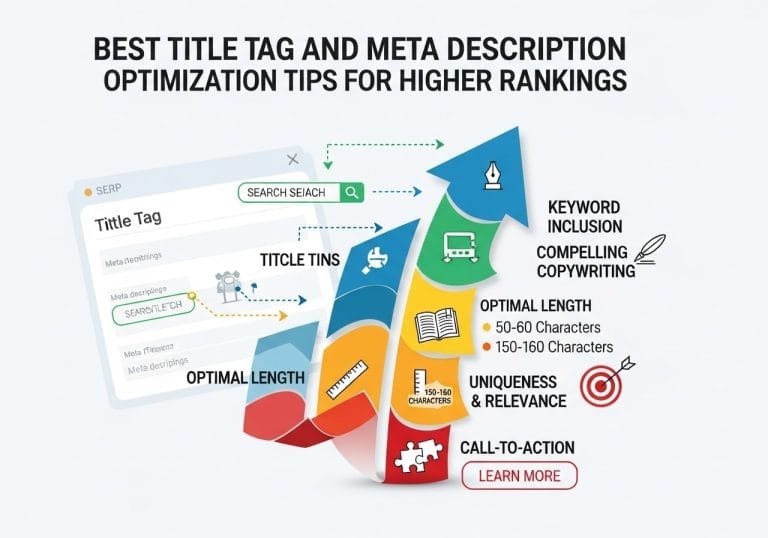
The sweet spot for title length sits between 50-60 characters. Longer titles get cut off in search results, while shorter ones might not provide enough information to entice clicks. When you test page title and meta description combinations, you’ll often find that slightly shorter, punchier titles perform better than their longer counterparts.
Meta Descriptions as Your “First Handshake” with Searchers and Why A/B Tests Meta Improve Results
Meta descriptions act like your elevator pitch to potential visitors. They’re the 155-character preview that appears under your title in search results, and they’re your chance to convince someone your page has exactly what they need.
A/b tests meta descriptions show that the best ones read like mini-advertisements. They highlight benefits, create urgency, or promise solutions. A meta description saying “Learn proven strategies that helped 500+ businesses increase their revenue by 40% in just 3 months” will dramatically outperform “This article covers business growth strategies.
Questions work surprisingly well in meta descriptions because they mirror what searchers are thinking. “Struggling with low website traffic?” immediately connects with someone facing that exact problem.
Meta a/b testing consistently shows that including a clear call-to-action boosts performance. Phrases like “Get started today,” “Download now,” or “See how it works” guide users toward clicking. The key is making the action feel natural, not pushy.
Small Changes in Titles and Descriptions Can Lead to Noticeable Traffic Gains
Minor tweaks often produce major results when you’re testing titles and descriptions. Changing “How to Lose Weight” to “How to Lose 10 Pounds Fast” might seem small, but it can increase clicks by 40% or more.
Single word swaps make huge differences. Replacing “tips” with “secrets” or “ways” with “strategies” can dramatically shift performance. These changes tap into different psychological triggers that resonate with your audience.
Even punctuation matters. Adding parentheses around key information like “(2024 Update)” or “(Free Template)” catches the eye and provides additional value signals. Question marks in titles often outperform periods because they create curiosity.
Content a/b testing shows that seasonal adjustments work wonderfully. Adding “This Holiday Season” or “Before 2024 Ends” creates urgency that drives more clicks during relevant periods.
Real Examples Where Meta Title Test and Content A/B Testing Improved Website Performance
A SaaS company increased their organic traffic by 67% by changing their homepage title from “Project Management Software” to “The Project Management Tool Teams Actually Use.” The second version felt more relatable and trustworthy.
An e-commerce site saw a 45% jump in clicks when they changed product page titles from “Women’s Running Shoes” to “Comfortable Running Shoes Women Love – Free Shipping.” They added emotional appeal and a bonus offer right in the title.
A fitness blog discovered that their meta title test comparing “Workout Routines for Beginners” versus “Simple 15-Minute Workouts Anyone Can Do” heavily favored the second option. The specific time frame and inclusive language made it less intimidating.
One particularly striking example involved a recipe website that changed their meta descriptions from ingredient lists to benefit-focused copy. Instead of “Recipe includes chicken, rice, vegetables,” they used “Ready in 30 minutes with ingredients you already have.” Their click-through rates jumped 89%.
A local service business transformed their results by adding location and urgency to titles. “Plumbing Services” became “Emergency Plumber Available 24/7 in [City Name]” – resulting in 156% more calls from search traffic.
These examples prove that title tag and meta description checker tools combined with systematic testing can unlock significant growth hiding in plain sight.
Key Things to Test in Your Titles

Using words and phrases that make readers curious or excited when testing title tags
Curiosity-driven titles tap into our natural desire to learn more, making them powerful tools for increasing clicks. When conducting a/b testing for titles and meta descriptions, emotional triggers and curiosity gaps consistently outperform bland, descriptive headlines.
Power words like “secret,” “ultimate,” “shocking,” and “unexpected” create intrigue without being clickbait. For example, testing “5 Marketing Strategies” against “5 Secret Marketing Strategies That Doubled Our Sales” often shows significant performance differences. The second version promises insider knowledge and concrete results.
Mystery elements work exceptionally well in testing title tags. Phrases like “what nobody tells you about,” “the hidden truth behind,” or “why experts are wrong about” create information gaps that readers want to fill. Your meta title test should compare straightforward titles with versions containing these curiosity hooks.
Emotional words also drive engagement. Testing titles with words like “amazing,” “incredible,” “game-changing,” or “life-saving” against neutral alternatives reveals how emotional language affects click-through rates. The key lies in matching the emotion to your audience’s pain points and desires.
Adding numbers or specific details for trust and clarity
Numbers provide instant credibility and set clear expectations for readers. Content a/b testing consistently shows that titles with specific numbers outperform vague alternatives. “Several Tips” loses to “7 Tips” because readers know exactly what they’re getting.
Odd numbers often perform better than even ones. Testing “5 Ways” versus “6 Ways” or “7 Strategies” versus “8 Strategies” frequently favors the odd-numbered versions. This psychological quirk makes odd numbers feel more natural and trustworthy.
Specific details beyond numbers also build credibility. Instead of “Increase Your Sales,” test “Increase Your Sales by 43% in 30 Days.” The precision suggests real data and achievable outcomes. When running a/b tests meta descriptions, include specific percentages, timeframes, or quantities.
Year-specific information adds freshness and relevance. “Marketing Tips” versus “Marketing Tips for 2024” shows how current information attracts more clicks. People want the latest strategies, not outdated advice.
| Vague Version | Specific Version | Why It Works Better |
|---|---|---|
| “Many Tips” | “12 Proven Tips” | Clear expectation, implies testing |
| “Fast Results” | “Results in 3 Days” | Concrete timeline |
| “Improved Sales” | “23% Sales Increase” | Specific outcome |
Testing questions versus statements in test page title and meta description
Question-based titles engage readers by addressing their specific problems or curiosities. When you test page title and meta description combinations, questions often create stronger emotional connections than declarative statements.
Questions work because they mirror how people think and search. Someone wondering about productivity might respond better to “Struggling to Stay Productive at Home?” than “Home Productivity Tips.” The question acknowledges their challenge and promises solutions.
Different question types serve different purposes. “How to” questions promise step-by-step guidance, “What is” questions target informational needs, and “Why” questions satisfy curiosity about reasons or causes. Your testing titles should explore which question format resonates with your specific audience.
However, statements aren’t always weaker. When testing questions against strong declarative titles with numbers or benefits, statements sometimes win. “How to Lose Weight Fast” might lose to “Lose 10 Pounds in 2 Weeks Without Dieting.” The statement provides more specific value.
Balance is crucial. A page full of question-based titles looks repetitive and clickbait-heavy. Mix questions with strong statements based on your testing results and content variety needs.
Placing keywords and your brand naturally for better user understanding
Keyword placement significantly impacts both search visibility and user comprehension. Front-loading important keywords in your title tag and meta description checker tests often improves performance, but stuffing keywords awkwardly hurts readability and trust.
Natural keyword integration requires understanding user intent behind search terms. Someone searching “best project management software” wants comparisons and recommendations, not just software features. Your title should reflect this intent: “Best Project Management Software: 2024 Comparison” rather than “Project Management Software Features Guide.”
Brand placement depends on your recognition level. Established brands often benefit from front-loading their name, while newer companies might place it at the end. Testing “Nike Running Shoes: Top 10 Models” versus “Top 10 Nike Running Shoes for Marathon Training” reveals how brand positioning affects clicks in your market.
Geographic keywords need special attention for local businesses. “Chicago Pizza Delivery” versus “Best Pizza Delivery in Chicago” tests how keyword order affects local search performance. The more natural phrasing often wins despite slightly different keyword placement.
Avoid keyword stuffing at all costs. “Best SEO Tools Best SEO Software Best SEO Programs” destroys credibility. Instead, use variations and synonyms: “Best SEO Tools and Software for Content Marketing” flows naturally while covering multiple related terms.
Making Meta Descriptions Work Better

Keeping meta descriptions the right length for search visibility
Search engines typically show around 150-160 characters of your meta description before cutting it off with ellipses. When you’re running content a/b testing on meta descriptions, length becomes a critical factor that directly impacts how much information users see in search results.
Shorter descriptions around 120-140 characters often perform better because they display completely on both desktop and mobile devices. Your meta a/b testing should compare different lengths to see what works best for your specific audience and content type. Some pages benefit from concise, punchy descriptions, while others need more space to explain complex topics or services.
Keep in mind that Google sometimes pulls different text from your page if it thinks that content better matches the searcher’s query. Testing different lengths helps you find the sweet spot where your intended message gets through while staying within display limits.
Using phrases that encourage action and clicks
Action-oriented language transforms passive meta descriptions into compelling invitations. Instead of simply describing what’s on your page, use verbs that prompt users to take the next step. Words like “discover,” “learn,” “get,” “find,” and “start” create momentum and urgency.
Questions work particularly well in meta descriptions because they directly address what searchers want to know. “Looking for the best pizza in Chicago?” immediately connects with someone searching for local restaurants. Testing title tags alongside these question-based meta descriptions often reveals powerful combinations.
Power words add emotional appeal to your descriptions. Terms like “exclusive,” “proven,” “secret,” “ultimate,” and “essential” tap into psychological triggers that encourage clicks. Your meta title test results should inform which emotional appeals work best with your audience.
Showing benefits clearly instead of just listing features
Features tell users what something is, but benefits explain why they should care. When testing titles and meta descriptions, focus on outcomes rather than specifications. Instead of “CRM software with 50+ integrations,” try “Connect all your tools and save 3 hours per day on data entry.”
Benefits speak to the transformation users will experience after engaging with your content. They answer the “what’s in it for me” question that every searcher has. Your a/b testing for titles and meta descriptions should compare feature-heavy descriptions against benefit-focused ones to see which drives more clicks.
Make benefits specific and measurable when possible. “Increase your productivity” is vague, but “Cut your email time in half with these 5 templates” gives users a clear expectation of value.
How meta a/b testing reveals which approach connects best with your audience
Meta a/b testing uncovers patterns about what resonates with your specific audience that you’d never discover through guesswork alone. Different industries, demographics, and user intentions respond to vastly different messaging approaches.
Running systematic tests on your meta descriptions reveals whether your audience prefers direct, no-nonsense language or more creative, personality-driven copy. Some audiences click more on descriptions that emphasize social proof and testimonials, while others respond better to time-sensitive offers or exclusive access language.
The data from your test page title and meta description experiments shows you exactly which psychological triggers work for your market. You might discover that your B2B audience ignores emotional language but clicks immediately on descriptions mentioning specific ROI numbers. Or your e-commerce customers might prefer descriptions that highlight free shipping and returns over product features.
Track your click-through rates, bounce rates, and conversion rates to get a complete picture of what works. Sometimes a meta description drives more clicks but delivers lower-quality traffic, while another version brings fewer clicks but higher engagement. Your title tag and meta description checker results combined with user behavior data help you optimize for both visibility and performance.
Running A/B Tests Correctly

Making Sure Results Are Reliable Using Content A/B Testing Principles
Getting reliable results from your a/b testing for titles and meta descriptions starts with following proven testing principles. You need at least 1,000 impressions per variation to draw meaningful conclusions, though 5,000 or more gives you better confidence in your data. Statistical significance matters more than quick wins – rushing to conclusions after just a few days can lead you down the wrong path.
Keep your tests focused on one element at a time. If you’re testing titles, don’t change the meta description simultaneously. This isolation lets you pinpoint exactly what drove any performance changes. Document everything: your hypothesis, the variations tested, and the reasoning behind each change.
Choosing the Right Time Frame and Sample Size for Meaningful Results
Your meta a/b testing needs enough time to account for natural search behavior fluctuations. Run tests for at least two weeks, but ideally four to six weeks for comprehensive data. Weekend versus weekday search patterns can vary dramatically, so shorter tests miss these important cycles.
Sample size calculation depends on your current click-through rate and the improvement you want to detect. For pages with 100 daily impressions, you’ll need several months to reach statistical significance. High-traffic pages can show reliable results in days or weeks. Don’t stop tests early just because one variation looks promising – let the data mature.
Tools Like Title Tag and Meta Description Checker to Simplify Testing
Several title tag and meta description checker tools streamline your testing process. Google Search Console provides built-in performance data, while third-party platforms like Optimizely and VWO offer more sophisticated testing frameworks. Some tools automatically rotate variations and track performance metrics.
Browser extensions can preview how your titles and descriptions appear in search results across different devices. These visual checks help you catch truncation issues before launching tests. Many SEO platforms now include built-in A/B testing features that integrate with search performance data.
Avoiding Common Mistakes That Can Make Your Test misleading
Common pitfalls can sabotage your content a/b testing efforts. Never change multiple elements simultaneously – you won’t know which change caused any performance shifts. Avoid testing during unusual periods like holidays or major news events that might skew search behavior.
Don’t ignore mobile versus desktop differences. Your testing title tags should account for how variations display across devices. Mobile search results show fewer characters, so a winning desktop title might perform poorly on mobile. Always segment your results by device type.
Confirmation bias leads many testers to cherry-pick favorable data points. Stick to your predetermined testing period and success metrics. Small sample sizes produce unreliable results, so resist the urge to declare winners too early.
Measuring Success and Applying Results
Success in a/b testing title experiments goes beyond click-through rates. Track time on page, bounce rate, and conversion metrics to understand the full impact of your changes. A title that increases clicks but delivers unqualified traffic might actually hurt your overall performance.
Set up conversion tracking before launching tests. Connect Google Analytics goals to your search console data for a complete picture. Some title changes might decrease initial clicks but attract more qualified visitors who convert at higher rates.
When you identify winning variations, implement them systematically. Don’t just update the tested page – analyze what made the winner successful and apply those insights to similar pages.
Tracking More Than Just Clicks in A/B Testing for Titles and Meta Descriptions
Click-through rate tells only part of the story. Monitor how different title and description variations affect user engagement once visitors reach your site. A compelling but misleading title might boost clicks while increasing bounce rates and damaging long-term search rankings.
Revenue per visitor often matters more than raw traffic numbers. Track assisted conversions and multi-touch attribution to understand how your meta title test impacts the entire customer journey. Some variations might generate fewer immediate sales but more email signups or return visits.
Brand recognition metrics also deserve attention. Titles that mention your brand name might have lower click-through rates but build stronger brand association and trust over time.
Following How Visitors Move From Search to Taking Action
Map the complete user journey from search result to conversion. Your test page title and meta description creates the first impression, but subsequent page experience determines ultimate success. Use heat mapping and user session recordings to understand how different traffic sources behave on your site.
Set up funnel analysis to track progression through key conversion steps. Visitors from different title variations might follow distinct paths through your site. Understanding these patterns helps you optimize not just search snippets but entire conversion flows.
Attribution modeling reveals how search visits contribute to eventual conversions. A descriptive, informative title might attract researchers who convert weeks later through direct visits or email campaigns.
Long-term Benefits of Repeating and Refining Tests
Consistent a/b tests meta efforts compound over time. Search behavior evolves with seasons, trends, and algorithm updates. What works today might need adjustment in six months. Regular testing keeps your search snippets fresh and effective.
Build testing into your content creation workflow. New pages should launch with baseline titles and descriptions, then undergo testing once they accumulate sufficient search impressions. This systematic approach prevents optimization blind spots.
Document your testing history and results. Patterns emerge across multiple tests that inform your overall SEO strategy. Certain emotional triggers or structural approaches might consistently outperform others in your industry.
Using Lessons From A/B Tests Meta to Improve Other Pages on Your Site
Winning elements from individual tests often apply across your entire site. If action verbs consistently boost performance in your testing titles experiments, incorporate them into other page titles. Successful meta description formats can become templates for similar content types.
Create style guides based on your testing insights. Document optimal character counts, effective keywords positioning, and emotional triggers that resonate with your audience. This systematizes your approach and improves consistency across all pages.
Scale successful patterns while respecting page-specific context. A title format that works for product pages might need adjustment for blog posts or service pages. Test these adaptations rather than assuming universal applicability.

Testing your titles and meta descriptions can make a real difference in how many people click on your content. When you experiment with different headlines and descriptions, you’ll discover what actually grabs attention and drives traffic to your site. Small changes in wording, length, or even the placement of keywords can boost your click-through rates and help your pages perform better in search results.
The key is to test one element at a time and give your experiments enough time to gather meaningful data. Focus on testing emotional triggers, different value propositions, and various calls-to-action in your titles. For meta descriptions, try different lengths, include compelling benefits, and experiment with urgency or curiosity-driven language. Start running A/B tests on your most important pages today – the insights you gain will help you create more effective content that actually connects with your audience and brings in more visitors.
FAQs
What is A/B testing for titles and meta descriptions?
A/B testing for titles and meta descriptions means creating two different versions of these elements and showing them to different groups of people to see which one performs better. You compare the results to find out which version gets more clicks from search results.
Why should I test my page titles and meta descriptions?
Testing helps you find out what actually works with your audience instead of guessing. Different words, phrases, or approaches can lead to big differences in how many people click on your website from search results. This means more visitors and potentially more business.
How do I know which version is performing better?
You measure performance by looking at your click-through rate (CTR) – the percentage of people who click on your link when they see it in search results. The version that gets more clicks is usually the winner. You can track this through Google Search Console or other analytics tools.
How long should I run an A/B test for titles and meta descriptions?
Run your test for at least 2-4 weeks to get reliable results. You need enough data to make a confident decision. If your website doesn’t get much traffic, you might need to test longer to gather meaningful results.
What elements should I test in my titles and meta descriptions?
Test different approaches like emotional words versus factual language, including numbers versus not including them, asking questions versus making statements, or highlighting different benefits. You can also test the length, order of information, or calls to action.
Can A/B testing titles and meta descriptions hurt my search rankings?
No, testing different versions won’t hurt your search rankings. Search engines understand that websites make changes to improve user experience. As long as your content remains relevant and helpful, testing these elements is safe.
What’s a good click-through rate to aim for?
Click-through rates vary greatly depending on your industry, position in search results, and type of content. Generally, anything above 2-3% is decent, but focus more on improving your own baseline rather than comparing to others.
Should I test multiple things at the same time?
No, test one element at a time for clear results. If you change both the title and meta description simultaneously, you won’t know which change caused any improvement or decline in performance.
How do I create effective test variations?
Start with your current version as the control, then create one alternative that changes a specific element. Make sure the difference is meaningful enough to potentially impact user behavior. Small tweaks like changing one word might not show significant results.
What tools do I need to run these tests?
You can use Google Search Console to monitor your click-through rates, though it doesn’t run formal A/B tests. For more advanced testing, consider tools like Google Optimize, or simply make manual changes and track results over time periods.