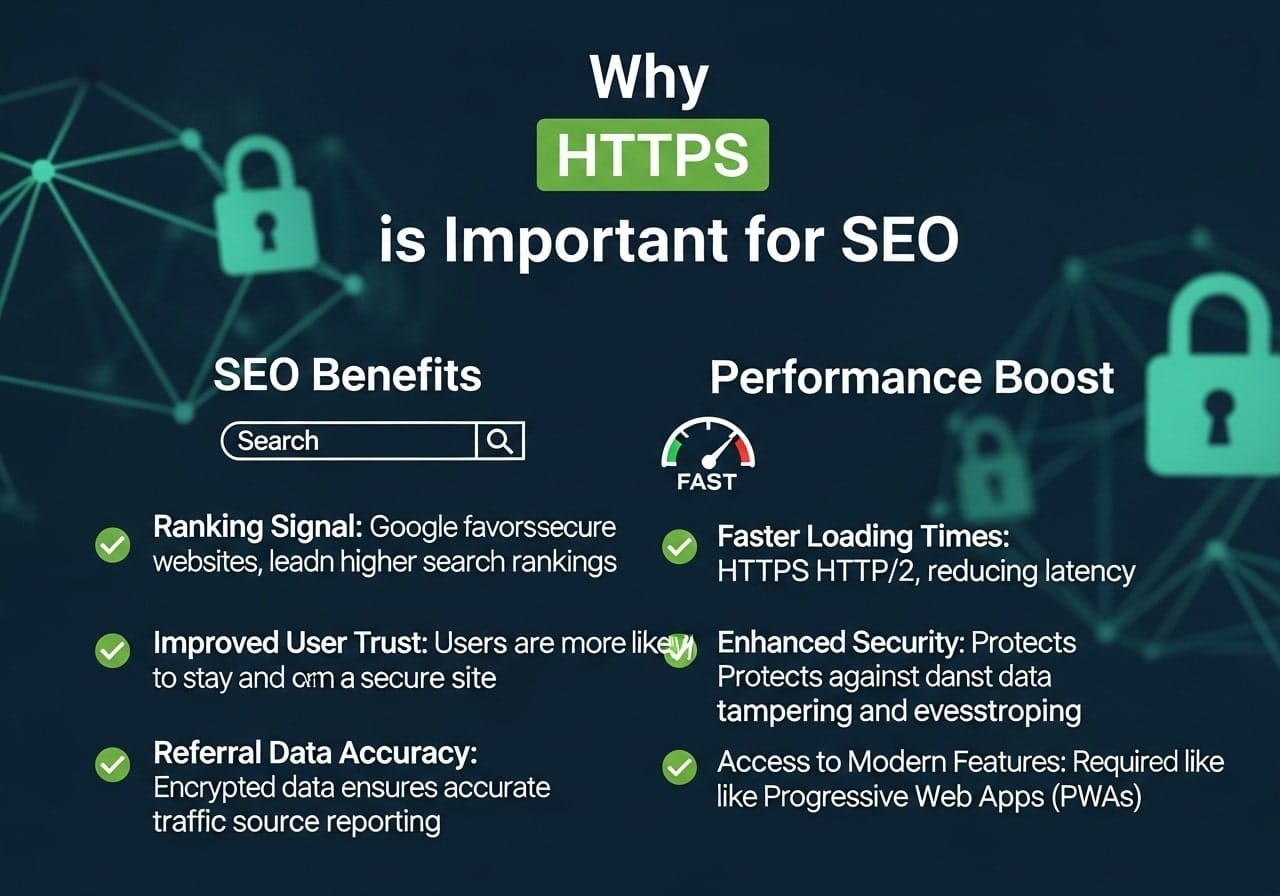
Why HTTPS is important for SEO has become one of the most frequently asked questions by website owners and digital marketers. If you’re wondering why is using HTTPS important for SEO, you’re not alone. The connection between website security and search engine rankings has never been more critical for online success.
What is HTTPS and Why Does It Matter?
What is HTTPS and why is it important for web browsing? HTTPS stands for HyperText Transfer Protocol Secure, and it’s the secure version of HTTP. The ‘S’ at the end represents the SSL (Secure Sockets Layer) certificate that encrypts data between your website and your visitors’ browsers.
What does SSL stand for in SEO? SSL stands for Secure Sockets Layer, and in SEO terms, it represents trust, security, and better search engine performance. When someone asks what is the importance of HTTPS in ensuring secure browsing, the answer lies in data protection and user confidence.
Key Components of HTTPS:
- Encryption: Protects sensitive information like passwords and credit card details
- Authentication: Verifies that users are connecting to the correct website
- Data Integrity: Ensures that data isn’t modified during transfer
Does Google Prioritize HTTPS Websites?
Does Google prioritize HTTPS? Absolutely. Google has been clear about its preference for secure websites since 2014 when it first announced HTTPS as a ranking signal. Why is Google forcing HTTPS? The search giant wants to create a safer internet experience for everyone.
Does Google require SSL? While not technically mandatory for all websites, Google strongly encourages HTTPS adoption through various means:
- Ranking boost: Secure websites get a slight ranking advantage
- Chrome warnings: Browsers display “Not Secure” warnings for HTTP sites
- Trust signals: Users are more likely to trust and engage with secure websites
Google’s HTTPS Timeline:
- 2014: HTTPS announced as a ranking factor
- 2016: Chrome started showing security warnings
- 2018: HTTPS became a requirement for PWAs
- 2020: Core Web Vitals emphasized security importance
How Website Security HTTPS Impacts Technical SEO
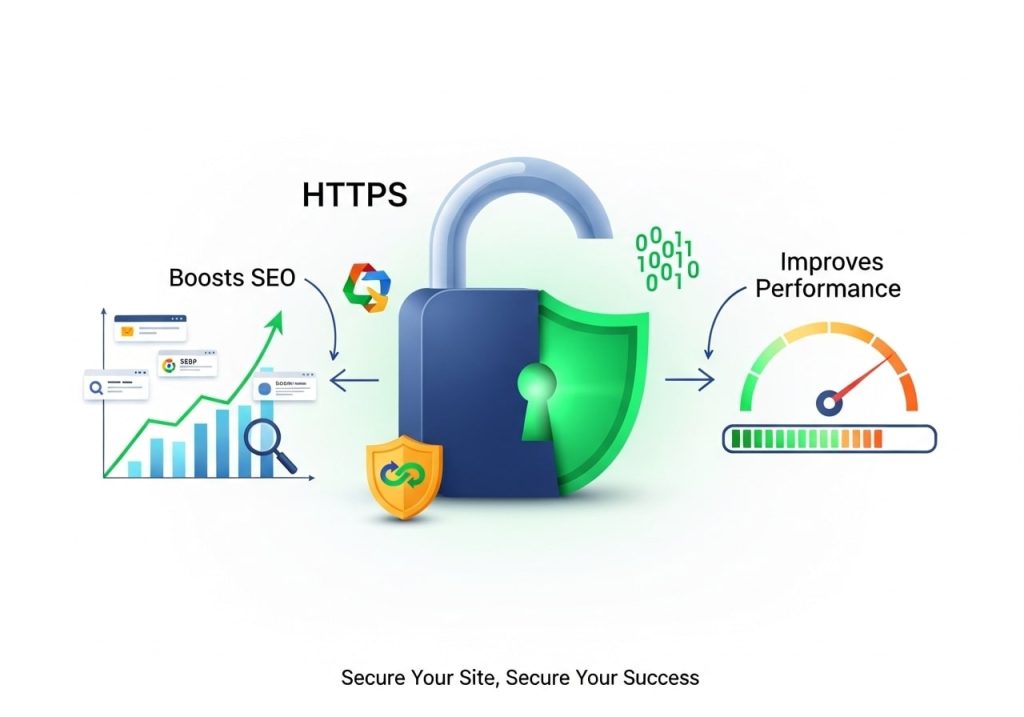
How does website security HTTPS impact technical SEO? The impact goes beyond just rankings. HTTPS affects multiple technical SEO elements that influence your website’s overall performance.
Technical SEO Benefits:
- Faster loading times: HTTP/2 protocol only works with HTTPS
- Better crawlability: Search engines prefer crawling secure sites
- Referral data preservation: HTTPS to HTTPS transfers maintain referral information
- Mobile-first indexing: Google’s mobile-first approach favors secure sites
Can you have technical SEO with an SSL certificate? Not only can you have technical SEO with SSL, but it’s actually enhanced by it. SSL certificates enable better technical performance and user experience.
The Main Advantages of HTTPS for Your Website
What is the main advantage of HTTPS? While security is the primary benefit, HTTPS offers multiple advantages that directly impact your SEO performance.
Security Benefits:
- Data encryption: Protects user information from hackers
- Identity verification: Confirms your website’s authenticity
- Prevents tampering: Stops malicious code injection
SEO Benefits:
- Improved rankings: Direct ranking factor boost
- Better user trust: Higher conversion rates
- Enhanced performance: Faster loading with HTTP/2
- Reduced bounce rates: Users stay longer on secure sites
Business Benefits:
- Customer confidence: Users feel safer sharing information
- Competitive advantage: Stand out from non-secure competitors
- Compliance: Meet industry security standards
Understanding SSL Certificates and SEO
Does SSL affect SEO? Yes, SSL certificates have a significant positive impact on SEO performance. Is SSL important for SEO? The answer is definitely yes, and here’s why.
Types of SSL Certificates:
- Domain Validated (DV): Basic encryption for simple websites
- Organization Validated (OV): Enhanced validation for businesses
- Extended Validation (EV): Highest level of validation and trust
What SEO benefit is associated with having an SSL certificate on a website? The primary benefits include:
- Trust signals: Users and search engines view your site as more credible
- Reduced security warnings: No browser warnings that scare visitors away
- Better user experience: Faster loading and smoother browsing
- Improved conversion rates: More users complete desired actions
HTTPS as a Ranking Factor
HTTPS ranking factor? Yes, HTTPS is confirmed as a ranking factor by Google, though it’s considered a lightweight signal compared to content quality and relevance.
Does HTTPS help with SEO? Research shows that HTTPS websites often perform better in search results, not just because of the ranking boost, but also due to improved user experience metrics.
Ranking Factor Evidence:
- Direct confirmation: Google publicly announced HTTPS as a ranking signal
- Correlation studies: HTTPS sites show better average rankings
- User behavior: Secure sites have better engagement metrics
- Mobile performance: Especially important for mobile search results
The Difference Between HTTP and HTTPS

What is the difference between HTTP and HTTPS? Understanding this difference is crucial for making informed decisions about your website’s security and SEO.
| HTTP | HTTPS |
|---|---|
| Unsecured data transfer | Encrypted data transfer |
| Port 80 | Port 443 |
| No SSL certificate needed | Requires SSL certificate |
| Vulnerable to attacks | Protected against most attacks |
| Browser security warnings | No security warnings |
| Lower search rankings | Better search rankings |
Why HTTPS is often used rather than HTTP? The reasons include enhanced security, better SEO performance, improved user trust, and compliance with modern web standards.
What Happens If You Don’t Use SSL
What happens if you don’t use SSL? The consequences can be severe for both user experience and SEO performance.
Immediate Consequences:
- Browser warnings: “Not Secure” labels in address bars
- User distrust: Visitors may leave immediately
- Lower rankings: Missing out on HTTPS ranking boost
- Data vulnerability: Risk of information theft
Long-term Impact:
- Decreased traffic: Users avoid insecure websites
- Poor conversion rates: Less trust means fewer sales
- Competitive disadvantage: Competitors with HTTPS gain advantage
- Reputation damage: Security incidents can harm brand image
Should every website be HTTPS? In today’s digital landscape, the answer is yes. Even simple informational websites benefit from HTTPS implementation.
How to Tell if a Website Uses SSL
How to tell a website uses SSL? There are several easy ways to identify secure websites:
Visual Indicators:
- Padlock icon: Appears in the browser address bar
- HTTPS prefix: URL starts with “https://” instead of “http://”
- Green indicators: Some browsers show green text or backgrounds
- Certificate details: Click the padlock to view certificate information
Technical Verification:
- SSL checker tools: Online tools can verify certificate status
- Browser developer tools: Network tab shows connection security
- Certificate transparency logs: Public records of issued certificates
Local SEO and SSL Certificates

SSL necessary for improving local SEO? Yes, SSL certificates are particularly important for local businesses because they build trust with nearby customers who may visit your physical location.
Local SEO Benefits:
- Google My Business: Secure websites perform better in local pack results
- Mobile users: Local searches often happen on mobile devices that prioritize security
- Trust signals: Local customers need to trust your business with their information
- Voice search: Secure sites perform better in voice search results
Implementation for Local Business:
- Secure all pages: Not just contact and payment forms
- Mobile optimization: Ensure HTTPS works perfectly on mobile
- Local schema: Include secure contact information
- Review platforms: Link to secure pages from review sites
Implementation Best Practices
How does HTTPS contribute to on-page SEO? Proper HTTPS implementation enhances various on-page SEO elements and overall site performance.
Migration Checklist:
- Update internal links: Change all HTTP links to HTTPS
- 301 redirects: Redirect HTTP versions to HTTPS
- XML sitemaps: Update sitemaps with HTTPS URLs
- Canonical tags: Point to HTTPS versions
- Social media: Update all social media links
Technical Considerations:
- Mixed content: Avoid loading HTTP resources on HTTPS pages
- CDN configuration: Ensure content delivery networks support HTTPS
- Third-party services: Verify all integrations work with HTTPS
- Performance monitoring: Track loading times after migration
Ongoing Maintenance:
- Certificate renewal: Set up automatic renewal systems
- Security monitoring: Regular security scans and updates
- Performance tracking: Monitor SEO metrics post-migration
- User experience testing: Ensure everything works smoothly
What is a key benefit of using HTTPS in web services? The combination of improved security, better SEO performance, and enhanced user trust makes HTTPS essential for modern websites.
The transition to HTTPS isn’t just about following Google’s recommendations—it’s about creating a better, safer internet experience for everyone. Websites that embrace HTTPS early gain competitive advantages that compound over time.
Why is it important to look for HTTPS when accessing a website? Users should prioritize secure websites because they protect personal information and provide better overall experiences.
Ready to make the switch to HTTPS? Start by choosing a reliable SSL certificate provider and follow the implementation best practices outlined above. Your users, search engines, and business results will thank you for making security a priority.
Remember, why HTTPS is important for SEO goes beyond just rankings—it’s about building a trustworthy, secure, and high-performing website that serves your visitors’ needs while meeting modern web standards.
FAQs
What exactly is HTTPS and how is it different from HTTP?
HTTPS stands for HyperText Transfer Protocol Secure. The main difference is that HTTPS encrypts the data sent between your website and visitors’ browsers, while HTTP sends data in plain text. Think of it like sending a postcard versus a sealed envelope – HTTPS keeps your information private and secure.
Does switching to HTTPS really help my website rank better on Google?
Yes, Google officially uses HTTPS as a ranking factor. While it’s not the most important factor, Google has been pushing for a more secure web since 2014. Websites with HTTPS get a small ranking boost compared to identical HTTP sites. Google also shows warning messages for HTTP sites, which can hurt your credibility.
Will my website load faster with HTTPS?
Actually, yes. Modern HTTPS connections often load faster than HTTP because they can use HTTP/2 protocol, which loads multiple files at once instead of one by one. While the security layer adds a tiny bit of processing time, the overall speed improvement usually makes up for it.
What happens if I don’t switch my website to HTTPS?
Browsers will show “Not Secure” warnings to visitors, which can scare people away from your site. You’ll also miss out on the SEO benefits, and some features like geolocation and camera access won’t work properly. Plus, you can’t get detailed referral data from HTTPS sites if your site is still on HTTP.
Is it expensive to get HTTPS for my website?
Not at all. Many web hosting companies now include free SSL certificates (which enable HTTPS) with their hosting plans. Services like Let’s Encrypt provide free certificates, and even paid certificates usually cost less than $100 per year. The benefits far outweigh the minimal costs.
How long does it take to switch from HTTP to HTTPS?
The technical switch can often be done in a few hours to a day, depending on your website’s complexity. However, you’ll want to spend time updating internal links, setting up redirects, and monitoring for any issues. The complete transition process typically takes a few days to a week to do properly.
Will I lose my current search rankings when switching to HTTPS?
You might see temporary small changes in rankings during the transition, but you shouldn’t lose rankings permanently. Google treats the switch from HTTP to HTTPS as a site move, so there can be a brief adjustment period. Proper redirects and following best practices will minimize any temporary impact.
Can HTTPS help reduce my website’s bounce rate?
Yes, because visitors are more likely to stay on a site they trust. When browsers show “Secure” instead of “Not Secure,” people feel more confident browsing your site and sharing their information. This trust factor can lead to longer visits and lower bounce rates.
Do I need HTTPS even if my website doesn’t collect personal information?
Yes, you should still use HTTPS. Even if you’re not collecting payments or personal data, HTTPS protects your visitors from having their connection hijacked or tampered with. It also ensures they’re actually visiting your real website and not a fake copy.
How can I check if my HTTPS is set up correctly?
You can use free online tools like SSL Labs’ SSL Test or simply look for the padlock icon in your browser’s address bar when visiting your site. Make sure all your pages show the secure connection and that you’re not mixing secure and non-secure content on the same page, which creates security warnings.