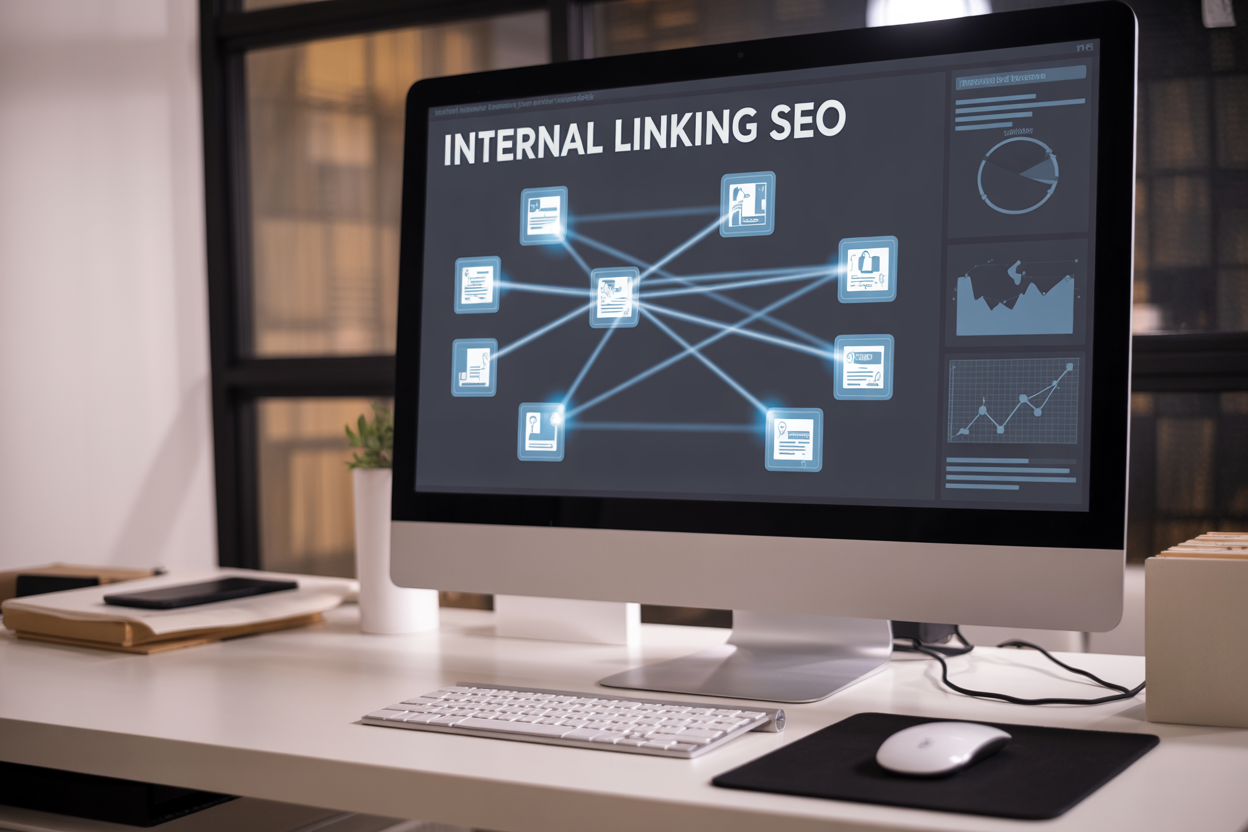
Internal linking best practices SEO can make or break your website’s search rankings and user experience. Smart internal links help search engines discover your pages faster while guiding visitors to your most valuable content.
This guide is designed for SEO professionals, website owners, and digital marketers who want to build stronger site architecture that boosts both crawlability and rankings. You’ll learn how to create a strategic internal link structure that search engines love and discover anchor text optimization techniques that actually move the needle on your SEO performance.
We’ll walk you through technical implementation methods that maximize crawlability and share advanced internal linking strategies that give you a competitive edge over sites that treat internal links as an afterthought.
Understanding Internal Linking Fundamentals for SEO Success
Define internal linking and its role in website architecture
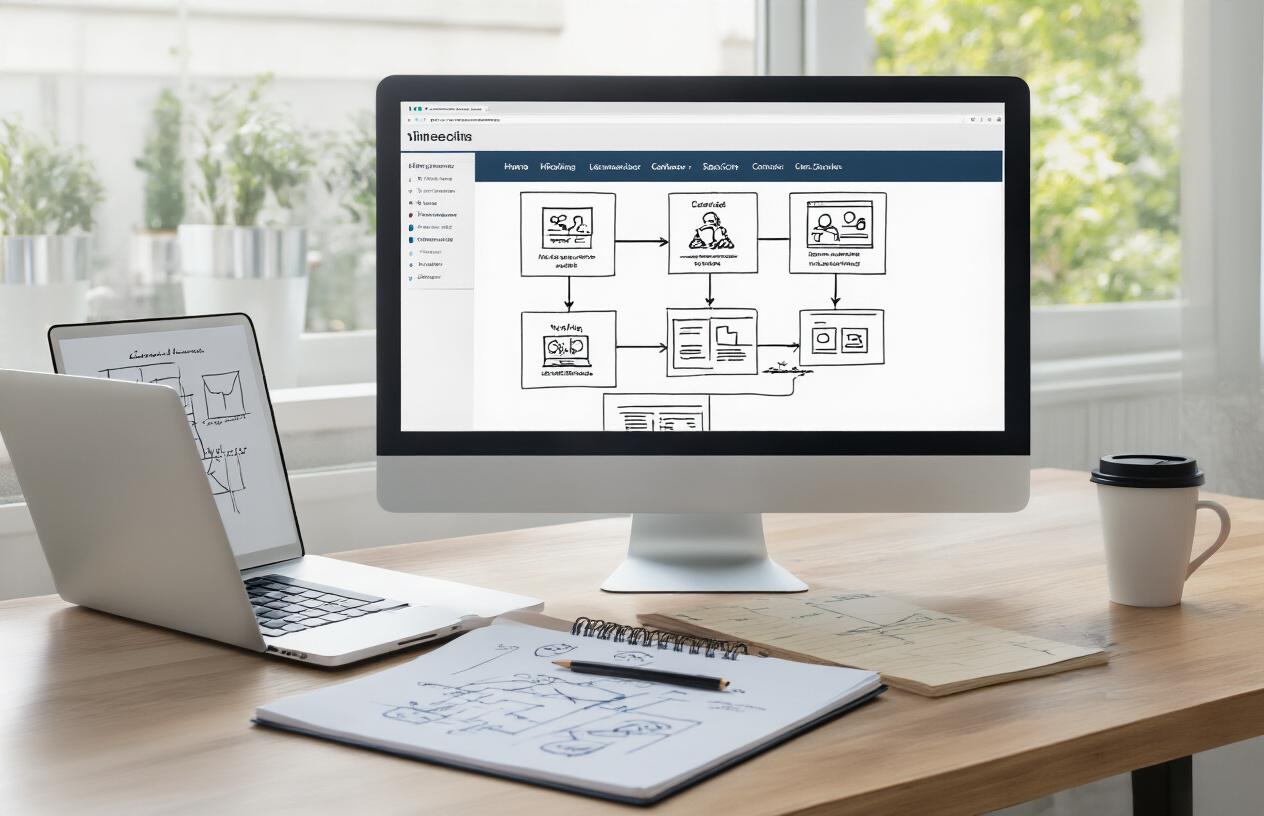
Internal linking connects pages within your website, creating pathways that guide visitors and search engines through your content. Think of it as building roads between different neighborhoods in your digital city. These connections help establish a logical structure that makes sense to both users and search crawlers.
Your website architecture relies heavily on internal links to distribute authority and relevance throughout your site. When you link from one page to another, you’re essentially telling search engines that the destination page holds value and relates to the current topic. This connection helps create a hierarchical structure where important pages receive more link equity from other pages on your site.
The strategic placement of internal links shapes how visitors navigate your content. A well-planned internal linking strategy ensures that users can easily discover related information, reducing bounce rates and increasing time spent on your site. Search engines like Google use these internal pathways to understand the relationship between different pages and topics on your website.
Distinguish between internal and external links for SEO impact
Internal links point to pages within your own domain, while external links direct users to different websites. This distinction creates vastly different SEO implications for your site’s performance and authority distribution.
| Link Type | SEO Impact | Authority Flow | Control Level |
|---|---|---|---|
| Internal Links | Distributes page authority within your site | Stays within your domain | Complete control |
| External Links | Passes authority to other sites | Leaves your domain | Limited control |
| Inbound Links | Brings authority from other sites | Enters your domain | No direct control |
Internal links give you complete control over how authority flows through your website. You decide which pages receive the most link equity and how visitors move through your content funnel. External links, while valuable for providing additional resources to users, send authority away from your site to benefit other domains.
Search engines treat internal and external links differently when evaluating your content’s credibility and relevance. Internal links help establish topical authority within your niche, while external links can enhance your content’s trustworthiness when they point to reputable sources.
Explore how search engines use internal links to discover content
Search engine crawlers follow internal links like breadcrumbs to discover and index new pages on your website. When GoogleBot or other crawlers visit your homepage, they scan for links that lead to other pages, creating a roadmap for their exploration process.
The frequency and depth of your internal linking directly impacts how quickly search engines find and index your content. Pages buried deep within your site structure without adequate internal links may remain undiscovered for weeks or months. However, pages with strong internal link support often get crawled and indexed within hours of publication.
Search engines use internal links to understand content relationships and context. When you consistently link between related pages using relevant anchor text, you’re providing clear signals about your site’s topical focus and expertise. This interconnected web of information helps search algorithms determine which pages deserve higher rankings for specific queries.
Crawl budget allocation also depends on your internal linking structure. Search engines spend more time crawling pages that receive frequent internal links, while orphaned pages with no internal connections may get ignored during crawl sessions.
Identify key benefits for user experience and navigation
Internal links transform your website from a collection of isolated pages into a cohesive, navigable experience. Users can easily discover related content that matches their interests, creating natural pathways through your information architecture.
Smart internal linking reduces friction in the user journey by anticipating what visitors might want to read next. When someone finishes reading about basic SEO techniques, strategically placed internal links can guide them to advanced strategies or specific implementation tutorials, keeping them engaged longer.
These connections also help users understand the scope and depth of your expertise. A well-linked website demonstrates comprehensive coverage of topics, building trust and establishing your authority in the subject matter. Users appreciate being able to explore related concepts without leaving your site or starting new searches.
Internal links serve as semantic bridges between different pieces of content, helping users see connections they might not have noticed otherwise. This enhanced discoverability leads to lower bounce rates, higher page views per session, and improved overall user satisfaction metrics.
Navigation becomes intuitive when internal links complement your main menu structure. Users can move between related topics seamlessly, creating a natural flow that matches their learning or research process. This improved navigation experience directly correlates with better user engagement signals that search engines monitor and reward.
Strategic Internal Link Structure Planning

Map your website hierarchy for optimal link flow
Creating a clear website hierarchy forms the backbone of your internal linking strategy. Start by visualizing your site as a pyramid, with your homepage at the top, main category pages in the middle, and specific content pages at the bottom. This structure helps search engines understand which pages matter most and guides users through logical navigation paths.
Your homepage should link to your main category pages, which then connect to subcategories and individual posts. Keep important pages within three clicks of your homepage – this internal linking best practice ensures both search engines and users can easily discover your most valuable content. Use tools like Screaming Frog or Ahrefs to audit your current structure and identify pages that are buried too deep in your site architecture.
| Page Level | Examples | Internal Links Strategy |
|---|---|---|
| Level 1 | Homepage | Links to main categories |
| Level 2 | Category pages | Links to subcategories and top posts |
| Level 3 | Subcategory/pillar pages | Links to related content clusters |
| Level 4+ | Individual posts | Links back to pillars and related content |
Create topic clusters and pillar page connections
Topic clusters revolutionize how search engines understand your content authority. Build comprehensive pillar pages that cover broad topics in your niche, then create supporting cluster content that dives deeper into specific aspects. Each cluster page should link back to its pillar page, while the pillar page links out to all relevant cluster content.
For example, if you run a fitness blog, create a pillar page about “Weight Loss” that covers the topic broadly. Then develop cluster pages about “Cardio for Weight Loss,” “Weight Loss Diet Plans,” and “Strength Training for Fat Burning.” Each cluster page links back to the main pillar page, creating a strong topical authority signal.
This SEO internal linking strategy helps search engines recognize your expertise in specific topics and can significantly boost your rankings for competitive keywords. Tools like Topic Research from SEMrush or AnswerThePublic can help identify subtopics for your clusters.
Balance link equity distribution across important pages
Link equity flows through your internal links like water through pipes – you want to direct more flow toward your most important pages. Your homepage naturally receives the most link equity, but you need to strategically distribute this power to pages that drive business results or rank for valuable keywords.
Avoid the common mistake of over-linking to your contact or about pages from every piece of content. Instead, prioritize linking to:
- Money pages (product/service pages)
- High-converting blog posts
- Pages targeting competitive keywords
- Content that builds topical authority
Use your site’s analytics to identify which pages generate the most revenue or leads, then ensure these pages receive plenty of internal link love. The best internal linking strategy involves regular audits to maintain this balance as your content library grows.
Establish logical pathways between related content
Smart internal linking creates natural reading journeys that keep users engaged while strengthening your SEO. Look for opportunities to connect related content through contextual links that add genuine value to the reader’s experience.
When writing new content, ask yourself: “What would someone want to read next?” Link to complementary topics, alternative solutions, or deeper dives into mentioned concepts. For instance, a post about email marketing might link to content about email design, automation sequences, or conversion optimization.
Create content series that naturally link together, building comprehensive resource hubs around specific topics. Use contextual anchor text that clearly indicates what readers will find when they click – this internal linking best practice improves user experience and helps search engines understand page relationships.
Consider seasonal or evergreen content connections too. Holiday shopping guides can link to gift ideas from previous years, while evergreen how-to content can reference updated techniques or related tools. These logical pathways turn single-page visits into extended browsing sessions, reducing bounce rates and increasing the time users spend exploring your site.
Anchor Text Optimization Techniques That Drive Results

Choose Descriptive and Keyword-Relevant Anchor Text
Your anchor text acts like a road sign for both users and search engines, showing what they’ll find when they click through. Good anchor text gives readers a clear preview while helping search engines understand the context of your linked content.
Instead of using generic phrases like “click here” or “read more,” craft anchor text that describes the destination page’s main topic. If you’re linking to a page about keyword research tools, use anchor text like “best keyword research tools” or “comprehensive keyword analysis guide.
Smart anchor text selection combines user experience with SEO benefits. When you link to your “internal linking best practices” page, that exact phrase becomes valuable anchor text that reinforces your page’s topical relevance. Search engines pick up on these signals and better understand your content hierarchy.
Consider your reader’s perspective when writing anchor text. They should know exactly what to expect before clicking. This transparency builds trust and keeps people engaged with your content longer, which search engines notice and reward.
Avoid Over-Optimization and Keyword Stuffing Penalties
Search engines have gotten smart about detecting manipulative anchor text patterns. Stuffing every internal link with exact-match keywords triggers red flags that can hurt your rankings instead of helping them.
The key is moderation and authenticity. If you have 50 internal links all using identical anchor text like “SEO internal linking strategy,” that looks unnatural and spammy. Search engines prefer websites that link naturally, the way real people would reference content in conversation.
Mix up your approach by using synonyms, partial matches, and related phrases. Instead of always using “internal linking SEO” as your anchor text, try variations like:
- “linking strategies for better SEO”
- “how internal links boost search rankings”
- “website linking best practices”
- “strategic internal connections”
Watch your anchor text distribution across your entire site. Most of your internal links should use descriptive, natural language rather than keyword-stuffed phrases. This creates a healthy linking profile that search engines trust.
Vary Anchor Text Naturally While Maintaining Relevance
Natural anchor text variation mirrors how people actually write and speak. Think about how you’d reference an article in casual conversation – you wouldn’t repeat the exact same phrase every single time.
Create a diverse anchor text portfolio that includes different types:
| Anchor Text Type | Example | When to Use |
|---|---|---|
| Exact Match | “internal linking best practices” | Sparingly, for key pages |
| Partial Match | “best practices for internal links” | Regular use |
| Branded | “our linking guide” | Company-specific content |
| Generic + Context | “this comprehensive guide” | Natural flow |
| Long-tail | “why internal linking helps SEO rankings” | Detailed explanations |
Keep your content’s context in mind when choosing variations. The surrounding text should flow naturally with your anchor text choice. If you’re discussing link building strategies, phrases like “these linking techniques” or “proven connection methods” work better than forcing exact keywords.
Track which pages you’re linking to most often and ensure you’re not using repetitive anchor text patterns. Spread your keyword-rich anchors across different pages and contexts to maintain a natural linking profile.
Use Branded and Exact Match Anchors Strategically
Branded anchor text includes your company name, product names, or unique terms you’ve created. These anchors build brand recognition while looking completely natural to search engines. When linking to your main services page, using your company name as anchor text makes perfect sense.
Exact match anchors – where your anchor text matches your target keyword precisely – pack the most SEO punch but require careful handling. Save these for your most important pages and use them sparingly. If “internal linking tools” is your target keyword, use that exact phrase maybe once out of every ten links to that page.
Strategic placement matters just as much as frequency. Place your exact match anchors in contextually relevant content where they add genuine value. A paragraph about SEO tools is the perfect spot for an exact match “internal linking tools” anchor, while forcing it into unrelated content looks suspicious.
Create a linking strategy document that maps out your most important pages and their target keywords. Plan how you’ll distribute exact match, partial match, and branded anchors across your content. This prevents over-optimization while ensuring your key pages get the anchor text variety they need to rank well.
Balance is everything in anchor text optimization. Your linking profile should look like it developed organically over time, with natural language taking precedence over keyword targeting. When you get this balance right, both users and search engines respond positively to your internal linking efforts.
Technical Implementation Methods for Maximum Crawlability

HTML Links vs. JavaScript: The Foundation of Crawlable Internal Linking
Search engines prefer HTML links because they can easily read and follow them during the crawling process. JavaScript links often require additional rendering steps that can slow down or prevent proper indexing. When implementing internal linking best practices seo, always prioritize standard HTML anchor tags (<a href=””>) over JavaScript-powered navigation.
HTML links pass link equity more effectively and provide immediate accessibility for both users and crawlers. They work even when JavaScript is disabled and load faster across all devices. JavaScript links might look sleeker, but they create barriers that can hurt your seo internal linking strategy.
Here’s the recommended approach:
| Link Type | SEO Impact | Crawlability | User Experience |
|---|---|---|---|
| HTML Links | High | Excellent | Fast, reliable |
| JavaScript Links | Variable | Limited | Device dependent |
| Hybrid Approach | Medium | Good | Complex setup |
Contextual Linking Within Content Body
Contextual internal linking works best when links appear naturally within your content flow. Place internal links where they add genuine value to readers rather than forcing them into every paragraph. Search engines recognize when links connect related topics meaningfully, which strengthens your overall internal linking seo performance.
The most effective contextual links:
- Connect related concepts and expand on topics
- Use descriptive anchor text that matches the linked page’s content
- Appear within the first few paragraphs when relevant
- Support the user’s reading journey without interrupting it
Avoid cramming multiple internal links into single sentences or paragraphs. Instead, spread them throughout your content where they naturally enhance understanding. This approach improves both user engagement and crawler comprehension of your site structure.
Optimizing Link Placement for Users and Crawlers
Strategic link placement balances user experience with technical SEO requirements. The most valuable link positions include the main content area, contextual sidebars, and related content sections. Links within the main content body carry the most SEO weight and receive higher click-through rates.
Best practices for internal linking placement include:
High-Value Positions:
- Within the first 100 words of content
- In topic-relevant context throughout the article
- In “related articles” sections
- Within bulleted or numbered lists
Medium-Value Positions:
- Navigation menus and breadcrumbs
- Author bio sections with relevant links
- Footer areas with strategic category links
Position your most important internal links higher on the page where both users and crawlers encounter them first. This seo internal linking best practices approach ensures maximum link equity distribution and better user engagement. Remember that crawlers may not process every link on lengthy pages, making early placement crucial for your internal linking optimization efforts.
Advanced Internal Linking Strategies for Competitive Advantage

Leverage Deep Linking to Boost Underperforming Pages
Deep linking transforms forgotten pages into valuable traffic drivers by strategically connecting them to high-performing content. When pages rank poorly or receive minimal organic traffic, targeted internal links from authoritative pages can inject new life into them.
Start by identifying pages with great content but poor performance using tools like Google Analytics or Screaming Frog. Look for pages with low click-through rates, minimal internal links, or high bounce rates. These pages often contain valuable information that search engines struggle to discover or prioritize.
Create contextual links from your strongest pages to these underperformers. The key lies in relevance – only link when the connection makes sense for users. For example, if you have a comprehensive guide about SEO that performs well, link to your specific page about internal linking best practices SEO when discussing site structure optimization.
Position these links strategically within the first few paragraphs or in naturally occurring sections where readers would benefit from additional information. Avoid forcing links just for the sake of connecting pages – this approach backfires with both users and search engines.
Create Hub Pages That Consolidate Related Content
Hub pages serve as central command centers that organize and distribute link equity throughout your website’s topic clusters. These comprehensive pages cover broad topics while strategically linking to more specific subtopics, creating a clear hierarchy that search engines love.
Build hub pages around your main service areas or primary keywords. For instance, create a comprehensive internal linking strategy hub that links to specific guides about anchor text optimization, technical implementation, and performance measurement. This structure helps search engines understand your site’s topical authority while providing users with a logical navigation path.
Each hub page should contain:
- Overview content that introduces the main topic
- Strategic links to 5-10 related subtopic pages
- Clear categorization that makes sense to users
- Regular updates to maintain freshness and relevance
Hub pages naturally attract external backlinks because they provide comprehensive coverage of topics. When other sites link to your hub, that authority flows through your internal links to boost related pages throughout your site.
Use Breadcrumb Navigation to Enhance Site Structure
Breadcrumb navigation creates a clear site hierarchy that both users and search engines can follow effortlessly. These navigational aids show exactly where users are within your site structure while providing additional internal linking opportunities.
Implement HTML breadcrumbs that reflect your site’s logical organization. For an SEO blog, breadcrumbs might look like: Home > SEO Guides > Internal Linking > Best Practices. Each element should link back to its respective page, creating automatic internal links throughout your site.
Search engines use breadcrumb markup to better understand your site architecture. This understanding helps them crawl more efficiently and display rich snippets in search results. Users benefit from always knowing their location and having quick access to higher-level pages.
Configure breadcrumbs to update dynamically based on your site’s taxonomy. For WordPress sites, plugins can automate this process, but custom implementations often provide better control over the final structure.
Implement Smart Internal Linking for Large Websites
Large websites need systematic approaches to internal linking that go beyond manual efforts. Smart internal linking combines automation with strategic oversight to maintain quality while achieving scale.
Develop linking rules based on content categories, tags, and semantic relationships. For example, automatically link to your most authoritative pages about specific topics when those keywords appear in new content. Set limits to avoid over-optimization – typically 2-3 automatic links per 1,000 words works well.
Use content management systems that support automated internal linking, but always include manual review processes. AI-powered tools can suggest relevant connections, but human judgment ensures these suggestions align with user intent and business goals.
Create linking templates for different content types:
| Content Type | Automatic Links | Manual Links | Review Frequency |
|---|---|---|---|
| Blog Posts | 2-3 contextual | 1-2 strategic | Monthly |
| Product Pages | Category + related | Feature highlights | Quarterly |
| Landing Pages | Minimal auto | High-value targets | Bi-weekly |
Monitor your large-scale linking efforts using crawling tools to identify orphaned pages, broken links, or over-optimization issues. Regular audits prevent automated systems from creating problems that hurt user experience or search performance.
Smart internal linking scales your SEO efforts while maintaining the quality that search engines reward. The combination of systematic processes and human oversight creates sustainable growth in organic visibility.
Measuring and Monitoring Internal Link Performance

Track crawl efficiency improvements in search console
Google Search Console provides valuable data to measure how effectively search engines crawl your internally linked pages. Head to the Coverage report to see which pages Google has successfully indexed and identify any crawling issues. Pay close attention to the “Crawled – currently not indexed” status, which often indicates pages that lack sufficient internal linking support.
The URL Inspection tool reveals how Googlebot discovers your pages through internal links. Check the “How Google found this URL” section to see the referring page that led to discovery. Pages found through multiple internal link paths typically receive better crawl priority.
Monitor your crawl budget allocation by examining crawl stats over time. Well-structured internal linking should result in more efficient crawling patterns, with important pages receiving frequent visits while low-value pages get crawled less often. Look for improvements in crawl frequency for your target pages after implementing internal linking optimization.
Monitor ranking changes for internally linked pages
Track ranking improvements for pages that receive new internal links using tools like Google Search Console’s Performance report or dedicated rank tracking software. Sort your pages by impressions and clicks to identify which internally linked pages show positive movement in search results.
Create a baseline measurement before implementing internal linking changes, then monitor weekly ranking fluctuations. Pages with strategic internal links from high-authority pages on your site often see ranking improvements within 2-4 weeks.
Focus on tracking these key metrics:
- Average position changes for target keywords
- Click-through rates from search results
- Impression volume for linked pages
- Featured snippet appearances for internally supported content
Document which internal linking patterns produce the best ranking results. Pages receiving contextual internal links typically outperform those with generic sidebar or footer links.
Analyze user engagement metrics and bounce rates
Internal linking directly impacts user behavior metrics that search engines consider for rankings. Use Google Analytics to measure engagement improvements on pages with enhanced internal linking structures.
Key engagement metrics to monitor include:
| Metric | Good Performance | Poor Performance |
|---|---|---|
| Bounce Rate | Under 40% | Over 70% |
| Pages per Session | 3+ pages | Under 2 pages |
| Session Duration | 2+ minutes | Under 30 seconds |
| Return Visitors | 30%+ | Under 15% |
Track how internal links affect user flow through your site. The Behavior Flow report in Google Analytics shows which internal links users click most often and where they exit your site. Pages with strategic internal linking should show increased session duration and lower bounce rates.
Set up custom events to track internal link clicks, helping you identify which anchor text and link placement strategies work best for your audience. This data helps refine your internal linking strategy over time.
Identify and fix broken internal links regularly
Broken internal links harm both user experience and search engine crawling efficiency. Regular auditing prevents link rot from damaging your site’s SEO performance.
Use these tools for comprehensive internal linking analysis:
- Screaming Frog SEO Spider – Crawls your entire site to identify broken internal links
- Ahrefs Site Audit – Provides detailed internal linking reports and broken link detection
- Google Search Console – Shows crawl errors and unreachable URLs
- WordPress plugins like Broken Link Checker for automated monitoring
Schedule monthly broken link audits to catch issues before they impact rankings. Focus on fixing broken links from high-authority pages first, as these carry more SEO weight.
Common broken link causes include:
- URL structure changes without proper redirects
- Deleted pages without updating internal links
- Typos in internal link URLs
- HTTP to HTTPS migration issues
- Plugin conflicts affecting link generation
Create a spreadsheet tracking all internal link fixes, noting the source page, broken URL, and resolution date. This documentation helps identify recurring problems and improves your internal linking maintenance process.
Set up automated monitoring where possible to catch broken links immediately after they occur, preventing extended periods of poor user experience and crawling inefficiency.

Smart internal linking transforms your website into a well-organized roadmap that search engines love to explore. When you create logical connections between your pages using relevant anchor text and strategic placement, you’re not just helping visitors find what they need – you’re also boosting your search rankings and making it easier for crawlers to discover all your valuable content. The key is balancing user experience with technical optimization, ensuring every link serves a purpose and strengthens your site’s overall authority.
Start implementing these internal linking strategies today by auditing your current link structure and identifying opportunities to connect related content. Focus on creating natural anchor text that describes what users will find when they click, and don’t forget to regularly monitor your performance using tools like Google Analytics and Search Console. Your website’s crawlability and search visibility will improve as you build these internal connections, turning isolated pages into a powerful, interconnected content network that works harder for your SEO goals.
FAQs
What is internal linking and why does it matter for SEO?
Internal linking means connecting one page of your website to another page on the same website using clickable text or buttons. It helps search engines understand your site structure and find all your pages easily. This improves your chances of ranking higher in search results because search engines can crawl and index your content more effectively.
How many internal links should I include on each page?
There’s no magic number, but aim for 3-5 relevant internal links per page as a starting point. Focus on quality over quantity. Each link should add value for your readers and connect to related content that makes sense in context. Too many links can overwhelm visitors and dilute the value of each link.
What makes good anchor text for internal links?
Good anchor text is descriptive and tells readers exactly what they’ll find when they click. Use natural phrases that include relevant keywords but avoid stuffing too many keywords in. For example, instead of “click here,” use “SEO content writing tips” or “website speed optimization guide.
Should I link to my homepage from every page?
Yes, but do it naturally. Your main navigation menu typically handles this, but you can also add contextual links to your homepage when it makes sense in your content. Don’t force homepage links into every paragraph just for the sake of linking.
How do internal links help search engines crawl my website?
Internal links create pathways that search engines follow to discover and index your pages. When search engines visit your site, they follow these links from page to page, building a map of your content. Pages with more internal links pointing to them are often seen as more important by search engines.
What’s the difference between dofollow and nofollow internal links?
Most internal links should be dofollow (the default), which passes SEO value between your pages. Only use nofollow internal links for pages you don’t want to emphasize in search results, like login pages or terms of service. For normal content pages, stick with regular dofollow links.
Can too many internal links hurt my SEO?
Yes, overdoing internal links can hurt user experience and confuse search engines about which pages are most important. Links should feel natural and helpful to readers. If your content becomes hard to read because of too many links, or if links don’t relate to the content, it can negatively impact your rankings.
How do I find opportunities for internal linking on my website?
Start by creating content on related topics that naturally connect to each other. Use your website’s search function or Google’s “site:” search to find existing content that relates to what you’re writing. Keep a list of your main pages and topics so you can easily reference them when creating new content.
Should I link to older posts from newer content?
Absolutely. Linking from new content to relevant older posts helps search engines rediscover and re-evaluate your older content. This can improve the rankings of older posts and keeps them active in search results. It also provides more value to your readers by connecting them to your best related content.
How often should I review and update my internal linking strategy?
Review your internal linking every few months or whenever you publish significant new content. Check for broken internal links monthly, and look for new opportunities to connect related content. As your website grows, you’ll find more natural ways to link your content together and improve your site’s overall structure.