How to delete Google Business Profile? Whether you’re shutting down your business, renaming it, or you need to wipe your online presence, the question on many business owners’ minds is Can you delete a Google Business Profile, and what happens when you do it. This post is all you need to know about removing your business listing from the Google platform.
What is Google Business Profile and Why Delete It?
Google Business Profile (previously Google My Business) is a free service administrators can use to control how their business appears on Google Search and Google Maps. When people search for your business or related services, it pops up with such essential information as your hours of operation, contact details, reviews and photos.
Why You Should Occasionally Delete Your Profile
Business owners generally request the removal of the Google Business Profile for these reasons:
- Closing a business: When you’re closing the COMMUNITYBusiness closures: When you’re closing down forever.
- Sale of business: Change of management ownership
- Rebrand: Making a new beginning for your business with a new name and image
- Duplicate listings: Decluttering from extra profiles that cause customer confusion
- Confidentiality: Reduced exposure of the online business
- Bad reviews: Fleeing bad ratings (not advised)
Can you remove a Google Business Profile?
Delete my Google Business Profile – can I do that?
Yes, you really can remove your Google Business Profile, but here’s what you need to know:
Types of Profile Removal
- Temporary closure: Marking your business closed temporarily
- Complete deletion: Erasing the profile from Google’s system
- Transfer of ownership: Shifting ownership to someone else or another account
The process is different if you are the verified owner of the profile as opposed to someone else who created it. Authenticated commentsphere members have slightly more power over the erasure.
Before You Delete: Important Considerations
Before you delete your Google Business Profile, here are some crucial points to think about:
- Impact on Your Business
- Low visibility: Your business may not show up in local searches
- Customer confusion: Folks might believe you’ve completely gone out of business
- Loss of reviews: All the customer reviews will be gone.
- Impact on SEO: Diminished local SEO benefits
Alternative Solutions
Instead of deletion, consider:
- Updating information: Correcting outdated details
- Change of ownership: Changing hands of control
- Temporarily closed: May mark temporarily closed pending refurbishment.
- Reply to reviews: Handling bad online reviews like a pro.
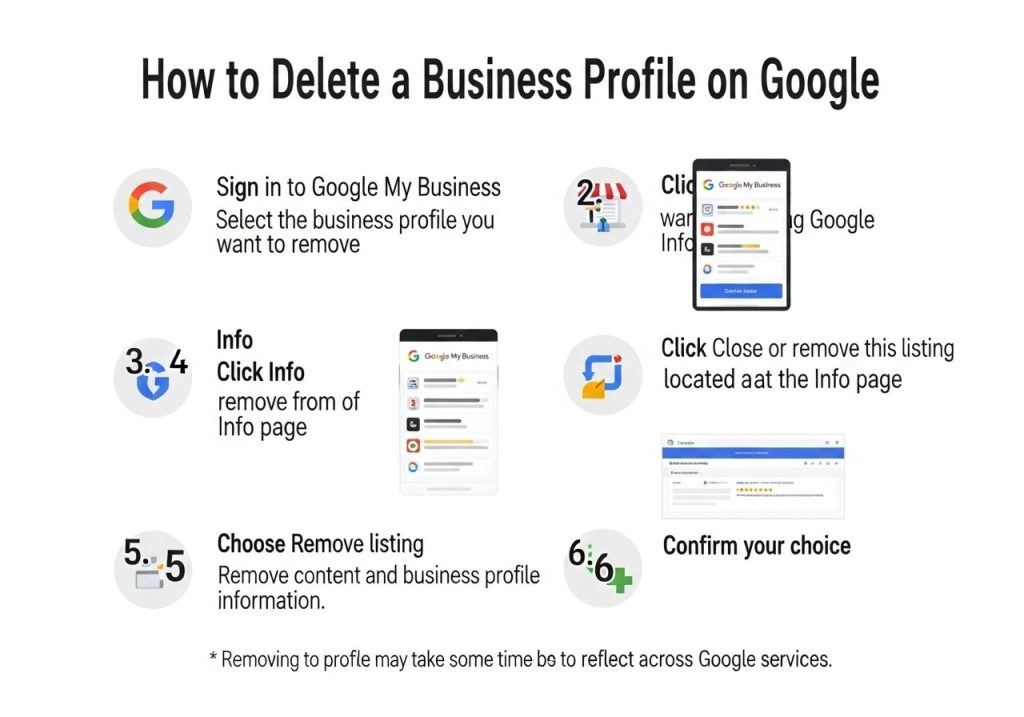
How to Remove a Business Profile on Google [Infographic] A Step-by-Step
i.e(‘destroy-chart’);
- The first step is to grab a Gmail account for ourselves to get started.
How to delete a business profile on Google.
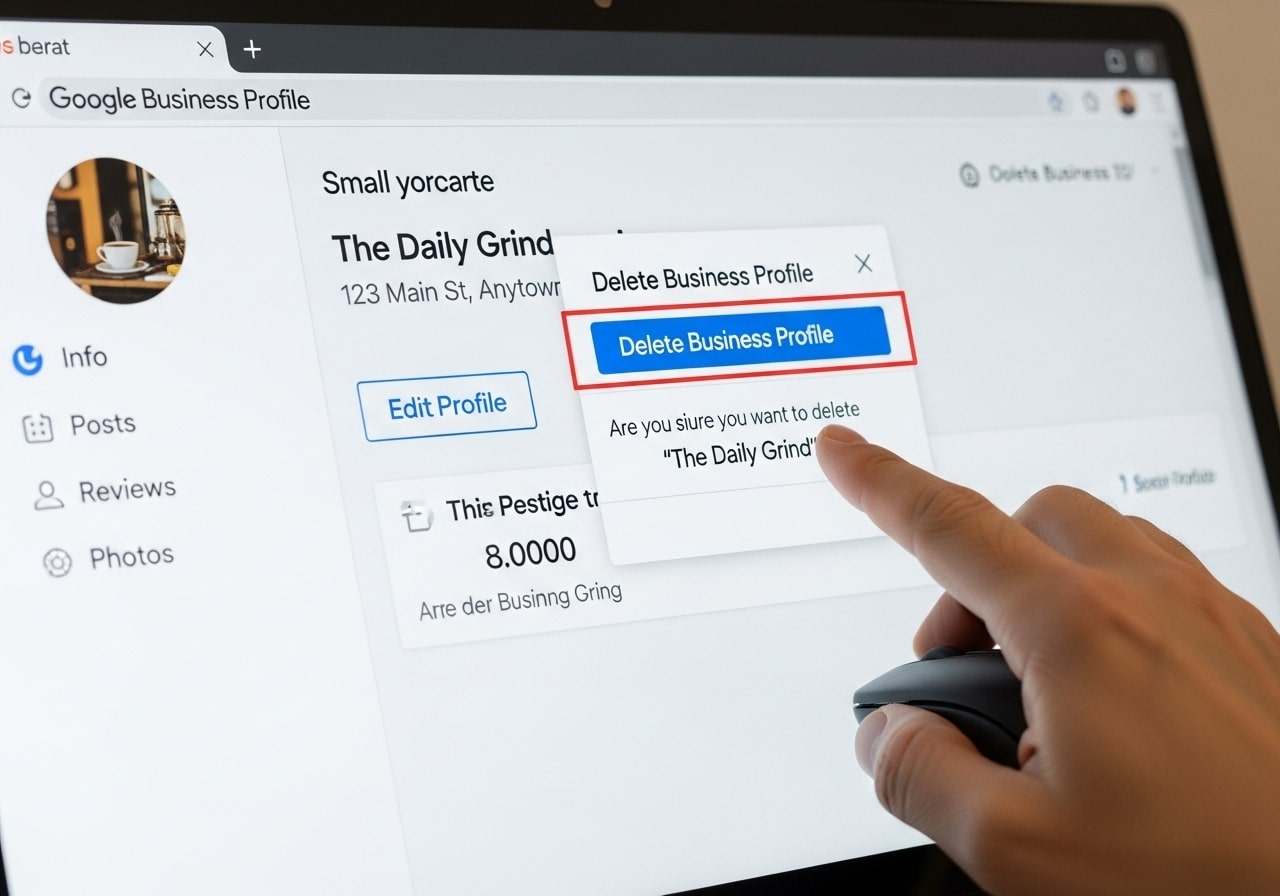
If you’re the verified owner of a business profile, here’s how to do it:
Method 1: Google Business Profile Manager.
This method gives instant access to report an inappropriate review if needed.
- Sign in to your account.
- Go to business.google.com
- Sign in with the Google Account you use to manage your business profile
- Select your business
- Select the business profile that you would like to remove from your dashboard.
- If you oversee several sites, pick the one
- Access business information
- Go to the “Info” browse in the left sidebar
- Scroll to the bottom to select the business status options
- Mark as permanently closed
- Click “Mark as permanently closed”
- Confirm your decision when prompted
- Google will request confirmation for this modification
- Request complete removal
- Report to Google Support once labelled as closed
- Ask for the claimant’s nickname and ask for permanent removal.
- Provide business documentation if required.
Method 2: Through Google Maps
- Open Google Maps
- Search for your business name
- Locate your business listing
- Suggest an edit
- Click “Suggest an edit”
- Select “Remove this place”
- Provide a reason for removal
- Submit documentation
- Upload proof of business closure
- Include relevant business documents
- Just be patient and wait for Google to review and approve it.
How to Remove a Business Page Properly?
How do you permanently delete a business page? Mark as deleted. A full delete isn’t checklist-able as a task any more than “rebuild” is, so after you check off anything final to be done there, return to everything else in step two to mark it as closed.
Complete Deletion Process
- Document your request
- Gather business registration documents
- Prepare proof of ownership
- Document reasons for deletion
- Contact Google Support
- Go to the Google Business Profile Help Centre
- Submit a deletion request ticket
- Provide all required documentation
- Follow up regularly
- Monitor your request status
- Answer any Google questions, PRONTO.
- Provide additional information if requested.
Required Documentation
Google typically requires:
- Business license or registration papers
- Proof of business closure
- Identity verification documents
- Signed statement requesting deletion
Alternative Options to Deletion
Here’s a look at what to do before you delete Google Business Profile:
Temporary Solutions
- Mark as Temporarily Closed:
- Use this for renovations or temporary closings
- Keeping you profiled, but showing your non-availability at the moment.
- Easier to reactivate when ready
Update Business Information
- Adjust business hours to the new schedule
- Update contact information and address
- Modify business description and services
Transfer Options
- Transfer Ownership
- Transfer profile management to new shop owners
- Keep current feedback and search history
- Preserve established online presence
- Add Additional Managers
- Unlock for new team members
- Maintain multiple administrator accounts
- Share management responsibilities
How Long Does It Take to Delete a Google Business Listing?
- Expected Timeframes
- 1-2 days to close status (see EDAC request history for details)
- Total removal request: ‘2-4 weeks for Google review’
- Complete Removal: 1-3 months for complete system removal
- Challenging cases: up to 6 months for documentation problems.
Factors Affecting Timeline
- Verification status: If you are verified, your profile will go through quicker
- Documentation quality: Well-documented paperwork = quick approval
- Business complexity: Businesses with multiple sites require more time
- Google traffic: High levels of requests may introduce delays
Deleting Your Profile, But The Conversation Doesn’t End There

Knowing what happens will help you prepare to move on after you delete your Google Business Profile:
Immediate Changes
- Local search visibility: Business no longer appears in local searches
- Map presence: Google Maps location marker gone
- Review access: Customers cannot leave new reviews
- Information View: search results no longer accompanied by business information
Long-term Impact
- Effects on SEO: Lower local search rankings
- Customer discovery: It’s Harder for new customers to discover you
- Online reputation: Forfeiture of accumulated good reviews
- Loss of competitive advantage: Competitors have better visibility than you.
Mitigation Strategies
- Other listing: Concentrate on secondary directories like Yelp, Facebook
- Website: Optimise your website for local SEO
- Social media presence: How to make your social media profiles stronger
- Direct mail: Ramp up email and direct mail campaigns
Common Issues and Troubleshooting
Business owners often face some difficulties in deleting their Google Business Profile:
Access Issues
- Problem: Can’t access business profile
- Solution:
- Make sure you’re signed in to the correct Google account
- Check if ownership was transferred
- Ask for a security code to be sent to Google Support
Deletion Roadblocks
- Problem: Google denies the deletion request
- Solution:
- Provide more comprehensive documentation
- Clarify reasons for the deletion request
- Appeal to the appropriate authority
Technical Problems
- Problem: Can’t find the deletion option
- Solution:
- Reinstall the Google Business Profile app to the most recent version
- Try closing the modem and using a desktop browser instead of a mobile browser.
- Clear browser cache and cookies
Ready to Take Action?
Regardless of the option you settle on, whether it’s deleting your Google Business Profile or experimenting with other alternatives, you need to be aware of the cost. If you are not sure what the right move is for your business, find a digital marketing specialist who can guide you based on your unique circumstances.
Keep in mind that you can’t undo deleting your Google Business Profile. Think it over and decide according to what will serve your business purposes the best and meet your customers’ needs.
FAQs
Can I permanently delete my Google Business Profile?
Yes, you can permanently delete your Google Business Profile. Once deleted, your business information will be removed from Google Search and Maps. Keep in mind that this action is permanent and cannot be undone.
What happens to my business reviews when I delete my profile?
When you delete your Google Business Profile, all customer reviews associated with your business will also be permanently removed. You won’t be able to recover these reviews later.
How long does it take for my business to disappear from Google after deletion?
After deleting your profile, it typically takes 24-48 hours for your business information to completely disappear from Google Search and Maps. Sometimes it may take up to a week for all traces to be removed.
Do I need to be the owner to delete a Google Business Profile?
Yes, you must be the verified owner or have manager access to delete a Google Business Profile. If you’re not the owner, you’ll need to request access from the current owner first.
Can I delete my profile from my phone using the Google My Business app?
Yes, you can delete your Google Business Profile using the Google My Business app on your phone. The process is similar to deleting it from a computer – just look for the “Delete profile” option in your business settings.
Will deleting my Google Business Profile affect my website’s SEO?
Deleting your Google Business Profile may impact your local SEO since your business won’t appear in local search results anymore. However, it won’t directly affect your website’s overall search rankings.
What should I do before deleting my Google Business Profile?
Before deleting, download any important data like customer insights, reviews, or photos you want to keep. Also, consider if you might want to reactivate your business later, as you’ll have to start from scratch.
Can I temporarily hide my business instead of deleting it completely?
Yes, you can mark your business as “temporarily closed” instead of deleting the entire profile. This keeps your profile intact but lets customers know you’re currently not operating.
What if I accidentally delete my Google Business Profile?
Unfortunately, once deleted, you cannot restore your Google Business Profile. You’ll need to create a new profile from scratch, which means losing all your previous reviews, photos, and business insights.
Is there a difference between removing and deleting my business profile?
Yes, there’s a difference. “Removing” typically means taking down specific information or making your profile inactive, while “deleting” permanently removes the entire profile and all associated data from Google’s system.