Local business owners and marketing professionals know that standing out online requires more than just text—your visual content directly impacts how customers find and trust your business. High-quality photos and strategic image optimization can boost your local search rankings, attract more customers, and increase conversions when done right.
This guide covers the essential strategies for using local business images to improve your local SEO performance. You’ll discover how visual content connects to search rankings and why search engines favor businesses with compelling, optimized photos. We’ll also walk through the technical requirements that make your images work harder for your business, from proper file formats to metadata that helps search engines understand your content.
Finally, you’ll learn how to create high-quality visual content that turns browsers into buyers and measure your results to keep improving your local search presence.
Understanding the Connection Between Visual Content and Local Search Rankings

How Google evaluates image relevance for local businesses
Google’s algorithm examines multiple layers of visual content to determine how well your local business images align with search intent. The search engine analyzes file names, alt text, and surrounding content to understand what your photos actually show. When you upload a photo labeled “downtown-chicago-pizza-restaurant-interior.jpg” with proper alt text describing your restaurant’s atmosphere, Google can connect those visual signals to local search queries about pizza places in Chicago.
The search engine also uses machine learning to recognize objects, people, and locations within your local business images. If your photos consistently show your storefront, staff members, or signature products, Google builds confidence in your business’s authenticity and relevance. This visual recognition technology has become sophisticated enough to identify specific landmarks, architectural features, and even interior design elements that help establish your geographic location.
Context matters just as much as the images themselves. Google evaluates how your business high quality images relate to your Google Business Profile information, website content, and customer reviews. When your visual content aligns with your business category, location details, and customer feedback, it creates a cohesive signal that strengthens your local search presence.
The impact of optimized photos on click-through rates
Optimize images for seo practices directly influence how often potential customers click on your business listings. Studies show that local businesses with professional, well-optimized photos receive 42% more direction requests and 35% more click-throughs to their websites compared to businesses with poor or missing imagery.
Visual appeal drives immediate decision-making in local search results. When your business high resolution images appear crisp and professional in search results, they create an instant impression of quality and trustworthiness. Customers scrolling through local search results spend less than three seconds evaluating each option, making that first visual impression critical for capturing attention.
The technical aspects of image seo best practices also affect click-through performance. Properly compressed images load faster, reducing bounce rates when users click through to your website. Mobile users, who represent over 60% of local searches, particularly benefit from optimized images that display quickly and clearly on smaller screens.
Different types of optimized photos serve specific purposes in driving clicks. Exterior shots help customers identify your location, interior photos set expectations for the experience, and product images directly influence purchase decisions. Business image examples that perform best include clean storefront shots, well-lit interior spaces, happy customers, and high-quality product photography.
Visual signals that boost local pack visibility
The local pack represents prime real estate in Google search results, and specific visual signals help your business earn those coveted positions. Google prioritizes businesses that demonstrate visual authority through comprehensive photo collections that cover multiple aspects of the business experience.
Local seo images that feature your business name, address, or distinctive architectural elements send strong geographic signals to Google. Photos showing your storefront with visible signage, street numbers, or recognizable neighborhood landmarks help search engines verify your location accuracy and boost local pack rankings.
Customer-generated visual content adds another layer of ranking signals. When customers post photos to your Google Business Profile or tag your location on social media, these unique images for seo provide third-party validation of your business activity and engagement levels. Google interprets this user-generated content as social proof, which positively influences local pack visibility.
Consistency across platforms strengthens your visual signals. When the same local business website seo optimized photos appear on your website, Google Business Profile, and social media accounts, it creates a unified digital presence that search engines recognize and reward. This consistency helps Google understand your business’s legitimate operation and builds trust in your local search rankings.
Regular photo updates also signal business activity and freshness to Google’s algorithm. Businesses that consistently add new, relevant photos demonstrate ongoing operation and engagement, which the algorithm interprets as positive ranking signals for local pack inclusion.
Essential Technical Requirements for Local SEO Images
Optimal file formats and compression techniques
JPEG remains the gold standard for local business image content, offering excellent compression while maintaining visual quality. For most local business images, JPEG provides the best balance between file size and image clarity. WebP format delivers superior compression – typically 25-30% smaller file sizes than JPEG – making it perfect for local business website seo optimization. However, ensure fallback JPEG versions for older browsers.
PNG works best for logos, screenshots, and images requiring transparency. While PNG files are larger, they maintain sharp edges crucial for business high quality images like storefront signs or menu displays.
Modern compression tools like TinyPNG, Squoosh, or ImageOptim can reduce file sizes by 60-80% without visible quality loss. Aim for file sizes under 100KB for web display while keeping high resolution images business archives for print materials.
Image sizing standards for different platforms
Google My Business profiles perform best with local business images sized at 1024×768 pixels or higher. Website hero images should measure 1920×1080 pixels for desktop displays, while mobile-optimized versions need 800×600 pixels minimum.
Social media platforms each have specific requirements:
- Facebook posts: 1200×630 pixels
- Instagram: 1080×1080 pixels (square) or 1080×1350 pixels (portrait)
- LinkedIn company pages: 1128×191 pixels for cover photos
Create responsive image sets using multiple sizes. This image seo best practices approach ensures fast loading across all devices while maintaining visual quality.
File naming conventions that improve search visibility
Strategic file naming directly impacts local seo images performance. Replace generic names like “IMG_001.jpg” with descriptive alternatives such as “chicago-pizza-restaurant-interior-2024.jpg” or “denver-auto-repair-shop-exterior.jpg”.
Include your city name, business type, and descriptive keywords in filenames. Use hyphens instead of underscores or spaces for better search engine readability. Keep filenames under 60 characters while incorporating relevant local seo business terms.
Examples of effective naming:
- “miami-beach-hotel-lobby-view.jpg”
- “portland-coffee-shop-barista-action.jpg”
- “austin-barbershop-vintage-interior.jpg”
Alt text optimization for local search terms
Alt text serves dual purposes: accessibility and SEO value for local business image content. Write natural descriptions that include location-specific keywords without keyword stuffing.
Strong alt text examples:
- “Customers dining at Mario’s Italian Restaurant in downtown Seattle”
- “Fresh organic produce display at Green Valley Farmers Market, Portland Oregon”
- “Professional teeth cleaning service at Bright Smile Dental Clinic, Phoenix”
Keep alt text between 100-125 characters for optimal performance. Include your business name, location, and primary service when contextually appropriate. This approach helps optimize images for seo while improving accessibility for screen readers.
Avoid generic descriptions like “restaurant image” or “business photo”. Instead, paint a specific picture that incorporates local seo business elements naturally within the description.
Creating High-Quality Visual Content That Converts Local Customers

Professional Photography Versus Smartphone Captures
The debate between professional photography and smartphone captures for local business images comes down to quality, consistency, and brand perception. Professional photographers bring technical expertise, proper lighting equipment, and post-processing skills that elevate your business high quality images beyond amateur snapshots. They understand composition, color balance, and how to showcase your products in their best light.
However, smartphones have evolved dramatically. Modern devices capture high resolution images business owners can proudly display online. The key lies in understanding when to invest in professional services versus when smartphone photography suffices.
Consider professional photography for:
- Grand opening events and major milestones
- Product catalog shoots requiring perfect lighting
- Marketing campaigns and advertising materials
- Team headshots and formal business portraits
Smartphone photography works well for:
- Daily social media content
- Behind-the-scenes moments
- Quick product updates
- Real-time customer interactions
| Professional Photography | Smartphone Photography |
|---|---|
| Higher initial cost | Cost-effective |
| Scheduled sessions | Immediate capture |
| Perfect lighting control | Natural, authentic feel |
| Consistent quality | Variable results |
Showcasing Your Business Location and Storefront Effectively
Your storefront serves as the first impression for potential customers, making local business website seo dependent on compelling exterior shots. Capture multiple angles during different times of day to show how your business looks in various lighting conditions. Golden hour photography creates warm, inviting images that make your local business highlight stand out in search results.
Include contextual elements that help customers locate your business. Street signs, nearby landmarks, and parking availability all contribute to local seo images that serve practical purposes beyond aesthetics. Wide shots show your business in relation to surrounding establishments, while close-ups highlight unique architectural features, signage, and welcoming elements like outdoor seating or window displays.
Interior shots should emphasize space, cleanliness, and atmosphere. Show customer flow patterns, seating arrangements, and product displays. These business image examples help potential visitors visualize their experience before arriving. Capture your space during peak hours to demonstrate popularity and energy, but also include quieter moments that highlight ambiance and attention to detail.
Capturing Team Members and Behind-the-Scenes Moments
Authentic team photos humanize your brand and build trust with local seo business prospects. Move beyond stiff, corporate headshots to capture genuine interactions between staff members. Show employees helping customers, collaborating on projects, or simply enjoying their work environment. These candid moments create emotional connections that formal portraits rarely achieve.
Behind-the-scenes content reveals your business processes and commitment to quality. Restaurant kitchens, workshop floors, or service areas demonstrate expertise and transparency. Customers appreciate seeing how their products are made or services are delivered. This type of content performs exceptionally well in local business website seo strategies because it builds credibility and differentiates your business from competitors.
Document special events, training sessions, and team celebrations. These moments showcase company culture and employee satisfaction, factors that influence customer perception. When employees appear happy and engaged, customers feel more confident about their choice to work with your business.
Product and Service Photography Best Practices
Business high resolution images of products require attention to detail, proper lighting, and strategic composition. Use natural light whenever possible, positioning products near windows or outdoors during overcast conditions for even illumination. Avoid harsh shadows that obscure important details or create unflattering reflections.
Create consistent backgrounds and styling across your product photography to maintain brand cohesion. Whether using seamless paper, natural textures, or lifestyle settings, consistency helps customers recognize your brand across different platforms. This approach supports image seo best practices by creating a recognizable visual identity.
For service-based businesses, document the service process in action. Hair salons should capture stylists at work, auto repair shops should show mechanics diagnosing problems, and consultants should be photographed during client meetings. These action shots demonstrate expertise and help potential customers understand what to expect.
Consider creating unique images for seo that tell your brand story through visual metaphors or creative compositions. A bakery might photograph flour-dusted hands kneading dough, while a fitness studio could capture the intensity and energy of a group workout. These distinctive images help your business stand out in crowded search results and create memorable impressions that drive customer action.
Strategic Image Placement Across Digital Platforms
Google Business Profile Photo Optimization
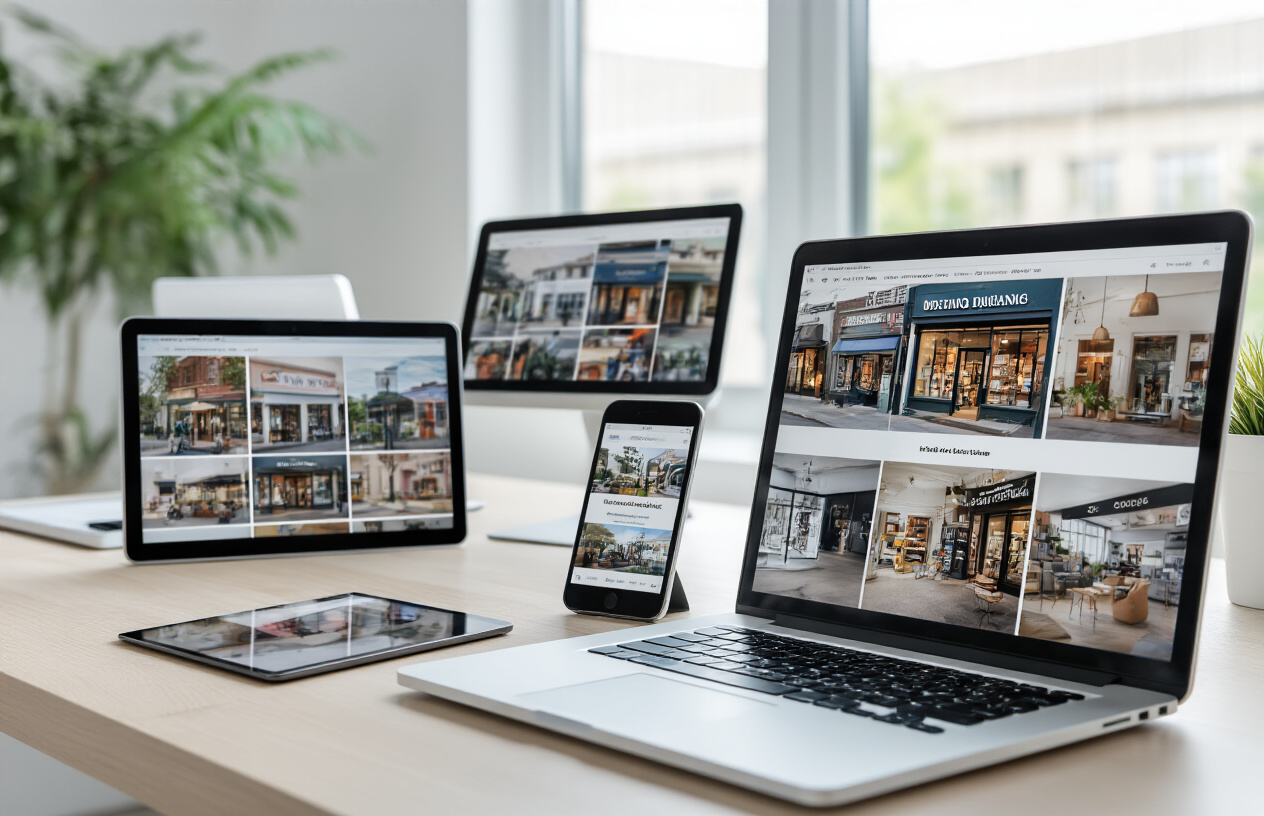
Your Google Business Profile serves as the digital storefront for your local business, making local business image selection absolutely critical. Upload high-quality photos that showcase your business personality and local connection. The profile photo should be a clear, professional headshot or logo at 720×720 pixels minimum resolution.
Create compelling photo categories that tell your business story:
- Storefront photos: Capture your building exterior during golden hour lighting
- Interior shots: Show your workspace, products, or service areas with natural lighting
- Team photos: Feature staff members engaging with customers or performing services
- Product galleries: Display your offerings with business high quality images
- Behind-the-scenes content: Show your business in action
Google rewards businesses that regularly update their photo galleries. Add new images weekly and respond to customer photo uploads. Business high resolution images perform better in search results, so maintain a minimum 1024×768 resolution for all uploads.
Tag photos with relevant location data and descriptive filenames before uploading. Photos with local landmarks or recognizable neighborhood features boost your local business website seo performance significantly.
Website Gallery Organization for Maximum SEO Impact
Strategic gallery organization transforms your website into a powerful local seo tool. Create dedicated image sections that align with your target keywords while maintaining user experience quality.
Structure your galleries using this hierarchy:
| Gallery Type | Purpose | SEO Benefit |
|---|---|---|
| Service galleries | Showcase specific offerings | Target service-based keywords |
| Location galleries | Highlight service areas | Boost local search visibility |
| Before/after galleries | Demonstrate results | Build trust and engagement |
| Customer galleries | Feature testimonials | Generate social proof |
Implement image seo best practices throughout your gallery structure. Use descriptive alt text that includes location-specific terms. Create image sitemaps to help search engines discover your visual content faster.
Organize images with clear folder structures that mirror your site navigation. This approach helps search engines understand content relationships while improving page loading speeds. Optimize images for seo by compressing files without losing quality – aim for under 100KB per image while maintaining visual appeal.
Social Media Integration for Cross-Platform Visibility
Cross-platform integration amplifies your local business images reach exponentially. Develop a cohesive visual brand that works across Facebook, Instagram, LinkedIn, and other platforms where your customers spend time.
Create platform-specific content strategies:
- Instagram: Focus on behind-the-scenes content and customer features
- Facebook: Share community involvement and business updates
- LinkedIn: Post professional achievements and industry insights
- Google Posts: Highlight special offers and events
Use consistent hashtags that include your location and service keywords. Local seo images gain more traction when tagged with neighborhood-specific terms and local business associations.
Set up automatic cross-posting tools, but customize captions for each platform’s audience. Monitor engagement metrics to identify which business image examples resonate most with your local customer base. Encourage customer-generated content by creating branded hashtags and photo contests.
Measuring and Improving Your Visual Content Performance

Key metrics to track image engagement
Understanding how your local business images perform requires monitoring specific metrics that reveal customer behavior and search engine response. Click-through rates from image searches provide direct insight into how compelling your visuals are to potential customers. Track how often users click on your business high quality images when they appear in Google Images or local search results.
Engagement metrics tell the complete story of image performance. Monitor image views, downloads, and shares across all digital platforms where your local business images appear. Social media platforms offer detailed analytics showing which business image examples generate the most likes, comments, and shares within your local community.
Conversion tracking connects your visual content to actual business results. Set up goals in Google Analytics to measure how many visitors who initially discovered your business through image searches eventually become customers. This data helps identify which types of high resolution images business owners should prioritize.
Local search visibility metrics reveal how well your images support overall SEO efforts. Track keyword rankings for searches that include your business name plus visual-related terms. Monitor your Google My Business insights to see how often customers view photos versus competitors in your area.
Tools for monitoring local search image visibility
Google Search Console provides essential data about how your business high resolution images perform in search results. The Performance report shows which image-related queries bring visitors to your website and which pages receive the most image-driven traffic. Pay special attention to queries combining location terms with your business category.
Google My Business Insights offers specific metrics about photo performance on your business listing. This tool shows photo views, customer actions triggered by images, and comparison data against similar businesses in your area. The insights help identify which local business images resonate most with your target audience.
Third-party SEO tools like SEMrush and Ahrefs now include image tracking features that monitor how your visual content ranks for relevant keywords. These platforms can track your local seo images performance across different search engines and provide competitive analysis showing how your visual content compares to other local businesses.
Social media analytics tools provide valuable data about image performance across platforms. Facebook Insights, Instagram Analytics, and LinkedIn Analytics show which business image examples generate the highest engagement rates and reach within your local market.
A/B testing strategies for photo effectiveness
Testing different versions of your local business images reveals what resonates best with your target audience. Start by creating variations of the same scene with different compositions, lighting conditions, or focal points. Upload these alternatives to different pages or social media posts and compare performance metrics over identical time periods.
Product and service photography benefits from systematic testing approaches. For restaurants, test close-up food shots against wider table settings. Service businesses can compare action shots of work in progress versus finished results. Retail locations might test product-focused images against lifestyle shots showing items in use.
Geographic and cultural elements in your local seo pictures should be tested to optimize local appeal. Try images featuring recognizable local landmarks against more generic business shots. Test seasonal variations to see if certain times of year generate better engagement with your visual content.
Testing image file names and alt text combinations helps optimize images for seo while maintaining user appeal. Create variations using different keyword combinations related to your business and location, then monitor which versions generate more organic traffic and better search rankings.
Ongoing optimization techniques for sustained results
Regular content refreshing keeps your visual library current and engaging. Replace outdated images quarterly, updating seasonal content and refreshing product photography as inventory changes. Fresh high quality images business profiles maintain higher engagement rates and better search engine rankings over time.
Technical optimization requires ongoing attention as search algorithms evolve. Regularly audit your image file sizes, formats, and loading speeds across all devices. Compress images without losing quality and implement next-generation formats like WebP when appropriate for better performance.
Keyword optimization for your seo of images should evolve with your business and local market changes. Update alt text, file names, and captions to reflect new services, seasonal offerings, or trending local search terms. Monitor which unique images for seo generate the most qualified traffic and create similar content.
Competitive analysis helps maintain your visual edge in the local market. Regularly review how other local businesses present themselves visually and identify gaps in your own image strategy. Look for opportunities to showcase aspects of your business that competitors overlook, whether through behind-the-scenes content, customer testimonials, or community involvement photography.
Getting great photos for your local business isn’t just about making your website look pretty – it’s a smart SEO move that can seriously boost your visibility in local searches. When you nail the technical stuff like file sizes, alt text, and proper naming, plus create compelling visuals that show off what makes your business special, you’re setting yourself up to outrank competitors who are still using blurry smartphone pics from 2015.
The real magic happens when you put these optimized images in all the right places – your Google Business Profile, website, social media, and local directories – then track what’s working and what isn’t. Start by auditing your current images, fix the obvious problems first, and gradually work your way up to a full visual strategy. Your local customers are already searching for businesses like yours, so make sure they find stunning, professional images that make them want to walk through your door instead of your competitor’s.
FAQs
What are local business images and why do they matter for SEO?
Local business images are photos that showcase your business location, products, services, team, and storefront. They matter for SEO because search engines use these images to understand your business better and show it to local customers. High-quality images also help customers trust your business and choose you over competitors.
Which types of photos should I include for my local business?
You should include photos of your storefront exterior, interior spaces, products or services, team members, and customers (with permission). Also add photos of your business in action, special events, and any unique features that set you apart from other local businesses.
How do I make my business photos show up in local search results?
Add location information to your photo file names and descriptions. Use your city and neighborhood names in the image file names. Upload these photos to your Google Business Profile, website, and other online business listings. Make sure the photos clearly show your business location and activities.
What image file formats work best for local SEO?
JPEG files work best for most business photos because they load quickly while maintaining good quality. PNG files are good for logos and images with text. Avoid using very large file sizes that slow down your website loading speed, as this hurts your SEO performance.
How should I name my image files for better local search visibility?
Name your files with descriptive words that include your business type and location. For example, use “pizza-restaurant-downtown-chicago.jpg” instead of “IMG_1234.jpg”. This helps search engines understand what the image shows and where your business is located.
What information should I add to my image descriptions?
Write clear descriptions that explain what the image shows, include your business name, location, and relevant services. For example: “Fresh pizza served at Mario’s Restaurant on Main Street in Springfield.” Keep descriptions natural and helpful for people who might not be able to see the images.
How many photos should I upload to my Google Business Profile?
Upload at least 10-15 high-quality photos, but more is usually better. Google recommends businesses with more photos get more views and customer actions. Add new photos regularly to keep your profile fresh and show that your business is active.
What photo quality and size requirements should I follow?
Use photos that are at least 720 pixels wide and 720 pixels tall. Make sure images are clear, well-lit, and in focus. Avoid blurry, dark, or heavily filtered photos. The file size should be under 5MB to ensure fast loading on websites and mobile devices.
Can customer photos help my local SEO efforts?
Yes, customer photos can help your local SEO. Encourage happy customers to share photos when they leave reviews on Google and other platforms. These authentic images show real people using your services and add credibility to your business listing.
How often should I update my business photos for local SEO?
Update your photos at least once every few months, or whenever you make changes to your business. Add photos of new products, seasonal decorations, renovations, or special events. Fresh photos show search engines and customers that your business is active and current.