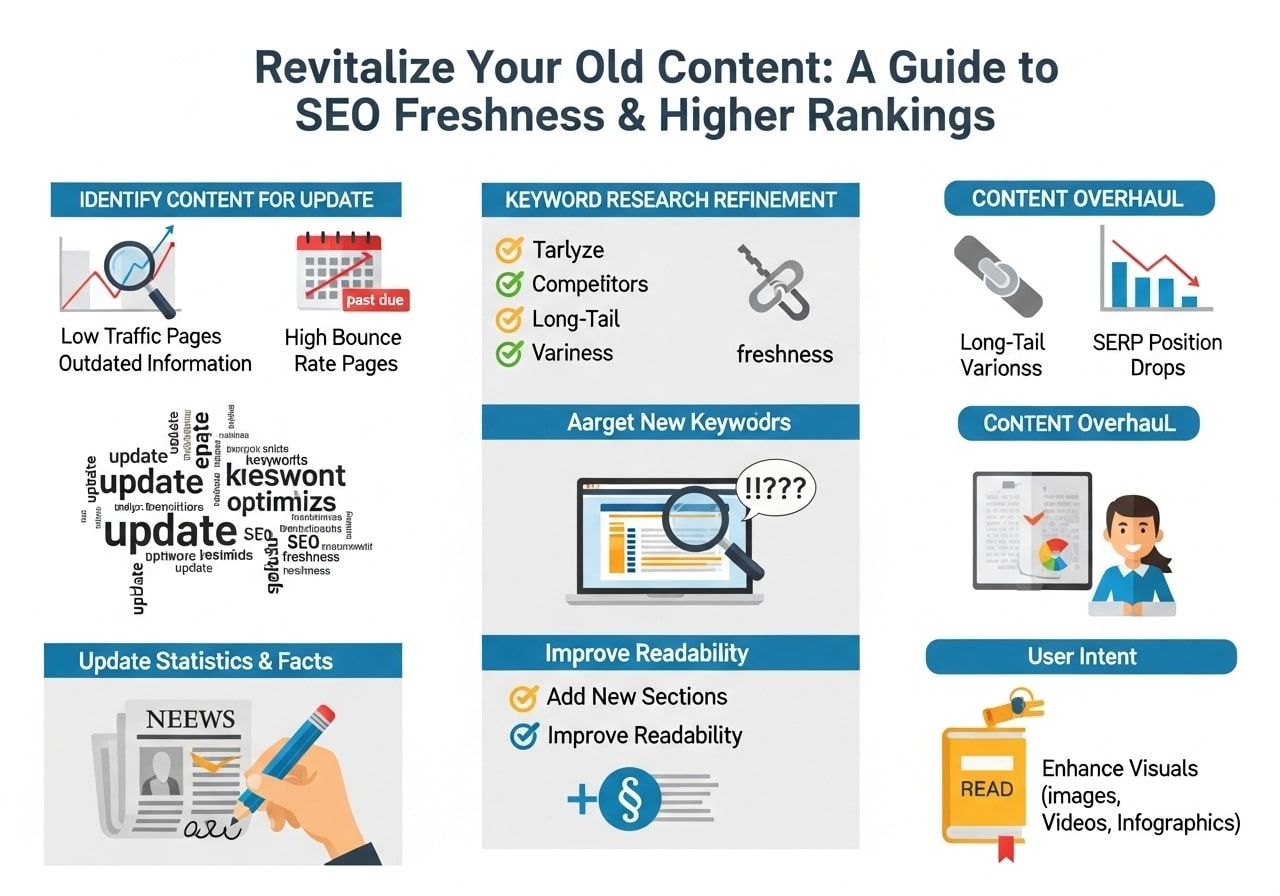
Are you wondering why your website traffic keeps dropping even though you’re creating new content regularly? The answer might be simpler than you think. Updating old content for freshness is one of the most effective ways to boost your search engine rankings and keep visitors engaged. When you update old content, you’re not just making minor tweaks – you’re giving new life to valuable information that already exists on your site.
Why Updating Old Content for freshness Matters More Than Ever
Search engines love websites that stay current and relevant. The freshness of content plays a huge role in how search algorithms decide which pages deserve the top spots. When you regularly work on updating old blog posts, you signal to search engines that your website is active and trustworthy.
Think about it this way: would you trust medical advice from 2015, or would you prefer information from this year? Your readers feel the same way about your content. Fresh new content doesn’t always mean starting from scratch – sometimes it means improving what you already have.
The Business Impact of Fresh Content
Companies that focus on maintaining optimal freshness in their content see significant improvements in:
- Organic search traffic – Updated pages often rank higher than stale ones
- User engagement – Fresh information keeps visitors on your site longer
- Conversion rates – Current information builds trust with potential customers
- Brand authority – Regular updates show you’re an expert who stays current
Signs Your Old Content Needs an Update
Not sure if your old content needs attention? Here are clear warning signs that it’s time to refresh:
Performance Indicators
- Declining page views over the past 6-12 months
- Higher bounce rates compared to newer content
- Fewer social shares and comments
- Lower search engine rankings for target keywords
Content Quality Signals
- Outdated statistics or research data
- Broken links to external websites
- Old screenshots or images that no longer match current interfaces
- Expired offers or promotional content
- Changed company information like pricing, services, or contact details
Technical Red Flags
- Slow loading times due to large, unoptimized images
- Poor mobile experience on older posts
- Missing meta descriptions or outdated SEO elements
- Broken internal links pointing to moved or deleted pages
How to Identify Which Old Blog Posts to Update
When you’re ready to start updating old content, you need a system to prioritize which pieces deserve attention first. Not all my old content requires the same level of work.
The Content Audit Process
Step 1: Export Your Content List
Use Google Analytics or your content management system to create a complete list of your published content. Focus on posts that are at least 6 months old.
Step 2: Analyze Performance Metrics
Look at these key numbers for each piece:
- Organic traffic over the last 12 months
- Current search engine rankings
- Backlinks pointing to the content
- Social media engagement
- Time spent on page
Step 3: Categorize by Priority
Create three categories:
- High Priority: Good traffic potential but declining performance
- Medium Priority: Steady performance but could improve with updates
- Low Priority: Consistently poor performance or outdated topics
Content Categories Worth Updating
Evergreen Topics
These subjects stay relevant over time but need fresh data:
- How-to guides and tutorials
- Best practices in your industry
- Comparison articles
- Resource lists and tools
Seasonal Content
Content tied to specific times of year:
- Holiday marketing guides
- Annual trend predictions
- Year-end reviews and summaries
- Seasonal product recommendations
News-Related Content
Posts about industry changes or current events:
- Regulation updates
- Technology announcements
- Market analysis
- Company news and updates
Step-by-Step Process for Updating Old Content
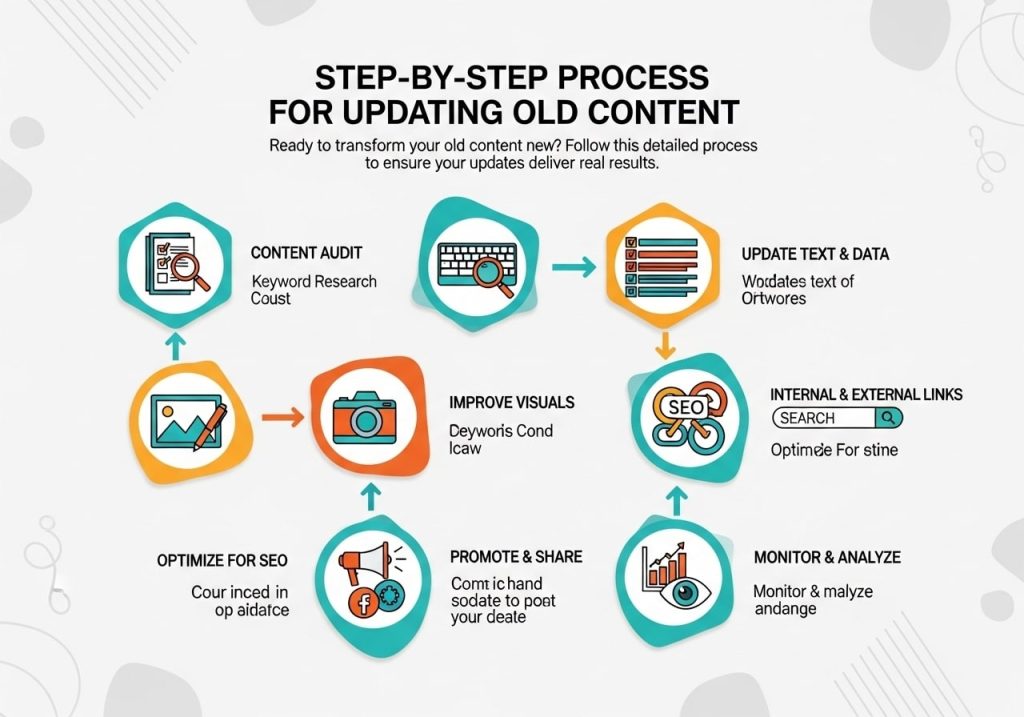
Ready to transform your old content new? Follow this detailed process to ensure your updates deliver real results.
Phase 1: Content Analysis
Review Current Performance
Before making changes, document the current state:
- Note current search rankings for main keywords
- Record traffic numbers for the past 3 months
- Check which external sites link to this content
- Review existing comments and social shares
Identify Update Opportunities
Look for specific areas to improve:
- Statistics that need updating
- New developments in the topic
- Additional questions readers might have
- Better examples or case studies
- More comprehensive coverage of subtopics
Phase 2: Research and Planning
Use tools like Google Keyword Planner or SEMrush to find:
- New keyword opportunities related to your topic
- Current search volumes for existing keywords
- Related terms you might have missed originally
- Questions people are asking about your topic
Competitive Analysis
Check what competitors are doing:
- Review top-ranking pages for your main keywords
- Note what information they include that you don’t
- Look for gaps in their content you could fill
- Identify opportunities to provide better value
Phase 3: Content Updates
Structural Improvements
Start with the big picture changes:
- Add new sections covering recent developments
- Reorganize existing content for better flow
- Create or update your table of contents
- Improve headings to include relevant keywords naturally
Information Updates
Focus on keeping facts current:
- Replace outdated statistics with recent data
- Update examples with more relevant ones
- Add new tools, resources, or recommendations
- Remove or replace broken links
- Include recent case studies or success stories
Technical Enhancements
Don’t forget the technical side:
- Optimize images for faster loading
- Update meta descriptions and title tags
- Add schema markup where appropriate
- Ensure mobile responsiveness
- Fix any broken internal or external links
Phase 4: Quality Assurance
Content Review
Before publishing your updates:
- Read through the entire piece for flow and coherence
- Check that new information integrates smoothly with existing content
- Verify all statistics and claims with credible sources
- Ensure the tone and style remain consistent
- Confirm that promises made in the introduction are fulfilled
Technical Testing
Test the updated content:
- Check loading speed on both desktop and mobile
- Verify all links work properly
- Test any interactive elements or forms
- Ensure images display correctly across devices
- Confirm proper formatting on different browsers
Best Practices for Updating Old Content for Freshness
To freshen the content regularly and maintain optimal freshness, follow these proven strategies:
Create a Content Maintenance Schedule
Monthly Tasks
- Review your top 10 performing posts for minor updates
- Check and fix any new broken links
- Update contact information or company details as needed
- Add recent comments or feedback to relevant posts
Quarterly Reviews
- Conduct comprehensive audits of your highest-traffic content
- Update statistics and data in your most important posts
- Review and refresh your resource lists and tool recommendations
- Analyze performance metrics and plan major updates
Annual Overhauls
- Completely refresh your most valuable evergreen content
- Consolidate related posts that might work better as comprehensive guides
- Remove or significantly update content that’s no longer relevant
- Plan content strategies based on the year’s performance data
Writing Style and Approach
Keep It Conversational
When updating old blog posts, maintain a friendly, approachable tone. Your readers should feel like they’re getting advice from a knowledgeable friend, not a corporate manual.
Focus on User Intent
Consider why people are reading your content:
- Are they looking for quick answers or detailed explanations?
- Do they need step-by-step instructions or general guidance?
- Are they beginners or do they have some background knowledge?
- What action do you want them to take after reading?
Provide Immediate Value
Make sure readers get useful information quickly:
- Lead with your most important points
- Use bullet points and numbered lists for easy scanning
- Include clear headings that describe what’s coming next
- Add summary boxes or key takeaway sections
Tools to Help You Freshen Content Regularly
The right tools can make updating old content much more manageable and effective.
Analytics and Monitoring Tools
Google Analytics
Essential for understanding content performance:
- Track page views, bounce rates, and time on page
- Identify your best and worst-performing content
- Monitor traffic trends over time
- See which pages are losing traffic
Google Search Console
Helps you understand search performance:
- Monitor keyword rankings for specific pages
- Identify pages with declining search visibility
- Find new keyword opportunities
- Track click-through rates from search results
Third-Party Analytics
Tools like SEMrush, Ahrefs, or Moz offer additional insights:
- Competitor content analysis
- Keyword difficulty and opportunity scores
- Backlink monitoring
- Content gap analysis
Content Management Tools
Content Calendars
Whether you use simple spreadsheets or specialized tools:
- Schedule regular content reviews
- Track which pieces need updates
- Plan major refresh projects
- Monitor update frequencies across your site
Project Management Platforms
Tools like Trello, Asana, or Monday.com help:
- Organize content update tasks
- Assign responsibilities if you work with a team
- Set deadlines for content refreshes
- Track progress on large update projects
SEO and Optimization Tools
Stay current with search trends:
- Google Keyword Planner for basic keyword research
- Answer The Public for question-based content ideas
- SEMrush or Ahrefs for competitive keyword analysis
- Google Trends for seasonal and trending topics
Technical SEO Tools
Ensure your updated content is technically sound:
- PageSpeed Insights for loading speed analysis
- Mobile-Friendly Test for responsive design checking
- Broken Link Checker tools for finding dead links
- Schema markup generators for rich snippets
Common Mistakes to Avoid When Updating old content for freshness
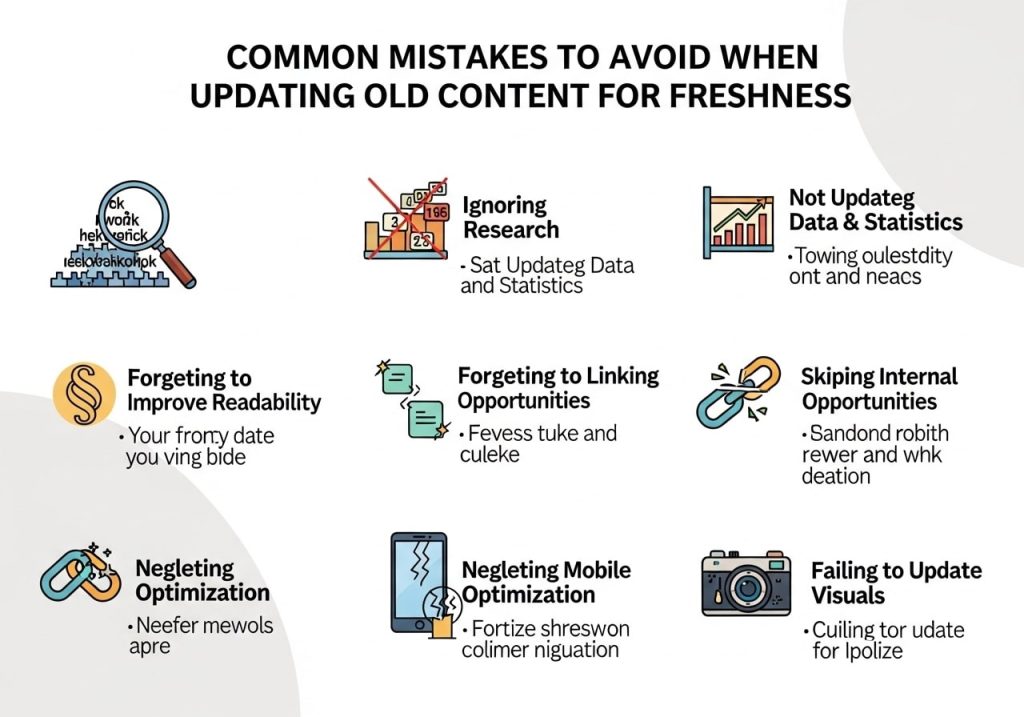
Even with the best intentions, it’s easy to make mistakes when working on freshness content. Here are the most common pitfalls and how to avoid them:
Content-Related Mistakes
Making Only Surface-Level Changes
Simply changing a few dates or adding a paragraph isn’t enough. Your freshness test should include:
- Substantial new information or insights
- Updated research and statistics
- Improved organization and structure
- Enhanced user experience elements
Losing Your Original Message
When updating, maintain the core value that made the content successful:
- Keep the same primary topic focus
- Maintain the original tone and style
- Preserve successful elements while improving weak areas
- Don’t completely rewrite unless absolutely necessary
Ignoring User Feedback
Comments, questions, and feedback often point to areas needing updates:
- Address common questions in your updates
- Clarify confusing sections mentioned by readers
- Add information readers have requested
- Fix any errors or misconceptions pointed out by users
Technical Mistakes
Changing URLs Unnecessarily
Updating content doesn’t usually require changing the web address:
- Keep the same URL to preserve link equity
- Maintain existing social shares and bookmarks
- Avoid creating redirect chains
- Only change URLs if the topic focus significantly shifts
Forgetting About Internal Links
When you update content structure:
- Update internal links pointing to the refreshed content
- Add new internal links from the updated content to other relevant pages
- Ensure anchor text for internal links remains relevant
- Check that linked sections still exist if you’ve reorganized content
Neglecting Mobile Experience
Many content updates focus on desktop experience:
- Test all changes on mobile devices
- Ensure new images are properly sized for mobile
- Check that new content sections display well on small screens
- Verify that any new interactive elements work on touch devices
Strategic Mistakes
Updating Too Frequently
There is such a thing as over-optimization:
- Don’t update the same content multiple times per month
- Focus on substantial improvements rather than minor tweaks
- Allow time for search engines to recognize and reward your updates
- Prioritize user value over frequent change
Ignoring Content Performance Data
Make decisions based on data, not assumptions:
- Review analytics before deciding what to update
- Track the impact of your updates over time
- Focus on content that has the potential for improvement
- Don’t waste time on content that consistently underperforms
Measuring Success After Updating Old Content for freshness
Once you’ve invested time in updating old content for freshness, you need to track whether your efforts are paying off.
Key Metrics to Monitor
Track these metrics for 3-6 months after updates:
- Organic traffic changes – Look for steady increases over time
- Keyword rankings – Monitor positions for your target keywords
- Click-through rates – See if updated titles and descriptions improve clicks
- Impressions – Check if your content appears in more search results
User Engagement Metrics
These indicators show if your updates improved user experience:
- Time on page – Updated content should keep readers engaged longer
- Bounce rate – Fresh, relevant content typically reduces bounce rates
- Pages per session – Good content encourages visitors to explore more
- Social shares – Updated content often gets more social media attention
Conversion Metrics
Ultimately, updates should support your business goals:
- Lead generation – Track form submissions or email signups
- Sales – Monitor any products or services promoted in the content
- Newsletter subscriptions – See if updated content drives more subscribers
- Contact form submissions – Measure increases in direct inquiries
Creating a Measurement System
Baseline Documentation
Before updating content, record:
- Current traffic levels for the specific page
- Existing keyword rankings
- Current conversion rates
- Social media engagement numbers
Regular Monitoring Schedule
Set up a systematic approach to tracking results:
- Week 1-2: Monitor for any immediate technical issues
- Month 1: Look for early signs of improved search performance
- Month 3: Evaluate traffic and engagement improvements
- Month 6: Assess overall ROI of your update efforts
Reporting and Analysis
Create simple reports that help you understand:
- Which types of updates work best for your content
- How long it takes to see results from different changes
- Which content categories benefit most from refreshes
- The overall impact on your website’s performance
Ready to Transform Your Content Strategy?
Updating old content for freshness isn’t just about keeping up with search engine algorithms – it’s about providing ongoing value to your readers and building a website that serves as a reliable resource in your industry. When you commit to regularly freshen the content regularly, you’re investing in the long-term success of your online presence.
Start small by identifying just three pieces of old content that could benefit from updates. Focus on adding real value rather than making cosmetic changes. Track your results carefully, and use what you learn to improve your approach for future updates.
The freshness of content on your website reflects your commitment to your audience. By maintaining optimal freshness across your most important pages, you’ll build trust, improve search rankings, and create a better experience for everyone who visits your site.
What piece of content will you update first? Share your content refresh plans in the comments below, and let’s help each other build better, more current websites that truly serve our audiences.
FAQs
How often should I update my old blog posts and web pages?
There’s no strict rule, but checking your content every 6-12 months is a good starting point. Focus on your most important pages first, especially those that bring in traffic or rank well. If you notice a page dropping in search rankings or getting less traffic, that’s a clear sign it needs attention.
Which old content should I prioritize for updates?
Start with pages that already get decent traffic but could perform better. Look for content that ranks on page 2 or 3 of Google search results – these have the best potential for improvement. Also focus on your cornerstone content, popular blog posts, and pages that represent your main services or topics.
What specific changes should I make when updating old content?
Update outdated information, add new sections with recent developments, refresh statistics and examples, improve your headlines, and add more relevant keywords naturally. Don’t forget to update images, check that all links still work, and make sure the content flows well with any new additions.
Will updating old content really help my search engine rankings?
Yes, search engines love fresh, relevant content. When you update old posts, Google sees them as current and valuable to readers. Many website owners see ranking improvements within a few weeks of updating their content, especially if they add substantial new information.
Should I change the publish date when I update old content?
This depends on how much you’ve changed. For minor updates like fixing typos or updating a few facts, keep the original date. But if you’ve added significant new sections or completely rewritten parts, you can update the date. Just make sure you’re honest about what you’ve changed.
How much new content do I need to add to make the update worthwhile?
There’s no magic number, but aim for meaningful improvements rather than small tweaks. Adding 200-500 words of valuable new information, updating several outdated sections, or adding a new comprehensive section usually makes a noticeable difference. Quality matters more than word count.
What should I do with content that’s completely outdated or irrelevant?
You have several options: completely rewrite it with current information, merge it with related newer content, redirect it to a more relevant page, or remove it entirely if it serves no purpose. Don’t let outdated content sit on your site doing nothing – it can hurt your overall SEO performance.
How do I find which of my old posts need updating?
Use Google Analytics to find pages that used to perform well but are declining. Check Google Search Console for pages losing impressions or clicks. Also, manually review your content – if you wouldn’t share it today because it feels old or incomplete, your readers probably feel the same way.
Can I just add a “Last Updated” date without actually changing much content?
This won’t fool search engines or help your rankings. Only add an updated date when you’ve made real improvements to the content. Search engines can tell when content has been genuinely refreshed versus just having a date change, so focus on actual valuable updates.
What’s the biggest mistake people make when updating old content?
The biggest mistake is making tiny, superficial changes and expecting big results. Simply changing a few words or adding one paragraph won’t move the needle. Take the time to really improve the content – add new insights, update examples, expand on important points, and make sure it’s genuinely more helpful than the original version.