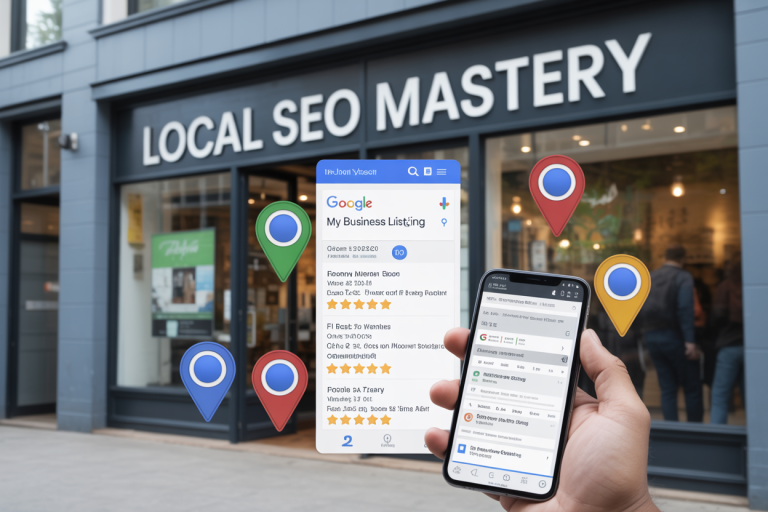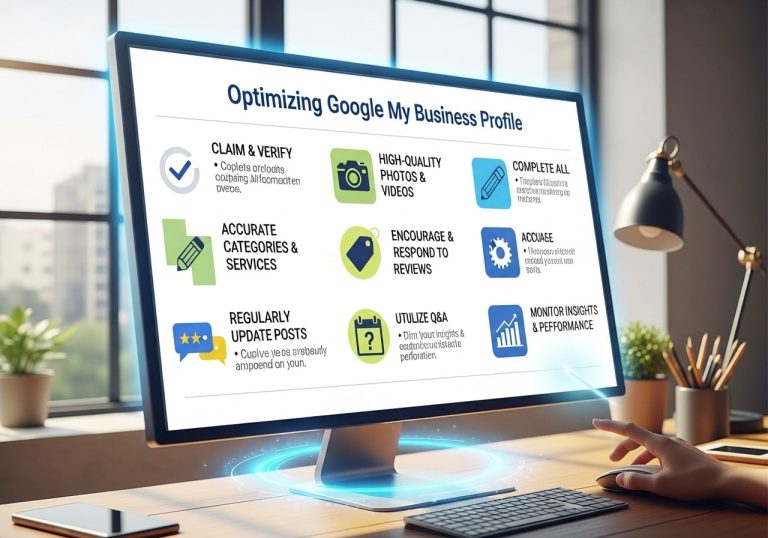
QGetting your Google Business Profile connected to all your marketing tools isn’t just nice to have—it’s essential for dominating local search results. This comprehensive guide is designed for local business owners, digital marketers, and anyone managing online presence for brick-and-mortar locations who wants to maximize their visibility and track results effectively.
When you link your Google Business Profile to Google Ads, Analytics, Facebook, and your website, you create a powerful ecosystem that boosts your local SEO performance and helps potential customers find you faster. These integrations work together to amplify your online presence while giving you the data you need to make smart marketing decisions.
We’ll walk you through how to connect Google Business Profile to Google Analytics so you can measure exactly how your local listings drive website traffic and conversions. You’ll also discover the step-by-step process to link Google Business Profile to Google Ads, turning your local presence into a lead-generating machine. Finally, we’ll cover how to sync your Facebook business tools and website connections to create a seamless experience that keeps customers engaged across every touchpoint.
Understanding Google Business Profile’s Role in Your Local SEO Strategy

Why Google Business Profile is the foundation of local search visibility
Google Business Profile acts as your digital storefront on the world’s most popular search engine. When customers search for businesses like yours in your area, Google pulls information directly from your profile to display in local search results, map listings, and the knowledge panel. This isn’t just another marketing channel – it’s the primary way Google understands and categorizes your business for local searches.
Your profile becomes the authoritative source of information about your business hours, location, services, and customer reviews. Google uses this data to determine when and where to show your business in search results. Without a complete and optimized profile, you’re essentially invisible to potential customers searching locally.
The profile also serves as a trust signal. Businesses with verified, complete profiles receive higher visibility in local search results compared to those with incomplete or unverified information. This verification process establishes credibility with both Google’s algorithm and potential customers who see the verified badge.
How integrated platforms amplify your local search rankings
Connecting your Google Business Profile to other platforms creates a powerful network effect that boosts your local SEO performance. When you link Google Business Profile to Google Ads, the advertising platform gains access to location extensions and call extensions, making your ads more relevant for local searches while improving your Quality Score.
Integrating Google Analytics provides deeper insights into how local customers interact with your business online. You can track which local keywords drive the most traffic, understand customer behavior patterns, and measure the effectiveness of your local SEO efforts. This data helps you make informed decisions about where to focus your optimization efforts.
The integration with Facebook Business Tools creates cross-platform consistency that search engines value. When your business information matches across Google and Facebook, it reinforces your legitimacy and improves your overall online presence. This consistency helps search engines understand your business better and can improve your rankings across all platforms.
The competitive advantage of synchronized business data
Synchronized business data across all platforms gives you a significant edge over competitors who manage each platform in isolation. When your business name, address, phone number, hours, and services match perfectly across Google Business Profile, your website, Facebook, and other platforms, you create what’s known as NAP consistency – a crucial local SEO ranking factor.
This synchronization reduces confusion for both search engines and customers. Search engines can confidently display your information knowing it’s accurate, while customers receive consistent experiences regardless of where they encounter your business online. Inconsistent information across platforms can hurt your rankings and customer trust.
Businesses with synchronized data often see improved click-through rates on their listings because customers feel more confident about the accuracy of the information. This increased engagement sends positive signals to search engines, creating a virtuous cycle that improves your local search visibility over time.
Connecting Google Business Profile to Google Ads for Maximum ROI

Setting up location extensions to boost ad performance
When you link your Google Business Profile to Google Ads, location extensions become your secret weapon for driving local traffic. These extensions automatically pull information from your verified business profile, displaying your address, phone number, and business hours directly within your search ads.
To set up location extensions, navigate to your Google Ads account and select “Extensions” from the left menu. Choose “Location extensions” and connect your Google Business Profile account. The system will sync your business information automatically, ensuring consistency across all platforms.
Location extensions increase your ad’s real estate on search results pages, making them more prominent and clickable. Studies show ads with location extensions receive 10% more clicks than standard text ads. They also enable the “Get Directions” button, which appears on mobile devices and drives foot traffic to your physical location.
Your location extensions work especially well for “near me” searches, where Google prioritizes businesses with verified profiles and accurate location data. When someone searches for “restaurants near me” or “auto repair shops nearby,” your ads with location extensions have a higher chance of appearing in those valuable local search moments.
Using customer actions from your profile to optimize ad targeting
Your Google Business Profile generates valuable customer interaction data that can supercharge your Google Ads targeting strategy. Every phone call, direction request, website click, and photo view from your profile provides insights into customer behavior patterns.
Create custom audiences based on people who have interacted with your business profile within specific timeframes. For example, target users who requested directions to your store but didn’t complete a purchase, or reach people who viewed your photos but haven’t visited yet.
The “Insights” section of your Google Business Profile reveals when customers are most active, which search terms they use to find you, and what actions they take most frequently. Use this data to adjust your ad scheduling and bid adjustments. If most customers call your business between 2-5 PM on weekdays, increase your bids during those hours.
Customer actions also help you identify high-intent audiences. People who request directions show strong purchase intent, making them excellent candidates for retargeting campaigns with special offers or time-sensitive promotions.
Leveraging local inventory ads for brick-and-mortar businesses
Local inventory ads connect your Google Business Profile with your Google Merchant Center account, showing customers exactly what products you have in stock at specific store locations. This integration bridges the gap between online browsing and in-store shopping.
Set up your local inventory ads by first connecting your Google Business Profile to Merchant Center, then uploading your local product inventory feeds. These feeds should include real-time stock levels, pricing, and availability for each store location.
When customers search for products you sell, Google can display your local inventory ads showing that the item is available at your nearby store. This drives qualified foot traffic from people who are ready to buy, not just browse.
Local inventory ads perform particularly well for retailers selling electronics, home goods, clothing, and automotive parts. They work best when you maintain accurate, up-to-date inventory levels and competitive pricing compared to online retailers.
Tracking phone calls and direction requests from ads
Call tracking becomes much more powerful when your Google Ads account connects to your Google Business Profile. The integration allows you to track not just phone calls from ads, but also calls made directly from your business listing in search results.
Enable call reporting in your Google Ads account to track calls lasting longer than a specified duration (typically 60 seconds) as conversions. This data helps you understand which keywords and ad campaigns drive the most valuable phone leads.
Direction requests serve as strong conversion signals, especially for businesses where customers typically visit in person. Set up conversion tracking for direction clicks to measure how your ads drive foot traffic. Google’s store visit conversions can estimate how many people who clicked your ads actually visited your physical location.
Monitor the relationship between online ad clicks and offline actions through your Google Business Profile insights. Peak hours for direction requests often correlate with high-converting ad times, helping you optimize your bidding strategy for maximum return on investment.
Use call extensions alongside your location extensions to maximize visibility and provide multiple ways for customers to connect with your business. The combination of phone numbers, addresses, and direction buttons creates a comprehensive local advertising experience that drives both calls and visits.
Integrating Google Analytics to Measure Local SEO Success
Linking your Business Profile insights with website analytics
Connecting your Google Business Profile to Google Analytics creates a powerful data ecosystem that reveals the complete customer journey from discovery to conversion. When you connect Google Business Profile to Google Analytics, you’ll see exactly how local searches translate into website visits and business actions. This integration allows you to track users who find your business through Google Maps, local search results, or direct profile views and follow their behavior once they reach your website.
The connection process involves verifying your Business Profile ownership within Google Analytics and ensuring proper tracking codes are installed on your website. Once established, you’ll access detailed reports showing which Google Business Profile interactions drive the most valuable website traffic. This data helps you understand whether customers are clicking through from your business hours, phone number, directions, or photo gallery.
Tracking local search traffic and user behavior patterns
Local search traffic patterns provide crucial insights into how customers discover and interact with your business online. Google Analytics segments show distinct behavior differences between local and organic search visitors. Local searchers typically exhibit higher intent, shorter session durations, and increased conversion rates compared to general organic traffic.
Key metrics to monitor include:
- Local search click-through rates from Business Profile to website
- Geographic distribution of your website visitors
- Device preferences for local searches (mobile vs desktop)
- Time-based patterns showing peak local search activity
- Page pathways that local visitors follow on your site
Mobile behavior analysis becomes especially important since over 60% of local searches happen on mobile devices. Local searchers often look for specific information like store hours, contact details, or directions, making their website journey more focused and action-oriented than typical web browsers.
Setting up conversion goals for location-based actions
Conversion tracking for local businesses requires specific goals that reflect real-world customer actions. Standard e-commerce goals don’t capture the full value of local business interactions, so you’ll need custom goals aligned with your business model.
Essential local conversion goals include:
| Goal Type | Action Tracked | Business Value |
|---|---|---|
| Phone Calls | Click-to-call from website | Direct lead generation |
| Direction Requests | Maps/GPS clicks | Store visit intent |
| Store Locator Usage | Location finder interactions | Multi-location engagement |
| Appointment Bookings | Online scheduling completions | Revenue opportunities |
| Contact Form Submissions | Location-specific inquiries | Lead qualification |
Set up event tracking for actions like downloading store-specific coupons, signing up for location-based newsletters, or engaging with local service areas. These micro-conversions often precede major purchasing decisions and help you understand the local customer acquisition funnel.
Using geographic data to refine your local marketing strategy
Geographic analytics reveal patterns that shape smarter local marketing decisions. Heat maps showing customer concentration help you identify underserved areas with growth potential or oversaturated markets requiring different approaches. This geographic intelligence guides everything from advertising spend allocation to service area expansion decisions.
Analyze distance-based behavior patterns to understand your true service radius. Some businesses discover that customers travel further than expected, while others find their actual draw area is smaller than anticipated. This data influences local SEO keyword targeting, helping you focus on neighborhoods and suburbs that generate actual business rather than just website traffic.
Geographic data also reveals seasonal migration patterns, especially important for businesses in tourist areas, college towns, or regions with seasonal workforce changes. Understanding these patterns helps you adjust marketing budgets, inventory planning, and staffing decisions based on actual customer location data rather than assumptions.
Synchronizing Facebook Business Tools with Your Google Profile

Cross-platform consistency for stronger local authority signals
When you link your Facebook business page with your Google Business Profile, you create a powerful foundation for local search visibility. Search engines look for consistent business information across the web to establish trust and authority. Your business name, address, phone number, hours, and services need to match exactly across both platforms.
Start by auditing your current information on both platforms. Many businesses discover discrepancies in their hours of operation, service descriptions, or contact details that hurt their local rankings. Once you’ve aligned this core information, maintain regular updates on both platforms simultaneously.
Your Facebook business page can amplify your Google Business Profile’s reach through strategic cross-posting. When you share updates, photos, or announcements on Facebook, reference your Google Business Profile location. This creates valuable backlinks and signals to search engines that your business maintains an active, legitimate presence across multiple trusted platforms.
The key is treating both platforms as part of one integrated local SEO strategy rather than separate marketing channels. When customers find consistent information whether they discover you through Google Search, Google Maps, or Facebook, it builds confidence and improves conversion rates.
Amplifying customer reviews and testimonials across platforms
Reviews drive local search rankings and customer decisions. Smart businesses create systems to maximize review collection and display across both Google and Facebook platforms. When customers leave positive reviews on your Google Business Profile, encourage them to share similar feedback on your Facebook page.
Consider implementing a review request strategy that gives customers options. Some people prefer Google’s quick star rating system, while others feel more comfortable leaving detailed Facebook reviews. Send follow-up emails after purchases or services that include links to both review platforms, letting customers choose their preferred method.
Cross-promote your best reviews strategically. Take compelling Google reviews and create Facebook posts highlighting these testimonials (with permission). Similarly, showcase great Facebook reviews in your Google Business Profile posts. This approach multiplies the visibility of your positive feedback.
Respond to reviews on both platforms with consistent brand voice and messaging. Your response style should reflect your business personality whether someone reviews you on Google or Facebook. Quick, personalized responses show potential customers that you value feedback and maintain active community engagement.
Coordinating local event promotions and special offers
Local events and promotions get maximum exposure when coordinated across both Google Business Profile and Facebook. Create a unified promotional calendar that leverages each platform’s unique strengths while maintaining consistent messaging.
Use Google Business Profile posts to announce upcoming events with clear calls-to-action and location details. These posts appear in local search results and Google Maps, capturing customers actively searching for local businesses. Include relevant keywords about your services and location to improve discoverability.
Facebook events provide more detailed promotional opportunities with RSVP functionality and easy sharing options. Create Facebook events for workshops, sales, or community gatherings, then cross-reference these events in your Google Business Profile posts. This dual approach captures different audience segments and search behaviors.
Time your promotions strategically across both platforms. Post initial announcements on Facebook to build early buzz among your existing followers, then follow up with Google Business Profile posts closer to the event date to capture last-minute searchers. Include location-specific hashtags and geotags to maximize local reach.
Track which types of events and promotions perform best on each platform. Some offers might generate more engagement on Facebook, while others drive better foot traffic through Google searches. Use these insights to refine your cross-platform promotional strategy and allocate resources more effectively.
Connecting Your Website for Seamless User Experience

Embedding Google Maps and Business Information for Better UX
Your website visitors shouldn’t have to hunt around for your address or hours. When you link Google Business Profile to website content, you create a smooth experience that keeps potential customers engaged. Embedding Google Maps directly on your contact page or footer gives visitors instant access to your location and directions.
The embedded map pulls real-time information from your Google Business Profile, including current hours, phone number, and customer reviews. This connection means when someone updates their hours for a holiday on their profile, the website automatically reflects those changes. No more frustrated customers showing up to closed doors.
Consider placing the map above the fold on your contact page. Mobile users especially appreciate being able to tap the map and get turn-by-turn directions without leaving your site. You can also embed smaller maps on location-specific service pages to reinforce your local presence.
Creating Location-Specific Landing Pages That Drive Conversions
Local businesses serving multiple areas need dedicated landing pages for each location. These pages work hand-in-hand with your Google Business Profile to capture search traffic for “near me” queries and location-based searches.
Each landing page should feature unique content about that specific area, including local landmarks, neighborhood information, and community connections. Don’t just copy and paste the same content across different location pages – search engines notice this and it hurts your rankings.
Include customer testimonials from each area, local case studies, and area-specific service information. Link these pages to your corresponding Google Business Profile locations to create a strong connection between your online presence and local search results. This approach helps you rank for searches like “plumber in downtown Seattle” or “dentist near Pike Place Market.”
Implementing Schema Markup to Boost Local Search Visibility
Schema markup tells search engines exactly what your business information means, making it easier for them to display your details in rich snippets and local search results. LocalBusiness schema is your best friend for connecting website data with your Google Business Profile.
Add structured data for your business name, address, phone number, hours, and services. This markup should match the information in your Google Business Profile exactly – any discrepancies can confuse search engines and hurt your local rankings.
Don’t forget about review schema markup. When you display customer reviews on your website with proper schema, search engines can show star ratings in search results, which significantly improves click-through rates. Google often pulls this review data to enhance your Business Profile listing as well.
Optimizing Mobile Experience for Local Search Users
Most local searches happen on mobile devices, often when people are already out and about looking for immediate solutions. Your mobile experience needs to be lightning-fast and focused on getting users the information they need quickly.
Make sure your phone number is clickable so mobile users can call with one tap. Display your address prominently and ensure the embedded Google Map loads quickly on mobile connections. Consider adding a “Get Directions” button that opens the user’s preferred navigation app.
Page speed becomes critical for mobile local search. Compress images, minimize code, and use a content delivery network to ensure your location pages load in under three seconds. Slow-loading pages not only frustrate users but also signal to Google that your business might not provide a good user experience, which can impact your Business Profile rankings.
Monitoring Performance and Optimization Strategies

Key Metrics to Track Across All Connected Platforms
Understanding how your Google Business Profile linked accounts perform requires monitoring specific metrics across each platform. For Google Ads campaigns connected to your profile, track local conversion rates, cost-per-click for location-based keywords, and radius performance around your business address. When you link Google Business Profile to Google Analytics, focus on organic local search traffic, bounce rates from “near me” searches, and goal completions from users who found you through local searches.
Your Google Business Profile appointment links generate valuable data about booking behaviors and customer preferences. Track click-through rates, appointment completion rates, and seasonal booking patterns. For businesses that connect Google Business Profile to Merchant Center, monitor local inventory performance, product view rates from local searches, and in-store pickup conversions.
Facebook integration metrics include cross-platform engagement rates, local event attendance from Facebook promotions, and message response times. Website connection data reveals how local search traffic converts compared to other sources.
| Platform | Primary Metrics | Secondary Metrics |
|---|---|---|
| Google Ads | Local conversion rate, CPC | Radius performance, impression share |
| Analytics | Local organic traffic, bounce rate | Goal completions, session duration |
| Cross-platform engagement | Message response time, event attendance | |
| Website | Local traffic conversion | Page views from local searches |
Identifying and Fixing Data Inconsistencies That Hurt Rankings
Data inconsistencies across your connected platforms can severely damage your local SEO performance. When you link a Google Business Profile to multiple platforms, information must remain synchronized to maintain search engine trust. Common inconsistencies include mismatched business hours between your website and Google profile, different phone numbers on Facebook versus your Google listing, and varying business descriptions across platforms.
Start by auditing your business name, address, and phone number (NAP) across all connected accounts. Your Google Business Profile appointment links should direct to pages with consistent contact information. When you connect Google Business Profile to Google Analytics, set up automated alerts for traffic drops that might indicate consistency issues.
Address format variations cause particular problems. Use identical formatting across all platforms – if your Google profile shows “123 Main Street, Suite 5,” your website footer should match exactly. Phone number formatting must be consistent too, including area code placement and punctuation.
Business category mismatches between Google and Facebook can confuse search algorithms. Review category selections quarterly and ensure they align across platforms. Description inconsistencies matter less than NAP data but still impact user experience and search visibility.
Using Customer Feedback Loops to Improve Local SEO Performance
Customer feedback provides the most authentic data for optimizing your connected Google Business Profile ecosystem. Reviews across platforms reveal patterns about service quality, location accessibility, and customer expectations. When customers mention specific services in Google reviews, incorporate those terms into your website content and Google Ads campaigns.
Response strategies affect local rankings significantly. Businesses that consistently respond to reviews within 24 hours see improved local search visibility. Use feedback to identify content gaps – if customers frequently ask about parking availability, add this information to your Google profile and website.
Social listening across Facebook and Google platforms reveals untagged mentions of your business. These conversations provide insights into customer pain points and opportunities for service improvements. Track sentiment changes over time to measure the impact of business modifications.
Create feedback collection systems that work across all connected platforms. Email follow-ups after appointments booked through Google Business Profile appointment links can generate more reviews. Cross-promote review requests on Facebook to boost Google review volume.
Questions in Google Q&A sections:
Customer questions in Google Q&A sections often reflect broader market interests. Use these insights to create website content, adjust Google Ads targeting, and refine your service offerings. Regular analysis of customer feedback patterns helps identify seasonal trends and emerging market demands that can inform your broader local SEO strategy.

Your Google Business Profile becomes a powerful local SEO tool when you connect it to all your other digital platforms. By linking it to Google Ads, you can drive more targeted traffic and get better returns on your advertising spend. Adding Google Analytics helps you track what’s actually working and where your local customers are coming from. When you sync everything with Facebook and your website, you create a smooth experience that makes it easy for customers to find and contact you.
Setting up these connections takes some time upfront, but the payoff is worth it. Your local search rankings will improve, and you’ll have better data to make smart marketing decisions. Start with one connection at a time – maybe Google Ads first if you’re running campaigns, or Analytics if you want to understand your current performance better. Once you’ve got everything linked up, make sure to check your performance regularly and adjust your strategy based on what the data tells you.
FAQs
What is a Google Business Profile and why should I connect it to other platforms?
A Google Business Profile is your free business listing on Google that shows up when people search for your business or services locally. Connecting it to Google Ads, Analytics, Facebook, and your website helps you track how well your local marketing works and gives customers a consistent experience across all platforms.
How do I link my Google Business Profile to Google Ads?
Log into your Google Ads account, go to the “Extensions” section, and select “Location extensions.” From there, you can connect your Google Business Profile. This lets your ads show your business address, phone number, and even directions to your location.
Can I connect Google Analytics to my Google Business Profile?
You can’t directly link Google Analytics to your Google Business Profile, but you can track traffic from your profile by using UTM parameters in any links you add to your profile. This helps you see how many people visit your website after finding you through your Google Business Profile.
What’s the best way to link my website to my Google Business Profile?
Add your website URL in the “Website” section of your Google Business Profile. Make sure the URL is correct and that your website loads quickly. You can also add specific landing pages for different services or products to give customers exactly what they’re looking for.
How do I connect my Facebook page to my Google Business Profile?
While there’s no direct connection, you should make sure your business information matches exactly on both platforms. Use the same business name, address, phone number, and hours. You can also share your Google Business Profile link on your Facebook page to help customers find you on Google.
Will linking these platforms actually help my local SEO?
Yes, connecting these platforms creates a stronger online presence for your business. When Google sees consistent information about your business across multiple trusted platforms, it boosts your credibility and can help you show up higher in local search results.
What information should be the same across all platforms?
Keep your business name, address, phone number, business hours, and services identical across Google Business Profile, your website, Facebook, and any ads. Even small differences can confuse both customers and search engines.
How long does it take to see results after linking everything together?
You might see some immediate benefits, like better ad performance, within a few days. For local SEO improvements, it usually takes 2-4 weeks to notice changes in your search rankings and website traffic.
Do I need to verify my Google Business Profile before connecting it to other platforms?
Yes, you should verify your Google Business Profile first. Google needs to confirm you’re the actual business owner before you can access all features, including connecting to Google Ads and making changes that affect your local search visibility.
What’s the most important connection to set up first?
Start by linking your Google Business Profile to Google Ads if you’re running paid campaigns. This connection often has the biggest immediate impact on getting more customers. After that, focus on making sure your website information matches your profile perfectly.