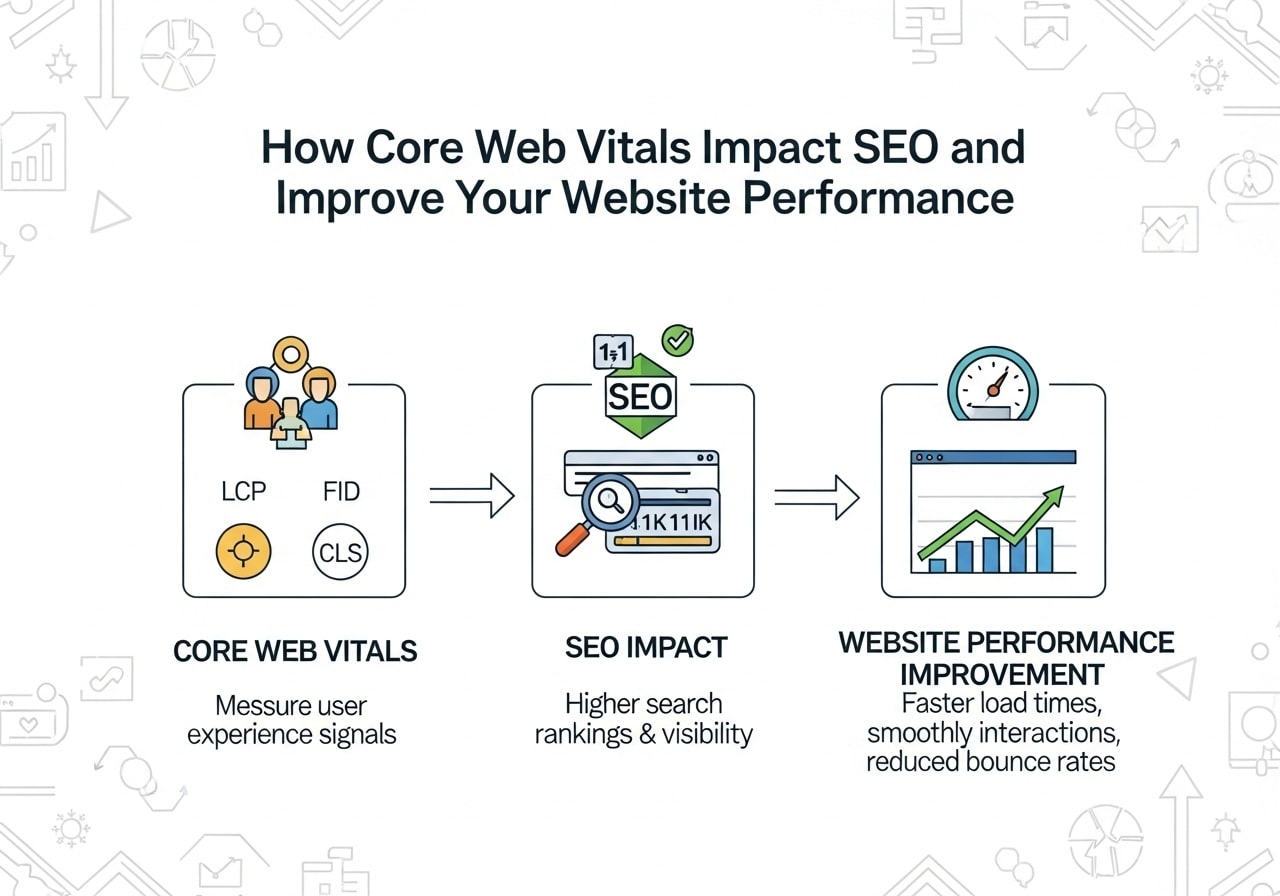
Website speed isn’t just about keeping visitors happy anymore – it’s become a key factor in how Google ranks your site. Understanding core web vitals and SEO is now essential for any website owner who wants to stay competitive in search results. These Google Core Web Vitals metrics have become the gold standard for measuring user experience and can significantly impact your search rankings.
What Are Core Web Vitals?
Google Core Web Vitals explained in simple terms: they’re a set of specific factors that Google considers important for measuring user experience on your website. Think of them as a report card for how well your website performs when real people visit it.
Core Web Vitals focus on three main areas:
- Loading performance – how fast your content appears
- Interactivity – how quickly users can interact with your page
- Visual stability – whether elements move around unexpectedly
These metrics aren’t just random numbers – they’re based on real user data from Chrome browsers around the world. This means your core web vitals score reflects actual user experiences, not just theoretical performance.
Core Web Vitals Definition SEO
From an SEO perspective, Core Web Vitals represent Google’s way of measuring and ranking websites based on user experience quality. They became an official ranking factor in 2021, making them crucial for anyone serious about search engine optimization.
Understanding Google Core Web Vitals Metrics
Let’s break down each of the three core web vitals lcp inp cls metrics:
Largest Contentful Paint (LCP)
Core web vitals largest contentful paint measures loading performance. It tracks how long it takes for the largest visible element on your page to load completely. This could be:
- A large image
- A video thumbnail
- A block of text
- A background image
Good LCP scores:
- Good: 2.5 seconds or less
- Needs improvement: 2.5-4.0 seconds
- Poor: More than 4.0 seconds
Interaction to Next Paint (INP)
Previously, Google used First Input Delay (FID), but core web vitals fid replaced by inp in March 2024. INP measures how responsive your page is to user interactions like clicks, taps, and keyboard inputs.
Good INP scores:
- Good: 200 milliseconds or less
- Needs improvement: 200-500 milliseconds
- Poor: More than 500 milliseconds
Cumulative Layout Shift (CLS)
Core web vitals cumulative layout shift measures visual stability. It tracks how much visible content shifts around as the page loads. You know that annoying experience when you’re about to click something and it moves? That’s what CLS measures.
Good CLS scores:
- Good: 0.1 or less
- Needs improvement: 0.1-0.25
- Poor: More than 0.25
Does Core Web Vitals Affect SEO?
The short answer is yes – does core web vitals affect seo is a definitive yes. Google officially confirmed Core Web Vitals as ranking factors in their page experience update. However, it’s important to understand how they work:
How Core Web Vitals Impact Rankings
- Direct ranking factor: Poor Core Web Vitals can hurt your rankings
- Tie-breaker: When content quality is similar, better Core Web Vitals can give you an edge
- User experience signals: They contribute to overall page experience scoring
- Mobile-first impact: Since Google uses mobile-first indexing, mobile Core Web Vitals are especially important
Core Web Vitals Benefits
Improving your Core Web Vitals brings several benefits:
- Better search rankings
- Lower bounce rates
- Higher conversion rates
- Improved user satisfaction
- Better mobile experience
How to Test Your Core Web Vitals
There are several core web vitals tools available for testing your website’s performance. Here are the most reliable options:
Google’s Official Tools
- PageSpeed Insights – The most popular core web vitals test google tool
- Google Search Console – Shows your site’s overall Core Web Vitals status
- Chrome DevTools – For technical analysis and debugging
Third-Party Core Web Vitals Analysis Tools
- GTmetrix
- Pingdom
- WebPageTest
- Semrush Site Audit
How to Use Core Web Vitals Test Online
To perform a core web vitals test free, follow these steps:
- Go to PageSpeed Insights
- Enter your website URL
- Click “Analyze”
- Review both mobile and desktop results
- Focus on the Core Web Vitals section
The tool will show you:
- Current scores for each metric
- Whether you pass or fail each vital
- Specific recommendations for improvement
Core Web Vitals Assessment Failed – What It Means
If you see core web vitals assessment failed in your reports, don’t panic. This simply means one or more of your Core Web Vitals metrics aren’t meeting Google’s “good” thresholds.
Core Web Vitals Assessment Failed Meaning
When your assessment fails, it typically means:
- Your LCP is slower than 2.5 seconds
- Your INP is higher than 200 milliseconds
- Your CLS is greater than 0.1
- You have core web vitals assessment failed on mobile
Core Web Vitals Assessment Failed How to Fix
The fix depends on which metrics are failing:
For LCP issues:
- Optimize images and use modern formats (WebP, AVIF)
- Improve server response times
- Remove unnecessary third-party scripts
- Use a Content Delivery Network (CDN)
For INP issues:
- Minimize JavaScript execution time
- Remove unused JavaScript
- Break up long tasks
- Use web workers for heavy computations
CLS issues:
- Set size attributes for images and videos
- Avoid inserting content above existing content
- Use CSS aspect ratios
- Preload fonts properly
How to Improve Core Web Vitals Score
Improving your core web vitals score requires a systematic approach. Here’s a step-by-step guide:
Technical Optimizations
- Image Optimization
- Use next-gen formats (WebP, AVIF)
- Implement lazy loading
- Properly size images
- Use responsive images
- JavaScript Optimization
- Remove unused JavaScript
- Defer non-critical scripts
- Use code splitting
- Minimize third-party scripts
- CSS Optimization
- Remove unused CSS
- Inline critical CSS
- Defer non-critical styles
- Use efficient CSS selectors
- Server Optimization
- Upgrade hosting if necessary
- Use a CDN
- Enable compression (Gzip/Brotli)
- Optimize database queries
WordPress-Specific Solutions
If you’re using WordPress, consider these improve wordpress core web vitals score strategies:
- Use a performance-optimized theme
- Install a caching plugin
- Optimize your database
- Choose lightweight plugins
- Use a wordpress core web vitals plugin
Popular WordPress optimization plugins include:
- WP Rocket
- W3 Total Cache
- Autoptimize
- Smush (for images)
Core Web Vitals Best Practices
Following core web vitals best practices ensures long-term success:
Design Best Practices
- Reserve space for content
- Always specify dimensions for images and videos
- Use CSS aspect ratios
- Reserve space for ads and embeds
- Prioritize above-the-fold content
- Load critical content first
- Defer below-the-fold elements
- Use resource hints (preload, prefetch)
- Minimize layout shifts
- Avoid inserting content dynamically
- Use consistent font loading
- Test on various devices and connections
Development Best Practices
- Monitor continuously
- Set up automated monitoring
- Check after every update
- Use real user monitoring (RUM)
- Test on real devices
- Don’t rely only on desktop testing
- Test on slow connections
- Use various browser types
- Implement progressive loading
- Load critical resources first
- Use skeleton screens
- Implement smooth transitions
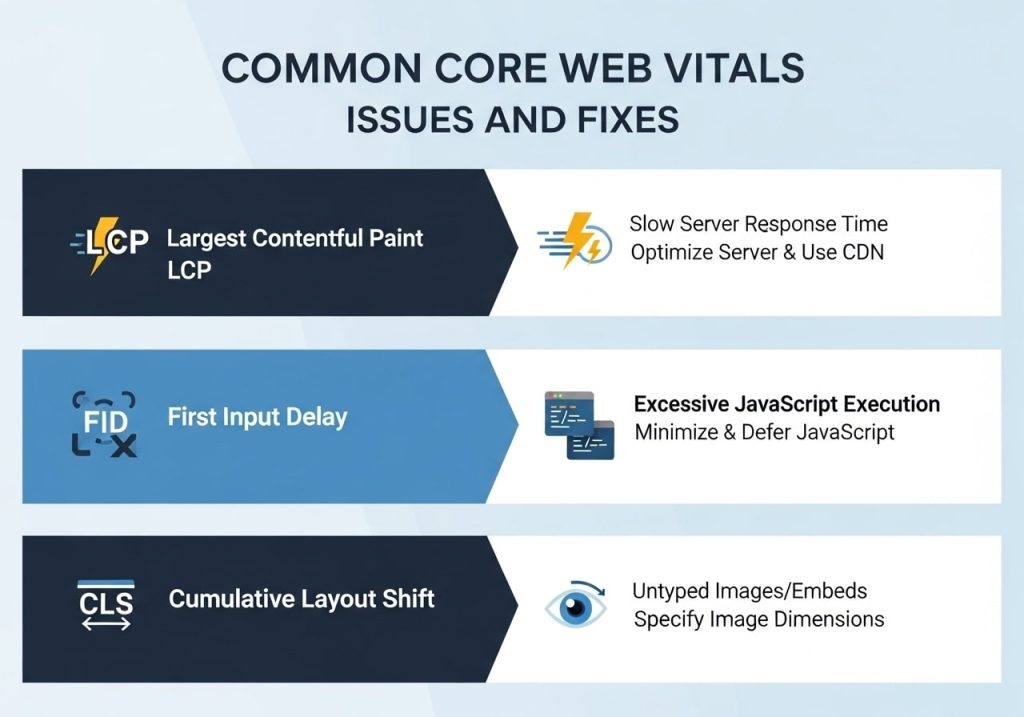
Common Core Web Vitals Issues and Fixes
Core Web Vitals CLS Issue
Cumulative Layout Shift problems are among the most common issues. Here’s how to fix them:
Common causes:
- Images without dimensions
- Ads that push content down
- Web fonts loading late
- Dynamic content insertion
Solutions:
- Always specify width and height for images
- Reserve space for ads
- Use font-display: swap
- Avoid injecting content above existing content
Core Web Vitals Failed on Mobile
Core web vitals assessment failed mobile issues often stem from:
- Large images not optimized for mobile
- Too many third-party scripts
- Poor server response times
- Render-blocking resources
Mobile-specific fixes:
- Implement responsive images
- Prioritize mobile performance
- Reduce third-party scripts
- Use mobile-first design principles
Core Web Vitals Tools and Resources
Essential Tools for Analysis
- Google Search Console
- Shows site-wide Core Web Vitals status
- Identifies pages needing improvement
- Tracks progress over time
- Chrome DevTools
- Detailed performance analysis
- Real-time debugging
- Network and rendering insights
- Lighthouse
- Comprehensive performance audit
- Specific recommendations
- Integrated into Chrome DevTools
Advanced Analysis Tools
- Core Web Vitals Chrome Extension
- Web Vitals JavaScript library
- Google Analytics 4 (with enhanced ecommerce)
- Third-party monitoring services
Setting Up Monitoring
To track your progress effectively:
- Set up Google Search Console for your website
- Install Google Analytics 4 with Core Web Vitals tracking
- Use automated monitoring tools for continuous tracking
- Create performance budgets to prevent regression
Core Web Vitals Benchmarks and Standards
Understanding core web vitals benchmarks helps you set realistic goals:
Industry Benchmarks
- E-commerce sites: Often struggle with LCP due to large product images
- News sites: May have CLS issues from ads and dynamic content
- Blogs: Generally perform better but may have issues with third-party widgets
Setting Realistic Goals
- Start with the biggest issues – focus on metrics that are furthest from “good”
- Prioritize high-traffic pages – fix your most important pages first
- Set incremental targets – aim for gradual improvement rather than perfection
- Monitor competition – see how you compare to similar sites
Remember, the goal isn’t just to pass Google’s thresholds – it’s to provide an excellent user experience that keeps visitors engaged and converts them into customers.
Core Web Vitals and SEO go hand in hand in today’s digital landscape. By focusing on these metrics, you’re not just improving your search rankings – you’re creating a better experience for your users. Start with a comprehensive audit, prioritize the biggest issues, and implement changes systematically. Your users and your search rankings will thank you for it.
FAQs
What are Core Web Vitals?
Core Web Vitals are three key metrics that Google uses to measure how well your website performs for visitors. They check how fast your page loads, how quickly people can interact with it, and whether elements on the page move around unexpectedly while loading.
Which three metrics make up Core Web Vitals?
The three metrics are Largest Contentful Paint (LCP), which measures loading speed; First Input Delay (FID), which tracks how responsive your site is when someone tries to click or tap something; and Cumulative Layout Shift (CLS), which looks at visual stability and whether page elements jump around.
Do Core Web Vitals really affect my website’s Google ranking?
Yes, Google officially uses Core Web Vitals as ranking factors. While they won’t make a terrible website rank at the top, they can give you an edge over competitors with similar content quality. Good Core Web Vitals scores help your pages perform better in search results.
What’s considered a good score for each Core Web Vitals metric?
For LCP, you want 2.5 seconds or less. FID should be under 100 milliseconds. CLS needs to be 0.1 or lower. These are the thresholds Google considers “good” performance that won’t hurt your search rankings.
How can I check my website’s Core Web Vitals scores?
You can use several free tools like Google PageSpeed Insights, Search Console, or Chrome DevTools. Just enter your website URL, and these tools will show your current scores along with suggestions for improvement.
What’s the biggest factor that hurts LCP scores?
Large images and videos are usually the main culprits. If your page loads a huge image or video file as the main content, visitors have to wait for it to download completely. Slow web hosting and unoptimized code can also drag down your LCP scores.
How do I improve my FID scores?
The main issue is usually too much JavaScript code running when someone first visits your page. You can fix this by reducing the amount of code, breaking it into smaller pieces, or delaying non-essential scripts until after the page becomes interactive.
Why does my CLS score keep changing?
CLS measures layout shifts, so it varies based on different factors like ad loading, images without defined sizes, or fonts that take time to load. The score can change between visits because these elements might load differently each time.
Will fixing Core Web Vitals automatically boost my search rankings?
Not automatically, but it helps. Core Web Vitals are just one part of Google’s ranking algorithm. You still need good content, relevant keywords, and other SEO basics. Think of Core Web Vitals as the foundation that supports your other SEO efforts.
How often should I monitor my Core Web Vitals?
Check them monthly or after making significant changes to your website. Search Console provides ongoing monitoring, but manual checks with PageSpeed Insights help you catch issues quickly. Regular monitoring helps you maintain good performance and catch problems before they hurt your rankings.