Your Google Business Category directly impacts how customers find your business online. This guide helps local business owners, marketing managers, and entrepreneurs choose, add, and optimize their business categories for maximum visibility in Google search results and Maps.
Picking the wrong category can hide your business from potential customers, while the right choice puts you in front of people actively searching for your services. Many businesses struggle with google business category not listed issues or wonder how to add category in google my business effectively.
We’ll walk you through understanding how google business category options work and why they matter for your online presence. You’ll learn how to research and select the perfect primary category that matches what customers actually search for. We’ll also cover how to add and manage additional categories strategically, plus show you proven ways to optimize your category selection for better local search performance.
By the end, you’ll know exactly which business category meaning fits your company and how to make Google’s algorithm work in your favor.
Understanding Google Business Categories and Their Impact
What Google Business Categories Are and Why They Matter
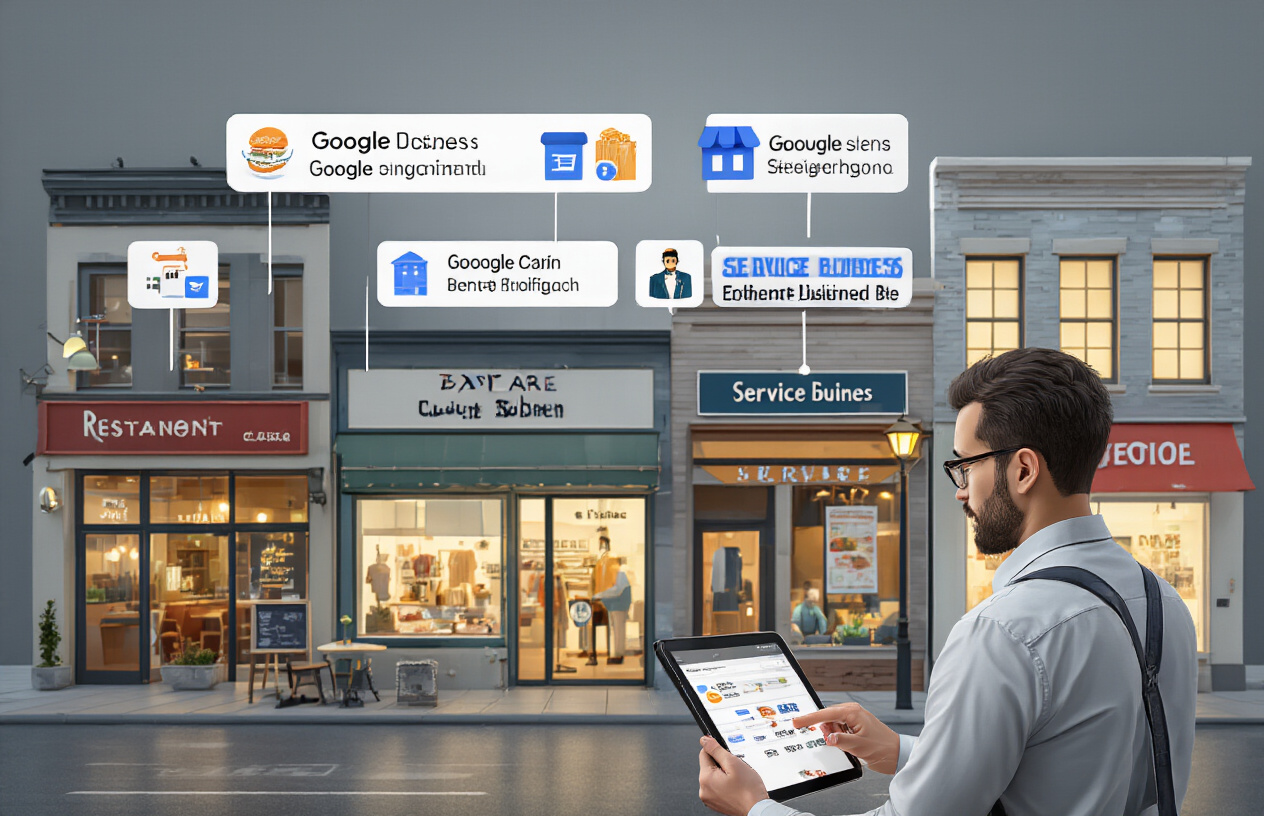
Google Business Categories serve as digital labels that tell both Google’s algorithm and potential customers exactly what your business does. Think of them as the filing system Google uses to organize the millions of businesses in its database. When someone searches for “pizza near me” or “emergency plumber,” Google relies on these business category in google classifications to match relevant businesses with search queries.
Your google business category acts as the foundation of your entire Google Business Profile. Google offers hundreds of predefined categories, from “Italian Restaurant” to “Emergency Plumbing Service,” each designed to capture specific business types. The business category meaning goes beyond simple classification – it directly influences which search results your business appears in and how prominently you’re displayed.
The importance of accurate categorization can’t be overstated. Your category selection tells Google’s algorithm when to show your business, which competitors you’re grouped with, and what services customers can expect from you. Without proper categorization, even the most well-optimized business profile will struggle to reach its intended audience.
How Categories Affect Local Search Rankings
Your google business category options directly impact your local search visibility through Google’s ranking algorithm. Google uses categories as primary signals to determine which businesses should appear for specific search queries. A restaurant categorized as “Italian Restaurant” will rank for pizza-related searches, while the same business categorized as “Bar” might miss those opportunities entirely.
The algorithm weighs category relevance heavily when determining local pack rankings. Businesses with categories that closely match search intent typically outrank those with generic or mismatched categories. For example, searching “auto repair” will prioritize businesses categorized as “Auto Repair Shop” over those listed as “General Automotive Services.”
Google also considers category consistency across your online presence. Mismatched categories between your Google Business Profile and other directories can confuse the algorithm and hurt your rankings. The system rewards businesses that maintain consistent, accurate categorization across all platforms.
The Connection Between Categories and Customer Discovery
Your business category in google map serves as the first impression for potential customers browsing local search results. Categories appear prominently in search listings, helping customers quickly identify whether your business meets their needs. A clear, specific category can be the difference between a click and a scroll-past.
Categories also influence the additional information Google displays about your business. Restaurants see menu links and reservation buttons, while service businesses get call-to-action buttons for quotes and appointments. These features only appear when your google business category aligns with Google’s expectations for that business type.
The discovery process extends beyond search results. Categories determine which Google features your business can access, from Google Posts to product catalogs. Service-based businesses categorized correctly can showcase their service areas, while retail businesses gain access to inventory management tools.
Common Mistakes That Hurt Your Visibility
Many business owners make critical errors when selecting their google business listing categories. The most damaging mistake is choosing overly broad categories like “Business Service” instead of specific ones like “Marketing Consultant.” Generic categories face massive competition and provide little context about your actual services.
Another common error involves keyword stuffing in category selection. Some businesses try to game the system by selecting multiple loosely related categories, hoping to appear in more searches. Google’s algorithm recognizes this practice and can penalize businesses that seem to operate in unrelated fields without clear justification.
Neglecting to update categories as your business evolves also hurts visibility. A photography studio that expands into videography but maintains only a “Photographer” category misses potential video-related searches. Regular category audits ensure your classifications match your current business offerings.
The list of google business categories doesn’t always include perfect matches for every business. When faced with this challenge, some owners leave their business uncategorized or choose completely unrelated categories. Both approaches severely limit discoverability and should be avoided in favor of selecting the closest available match.
Research and Select the Perfect Primary Category

Finding Categories That Match Your Core Business
Your primary category is the foundation of your Google Business Profile visibility. Think of it as your business’s main identity in Google’s eyes – this single selection determines which searches your business appears in most prominently.
Start by identifying what customers actually search for when they need your services. If you run a bakery that specializes in wedding cakes, customers might search for “bakery,” “wedding cake shop,” or “custom cake decorator.” Google offers different categories for each of these, and your choice will impact which searches trigger your listing.
The business category meaning goes beyond just describing what you do – it connects your business to customer search intent. For example, “Restaurant” attracts people looking for dining experiences, while “Takeout Restaurant” targets customers wanting food delivery or pickup specifically.
Check Google’s autocomplete suggestions when typing your business type. These suggestions reveal popular search terms that translate directly into available google business category options. Pay attention to local variations too – some regions use different terminology for the same type of business.
Document your top three potential primary categories and test them by searching each term in your area. See what types of businesses appear and whether they match your target audience. This exercise reveals which category aligns best with customer expectations.
Analyzing Competitor Category Choices for Insights
Your competitors’ category selections provide valuable intelligence about what business category works best in your market. Study successful competitors who rank well in local searches – their primary categories often indicate the most effective positioning strategy.
Create a spreadsheet tracking competitor categories across your top 10-15 local rivals. Look for patterns in their choices and note which businesses appear most frequently in relevant searches. This competitive analysis reveals which google business listing categories Google favors for your industry.
Pay special attention to competitors who serve similar customers but use different category combinations. A fitness business might choose “Gym,” “Personal Trainer,” or “Fitness Center” as their primary category, each attracting different search behaviors.
Don’t just copy competitors blindly. Instead, identify gaps where your unique services might fit into underutilized categories. If all your competitors choose “Restaurant,” but you offer cooking classes, “Cooking School” might be a better primary category despite being less obvious.
Monitor how competitor category choices affect their search visibility over time. Some categories become saturated, making it harder to stand out, while others offer more opportunity for visibility.
Using Google’s Category Suggestions Tool Effectively
Google’s category suggestion feature appears when you edit your business information, offering recommendations based on your business description and existing details. These suggestions often reveal google business category options you might not have considered.
To access the most relevant suggestions, optimize your business description first. Include specific services, products, and industry terms that help Google understand your business model. The algorithm uses this information to recommend appropriate categories.
When google business category not listed appears in your search, try variations of your business type. Instead of “wedding photographer,” try “photographer,” “photography studio,” or “event photographer.” Google’s system often groups related services under broader category umbrellas.
The suggestion tool also considers your business location and local market conditions. Categories popular in your area receive higher priority in recommendations, reflecting local search patterns and customer behavior.
Test different business descriptions to see how they change Google’s category suggestions. Sometimes adding or removing specific keywords reveals new category options that better match your services. Remember that you can always refine your description after selecting your primary category.
Save promising category suggestions for potential additional categories. Google allows multiple categories, and the suggestion tool helps identify complementary options that expand your search visibility without conflicting with your primary focus.
Add and Manage Additional Categories Strategically

When to Use Secondary Categories for Maximum Benefit
Adding secondary categories to your Google Business Profile can boost your visibility when done right. The key is understanding when these extra categories actually help versus when they hurt your rankings.
Use secondary categories when your business genuinely offers multiple distinct services. A restaurant that also offers catering services should add both “Restaurant” and “Caterer” categories. An auto repair shop that sells used cars benefits from both “Auto Repair Shop” and “Used Car Dealer” categories.
Timing matters too. If you’re launching a new service line, adding the relevant category signals to Google that you’re actively providing that service. This works especially well for seasonal businesses – a landscaping company might add “Snow Removal Service” during winter months.
Geographic considerations also play a role. Businesses in smaller markets often benefit more from additional categories since there’s less competition. In saturated markets, extra categories might dilute your primary category strength.
How to Add Categories Without Confusing Google
Google’s algorithm gets confused when categories don’t make logical sense together. The platform expects consistency between your categories, business description, and actual services offered.
Start by accessing your Google Business Profile manager and navigating to the “Info” section. When adding categories, choose options that directly relate to your primary business function. Avoid categories that seem completely unrelated to your main service.
Best practices for category addition:
- Add categories gradually over time rather than all at once
- Ensure your website content supports each category you claim
- Use specific category names when available rather than generic ones
- Monitor your insights to see which categories drive traffic
The order of your categories matters. Google gives more weight to categories listed first, so keep your most important business function as the primary category. Secondary categories should complement, not compete with, your primary focus.
Update your business description and services list to reflect all claimed categories. This consistency helps Google understand and verify your category selections.
Balancing Specificity with Broad Appeal
Walking the line between specific and broad categories requires understanding your customer search patterns. Specific categories like “Italian Restaurant” target customers with clear intent, while broader categories like “Restaurant” cast a wider net.
Start with the most specific category that accurately describes your core business. A pizza shop should choose “Pizza Restaurant” over the generic “Restaurant” category. This specificity helps you compete in more targeted searches where conversion rates are typically higher.
Category specificity strategy:
| Business Type | Too Broad | Just Right | Too Specific |
|---|---|---|---|
| Coffee Shop | Food & Beverage | Coffee Shop | Organic Fair Trade Coffee Roaster |
| Dental Practice | Healthcare | Dentist | Pediatric Cosmetic Orthodontist |
| Gym | Recreation | Fitness Center | CrossFit Box with Olympic Lifting |
Add broader categories as secondary options when they make sense. This approach captures searches from customers who might use general terms while maintaining your specific positioning for targeted searches.
Consider your local competition when making these decisions. In areas with many restaurants, being the specific “Thai Restaurant” helps you stand out better than being another generic “Restaurant.” In smaller markets, broader categories might capture more of the limited search volume.
Review your Google Business insights monthly to see which categories generate the most impressions and clicks. This data helps you refine your category strategy over time.
Optimize Your Category Selection for Better Performance

Align Categories with Your Most Profitable Services
Your primary google business category should reflect what brings in the most revenue, not just what you happen to offer. If you run a full-service marketing agency but make 80% of your income from web design, choose “Website Designer” as your primary category instead of the broader “Marketing Agency.” This strategic alignment helps Google connect you with customers actively searching for your money-making services.
Look at your revenue streams from the past year and identify which services generate the highest profit margins. These should guide your google business category selection. A restaurant that makes most of its money from catering should consider “Caterer” as the primary category, even if they also serve dine-in customers. This approach ensures your Google Business Profile attracts the clients who matter most to your bottom line.
Update Categories When Your Business Evolves
Business pivots happen, and your google my business category choices should evolve with them. A photography studio that shifts focus from weddings to corporate headshots needs to update their categories accordingly. Regular category audits every six months help ensure your Google listing stays relevant to your current offerings.
When adding or removing categories, document the changes and their impact on your visibility. If you’ve expanded into new services that represent significant revenue opportunities, don’t wait to update your google business listing categories. The sooner you make these changes, the faster Google can start showing your business to relevant searchers.
Test Category Changes and Monitor Results
Category changes aren’t permanent decisions – you can experiment to find what works best. Before making major changes, document your current rankings, call volume, and website traffic from Google. After updating your business category in google my business, monitor these metrics for 4-6 weeks to assess the impact.
Create a simple tracking spreadsheet with key performance indicators:
| Metric | Before Change | 2 Weeks After | 4 Weeks After | 6 Weeks After |
|---|---|---|---|---|
| Google ranking for main keyword | ||||
| Phone calls from Google | ||||
| Direction requests | ||||
| Website clicks from Google |
This data-driven approach helps you make informed decisions about which google business category options work best for your specific situation.
Avoid Category Stuffing That Hurts Your Rankings
Adding every remotely related category might seem like a good idea, but it often backfires. Google’s algorithm prefers businesses with clear, focused category selections over those trying to rank for everything. A bakery that lists itself under “Bakery,” “Restaurant,” “Catering,” “Wedding Cake Shop,” and “Dessert Shop” dilutes its relevance for each category.
Stick to 3-5 categories maximum, with each one representing a genuine, significant part of your business. Quality beats quantity when it comes to google listing categories. Choose categories where you can legitimately compete and provide excellent service rather than casting an overly wide net.
Maintain Consistency Across All Online Platforms
Your google business category selections should match how you present your business on other platforms. If you’re listed as a “Digital Marketing Agency” on Google but as a “Web Design Company” on Yelp and Facebook, this inconsistency confuses both search engines and customers.
Create a master list of your chosen categories and use them consistently across:
- Google My Business
- Facebook Business Page
- Yelp
- Industry directories
- Your website’s schema markup
This consistency strengthens your online presence and helps search engines better understand what your business actually does, leading to more accurate search result placements and qualified leads.

Picking the right Google Business category isn’t just about checking a box – it’s about helping your customers find you when they need you most. Your primary category acts as the foundation of your online presence, while additional categories give you extra chances to show up in relevant searches. The categories you choose directly influence how Google displays your business and who sees it first.
Take time to research your options thoroughly and think about what your customers actually search for. Keep your categories focused and relevant rather than trying to cast too wide a net. Regularly review and adjust your selections as your business evolves or as you notice changes in customer behavior. Getting your categories right is one of the simplest yet most effective ways to boost your visibility and connect with the people who are already looking for what you offer.
FAQs
What is a Google Business Category?
A Google Business Category is a label that tells Google and customers what type of business you run. It helps Google show your business to people searching for services like yours and determines which features are available in your Google Business Profile.
How do I choose the right category for my business?
Pick the category that best describes your main business activity. Think about what customers would search for when looking for your services. Choose the most specific category available rather than a general one, and make sure it matches what you actually do.
Can I add multiple categories to my Google Business Profile?
Yes, you can add up to 10 categories total. You’ll have one primary category and up to 9 additional categories. Your primary category is the most important one as it affects how Google shows your business in search results.
How do I add or change my business category?
Sign in to your Google Business Profile, go to the “Info” section, and click on your current category. You can then search for and select a new primary category or add additional categories. Remember to save your changes.
What happens if I choose the wrong category?
Choosing the wrong category can hurt your visibility in search results. Your business might show up for the wrong searches or not appear when potential customers are looking for your services. You can change it anytime through your Google Business Profile.
Should my primary category be broad or specific?
Choose the most specific category that accurately describes your business. Specific categories help Google better understand your business and show it to the right customers. For example, choose “Italian Restaurant” instead of just “Restaurant” if that’s what you are.
How often can I change my business categories?
You can change your categories anytime, but avoid making frequent changes as this might confuse Google’s system. Only update your categories when your business actually changes or if you realize your current categories don’t fit well.
Do different categories affect my Google Business Profile features?
Yes, some features are only available for certain categories. For example, restaurants can show menus and accept food orders, while service businesses might have different booking options. Your category determines which features Google offers you.
Can I create a custom category if none fit my business?
No, you must choose from Google’s list of available categories. If you can’t find a perfect match, pick the closest one that describes your main business activity. Google regularly adds new categories, so check back periodically.
How do categories affect my local search rankings?
Categories help Google understand your business and match it with relevant searches. Using the right categories can improve your chances of appearing in local search results when people look for businesses like yours in your area.