Your title tags can make or break your search rankings and click-through rates. Many website owners, digital marketers, and SEO specialists struggle with creating title tags that both satisfy search engines and entice users to click.
This guide covers title tag best practices that actually work in today’s competitive search landscape. You’ll learn the exact character limits that prevent your titles from getting cut off in search results, plus proven strategies for placing keywords naturally while keeping your titles irresistible to searchers.
We’ll walk through how to write compelling titles that stand out in crowded search results and dive into the technical side of implementing your tags correctly. You’ll also discover how to test and refine your approach using real performance data.
Understanding Title Tags and Their Impact on Search Performance

What title tags are and how search engines use them
Title tags are HTML elements that specify the clickable headline for a web page in search engine results pages (SERPs). They appear between the <title> and </title> tags in your page’s HTML head section and serve as the primary identifier for your content.
Search engines treat title tags as one of the most important on-page SEO factors. Google and other search engines use these tags to understand what your page is about and determine its relevance for specific search queries. When someone searches for information online, search engines scan title tags to match the query with the most appropriate results.
Title tags also appear in several other places beyond search results:
- Browser tabs and bookmarks
- Social media shares
- Email previews when sharing links
The way search engines process title tags has evolved significantly. Modern algorithms analyze not just the keywords within your title, but also the context, user intent, and overall relevance to the search query. This means your title tags need to balance keyword optimization with natural, readable language that accurately represents your content.
The connection between title tags and click-through rates
Your title tag directly influences whether users click on your search result or scroll past it. Even if you rank highly in search results, a poorly crafted title tag can dramatically reduce your click-through rate (CTR).
Several factors in title tags impact CTR:
Emotional triggers: Words that evoke curiosity, urgency, or emotion tend to generate more clicks. Power words like “ultimate,” “essential,” “proven,” or “secret” can increase engagement when used appropriately.
Specificity and clarity: Vague titles get ignored. Users want to know exactly what they’ll find when they click your link. A title like “SEO Tips” is far less compelling than “7 SEO Title Tag Best Practices That Boost Rankings in 2024.”
Relevance to search intent: Your title must align with what the searcher is looking for. If someone searches for “how to write title tags,” they want actionable guidance, not just general information about what title tags are.
Unique value proposition: Your title should communicate what makes your content different from the dozens of other results on the page. What unique insight, approach, or benefit do you offer?
Research shows that pages with optimized, compelling title tags can see CTR improvements of 20-50% compared to generic or keyword-stuffed alternatives.
How title tags influence search engine rankings
While title tags aren’t the ranking powerhouse they once were, they still play a significant role in search engine rankings. Google has confirmed that title tags remain an important ranking factor, though their weight has diminished as the algorithm has become more sophisticated.
Title tags influence rankings in several ways:
Keyword relevance signals: Including your target keywords in the title tag helps search engines understand your page’s topic and match it with relevant searches. However, keyword stuffing or over-optimization can actually hurt your rankings.
Click-through rate impact: Google monitors how often people click on your result when it appears in search results. Higher CTRs signal to Google that your result is valuable and relevant, which can boost your rankings over time.
User experience metrics: When users click through from your title tag and engage positively with your content (low bounce rate, longer time on page), it sends positive ranking signals to search engines.
Semantic understanding: Modern search algorithms analyze the context and meaning of your title tags, not just exact keyword matches. This means naturally written, descriptive titles often perform better than keyword-heavy alternatives.
The relationship between title tags and rankings is cyclical: better title tags lead to higher CTRs, which can improve rankings, which leads to more visibility and clicks.
Common title tag mistakes that hurt your SEO
Many websites unknowingly sabotage their search performance through poor title tag implementation. These common mistakes can significantly impact both rankings and click-through rates:
Duplicate title tags across pages: Using identical or very similar titles for multiple pages confuses search engines and dilutes your ranking potential. Each page should have a unique, descriptive title that reflects its specific content.
Keyword stuffing: Cramming multiple variations of your target keyword into the title makes it unreadable and can trigger spam filters. “Best Title Tags Best Practices SEO Title Tag Best Practices Guide” is a clear example of over-optimization.
Missing or generic titles: Pages with no title tags or generic titles like “Home” or “Page 1” waste valuable SEO opportunities and provide no compelling reason for users to click.
Ignoring character limits: Titles that are too long get truncated in search results, potentially cutting off important information. Conversely, extremely short titles may not provide enough context or keywords to rank effectively.
Misleading or clickbait titles: While emotional triggers can improve CTR, titles that don’t accurately represent your content lead to high bounce rates and can hurt your rankings long-term.
Brand placement issues: Putting your brand name at the beginning of every title tag wastes valuable character space that could be used for keywords and compelling copy, unless you have exceptional brand recognition.
Failing to update titles: Outdated title tags that reference old years, discontinued products, or irrelevant information can hurt both user experience and search performance.
Optimal Title Tag Length and Character Limits
The 50-60 Character Sweet Spot for Maximum Visibility
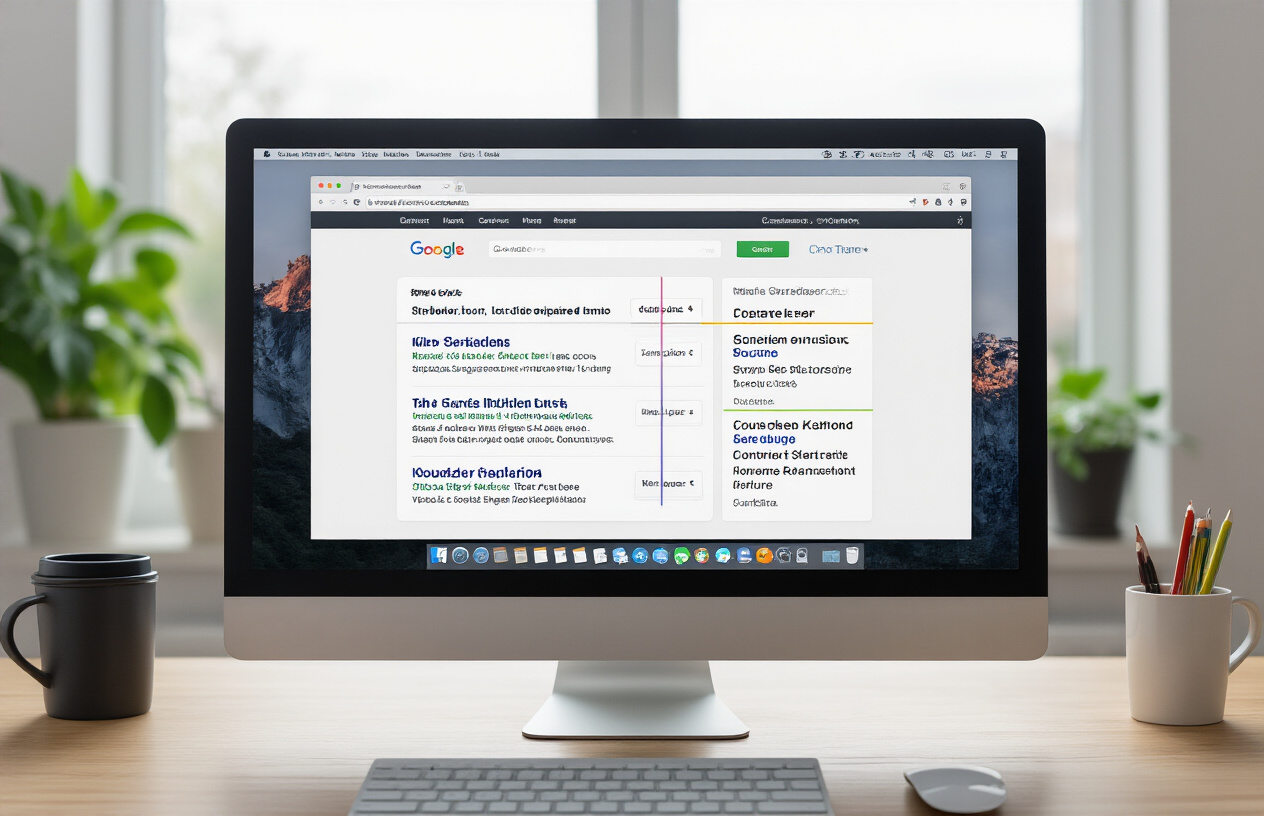
Search engines typically display between 50-60 characters of your title tag in search results, making this range the golden standard for title tag best practices. Google’s algorithm considers various factors when determining how much of your title to show, but staying within this character limit ensures your complete message reaches searchers.
When you craft titles within this range, you maintain full control over your search snippet appearance. Your entire message gets displayed without those dreaded ellipses (…) that cut off important information. This complete visibility directly impacts click-through rates since users can read your full value proposition before deciding whether to visit your page.
The 50-60 character guideline works because it balances two critical needs: providing enough space to include your primary keyword and compelling copy while ensuring complete visibility across different devices and search interfaces. Titles that fall short of 50 characters might miss opportunities to include additional relevant keywords or persuasive elements.
How Search Engines Truncate Longer Titles
Search engines don’t simply count characters when deciding where to cut off your title tags. They actually measure pixel width, which means certain letters and symbols take up more space than others. A title with many wide characters like “W” or “M” might get truncated sooner than one with narrow characters like “i” or “l”.
Google typically allows around 600 pixels of width for title tags in desktop search results. When your title exceeds this limit, the search engine adds an ellipsis and cuts off the remaining text. This truncation often happens at awkward spots, potentially removing your brand name, key benefits, or call-to-action phrases.
The truncation process can significantly impact your click-through rates. Users might miss crucial information that would have convinced them to click, especially if the most compelling part of your title appears at the end. Smart SEO practitioners place their most important keywords and persuasive elements toward the beginning of their titles to avoid this issue.
Mobile vs Desktop Display Differences
Mobile search results show even less of your title tag than desktop versions, typically displaying only 50-55 characters compared to desktop’s 55-60 character range. This difference stems from mobile screens’ narrower width and smaller font sizes used in mobile search interfaces.
The mobile-first indexing approach means Google primarily uses the mobile version of your content for ranking, making mobile title display even more critical for your SEO strategy. Your title tag best practices should prioritize mobile visibility while ensuring desktop users also get a complete, compelling message.
Screen orientation also affects title display on mobile devices. Portrait mode shows fewer characters than landscape mode, and different mobile browsers may have slight variations in how they display search results. Testing your titles across various devices helps ensure consistent performance regardless of how users access your content.
| Platform | Character Limit | Pixel Width | Typical Display |
|---|---|---|---|
| Desktop | 55-60 chars | ~600 pixels | Full title usually visible |
| Mobile Portrait | 50-55 chars | ~400 pixels | More truncation likely |
| Mobile Landscape | 55-58 chars | ~500 pixels | Better visibility than portrait |
Creating titles that work across all platforms requires careful planning. Focus on front-loading your most important information and test your titles using Google’s search preview tools to see how they appear across different devices.
Strategic Keyword Placement in Title Tags

Positioning Primary Keywords at the Beginning
Placing your primary keyword at the start of your title tag gives it maximum SEO impact. Search engines read title tags from left to right, giving more weight to words that appear earlier. This front-loading strategy signals to Google exactly what your page is about.
When your main keyword appears in the first few words, it catches both search engine algorithms and human eyes faster. Users scanning search results typically focus on the beginning of titles, making this prime real estate for your most important terms.
Consider these examples:
- Strong: “Title Tag Best Practices: 7 Proven Strategies for Higher Rankings”
- Weak: “7 Proven Strategies and Title Tag Best Practices for Higher Rankings”
The first example immediately establishes relevance for searches related to title tag optimization, while the second buries the keyword after less important words.
Incorporating Secondary Keywords Naturally
Secondary keywords expand your title’s reach without compromising readability. These supporting terms help you rank for related searches while maintaining a natural flow. The key is weaving them seamlessly into your title structure.
Look for opportunities to include variations and related terms that users might search for:
- Primary: “meta title best practices”
- Secondary: “SEO optimization,” “higher rankings,” “click-through rates”
- Combined: “Meta Title Best Practices: SEO Optimization Tips for Higher Rankings”
This approach captures multiple search intents while keeping your title coherent and compelling. Secondary keywords often include modifiers like “best,” “top,” “guide,” or “tips” that users frequently add to their queries.
Avoiding Keyword Stuffing Penalties
Modern search algorithms easily detect and penalize keyword stuffing in title tags. Cramming multiple variations of the same keyword creates awkward, spammy titles that hurt both rankings and user experience.
Google’s algorithm updates specifically target over-optimization, making natural language more important than ever. A stuffed title like “Best Title Tags, Title Tag Best Practices, Best Practices Title Tags Guide” will likely perform worse than a clean, focused alternative.
Signs your title might be over-optimized:
- Repeating the same keyword multiple times
- Using unnatural keyword combinations
- Sacrificing readability for keyword density
- Including every possible keyword variation
Quality trumps quantity when it comes to keyword usage in titles.
Balancing SEO Keywords with User Appeal
The most effective title tags satisfy both search engines and human readers. Your title needs to rank well and entice clicks when it appears in search results. This balance requires strategic thinking about user intent and emotional triggers.
Successful titles combine target keywords with compelling language that promises value. Action words, numbers, and benefit-focused phrases make titles more clickable without sacrificing SEO value.
SEO-focused but boring: “Page Title Best Practices HTML Optimization”
Balanced approach: “Page Title Best Practices: 5 HTML Tricks That Boost Rankings”
The balanced version includes the target keyword while adding specificity (5 tricks) and a clear benefit (boost rankings). This approach attracts both search engine attention and user clicks, creating a win-win scenario for your SEO strategy.
Remember that your title tag is often a user’s first impression of your content. Make it count by combining strategic keyword placement with genuine human appeal.
Writing Compelling Title Tags That Drive Clicks

Creating urgency and emotional triggers
Words that spark emotion drive action. Your title tags should tap into what makes people click before they even realize they’re doing it. Time-sensitive language like “now,” “today,” or “before it’s gone” creates that mental itch people need to scratch immediately.
Fear of missing out works like magic in title tags. Phrases like “limited time,” “exclusive access,” or “while supplies last” trigger the same psychological response that makes people check their phones constantly. Your brain interprets these signals as threats to valuable opportunities.
Curiosity gaps are incredibly powerful too. When you hint at information without fully revealing it, readers can’t help but click. Think “The Secret Method” or “What Nobody Tells You About” – these phrases create mental tension that demands resolution.
Using power words that increase click-through rates
Certain words carry more weight than others in title tags. These power words grab attention and compel action because they trigger specific emotional responses in readers’ minds.
High-converting action words:
- Discover
- Proven
- Guaranteed
- Ultimate
- Secret
- Instant
- Effortless
- Complete
Authority-building words:
- Expert
- Professional
- Official
- Certified
- Advanced
- Master
Power words work because they bypass logical thinking and speak directly to emotions. When someone sees “Ultimate Guide” versus “Guide,” their brain assigns higher value to the first option automatically. This subtle psychological advantage can boost your click-through rates significantly.
Avoid overusing these words though. Too many power words in one title tag makes it sound spammy and reduces credibility. Pick one or two that fit naturally with your content.
Including numbers and specific benefits
Numbers cut through digital noise like nothing else. Your brain processes numerical information faster than text, making numbered titles stand out in search results immediately.
Odd numbers perform better than even numbers in most cases. “7 Ways” typically outperforms “6 Ways” or “8 Ways” because odd numbers feel more authentic and less manufactured. People associate even numbers with marketing tactics.
Effective number formats:
- Lists: “5 Steps to…”
- Time frames: “30-Day Challenge”
- Statistics: “87% of People Don’t Know…”
- Quantities: “100+ Examples”
Specific benefits matter more than vague promises. Instead of “Improve Your Website,” try “Increase Website Traffic by 150% in 30 Days.” The specificity makes the benefit feel achievable and measurable.
People want to know exactly what they’ll get before clicking. Quantified benefits answer the “what’s in it for me?” question upfront, making your title tag irresistible to your target audience.
Matching user search intent effectively
Understanding why someone searches for specific terms makes the difference between titles that convert and titles that get ignored. Search intent falls into four main categories, and your title tags should align perfectly with each one.
Informational intent seeks knowledge. These searchers want to learn something new. Your title tags should promise clear, actionable information: “How to Create Title Tags That Rank Higher.”
Commercial intent indicates research before buying. These people compare options and seek recommendations. Title tags like “Best SEO Tools for Small Businesses” or “Top 10 Email Marketing Platforms Compared” match this intent perfectly.
Transactional intent means ready-to-buy mode. These searchers want to take immediate action. Title tags should remove friction: “Buy SEO Audit Tool – Free 14-Day Trial” or “Download Instagram Growth Guide – Instant Access.
Navigational intent targets specific brands or websites. People already know where they want to go. Your title tags should confirm they’ve found the right place: “Official Nike Store – Latest Sneaker Releases.”
Match your title tag language to search intent, and you’ll see click-through rates improve dramatically. When searchers find exactly what they’re looking for in your title, clicking becomes automatic.
Technical Title Tag Implementation Best Practices

Proper HTML Formatting and Structure
Your title tag belongs in the <head> section of your HTML document and should follow proper formatting standards. The basic structure looks like this: <title>Your Page Title Here</title>. Keep your title tags clean and avoid unnecessary HTML attributes or inline styles within the tag itself.
Search engines expect title tags to be properly closed, so always include both opening and closing tags. While most browsers are forgiving of minor HTML errors, search engines prefer well-structured code. Make sure your title tag appears before other meta tags in the head section for optimal crawling and indexing.
Avoid using special characters that might break HTML parsing, such as unescaped ampersands (&) or quotation marks. If you need these characters, use proper HTML entities like & for ampersands or " for quotation marks.
Unique Titles for Every Page on Your Website
Creating unique title tags for each page is one of the most critical title tag best practices. Search engines use title tags to understand what makes each page different, and duplicate titles confuse both search engines and users about your content’s purpose.
Every page on your site serves a different purpose, whether it’s a product page, blog post, or service description. Your title tags should reflect these differences clearly. For example, if you’re running an e-commerce site, each product page needs its own descriptive title that includes the product name, key features, and brand.
Duplicate title tags can hurt your search rankings because search engines might struggle to determine which page to show for specific queries. They also create poor user experiences in search results, where multiple pages from your site appear with identical titles, making it impossible for users to distinguish between them.
Dynamic Title Generation for Large Websites
Large websites with hundreds or thousands of pages need systematic approaches to title tag creation. Dynamic title generation allows you to create unique, relevant titles at scale using templates and database fields.
Set up title templates that pull information from your content management system or database. For product pages, you might use a template like: {Product Name} – {Category} | {Brand Name}. Blog posts could follow: {Post Title} | {Blog Section} – {Site Name}.
The key is balancing automation with quality. Your templates should create titles that sound natural and include relevant keywords without being repetitive or spammy. Test your templates with sample data to make sure they produce readable, compelling titles that follow SEO title tag best practices.
Consider creating different templates for different page types. Your homepage, category pages, product pages, and blog posts all serve different purposes and should have templates that reflect their unique value propositions.
Avoiding Duplicate Title Tag Issues
Duplicate title issues often arise from technical problems rather than intentional choices. Common culprits include URL parameters, session IDs, and pagination that create multiple URLs for the same content with identical title tags.
Use canonical tags to tell search engines which version of a page is the primary one when you have legitimate duplicates. For paginated content, create unique titles for each page by adding descriptors like “Page 2” or “Results 21-40.”
Regular auditing helps catch duplicate title problems before they impact your rankings. Use crawling tools to identify pages with identical titles, then prioritize fixing the most important pages first. Focus on your main product pages, key landing pages, and high-traffic content.
Set up monitoring systems to alert you when new duplicate titles appear, especially if your site generates content dynamically. This proactive approach prevents duplicate title issues from accumulating over time and affecting your site’s overall search performance.
Testing and Optimizing Your Title Tag Performance

Using Google Search Console to monitor click-through rates
Google Search Console serves as your primary dashboard for tracking how your title tags perform in real search results. The Performance report reveals which pages receive impressions and clicks, giving you direct insight into your title tag effectiveness. Focus on pages with high impressions but low click-through rates – these represent untapped opportunities for title tag optimization.
Navigate to the Queries tab to see which search terms trigger your pages and their corresponding CTRs. Look for patterns where your current titles might not align with what users actually search for. Pages ranking in positions 3-10 with below-average CTRs often benefit most from title tag refinements.
Set up regular monitoring by checking your CTR trends monthly. Pages showing declining CTRs over time may need title updates to stay competitive. Export your data to track changes after implementing new title tags, measuring performance improvements over 4-6 week periods.
A/B testing different title variations
Split testing title tags requires careful planning since you can’t run simultaneous tests on the same page. Create a testing schedule where you change title tags for specific pages and monitor performance over consistent time periods. Test one element at a time – keyword placement, emotional triggers, or length variations.
Document your original title, test variation, testing period, and results. Strong A/B test candidates include:
- Keyword positioning: Moving primary keywords from end to beginning
- Emotional appeals: Adding power words like “ultimate,” “proven,” or “secret”
- Format variations: Questions vs. statements vs. lists
- Length adjustments: Shorter punchy titles vs. longer descriptive ones
Run each test for at least 3-4 weeks to account for search engine fluctuations. Seasonal businesses should test during comparable periods to avoid skewed results from external factors.
Analyzing competitor title strategies
Study competitors ranking above you for target keywords to identify title tag patterns that drive success. Use tools like SEMrush or Ahrefs to analyze top-ranking pages and spot common elements in their titles. Look beyond just keywords – examine how competitors structure their titles, what emotional triggers they use, and how they position their brand names.
Create a competitive analysis spreadsheet tracking:
| Competitor | Title Structure | Primary Keywords | Secondary Keywords | Emotional Elements | Character Count |
|---|---|---|---|---|---|
| Competitor A | How-to + Keyword | “best practices” | “SEO guide” | “ultimate” | 58 |
| Competitor B | Keyword + Year | “title tags” | “optimization” | “proven” | 52 |
Notice gaps where competitors might be missing opportunities. If everyone uses similar title structures, test contrasting approaches that might stand out in search results.
Making data-driven improvements over time
Transform your title tag optimization into a systematic process using concrete metrics rather than gut feelings. Establish baseline measurements before making changes, tracking CTR, average position, and total clicks for each modified page.
Create a monthly optimization routine focusing on pages with the biggest improvement potential. Prioritize high-traffic pages with mediocre CTRs over low-traffic pages, as improvements here deliver greater overall impact. Keep detailed records of what changes you made and when, allowing you to identify successful patterns to replicate across similar pages.
Build a feedback loop connecting your title tag changes to broader business metrics. Track how improved CTRs translate into conversions, sign-ups, or sales. This connection helps justify ongoing optimization efforts and guides future title tag strategies based on real revenue impact rather than just search metrics.
Regular quarterly reviews help identify seasonal patterns and long-term trends in your title tag performance, enabling you to stay ahead of changing search behaviors and competitor strategies.

Title tags are the foundation of your website’s search visibility and click-through success. Getting the length right, placing keywords strategically, and crafting compelling copy that speaks to real people can make the difference between getting lost in search results and capturing valuable traffic. The technical side matters too – proper implementation and regular testing help you stay ahead of algorithm changes and user behavior shifts.
Start auditing your current title tags today and pick the pages that matter most to your business. Focus on one section at a time, whether that’s fixing character counts, improving keyword placement, or making your titles more clickable. Small changes to your title tags can lead to significant improvements in both rankings and click-through rates, so don’t underestimate their power in your overall SEO strategy.
FAQs
What exactly is a title tag and why does it matter for SEO?
A title tag is the clickable headline that shows up in search results and appears at the top of your browser tab when someone visits your page. Search engines like Google use title tags to understand what your page is about, and they play a big role in determining how well your page ranks. Plus, a good title tag can make more people want to click on your result instead of someone else’s.
How long should my title tag be?
Keep your title tags between 50-60 characters long. Google usually shows about 50-60 characters in search results before cutting off the rest with “…” If your title is too long, people won’t see the full message, which might hurt your click-through rates.
Should I put my brand name in every title tag?
It depends on how well-known your brand is. If you’re a big, recognizable company, adding your brand name can help with clicks and trust. But if you’re just starting out or have limited character space, focus on your main keywords first. You can always put the brand name at the end, separated by a dash or pipe symbol.
Where should I place my most important keywords in the title?
Put your main keywords toward the beginning of your title tag. Search engines give more weight to words that appear earlier, and people tend to read from left to right. Just make sure it still sounds natural and makes sense to real people reading it.
Can I use the same title tag on multiple pages?
No, each page should have its own unique title tag. Using the same title across multiple pages confuses search engines and makes it harder for them to understand what makes each page different. This can hurt your rankings and make it less likely that the right pages show up for the right searches.
What’s the difference between a title tag and an H1 heading?
A title tag appears in search results and browser tabs, while an H1 heading is the main headline visitors see when they actually land on your page. They can be similar, but they don’t have to be identical. Your title tag should be optimized for search and clicks, while your H1 can be more focused on what visitors see on the actual page.
Should I include numbers or special characters in my title tags?
Numbers can actually work really well, especially for list articles or guides (like “5 Ways to…” or “2024 Guide to…”). They catch attention and tell people exactly what to expect. Special characters like dashes, pipes (|), and colons are fine for separating different parts of your title, but avoid overusing them or adding unnecessary symbols.
How do I write title tags that get more clicks?
Focus on what your audience actually wants to know or solve. Use words that create curiosity or urgency when appropriate, but don’t be misleading. Ask yourself: “If I saw this in search results, would I want to click on it?” Make sure your title clearly shows the value someone will get from visiting your page.
Do title tags affect my rankings directly?
Yes, title tags are one of the ranking factors that search engines look at. They help Google understand what your page is about and whether it matches what someone is searching for. But remember, rankings aren’t just about keywords in your title – you also need quality content, good user experience, and other SEO factors working together.
How often should I update or change my title tags?
Don’t change title tags too frequently, as this can confuse search engines. But if a page isn’t performing well in search results after a few months, or if you’re targeting different keywords, updating the title tag can help. Always check your search performance data before and after making changes to see if the updates are helping or hurting your results.