Starting a virtual tour business offers an exciting opportunity in today’s digital-first world. Real estate agents, small business owners, and tech-savvy entrepreneurs can tap into the growing demand for 360 virtual tour services across industries like hospitality, retail, and property management.
The virtual tour market has exploded as businesses recognize how immersive experiences boost customer engagement and drive sales. Companies need virtual business tours to showcase their spaces online, especially after more consumers expect to explore locations before visiting in person.
This guide covers everything you need to know about starting a virtual tour business successfully. You’ll learn about essential equipment and technology requirements to create professional 360-degree content that rivals established competitors. We’ll also dive into effective digital marketing strategies for client acquisition, including how to add virtual tour services to Google My Business listings and attract local customers.
Finally, you’ll discover proven pricing models and revenue optimization techniques that help virtual tour businesses scale from side hustle to full-time operation. From targeting your ideal clients to building systems that support growth, these strategies will position your 360 virtual tour business for long-term success.
Essential Equipment and Technology Requirements
Professional 360-degree cameras and their specifications
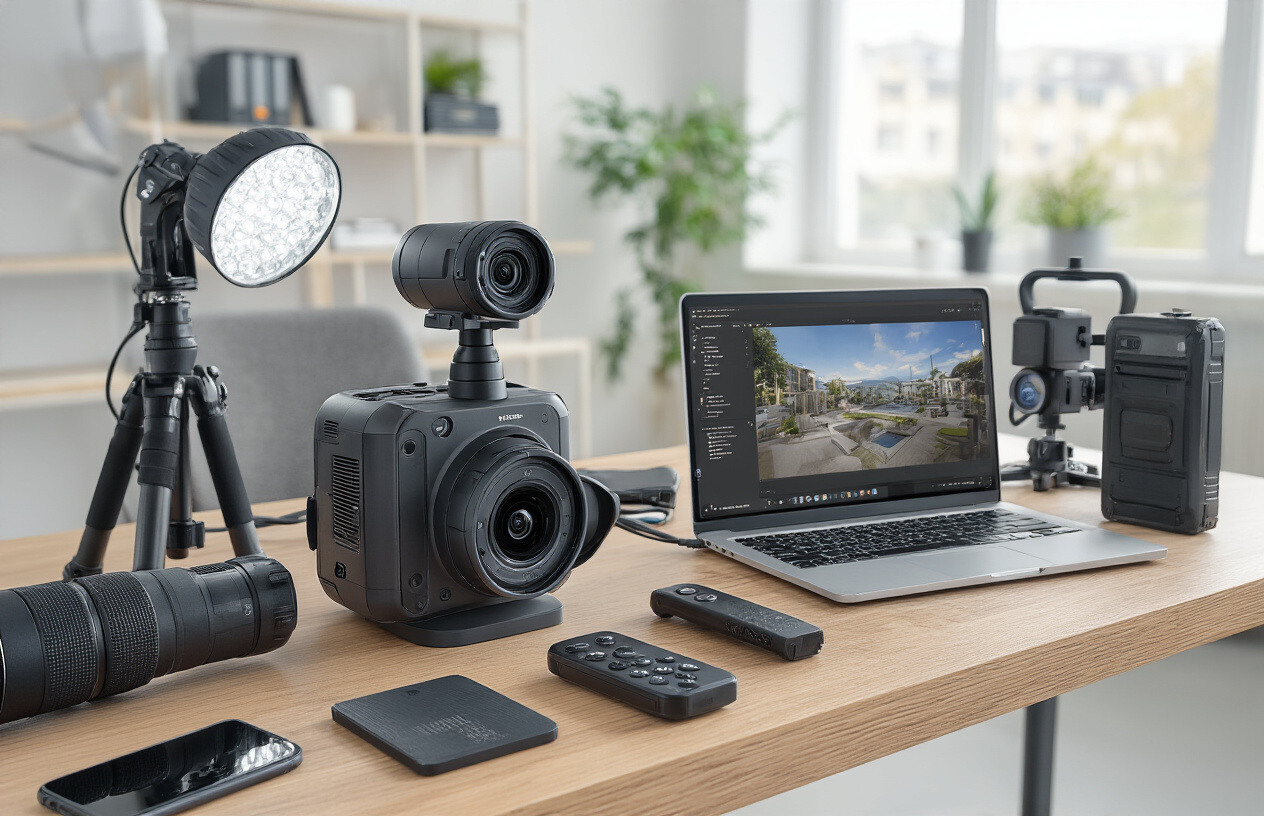
The camera you choose becomes the backbone of your virtual tour business. Entry-level options like the Ricoh Theta Z1 or Insta360 ONE X2 work well for smaller properties and budget-conscious clients, capturing decent quality footage at around $400-600. These cameras shoot at resolutions up to 5.7K and handle basic real estate listings effectively.
For serious virtual tour business operations, professional-grade cameras deliver the image quality that sets you apart. The Matterport Pro2 camera, priced around $3,400, creates detailed 3D models perfect for Google my business virtual tour integration. The Insta360 Pro 2 shoots stunning 8K footage and costs approximately $5,000, making it ideal for high-end commercial properties and luxury real estate.
Camera specifications matter significantly when starting a virtual tour business. Look for cameras with at least 4K resolution per lens, good low-light performance, and reliable stitching capabilities. HDR support helps balance exposure in challenging lighting conditions, while built-in stabilization reduces post-processing headaches.
Battery life and storage capacity affect your workflow efficiency. Professional shoots often require multiple hours on location, so cameras with removable batteries and high-capacity memory cards prevent delays. Some cameras offer live streaming capabilities, valuable for remote client reviews during shoots.
Computer hardware for processing high-resolution imagery
Processing 360-degree content demands serious computing power. Your computer handles massive file sizes – a single 8K 360 video can exceed 100GB. Building a workstation around a powerful processor saves hours of rendering time and keeps your 360 virtual tour business running smoothly.
Intel i9 or AMD Ryzen 9 processors provide the multi-core performance needed for complex stitching operations. Pair these with 32GB RAM minimum – 64GB works better for handling multiple high-resolution projects simultaneously. Graphics cards accelerate rendering significantly; NVIDIA RTX 4070 or higher models cut processing times dramatically.
Storage strategy impacts your daily workflow. Use NVMe SSDs for active projects and current software installations. Traditional hard drives work for archiving completed projects, but avoid them for active work. A typical setup includes a 1TB NVMe drive for software and current projects, plus 4-8TB traditional storage for archives.
Monitor setup affects productivity when editing virtual tours. Dual 4K monitors let you preview full-resolution content while keeping editing tools accessible. Color accuracy matters – invest in IPS panels with good color calibration for consistent results across different viewing devices.
Software solutions for stitching and editing virtual tours
Software transforms raw 360 footage into polished virtual experiences. PTGui handles complex stitching scenarios and offers precise control over problem areas like moving objects or challenging lighting transitions. The software costs around $400 but pays for itself through time savings and superior results.
Adobe Premiere Pro and After Effects work well for adding motion graphics, titles, and transitions to virtual tours. Subscription costs around $20 monthly per application. These tools integrate smoothly with other Adobe products, streamlining workflows from capture to final delivery.
Specialized platforms like Pano2VR create interactive hotspots, floor plans, and navigation elements that enhance user engagement. The software handles various output formats including HTML5, making tours compatible across devices and platforms.
Cloud-based solutions like Kuula or Roundme offer hosting and basic editing capabilities. Monthly fees range from $15-50 depending on storage needs and features. These platforms work well for businesses focusing on volume rather than extensive customization.
Tripods, lighting equipment, and accessories
Stability determines image sharpness in 360 photography. Carbon fiber tripods like the Gitzo GT3543XLS provide rock-solid support while remaining portable enough for multiple location shoots. Height adjustment and leg angle flexibility help capture optimal perspectives in various spaces.
Monopods work better in tight spaces where traditional tripods won’t fit. The Manfrotto XPRO or similar models extend high enough for proper perspective while maintaining stability during longer exposures.
Lighting equipment transforms challenging spaces into professional presentations. LED panel systems like the Aputure AL-M9 or Godox LED500 provide consistent, adjustable illumination. Battery-powered options maintain mobility, while AC-powered units offer sustained brightness for extended shoots.
Reflectors and diffusers help control harsh shadows and balance natural lighting. Collapsible 5-in-1 reflector sets cost under $50 and pack easily for location work. White balance cards ensure color accuracy across different lighting conditions.
Memory card management prevents data loss disasters. High-speed SD cards with write speeds above 90MB/s handle continuous 4K recording without dropped frames. Backup batteries keep shoots running on schedule, while lens cleaning supplies maintain image quality throughout long days.
Business Foundation and Legal Setup

Choosing the right business structure and registration process
When starting a virtual tour business, selecting the proper legal structure sets the foundation for your company’s future success. Most entrepreneurs choose between three main options: sole proprietorship, LLC (Limited Liability Company), or corporation.
A sole proprietorship offers the simplest setup but provides no personal liability protection. Your personal assets remain at risk if someone sues your business. This structure works best for solo operators just testing the waters with minimal startup capital.
An LLC strikes the perfect balance for most virtual tour businesses. You get personal liability protection while maintaining tax flexibility and operational simplicity. The paperwork stays manageable, and you can choose how the IRS taxes your business – either as a sole proprietorship, partnership, or corporation.
Corporations provide maximum liability protection but require more complex record-keeping and tax filings. This structure makes sense if you plan rapid expansion, need to attract investors, or want to establish business credit separate from your personal credit.
The registration process varies by state but typically involves filing articles of incorporation or organization with your state’s Secretary of State office. Fees range from $50 to $500 depending on your location and chosen structure.
Don’t forget to obtain an Employer Identification Number (EIN) from the IRS, even if you don’t have employees. Banks require this for business accounts, and it helps establish your business credit profile. The application takes minutes online and costs nothing.
Obtaining necessary licenses and insurance coverage
Most states don’t require specific licenses for virtual tour businesses since you’re essentially providing photography and digital marketing services. However, you should check local requirements, especially if you plan to work in commercial real estate or government buildings.
A general business license from your city or county typically costs between $25-100 annually. Some municipalities require home-based businesses to obtain special permits, particularly if clients visit your residence.
Professional liability insurance protects you if a client claims your virtual tour caused them financial harm. For example, if a real estate agent blames lost sales on poor tour quality. Policies typically cost $200-600 annually for small virtual tour businesses.
General liability insurance covers accidents during photo shoots. If you knock over an expensive vase while capturing a luxury home, this coverage handles the replacement cost. Expect to pay $300-800 yearly for adequate protection.
Equipment insurance protects your cameras, computers, and other gear against theft, damage, or loss. Since quality 360-degree cameras cost thousands of dollars, this coverage proves essential. Many business insurance providers offer package deals combining general liability, professional liability, and equipment coverage for $800-1,500 annually.
Consider bonding if you work in high-value properties. This extra protection reassures clients that you’re trustworthy and financially responsible.
Setting competitive pricing strategies for different market segments
Understanding your local market determines your pricing power. Research competitors by checking their websites, calling for quotes, and analyzing the quality of their work. Most virtual tour businesses charge between $150-800 per property, depending on size, complexity, and local market conditions.
Real estate agents represent the largest customer segment for most virtual tour businesses. Single-family homes typically command $200-400, while luxury properties or commercial spaces can reach $800-1,500. Many successful operators offer package deals – for instance, three virtual tours for $500 – encouraging repeat business.
Small businesses need virtual tours for their Google My Business profiles and websites. Restaurants, retail stores, and service businesses usually pay $150-350 per location. The lower price point gets offset by volume potential and simpler shooting requirements.
Commercial real estate demands premium pricing due to larger spaces and complex layouts. Office buildings, warehouses, and retail centers justify $500-2,000 per property. These clients often need additional services like floor plans, measurements, and custom branding.
New businesses should start with competitive pricing to build portfolios and gather testimonials. Once you establish credibility and refine your process, gradually increase rates. Track your time investment carefully – if a “budget” job takes six hours but only pays $150, you’re earning less than minimum wage.
Consider offering tiered pricing packages. Basic packages include standard virtual tours, while premium options add features like custom music, branded players, lead capture forms, or social media optimization. This approach lets clients choose their investment level while maximizing your revenue per job.
Target Market Identification and Research

Real Estate Professionals and Property Managers
Real estate agents and property managers represent the most lucrative and consistent market for virtual tour businesses. These professionals need to showcase properties to potential buyers and renters without requiring physical visits, especially for out-of-town clients or during busy market periods.
Property managers overseeing multiple rental units benefit tremendously from 360 virtual tours, as they can pre-qualify tenants and reduce unnecessary showings. Luxury real estate agents particularly value high-quality virtual tours that highlight premium features and spacious layouts that static photos simply can’t capture.
Commercial real estate brokers also present excellent opportunities, as they often deal with large properties where virtual tours can save significant time for both brokers and clients. When starting a virtual tour business, focus on building relationships with top-performing agents who understand the value of standing out in competitive markets.
Hospitality Industry Including Hotels and Restaurants
Hotels, bed-and-breakfasts, and vacation rentals rely heavily on visual marketing to attract guests. Virtual tours allow potential customers to explore rooms, amenities, and common areas before booking, significantly increasing conversion rates.
Restaurants can showcase their ambiance, seating arrangements, and overall atmosphere through immersive virtual experiences. This proves especially valuable for event planning, as customers can virtually walk through dining rooms and private spaces when considering venues for special occasions.
Wedding venues, conference centers, and banquet halls benefit from virtual tours that highlight different room configurations and decorative possibilities. These businesses often invest in professional virtual tour services because the visual presentation directly impacts their booking rates and pricing power.
Educational Institutions and Museums
Universities and colleges use virtual tours for student recruitment, allowing prospective students and parents to explore campuses from anywhere in the world. Private schools often invest in virtual tours to differentiate themselves and provide convenient access for busy families.
Museums, art galleries, and cultural institutions create virtual tours to extend their reach beyond physical visitors. These organizations often have grant funding available for digital initiatives, making them excellent clients for virtual tour businesses.
Training centers and specialized educational facilities also value virtual tours for showcasing their equipment and learning environments to potential students and corporate clients seeking professional development opportunities.
Retail Stores and Event Venues
Retail businesses use virtual tours to create engaging online shopping experiences, particularly for stores selling home goods, furniture, or specialized equipment where spatial context matters. Boutique stores and showrooms benefit from virtual tours that highlight their unique layouts and product displays.
Event venues including wedding halls, party centers, and corporate meeting spaces rely on virtual tours to help clients visualize their events. These venues often book months in advance, making virtual tours essential for the decision-making process.
Auto dealerships, boat dealers, and other high-ticket retail establishments use virtual tours to showcase inventory and facilities, appealing to customers who prefer researching major purchases online before visiting in person.
Creating High-Quality Virtual Tour Content

Pre-shoot planning and site preparation techniques
Successful virtual tours begin long before you pick up your camera. Scout your location at least 48 hours in advance to identify the best shooting positions and potential obstacles. Create a detailed floor plan marking your camera positions every 8-12 feet for optimal coverage and seamless navigation.
Lighting conditions change throughout the day, so visit during your planned shooting time to assess natural light sources. Turn on all artificial lighting and open blinds or curtains to maximize brightness. Remove personal items, clutter, and distracting elements from view. For businesses, coordinate with staff to minimize foot traffic during shooting hours.
Prepare your equipment checklist including backup batteries, memory cards, and cleaning supplies. Many virtual tour business owners overlook the importance of bringing extension cords and portable lighting equipment for darker areas. Test your 360-degree camera at the location if possible to ensure Wi-Fi connectivity for remote shooting capabilities.
Document any areas requiring special attention, such as reflective surfaces that might need repositioning or rooms with challenging layouts. Create a shooting schedule that allows extra time for unexpected issues – professional virtual tours for businesses can’t afford rushed photography that compromises quality.
Photography best practices for immersive experiences
Master the technical fundamentals of 360-degree photography to deliver professional results. Set your camera height at 5-6 feet from the ground for eye-level perspective that feels natural to viewers. Use a sturdy tripod with a leveling system – even slight tilts become glaringly obvious in virtual environments.
Maintain consistent exposure settings between shots to avoid jarring brightness changes during navigation. Shoot in RAW format whenever possible for maximum post-production flexibility. Bracket your exposures in challenging lighting conditions, capturing multiple shots at different settings to blend later.
Pay attention to stitching lines where your camera combines multiple images. Keep moving objects and people away from these areas to prevent ghosting effects. For Google business virtual tours, ensure your shots connect logically – viewers should be able to navigate intuitively from room to room.
Capture detail shots of important features like product displays, architectural elements, or unique selling points. These supplementary images enhance the main 360 tour and provide marketing value for your clients. Always shoot more content than you think you’ll need – having extra options during editing saves time and improves final results.
Post-production editing and enhancement workflows
Establish a consistent editing workflow to maintain quality standards across all your virtual tour projects. Start with basic corrections: horizon leveling, exposure adjustments, and color temperature balancing. Most 360 cameras come with proprietary software, but consider investing in professional editing tools like PTGui or Autopano for advanced control.
Remove tripod legs and camera equipment using nadir patching – this creates clean floor views that look professional. Add your business logo or watermark subtly in the nadir patch for brand recognition. Enhance image sharpness and reduce noise, but avoid over-processing that creates unnatural-looking results.
Create smooth transitions between tour points using hotspot placement that guides viewers naturally through the space. Test navigation on different devices to ensure consistent performance across desktop and mobile platforms. For virtual business tours, add interactive elements like information tags, embedded videos, or clickable product links that provide additional value.
Optimize file sizes for web delivery without sacrificing image quality. Compress images appropriately for fast loading times while maintaining the immersive experience that makes 360 virtual tours effective marketing tools. Consider creating multiple quality versions for different connection speeds.
Quality control standards and client approval processes
Develop a systematic quality control checklist that covers technical and aesthetic standards. Check every tour point for proper exposure, sharp focus, and absence of stitching errors. Verify that all navigation hotspots work correctly and lead to logical destinations. Test the tour on multiple devices and browsers to ensure compatibility.
Create a formal review process with your clients that sets clear expectations. Provide a preview link with specific deadlines for feedback. Offer one round of minor revisions included in your base pricing, with additional changes billed separately. This approach protects your time while maintaining client satisfaction.
Document common quality issues and their solutions to train team members as you scale your virtual tour business. Maintain consistent standards whether you’re creating tours for small local businesses or large commercial properties. Quality control becomes even more critical when adding virtual tours to Google My Business listings, as these represent both your client’s brand and your service quality.
Build client approval workflows that streamline the revision process. Use collaborative tools that allow clients to leave timestamped comments on specific tour points. This systematic approach reduces miscommunication and speeds up project completion while maintaining the professional standards that differentiate successful 360 virtual tour businesses from amateur competitors.
Digital Marketing Strategies for Client Acquisition

Building a Professional Website with Portfolio Showcase
Your website serves as the digital storefront for your virtual tour business, and first impressions matter more than you might think. When potential clients search for 360 virtual tour business services, they’re looking for proof you can deliver exceptional results. Your homepage should immediately showcase your best work through an interactive gallery featuring diverse property types and industries.
Create dedicated portfolio sections for different market segments – real estate, hospitality, retail, and education. Each project should include before-and-after comparisons, client testimonials, and detailed case studies showing how your virtual tours drove measurable results. Include technical specifications like camera equipment used and tour features to demonstrate your expertise.
Optimize your site for mobile viewing since many clients will browse on their phones. Ensure fast loading times and include clear calls-to-action on every page. Add a pricing calculator or contact form that captures lead information while providing instant value. Your virtual tours business website should also feature a blog section where you share industry insights and SEO-optimized content.
Social Media Marketing Across Relevant Platforms
Facebook and Instagram offer powerful visual storytelling opportunities perfect for showcasing 3d virtual business tours. Share behind-the-scenes content showing your equipment setup, time-lapse videos of tour creation, and client success stories. Facebook’s local business targeting helps you reach property managers, real estate agents, and small business owners in your area.
LinkedIn proves invaluable for B2B networking when starting a virtual tour business. Connect with commercial real estate professionals, hotel managers, and business owners who could benefit from virtual tours. Share professional insights about how virtual tours impact business metrics and engage with industry discussions.
YouTube serves as your second search engine where potential clients discover your services. Create tutorial videos, equipment reviews, and client testimonials. Short-form content on TikTok and Instagram Reels can showcase quick transformations and attract younger business owners interested in innovative marketing solutions.
Platform-specific content performs better than generic posts. Tailor your messaging to each audience while maintaining consistent branding across all channels.
Search Engine Optimization for Local Visibility
Local SEO drives the most qualified leads for your virtual tour business plan. Start by claiming and optimizing your Google My Business profile with high-quality images, accurate contact information, and regular posts about your services. When people search for “google business virtual tour” services in your area, you want to appear in the map pack.
Target location-specific keywords like “virtual tours [your city]” and “360 virtual tours near me.” Create separate landing pages for different service areas if you cover multiple cities. Include schema markup on your website to help search engines understand your business type and service offerings.
Build local citations by getting listed in business directories, chamber of commerce websites, and industry-specific platforms. Encourage satisfied clients to leave detailed Google reviews mentioning specific benefits they experienced from your virtual tours.
Create blog content around local topics and frequently asked questions about virtual tours. Topics like “how does my business benefit from a virtual tour” and “are virtual tours worth it” address common client concerns while improving your search rankings.
Content Marketing Through Blogs and Case Studies
Educational content establishes your authority while addressing client pain points. Write detailed guides about different virtual tour applications – from virtual tours for team building to virtual business tours for students. Each piece should provide genuine value while subtly showcasing your expertise.
Case studies prove your ROI claims with real data. Document how a restaurant increased online engagement by 150% after adding virtual tours, or how a retail store reduced customer service calls by letting people explore virtually first. Include specific metrics, client quotes, and visual comparisons.
Create seasonal content addressing timely topics like “Preparing Your Business for Holiday Shopping with Virtual Tours” or “Remote Work Solutions: Virtual Tours for Work Teams.” This approach captures search traffic while demonstrating your understanding of current business challenges.
Guest posting on real estate blogs, local business publications, and tourism websites expands your reach while building valuable backlinks. Share your expertise about 360 virtual business tours benefits and implementation strategies.
Email Marketing Campaigns for Lead Nurturing
Email sequences convert interested prospects into paying clients over time. Create a welcome series that educates subscribers about virtual tour benefits, shares client success stories, and addresses common objections. Not everyone ready to purchase immediately – consistent nurturing keeps you top-of-mind.
Segment your email list based on industry type and engagement level. Real estate agents receive different content than restaurant owners. Highly engaged subscribers get early access to new services or special pricing, while less active contacts receive re-engagement campaigns.
Monthly newsletters featuring new portfolio pieces, industry trends, and small business tours success stories maintain regular contact without being pushy. Include helpful tips about photography, marketing, and technology that provide value beyond your services.
Automated drip campaigns triggered by specific actions – like downloading a pricing guide or requesting a quote – deliver timely, relevant information that moves prospects through your sales funnel naturally.
Pricing Models and Revenue Optimization

Per-tour pricing versus package deal structures
When you’re starting a virtual tour business, choosing between per-tour pricing and package deals can make or break your profit margins. Per-tour pricing works best for one-off projects and gives you flexibility to adjust costs based on complexity. A simple real estate virtual tour might run $150-300, while an elaborate commercial space could command $500-1,500 depending on square footage and special features.
Package deals create predictable revenue streams and encourage clients to invest more upfront. Consider offering tiered packages like “Basic” (5 rooms, standard resolution), “Professional” (10 rooms, 4K quality, custom branding), and “Premium” (unlimited rooms, drone footage, interactive hotspots). This structure helps clients understand value differences while pushing them toward higher-margin options.
For Google My Business virtual tours, many successful operators bundle the virtual tour with photography services and GMB optimization. This approach increases your average transaction value from $200 to $800+ per client.
Test both approaches with different client segments. Small businesses often prefer transparent per-tour pricing, while larger companies gravitate toward comprehensive packages that solve multiple marketing needs at once.
Subscription-based services for ongoing clients
Subscription models transform your virtual tour business from project-based work into recurring revenue gold mines. Monthly subscriptions work particularly well for real estate agencies, property management companies, and hospitality businesses that need regular content updates.
Real estate focused subscriptions might include 2-3 virtual tours monthly, plus basic photo editing and listing optimization for $299-499 per month. Property managers love quarterly virtual tour updates for vacant units, creating steady income streams of $150-250 monthly per property portfolio.
Hospitality clients represent massive subscription opportunities. Hotels, restaurants, and event venues need seasonal updates, special event documentation, and marketing content refreshes. A restaurant chain might pay $500 monthly for quarterly virtual tours of menu changes, seasonal decorations, and special events coverage.
Software-as-a-Service (SaaS) elements boost subscription value significantly. Offer hosting, analytics dashboards, lead tracking, and integration tools as part of monthly plans. This approach increases client stickiness while justifying higher monthly fees.
The key to successful subscriptions lies in demonstrating ongoing value. Track metrics like virtual tour engagement rates, lead generation, and booking increases to prove your service directly impacts their bottom line.
Upselling additional services and features
Smart upselling turns basic virtual tour clients into high-value, long-term relationships. Photography services represent the easiest upsell – clients already trust your visual skills, making professional headshots, product photography, or architectural shots natural additions.
Interactive features command premium prices. Clickable hotspots, embedded videos, custom music, and branded interfaces can double your project value. A basic $300 virtual tour becomes an $800 interactive experience with these additions.
Google Business Profile optimization bundled with virtual tours creates powerful upselling opportunities. Many business owners struggle with local SEO, making GMB management, review response services, and local citation building valuable add-ons worth $200-500 monthly.
Video marketing services complement virtual tours perfectly. Offer property walkthrough videos, business promotional clips, or social media content creation. These services leverage your existing equipment while targeting clients’ broader marketing needs.
Analytics and reporting services appeal to data-driven clients. Monthly reports showing virtual tour engagement, user behavior patterns, and lead generation metrics justify ongoing relationships and premium pricing.
Training and consulting represent high-margin upsells. Teach clients how to maximize virtual tour ROI, integrate tours into their marketing strategies, or train their teams on tour management. These knowledge-based services require minimal overhead while positioning you as the expert rather than just a vendor.
Cross-selling to different departments within larger organizations multiplies project value. A successful retail virtual tour might lead to employee training content, corporate event documentation, or facility management applications across multiple locations.
Scaling Operations and Business Growth

Strategic Planning for Scalable Growth
Scaling a business successfully begins with a clear and realistic strategic plan. Without a roadmap, growth can lead to operational chaos, customer dissatisfaction, or resource burnout. Start by assessing your core competencies, revenue streams, and market positioning.
For example, a mid-sized e-commerce company looking to expand internationally must evaluate logistics, payment gateways, and localized marketing strategies. Simple steps like automating order processing and integrating multi-currency support can prevent bottlenecks before they occur.
Segmenting growth goals into short-term (6-12 months) and long-term (2-5 years) milestones ensures that operational capacity aligns with business ambitions. Use KPIs such as revenue per employee, customer acquisition cost, and churn rate to monitor scalability readiness.
Optimizing Processes and Workflow Automation
Efficient operations are the backbone of scaling. Manual processes that work for a small team can quickly collapse under increased demand. Process documentation, standardized SOPs, and workflow automation are crucial.
Consider a digital marketing agency expanding its client base. By automating social media posting, reporting, and lead tracking, the agency can handle 2-3x more clients without proportionally increasing staff.
Additionally, tools like CRM systems, project management platforms, and AI-based analytics streamline decision-making and reduce human error. Focus on repetitive tasks first—invoice generation, email follow-ups, and inventory management are prime candidates for automation.
Hiring and Talent Management for Growth
Scaling often requires building a team that can operate independently. Hiring for scalability means prioritizing adaptable, multi-skilled employees who thrive in dynamic environments.
A SaaS company aiming to double its subscriber base should consider hiring not only developers but also customer success managers, onboarding specialists, and support staff. Early investment in training programs ensures new hires contribute effectively without slowing down operations.
Leadership development is equally important. Managers should be empowered to make decisions, maintain team morale, and ensure quality standards remain consistent as operations expand.
Financial Planning and Resource Allocation
Cash flow management becomes critical during scaling. Growth often demands upfront investment—technology upgrades, marketing campaigns, and additional personnel—all of which can strain finances if not planned carefully.
For instance, a manufacturing business expanding into new regions may need $100,000–$250,000 to upgrade production lines and distribution networks. Preparing contingency funds and regularly reviewing financial projections ensures the business can sustain operations during periods of rapid expansion.
Analyzing unit economics—profit per product or service—helps identify high-margin areas and optimize resource allocation. Businesses can also consider strategic partnerships, venture capital, or reinvesting profits to fund sustainable growth.
Expanding Market Reach and Customer Base
Scaling isn’t only about internal operations; it requires expanding your customer base and market presence. Diversifying sales channels, improving marketing funnels, and entering new geographies are common strategies.
A boutique consultancy might start with local clients but scale by offering online workshops, subscription-based knowledge content, and corporate training packages. Digital expansion allows access to global audiences without proportional increases in overhead.
Testing different segments and monitoring metrics such as conversion rates, lifetime value, and customer retention informs which strategies yield the highest ROI and justify further investment.
Leveraging Technology and Data for Growth
Data-driven decision-making is a differentiator for scalable businesses. Collecting, analyzing, and acting on operational and customer data helps optimize processes, predict trends, and personalize offerings.
E-commerce companies, for example, can leverage predictive analytics to forecast inventory needs, optimize pricing, and identify customer segments most likely to convert. AI-driven recommendations and automated reporting reduce manual workload and improve strategic insights.
Investing in scalable technology infrastructure—cloud storage, collaboration platforms, and API integrations—ensures your business can handle increased transactions and customer interactions without performance degradation.
Upselling, Cross-Selling, and New Revenue Streams
As operations scale, revenue growth often comes from smarter monetization rather than just increasing customer count. Upselling premium features, cross-selling complementary products, and introducing subscription services enhance lifetime value.
A software company can convert a standard subscription client into a premium plan offering analytics dashboards, personalized support, and integration options. Similarly, a retail chain can cross-sell related products or introduce loyalty programs to increase transaction size.
Tracking engagement, usage patterns, and customer feedback ensures that new offerings align with client needs, boosting adoption and long-term profitability.
Monitoring and Continuous Improvement
Scaling is not a one-time effort; it requires continuous monitoring and iterative improvements. Use KPIs, customer satisfaction scores, operational metrics, and employee feedback to identify bottlenecks and opportunities.
For example, a restaurant chain expanding into multiple cities might track supply chain efficiency, staff performance, and customer reviews for each location. Regular audits, process refinements, and technology upgrades prevent stagnation and maintain high standards.
Hiring and Training Additional Photographers
Building a team of skilled photographers is crucial when your virtual tour business starts gaining momentum. Look

Breaking into the virtual tour business has never been more accessible or profitable. The foundation starts with understanding your equipment needs, setting up your business properly, and identifying your ideal clients. Creating stunning 360-degree content that truly showcases properties and spaces will set you apart from competitors. Smart pricing strategies and effective digital marketing will help you attract clients consistently while building a sustainable income stream.
Your success depends on taking action and starting with one client at a time. Begin by investing in quality equipment, perfect your shooting and editing skills, and reach out to real estate agents or business owners in your area. The virtual tour industry continues growing as more people expect immersive online experiences. Start small, deliver exceptional results, and watch your business grow through referrals and repeat clients. Your virtual tour business can become a thriving venture that provides value to clients while giving you the freedom to work on your own terms.
FAQs
What is a virtual tour business?
A virtual tour business creates 360-degree interactive experiences of spaces like homes, businesses, hotels, or tourist attractions. These tours allow people to explore locations online as if they were physically walking through them, using special cameras and software to capture and present the spaces.
What equipment do I need to start a virtual tour business?
You’ll need a 360-degree camera (like Ricoh Theta, Insta360, or Matterport camera), a sturdy tripod, basic lighting equipment, a computer for processing, and editing software. Starting costs typically range from $1,000 to $5,000 depending on the quality of equipment you choose.
Do I need special training or certification to create virtual tours?
While no formal certification is required, you should learn how to use 360-degree cameras, understand basic photography principles, and master virtual tour software. Many camera manufacturers offer free online training, and there are numerous YouTube tutorials available to help you get started.
Who are my potential customers for virtual tour services?
Your main customers include real estate agents, hotels and restaurants, retail stores, event venues, museums, educational institutions, and construction companies. Small businesses looking to showcase their space online are also great prospects.
How much should I charge for virtual tour services?
Pricing varies by location and service complexity, but typical rates range from $150-$500 per property for basic tours. Premium services with additional features can cost $500-$1,500 or more. Research your local market and competitor pricing to set competitive rates.
How long does it take to create a virtual tour?
Shooting typically takes 1-3 hours depending on property size, while editing and processing can take 2-8 hours per project. Most tours can be completed and delivered within 24-48 hours after shooting, which gives you a competitive advantage over slower services.
How do I find my first clients?
Start by reaching out to local real estate agents, small business owners, and venue managers. Create a portfolio by offering free or discounted tours to friends and family. Use social media, Google My Business, and local networking events to promote your services.
What’s the best way to market my virtual tour business?
Focus on local SEO, create social media accounts showcasing your work, build relationships with real estate agents and business owners, and ask satisfied clients for referrals. Having a professional website with examples of your tours is essential for credibility.
Can I run this business part-time or from home?
Yes, virtual tour businesses are perfect for part-time work and can be operated from home. Since you travel to client locations for shooting and can edit from anywhere, this business offers great flexibility for your schedule and lifestyle.
What are the biggest challenges in running a virtual tour business?
Common challenges include staying up-to-date with changing technology, managing client expectations about turnaround times, dealing with difficult lighting conditions during shoots, and competing with larger companies. Building a strong local reputation and specializing in specific markets can help address these challenges.