Finding the right keywords can make or break your SEO strategy, but many marketers and content creators struggle with keyword research tools that are either too complex or don’t provide actionable insights. How to use Moz Keyword Explorer becomes much easier when you understand its core features and apply them strategically to your content planning.
This guide is perfect for digital marketers, SEO specialists, content creators, and business owners who want to improve their organic search rankings through smarter keyword targeting. Whether you’re just getting started with SEO or looking to refine your existing strategy, you’ll learn practical techniques that deliver real results.
We’ll walk through finding high-value keywords that actually drive traffic to your website, showing you exactly how to identify opportunities your competitors might be missing. You’ll also discover how to analyze keyword metrics for strategic decision making, including understanding Moz’s priority score and relevance indicators to choose keywords that align with your business goals. Finally, we’ll cover advanced features that maximize your SEO performance, including building comprehensive keyword lists and turning your research into actionable content strategies that boost your search visibility.
Getting Started with Moz Keyword Explorer
Setting up your Moz account for maximum efficiency
When you first create your Moz account, choosing the right plan makes all the difference for your keyword research success. The Moz keyword explorer free version gives you 10 queries per month, which works great for testing the waters, but serious SEO professionals typically upgrade to Moz Pro for unlimited access to the moz keyword explorer tool.
Start by completing your profile with accurate business information and website details. This helps Moz customize your experience and provide more relevant keyword suggestions. Connect your Google Analytics and Search Console accounts during setup – this integration unlocks powerful insights that combine your actual search performance with Moz’s keyword data.
Take advantage of the moz keyword explorer api if you’re managing multiple clients or need to automate your workflow. The API allows you to pull keyword data directly into your existing tools and dashboards, saving hours of manual work.
For Chrome users, installing the moz keyword explorer chrome extension adds instant keyword insights to your browsing experience. You can analyze any webpage’s keyword potential without leaving your current tab.
Understanding the dashboard layout and key features
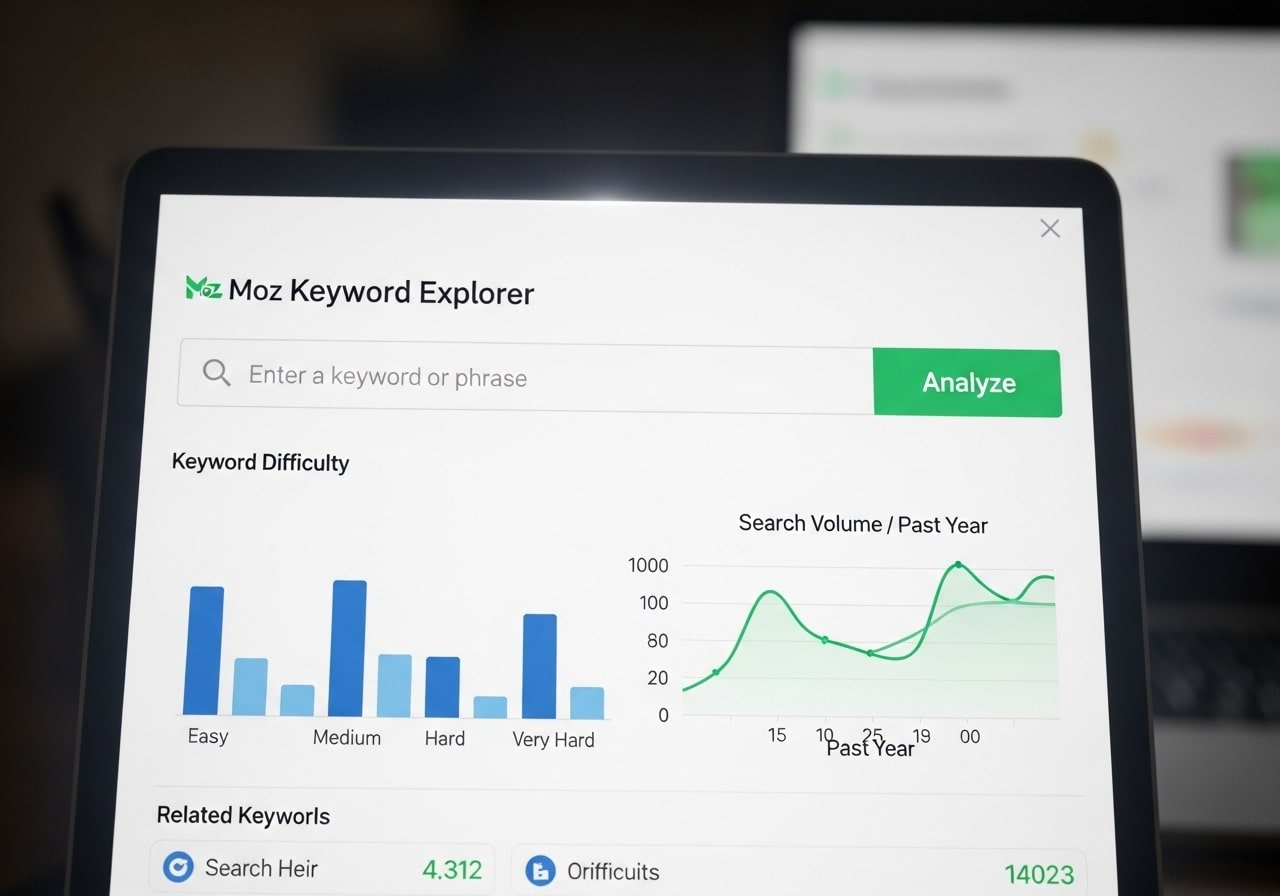
The Moz Keyword Explorer dashboard centers around simplicity without sacrificing power. The main search bar sits prominently at the top, where you enter seed keywords to begin your moz keyword research. Below this, you’ll find four key sections that form the backbone of your keyword analysis.
The Overview section provides an instant snapshot of any keyword’s potential, displaying search volume, difficulty score, and organic click-through rate. The moz keyword explorer relevance score appears here too, helping you understand how closely a keyword aligns with your content goals.
The Keyword Suggestions panel generates hundreds of related terms based on your seed keyword. These suggestions come from real search queries, giving you authentic insights into what people actually search for. The SERP Analysis section breaks down the top-ranking pages for your target keyword, revealing the competition landscape.
Most valuable is the priority score in moz keyword explorer, which combines multiple metrics into a single, actionable number. This score considers search volume, keyword difficulty, and organic click-through rate to help you prioritize which keywords deserve your attention first.
Configuring search preferences for your target market
Smart targeting starts with setting your geographic preferences correctly. Click the location filter to specify your target market – whether that’s a specific city, state, or country. This ensures your moz keyword search results reflect actual search behavior in your market area.
Language settings matter more than most people realize. If you’re targeting Spanish-speaking audiences in the United States, for example, configure both English and Spanish to capture the full keyword landscape. The search engine preference allows you to focus on Google, Bing, or Yahoo depending on where your audience spends their time.
Device targeting helps refine your strategy for mobile-first indexing. Set preferences for desktop, mobile, or tablet searches to understand how keyword behavior changes across devices. Mobile searches often show different volumes and competition levels compared to desktop queries.
The time range filter lets you analyze seasonal trends and recent changes in search behavior. Set it to the past 12 months for comprehensive trend analysis, or narrow it to recent months when launching time-sensitive campaigns. These configurations ensure your moz keyword research guide approach aligns perfectly with your specific audience and business goals.
Finding High-Value Keywords That Drive Traffic

Using seed keywords to discover new opportunities
Start with broad terms that describe your business, product, or service – these are your seed keywords. When you enter a seed keyword into Moz Keyword Explorer, the tool generates hundreds of related suggestions that you might never have considered. For example, if you’re in the fitness industry and enter “workout,” you’ll discover variations like “home workout equipment,” “bodyweight workout routine,” or “quick morning workout.”
The key is choosing seed keywords that represent your core topics without being too specific initially. Think about what your customers actually search for, not just industry jargon. Moz keyword research reveals hidden opportunities by showing you semantic variations and related phrases that real users type into search engines.
Pay attention to the “Keyword Suggestions” section, which breaks down results into categories like “Broadly related keywords” and “Are also searching for.” This feature helps you understand the complete search landscape around your topic, revealing content gaps and new angles for your SEO strategy.
Leveraging competitor keyword analysis for insights
Understanding what keywords drive traffic to your competitors gives you a massive advantage. Moz Keyword Explorer’s competitor analysis shows you which terms your rivals rank for, along with their estimated traffic and ranking positions. This intelligence helps you identify gaps in your own keyword strategy.
Look for keywords where competitors rank well but you don’t have any presence. These represent immediate opportunities to create competing content. Also watch for keywords where competitors rank poorly – these might be easier targets for you to dominate.
The tool’s priority score in Moz Keyword Explorer combines multiple factors to help you quickly identify which competitor keywords deserve your attention first. Don’t just copy what competitors do; use their success as a starting point to build something better.
Identifying long-tail keywords with commercial intent
Long-tail keywords often convert better because they capture users closer to making a purchase decision. These phrases typically contain three or more words and show clear buying intent through terms like “best,” “buy,” “review,” or “compare.”
When using Moz for keyword research, filter for longer phrases that include commercial modifiers. Keywords like “best project management software for small teams” or “buy organic dog food online” indicate users ready to take action. The Moz keyword explorer relevance score helps you identify which long-tail terms align best with your content and business goals.
Commercial intent keywords might have lower search volumes, but they often deliver higher-quality traffic that converts. Focus on building content clusters around these terms to capture users throughout their buying journey.
Filtering results by search volume and difficulty metrics
Smart keyword selection balances opportunity with competition. Moz Keyword Explorer provides clear metrics to help you make these decisions. Search volume shows monthly search estimates, while keyword difficulty predicts how hard it will be to rank on page one.
Start by filtering for keywords with search volumes that match your traffic goals. New websites should target lower-difficulty keywords (under 30) with decent volume, while established sites can pursue more competitive terms. The sweet spot often lies in keywords with moderate volume (1,000-10,000 monthly searches) and medium difficulty (30-60).
Use the priority score as your guide – it weighs search volume, difficulty, and click-through rate to rank opportunities. Keywords with high priority scores deserve immediate attention, while lower-scoring terms can wait for future content planning. Remember that consistent ranking for multiple medium-volume keywords often produces better results than chasing a few high-volume, ultra-competitive terms.
Analyzing Keyword Metrics for Strategic Decision Making

Interpreting keyword difficulty scores effectively
Moz keyword explorer provides difficulty scores ranging from 0 to 100, where higher numbers indicate tougher competition. A score below 30 typically represents low competition keywords that smaller sites can realistically target. Scores between 30-50 suggest moderate competition, while anything above 50 demands significant domain authority and content quality to rank.
The moz keyword research tool calculates difficulty by analyzing the top 10 search results for link metrics, domain authority, and page authority. Don’t just look at the raw number – dig deeper into what’s actually ranking. Sometimes a high difficulty score might include outdated content or weak pages that you could outperform with superior content.
Consider your website’s current domain authority when evaluating difficulty scores. If your site has a DA of 25, targeting keywords with 60+ difficulty scores wastes time and resources. Focus on building authority with easier wins first.
Understanding search volume trends and seasonality
Moz keyword search volume data reveals monthly search patterns that inform content timing strategies. The tool displays 12-month trends, helping you spot seasonal fluctuations that impact traffic potential.
Holiday-related keywords often spike dramatically during specific months. “Christmas decorations” might show 10x higher volume in November-December compared to summer months. Planning content around these patterns maximizes visibility when people actually search for your topics.
Look for consistent upward or downward trends over time. Rising search volumes suggest growing interest in topics, while declining trends might indicate fading relevance. Some keywords show stable volume year-round, making them reliable foundation pieces for content strategies.
Weather-dependent businesses benefit enormously from seasonal insights. Landscaping services see peak searches in spring, while heating contractors get maximum interest during fall preparation months.
Evaluating organic click-through rate potential
Moz keyword explorer shows estimated organic CTR based on search features and result types. Keywords triggering featured snippets, knowledge panels, or shopping results often have lower organic CTR because users find answers without clicking through to websites.
Branded searches typically show higher CTR rates than generic terms. Someone searching “Nike running shoes” demonstrates stronger purchase intent than “running shoes,” leading to better click-through performance.
Question-based keywords often provide excellent CTR opportunities because users seek detailed answers that require clicking through to comprehensive content. “How to” and “why does” queries frequently generate strong engagement.
Priority score in moz keyword explorer combines CTR potential with other metrics, but evaluate CTR independently to understand true traffic potential. High-volume keywords with 5% CTR might deliver less traffic than moderate-volume terms with 25% CTR.
Assessing keyword priority scores for content planning
The moz keyword explorer priority score ranks opportunities from 0-100 by combining search volume, organic CTR, and keyword difficulty. This metric helps prioritize which keywords deserve immediate attention versus long-term goals.
High priority scores (70+) indicate keywords with strong volume, reasonable competition, and good CTR potential. These represent your best opportunities for quick wins and should anchor your content calendar.
Medium priority scores (40-69) often make excellent supporting keywords for comprehensive topic coverage. Build content clusters around high-priority main keywords while incorporating these medium-priority terms naturally.
Moz keyword research tool lets you sort entire keyword lists by priority score, streamlining content planning workflows. Export high-priority keywords directly into content briefs and editorial calendars.
Balance priority scores against your specific business goals. B2B companies might prioritize lower-volume, high-intent keywords over high-volume, low-conversion terms that score higher in moz keyword explorer.
| Priority Score Range | Recommended Action | Content Strategy |
|---|---|---|
| 80-100 | Immediate focus | Primary target keywords |
| 60-79 | Near-term planning | Secondary targets |
| 40-59 | Long-term strategy | Supporting content |
| Below 40 | Consider alternatives | Niche opportunities |
Building Comprehensive Keyword Lists for Your Content Strategy

Organizing keywords by topic clusters and themes
Building effective topic clusters with Moz keyword research starts with grouping related keywords around core themes. When you use Moz keyword explorer, you’ll discover dozens of variations and long-tail phrases that naturally cluster together. Create main topic buckets first, then organize supporting keywords underneath each cluster.
For example, if your main topic is “content marketing,” your cluster might include keywords like “content marketing strategy,” “content marketing tools,” and “content marketing ROI.” The Moz keyword explorer relevance score helps identify which keywords belong together by showing semantic relationships between search terms.
Start by exporting your keyword lists and sorting them into spreadsheet tabs based on search intent and topic relevance. Use color coding to distinguish between informational, commercial, and transactional keywords within each cluster. This visual organization makes it easier to spot content gaps and opportunities.
The priority score in Moz keyword explorer becomes invaluable when deciding which clusters deserve immediate attention. Focus on clusters where you can realistically compete while targeting meaningful search volume.
Creating keyword lists for different campaign types
Different marketing campaigns require distinct keyword approaches. Moz keyword research tool excels at helping you create targeted lists for blog content, product pages, local SEO, and paid advertising campaigns.
For blog content campaigns, prioritize informational keywords with moderate competition. Look for “how to,” “what is,” and “best practices” variations using Moz keyword search functionality. These keywords typically have longer content lifecycles and build topical authority over time.
Product page campaigns need commercial keywords with clear purchase intent. Filter your Moz keywords list for terms including “buy,” “price,” “review,” and “compare.” These keywords often have higher competition but convert better for e-commerce sites.
Local SEO campaigns require location-specific keyword variations. The Moz keyword explorer tool helps identify geo-modified keywords like “plumber near me” or “Chicago restaurants” that drive local traffic.
Create separate lists for each campaign type and include metrics like search volume, difficulty, and opportunity scores. This segmentation prevents keyword cannibalization and ensures each campaign targets the most appropriate search terms.
Exporting and managing keyword data efficiently
Moz pro keyword explorer offers robust export capabilities that streamline keyword management workflows. Export your complete keyword lists as CSV files to maintain offline backups and enable advanced analysis in spreadsheet applications.
Set up a standardized naming convention for your exported files. Include the project name, date, and campaign type in each filename. This system prevents confusion when managing multiple keyword research projects simultaneously.
Create master spreadsheets that combine data from multiple Moz keyword explorer sessions. Include columns for keyword difficulty, search volume, Moz keyword explorer relevance score, and current ranking positions. Add custom columns for content status, target pages, and publication dates to track your content strategy progress.
Use conditional formatting to highlight high-priority keywords and identify quick wins. Color-code keywords based on difficulty levels or search volume ranges to make data interpretation faster during strategy meetings.
Regular data refreshes keep your keyword lists current. Schedule monthly exports from Moz keyword research guide to monitor ranking changes and discover new keyword opportunities as search trends evolve.
Advanced Features That Maximize Your SEO Performance

Utilizing SERP Analysis to Understand Competition
The SERP analysis feature in Moz Keyword Explorer gives you a front-row seat to see exactly who you’re competing against for specific keywords. When you search for any keyword, the tool displays the top-ranking pages along with crucial metrics like Domain Authority (DA), Page Authority (PA), and the number of linking root domains.
This data helps you gauge whether a keyword is realistic for your website to target. If you’re seeing results dominated by sites with DA scores of 80+ and thousands of backlinks, you might want to consider targeting less competitive variations first. The SERP analysis also reveals content formats that perform well – whether Google favors blog posts, product pages, or specific content structures for your target keywords.
Pay attention to the featured snippets and People Also Ask boxes shown in the analysis. These elements can guide your content creation strategy and help you identify opportunities to capture additional search real estate beyond traditional organic rankings.
Tracking Keyword Rankings Over Time
Moz Keyword Explorer’s ranking tracking capabilities let you monitor how your target keywords perform across different time periods. This feature becomes essential for measuring the impact of your SEO efforts and identifying trends in your keyword performance.
Set up campaigns to track your most important keywords and watch how they fluctuate based on your optimization efforts. The tool provides historical data that helps you correlate ranking changes with specific actions you’ve taken, like publishing new content or earning backlinks.
The tracking dashboard shows ranking movements with clear visual indicators, making it easy to spot which keywords are gaining or losing ground. You can also track competitor rankings for the same keywords, giving you insights into market shifts and competitive dynamics in your niche.
Discovering Related Keywords and Semantic Variations
The related keywords feature uncovers valuable semantic variations and long-tail opportunities that you might miss otherwise. Moz keyword research reveals clusters of related terms that search engines associate with your primary keywords.
These suggestions often include question-based queries, synonyms, and topically related terms that can expand your content’s reach. The tool groups these variations by theme, helping you build comprehensive content that covers all aspects of a topic rather than focusing on single keywords.
Look for related keywords with different search intents – informational, commercial, and transactional queries related to your main topic. This approach helps you create content that captures users at different stages of their journey.
Leveraging Keyword Suggestions for Content Gaps
Moz’s keyword suggestions reveal content opportunities you’re missing in your current strategy. The tool analyzes your existing content and identifies gaps where competitors are ranking but you’re not present.
These suggestions come with priority scores that help you focus on the most valuable opportunities first. The priority score in Moz Keyword Explorer combines search volume, difficulty, and opportunity metrics to give you a single number that guides your decision-making.
Use these suggestions to plan new content pieces or identify ways to expand existing articles. Sometimes a simple section addition or new blog post targeting a suggested keyword can capture significant additional traffic.
Using Location-Based Targeting for Local SEO
Location-based keyword research becomes crucial for businesses serving specific geographic areas. Moz Keyword Explorer lets you filter results by country, region, or city to understand local search patterns and competition levels.
Local keyword variations often have lower competition and higher conversion rates since they target users with strong geographic intent. Search for your services combined with city names, neighborhood terms, or regional identifiers to build a local SEO strategy.
The tool shows how keyword difficulty and search volume change based on location settings. A keyword that seems highly competitive nationally might be much more achievable when targeted to specific cities or regions where you operate.
Implementing Your Keyword Research Into Actionable SEO Strategies

Prioritizing Keywords Based on Business Objectives
Smart keyword prioritization goes beyond simple search volume numbers. Using Moz Keyword Explorer, you can align your keyword strategy with what actually matters to your business. Start by examining the priority score in Moz keyword explorer, which combines search volume, organic click-through rate, and difficulty into one actionable metric.
Create a priority matrix that weighs keywords against your specific business goals. If you’re an e-commerce site, transactional keywords with strong buyer intent should rank higher than informational ones, even if they have lower search volume. B2B companies might prioritize keywords that attract decision-makers over broader audience terms.
Consider your resources when prioritizing. High-difficulty keywords require more time and link-building efforts. Moz keyword research data shows keyword difficulty scores that help you balance ambitious targets with quick wins. Mix high-difficulty, high-reward keywords with easier opportunities that can drive traffic while you work on tougher targets.
Factor in seasonality and business cycles. Retail keywords might spike during holidays, while B2B software terms could peak at the start of fiscal years. The relevance score feature helps ensure your chosen keywords align with your content’s actual focus.
Creating Content Calendars From Keyword Insights
Transform your Moz keyword research into a structured content calendar that drives consistent traffic growth. Group related keywords into content themes, then schedule them strategically throughout the year.
Build topic clusters around your primary keywords. If “project management software” is your main target, create supporting content around “team collaboration tools,” “productivity apps,” and “remote work solutions.” This approach satisfies search engines’ preference for comprehensive, authoritative content.
Map seasonal keyword trends to your content calendar. Moz keyword explorer reveals when specific terms peak in search volume. Plan your content creation 6-8 weeks before these peaks to allow time for indexing and ranking improvements.
Create different content formats for the same keyword set. A high-value keyword cluster might support a comprehensive guide, multiple blog posts, infographics, and video content. This maximizes your investment in keyword research using Moz while providing varied entry points for different user preferences.
Batch similar content types together for efficiency. Dedicate specific days to creating how-to guides, product comparisons, or industry analyses. This streamlines your workflow while ensuring consistent coverage of your target keywords.
Optimizing Existing Content With New Keyword Opportunities
Your existing content represents untapped potential for ranking improvements. Moz keyword explorer helps identify gaps where your current pages could capture additional search traffic without creating new content from scratch.
Audit your top-performing pages for keyword expansion opportunities. Look for related terms with decent search volume that naturally fit your existing content. A blog post about “email marketing tips” might easily incorporate keywords like “email automation,” “newsletter design,” or “email analytics.”
Update meta titles and descriptions to include newly discovered keywords while maintaining readability. Moz keyword research tool data helps you understand which variations of your target terms users actually search for, allowing you to optimize for real user language rather than assumptions.
Refresh outdated statistics, examples, and references while weaving in new keyword opportunities. Search engines favor fresh, updated content, and this process gives you natural opportunities to include additional relevant terms.
Add new sections or expand existing ones based on keyword gaps you’ve identified. If your “social media strategy” post ranks well but you’ve discovered strong search volume for “social media ROI,” add a dedicated section covering that topic.
Internal linking becomes more powerful when guided by keyword research. Link to your optimized pages using anchor text that includes your target keywords, creating a stronger topical authority signal for search engines.

Moz Keyword Explorer gives you everything you need to transform your SEO game from guessing to knowing exactly what your audience wants. The tool’s ability to uncover high-value keywords, analyze competition levels, and track search trends means you can make smart decisions about where to focus your content efforts. When you combine the comprehensive keyword lists with advanced filtering options, you’re not just throwing content at the wall anymore – you’re building a targeted strategy that actually works.
The real magic happens when you take all that keyword research and put it into action. Start by picking three to five keywords from your research and create content around them this week. Track how they perform, refine your approach, and keep building on what works. Your website’s search rankings won’t improve overnight, but with consistent use of these keyword insights, you’ll see steady growth that compounds over time.
FAQs
What is Moz Keyword Explorer and why should I use it?
Moz Keyword Explorer is a keyword research tool that helps you find the right keywords for your website. It shows you how often people search for specific terms, how competitive they are, and suggests related keywords. This tool helps improve your SEO by targeting keywords that can actually bring visitors to your site.
How do I get started with Moz Keyword Explorer?
Sign up for a Moz account at moz.com and choose a plan that fits your needs. Once logged in, go to the Keyword Explorer section in your dashboard. You can start with the free version, which gives you limited searches per month, or upgrade for more features and searches.
What should I type in the search box when looking for keywords?
Start by typing words or phrases that describe your business, products, or services. For example, if you run a bakery, try searching for “birthday cakes,” “fresh bread,” or “custom wedding cakes.” You can also enter your competitor’s website URL to see what keywords they rank for.
What do the different metrics in Keyword Explorer mean?
The main metrics include Monthly Volume (how many people search for the keyword each month), Difficulty (how hard it is to rank for that keyword on a scale of 1-100), and Organic CTR (how often people click on search results). Lower difficulty scores are easier to rank for, especially for newer websites.
How do I find keywords that I can actually rank for?
Look for keywords with lower difficulty scores (under 30 is good for new sites) and decent search volume (at least 100+ searches per month). These “low-hanging fruit” keywords give you the best chance of ranking well without competing against major websites.
What are long-tail keywords and why are they important?
Long-tail keywords are longer, more specific phrases like “best chocolate birthday cake in Chicago” instead of just “birthday cake.” They usually have lower competition and higher conversion rates because people searching for them know exactly what they want.
How can I use the keyword suggestions feature effectively?
After searching for your main keyword, scroll down to see related suggestions. Look through these carefully as they often reveal keywords you hadn’t thought of. Pay attention to questions people ask (starting with “how,” “what,” “why”) as these make great content topics.
Should I focus on high-volume keywords or low-competition ones?
For most websites, especially newer ones, focus on low-competition keywords first. It’s better to rank well for a keyword with 500 monthly searches than not rank at all for one with 5,000 searches. You can target higher-volume keywords as your site grows stronger.
How do I track my keyword performance over time?
Use Moz’s rank tracking feature to monitor how your chosen keywords perform in search results. Set up tracking for your most important keywords and check monthly to see if you’re moving up or down in rankings. This helps you understand which SEO efforts are working.
How often should I do keyword research for my website?
Do keyword research at least once every three months. Search trends change, new competitors appear, and your business may evolve. Regular research helps you stay current with what your audience is searching for and spot new opportunities before your competitors do.