
Finding the right keywords can make or break your SEO strategy. The Ahrefs Keywords Explorer tool gives you the power to discover. high-value keywords, analyze their potential, and track their performance over time.
This guide is for content creators, digital marketers, and business owners. It helps you improve search rankings and drive more organic traffic to your website.
We’ll walk you through the core features of Ahrefs Keywords Explorer. You’ll learn how to find high-value keywords for your niche. You will also see how to analyze keyword metrics that drive rankings. Finally, you can track your keyword performance and optimize your SEO strategy using real data.
Understanding Ahrefs Keywords Explorer Core Features
Navigate the dashboard interface efficiently
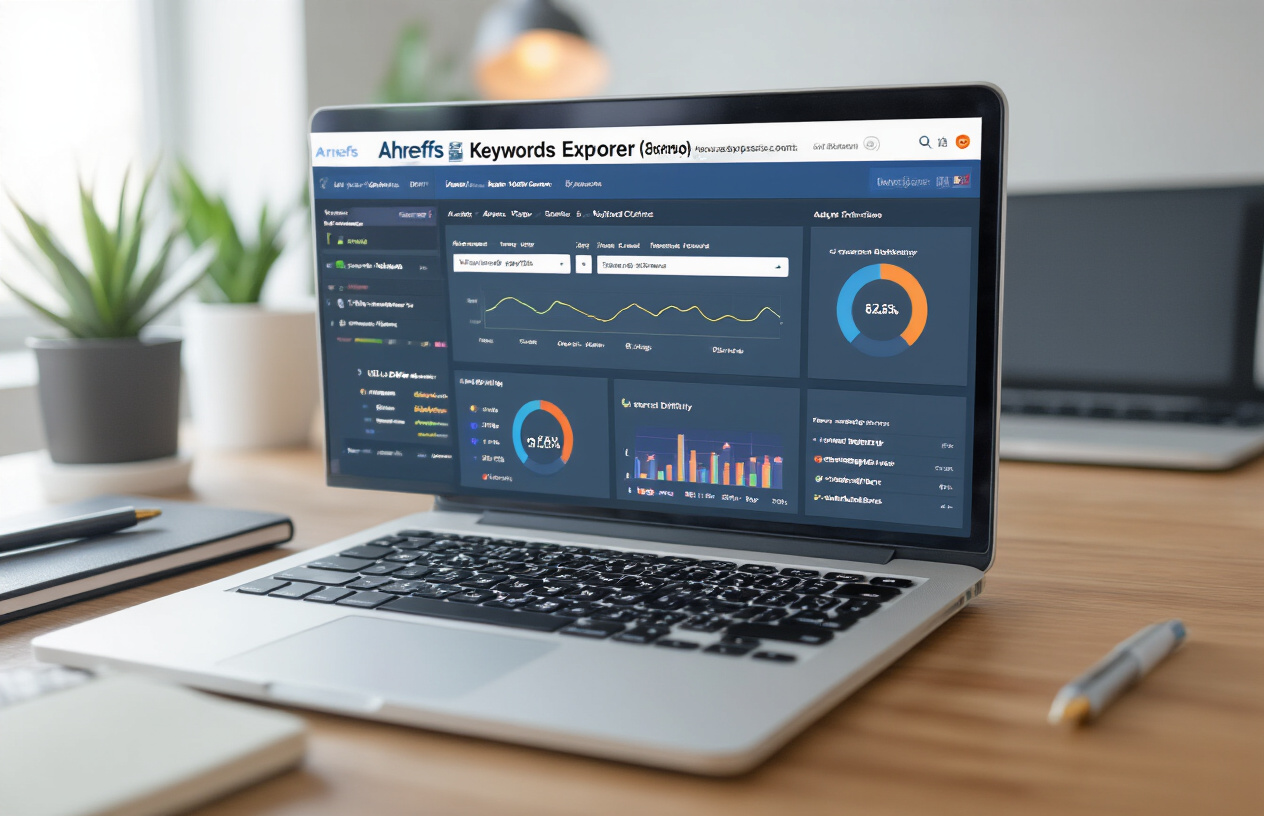
The Ahrefs Keywords Explorer tool opens with a clean, intuitive dashboard that puts powerful keyword research at your fingertips. The main search bar sits prominently at the top, accepting seed keywords, competitor URLs, or even full domain names. Below the search field, you’ll find database selection options covering over 170 countries, allowing you to target specific geographic markets with precision.
The left sidebar contains key navigation elements. This includes saved keyword lists, recent searches, and quick access to tools like Site Explorer and Rank Tracker. The Ahrefs Keywords Explorer tool also saves your search history automatically. This makes it easy to revisit previous research without starting over.
When you enter a keyword, the dashboard displays four main report categories: Overview, Matching terms, Search suggestions, and Newly discovered. Each tab reveals different aspects of keyword opportunities, from basic metrics to trending variations that competitors might be missing.
Access comprehensive keyword database insights
Ahrefs maintains one of the largest keyword databases in the SEO industry, containing over 7 billion keywords across multiple search engines. The keyword explorer ahrefs provides access to data from Google, YouTube, Bing, Amazon, and Baidu, giving you a complete picture of search behavior across platforms.
The database updates regularly, capturing new keyword trends and search volume changes in real-time. This means you’re working with fresh data that reflects current market conditions rather than outdated information that could mislead your strategy.
Beyond raw keyword data, the ahrefs keyword explorer tool provides historical search volume trends, seasonal patterns, and click-through-rate estimates. These insights help you understand not just what people search for, but when they search and how likely they are to click on results.
Use advanced filtering and sorting options
The filtering capabilities within the ahrefs keywords explorer separate amateur keyword research from professional-grade analysis. You can filter results by search volume ranges, keyword difficulty scores, cost-per-click values, and even specific word counts to find exactly what you need.
Advanced filters include options to exclude or include specific terms, filter by search intent (informational, commercial, navigational), and sort by various metrics. The tool also allows you to filter by SERP features, showing only keywords that trigger featured snippets, image packs, or video results.
Custom filtering combinations let you create highly specific keyword lists. For example, you might filter for keywords with 1,000-10,000 monthly searches, low competition scores under 30, and high commercial intent to find profitable opportunities your competitors haven’t discovered yet.
Leverage competitive intelligence capabilities
The competitive intelligence features within the ahrefs keyword ranking tool reveal which keywords drive traffic to your competitors’ websites. Simply enter a competitor’s domain to see their top-performing keywords, estimated traffic values, and ranking positions.
The “Also rank for” feature shows keyword overlaps between multiple competitors, helping you identify industry-standard terms you should target. You can also discover keyword gaps where competitors rank but you don’t, uncovering immediate opportunities for content creation.
Position history tracking shows how competitor rankings change over time, revealing successful SEO strategies and potential vulnerabilities. This intelligence helps you predict market movements and adjust your keyword strategy before competitors gain an insurmountable advantage.
Discovering High-Value Keywords for Your Niche

Execute strategic keyword research techniques
Ahrefs Keywords Explorer tool gives you multiple ways to discover profitable keywords that your competitors might be missing. Start with broad seed keywords related to your niche, then let the tool’s database expand your research. Enter your main topic into the search bar and explore the “All keyword ideas” section to see thousands of variations.
The “Parent Topic” feature helps you understand which broader keyword drives the most traffic to top-ranking pages. This insight reveals whether you should target specific long-tail phrases or aim for the parent keyword that covers multiple search intents. How to use Ahrefs keyword explorer becomes clearer when you leverage these parent-child keyword relationships.
Use the “Having same terms” filter to find keywords containing your target phrases, while “Also rank for” shows what other keywords the top pages rank for simultaneously. This cross-pollination approach often reveals unexpected keyword opportunities that align perfectly with your content strategy.
Identify long-tail keyword opportunities
Long-tail keywords typically convert better because they capture specific search intent. In Ahrefs keyword explorer tool, sort results by word count to focus on phrases with 4+ words. These longer queries often have lower competition but higher conversion potential.
The “Questions” tab specifically surfaces query-based keywords that people ask about your topic. These question keywords are goldmines for content creation, FAQ sections, and featured snippet opportunities. Keywords explorer free features still provide access to some long-tail suggestions, making this strategy accessible even on limited budgets.
Look for long-tail variations in the “Search suggestions” section, which pulls data from Google’s autocomplete feature. These suggestions reflect real user behavior and current search trends, giving you fresh keyword ideas that traditional research might miss.
Analyze search volume and keyword difficulty metrics
Ahrefs keyword ranking tool provides crucial metrics to evaluate keyword viability. Search volume indicates monthly search frequency, but don’t chase high numbers blindly. Mid-volume keywords (1,000-10,000 searches) often provide the sweet spot between opportunity and competition.
Keyword Difficulty (KD) scores range from 0-100, representing how hard it is to rank in the top 10. Keywords with KD below 30 are typically easier targets for newer websites, while established sites can pursue higher difficulty terms. The ahrefs keyword ranking checker also shows you exactly which domains rank for each keyword, helping you assess if you can compete.
Pay attention to the clicks metric, which shows how many people actually click on search results. Some high-volume keywords generate fewer clicks due to featured snippets or ads, making them less valuable than lower-volume terms with higher click-through potential.
Uncover related keywords and search suggestions
The “Related terms” section in Ahrefs Keywords Explorer reveals semantically connected keywords that Google associates with your topic. These related terms help you build topic clusters and create comprehensive content that covers all aspects of a subject.
Use Ahrefs filters to refine related keyword lists by search volume, difficulty, or specific terms. The “Word match” options let you find keywords that include, exclude, or exactly match your target phrases, giving you precise control over your keyword discovery process.
Google’s “People also ask” and “Related searches” data, integrated into the tool, shows you the natural keyword variations people use. This real search behavior data is invaluable for creating content that matches how your audience actually searches.
Find question-based keywords for content ideas
Question keywords are content creation goldmines. The dedicated “Questions” filter in ahrefs keyword explorer free tool shows you what people are asking about your topic. These questions become blog post titles, FAQ entries, and video topics that directly address user needs.
Sort question keywords by search volume to prioritize the most popular queries in your niche. Look for patterns in the questions – if multiple variations ask about the same topic, that’s a strong signal to create comprehensive content addressing that subject.
Free ahrefs keyword explorer access includes some question keyword data, making this strategy accessible for budget-conscious marketers. Combine these question insights with the “Also talked about” feature to understand the full context around each query and create more complete, helpful content.
Analyzing Keyword Metrics That Drive Rankings

Interpret Keyword Difficulty Scores Accurately
The ahrefs keyword ranking tool presents keyword difficulty (KD) scores on a scale from 0 to 100, but raw numbers don’t tell the complete story. A KD score of 30 doesn’t automatically mean you need 30 backlinks to rank – it’s actually showing you how many unique domains link to the top-ranking pages for that keyword.
When using ahrefs keyword explorer, dig deeper into the SERP overview to understand what you’re really competing against. Look at the domain ratings of ranking pages, their content quality, and how well they match search intent. Sometimes a keyword with KD 40 is easier to crack than one with KD 20 if the high-scoring keyword has weak, outdated content in the top spots.
Consider your website’s domain authority too. If your site has a DR of 15, targeting keywords where most ranking pages have DR 70+ will likely waste your efforts. Instead, focus on opportunities where you see a mix of domain authorities in the top 10 results.
Evaluate Search Volume Trends and Seasonality
Ahrefs keywords explorer provides 12-month search volume data that reveals crucial patterns you can’t ignore. Steady search volumes indicate evergreen content opportunities, while fluctuating patterns might signal seasonal trends or emerging topics.
Click on the search volume graph to spot seasonality patterns. E-commerce keywords often spike during holiday seasons, while fitness-related terms surge in January. B2B keywords typically dip during summer months and holiday periods when decision-makers are unavailable.
Tools for seo keywords like Ahrefs also show you the year-over-year growth trajectory. A keyword with 1,000 monthly searches that’s grown 200% year-over-year might be more valuable than a stable 5,000-search keyword showing decline. This data helps you catch trending topics before they become oversaturated.
Assess Click-Through Rates and SERP Features
The ahrefs keyword ranking checker reveals estimated click-through rates, but SERP features dramatically impact actual traffic potential. Featured snippets, image packs, shopping results, and knowledge panels can steal clicks from organic results.
Pay special attention to the “SERP Features” section in your keyword analysis. If a keyword shows heavy SERP feature presence, your potential traffic might be significantly lower than search volume suggests. For instance, a “how to tie a tie” search might show video results, image carousels, and step-by-step snippets, leaving little room for traditional organic clicks.
Look for keywords with minimal SERP features but decent search volumes – these often represent the best traffic opportunities. The ahrefs keyword explorer tool shows you exactly which features appear, helping you decide whether to target the keyword or look for alternatives.
Calculate Keyword Value and Commercial Intent
Understanding commercial intent separates profitable keywords from traffic vanity metrics. Ahrefs keyword explorer shows Cost Per Click (CPC) data from Google Ads, which indicates how much advertisers pay for these keywords – a strong signal of commercial value.
High CPC keywords typically convert better because they attract users ready to buy. However, balance this with search volume and competition. A $50 CPC keyword with 100 monthly searches might be more valuable than a $2 CPC keyword with 10,000 searches if your conversion rates are strong.
Examine the search results for commercial indicators. Are the top results product pages, comparison articles, or informational content? E-commerce sites should prioritize keywords where shopping results and product pages dominate, while service businesses should focus on keywords showing local packs and service-focused content.
Use the parent topic feature in ahrefs keywords explorer tool to find semantically related keywords with different commercial intent levels. This helps you build content funnels that capture users at various stages of the buying journey.
Tracking Keyword Performance Over Time

Set up automated keyword monitoring systems
Creating an automated monitoring system with the ahrefs keyword ranking tool saves hours of manual work while ensuring you never miss important ranking changes. Navigate to the Rank Tracker section within your Ahrefs dashboard and add your target keywords along with your competitors’ domains. The system will automatically check rankings daily and send alerts when significant movements occur.
Configure notification thresholds based on your priorities – set alerts for drops of 3+ positions for high-value keywords and 5+ positions for lower-priority terms. The ahrefs keyword ranking checker also allows you to monitor featured snippets, local pack results, and other SERP features that impact your visibility.
Create custom keyword lists and folders
Organization becomes critical when tracking hundreds or thousands of keywords. The ahrefs keywords explorer lets you create custom folders based on content themes, product categories, or campaign types. Group related keywords together – for example, create separate folders for “product keywords,” “informational content,” and “competitor analysis.”
Within each folder, tag keywords with custom labels like “high-priority,” “seasonal,” or “new content opportunities.” This organizational structure makes it easier to spot patterns and prioritize optimization efforts. You can also create shared folders for team collaboration, allowing content creators and SEO specialists to access relevant keyword data.
Monitor ranking fluctuations and algorithm updates
The ahrefs keyword ranking report provides visual graphs showing ranking movements over time, making it easy to spot correlations between your SEO activities and performance changes. When you notice sudden drops or gains across multiple keywords, cross-reference these dates with known Google algorithm updates or your own optimization activities.
Pay special attention to volatility indicators within the tool – high fluctuation periods often signal algorithm updates or increased competition. The ranking history feature lets you zoom into specific time periods to analyze the impact of content updates, technical changes, or link-building campaigns.
Generate performance reports and insights
Weekly and monthly reporting keeps stakeholders informed and helps identify optimization opportunities. The ahrefs keyword explorer tool generates comprehensive reports showing ranking improvements, losses, and overall visibility trends. Export data to create custom dashboards that highlight metrics most relevant to your business goals.
Focus on reporting metrics like average ranking position changes, search visibility improvements, and estimated traffic gains. Include competitor comparison data to show how your performance stacks up against industry rivals. These insights help justify SEO investments and guide future strategy decisions.
Optimizing Your SEO Strategy with Data-Driven Insights

Prioritize keywords based on opportunity scores
The ahrefs keywords explorer tool makes keyword prioritization straightforward through its built-in opportunity scoring system. When you’re looking at hundreds of potential keywords, the opportunity score becomes your north star for decision-making. This metric combines keyword difficulty, search volume, and your site’s current ranking potential to give you a clear picture of where to focus your efforts.
Start by filtering keywords with opportunity scores above 60 for quick wins. These represent terms where you have a realistic chance of ranking well without massive resource investment. The ahrefs keyword ranking tool shows you exactly which keywords it offers the best return on your SEO investment by highlighting gaps in competitor coverage.
Export your keyword list and sort by opportunity score to create a priority matrix. Keywords with high opportunity scores and commercial intent should top your content calendar. This data-driven approach eliminates guesswork and ensures every piece of content you create targets keywords with genuine ranking potential.
Identify content gaps in your keyword portfolio
Content gap analysis reveals untapped opportunities hiding in plain sight. Ahrefs keyword explorer excels at showing you keywords your competitors rank for but you don’t. This intelligence becomes the foundation for expanding your keyword portfolio strategically.
Run competitor gap analysis by entering your top 3-5 competitors into the tool. Look for keywords where multiple competitors rank in the top 10, but your site doesn’t appear at all. These represent proven keyword opportunities with existing search demand and established ranking patterns.
Pay special attention to long-tail variations of your primary keywords. The ahrefs keyword explorer tutorial demonstrates how to uncover these hidden gems by expanding keyword clusters and exploring related terms. Many sites miss these low-competition, high-intent keywords that collectively drive significant traffic.
Create content buckets based on gap analysis results:
- High-volume gaps: Keywords with 1,000+ monthly searches where competitors rank but you don’t
- Commercial gaps: Transactional keywords indicating purchase intent
- Informational gaps: Educational content opportunities that build topical authority
Benchmark against competitor keyword strategies
Competitive benchmarking transforms guesswork into strategic advantage. Ahrefs keywords explorer provides comprehensive competitor keyword intelligence that reveals exactly how top-ranking sites structure their SEO approach.
Analyze your top 5 competitors’ keyword portfolios to identify patterns in their strategy. Look for common themes, content types, and keyword clusters they prioritize. This analysis often reveals industry keyword trends you might have missed working in isolation.
Create comparison tables showing keyword overlap percentages between you and competitors. Sites with less than 30% keyword overlap with top competitors are missing major opportunities. Use this benchmark to guide content expansion and identify underserved areas within your niche.
Track competitor keyword velocity – the rate at which they acquire new ranking keywords. Fast-growing competitors often signal emerging keyword opportunities or successful content strategies worth emulating. The ahrefs keyword ranking checker makes this monitoring process systematic and actionable.
Scale your keyword research for multiple projects
Managing keyword research across multiple projects or clients requires systematic processes and consistent methodologies. Ahrefs keyword explorer tool provides the infrastructure for scaling your research while maintaining quality and accuracy across all projects.
Develop standardized keyword research templates that work across different industries. Include sections for primary keywords, long-tail variations, competitor analysis, and content mapping. This consistency ensures no critical steps get skipped when managing multiple projects simultaneously.
Tools for seo keywords:
Tools for seo keywords like Ahrefs become even more valuable when you create custom keyword lists for different project phases. Separate discovery keywords from tracking keywords to maintain focus and avoid data overload. Each project should have dedicated keyword sets for content planning, performance monitoring, and competitive analysis.
Automate recurring tasks wherever possible. Set up keyword ranking reports that run weekly, create alerts for ranking changes, and establish review schedules for updating keyword strategies. The ahrefs keyword ranking report feature streamlines this process by delivering consistent insights without manual data pulling.
Build keyword research:
Build keyword research workflows that team members can follow independently. Document processes for keyword discovery, validation, and prioritization so research quality remains high regardless of who executes the work. This scalability becomes crucial as your keyword research needs grow across multiple projects and stakeholders.

Ahrefs Keywords Explorer gives you everything you need to build a winning SEO strategy. From uncovering profitable keywords in your niche to tracking how they perform over time, this tool takes the guesswork out of keyword research. The detailed metrics help you spot opportunities your competitors might miss, while the tracking features keep you informed about your progress and market changes.
Start putting these insights to work today. Pick a few high-potential keywords from your research, create content around them, and monitor their performance using the tracking features. Remember, SEO success comes from consistent effort and smart decisions based on solid data. With Ahrefs Keywords Explorer as your guide, you’re ready to climb those search rankings and drive more organic traffic to your site.
FAQs
What is Ahrefs Keywords Explorer and how does it help with SEO?
Ahrefs Keywords Explorer is a keyword research tool that helps you find and analyze keywords for your website’s SEO strategy. It shows you what people are searching for on Google, how often they search for it, and how difficult it would be to rank for those keywords. This information helps you choose the right keywords to target on your website.
How do I start using Keywords Explorer to find new keywords?
To find new keywords, log into your Ahrefs account and go to Keywords Explorer. Enter a seed keyword related to your business or topic in the search box, select your target country, and click search. The tool will show you thousands of keyword ideas along with important data like search volume and keyword difficulty.
What does keyword difficulty mean and why is it important?
Keyword difficulty (KD) is a score from 0 to 100 that shows how hard it would be to rank in Google’s top 10 results for a specific keyword. Lower scores (0-30) mean easier keywords to rank for, while higher scores (70-100) indicate very competitive keywords that are harder to rank for. This helps you pick keywords you can actually compete for.
How can I find keywords that my competitors are ranking for?
In Keywords Explorer, you can enter your competitor’s website URL instead of a keyword. The tool will show you all the keywords that website currently ranks for, along with their positions and estimated traffic. This helps you discover keyword opportunities you might have missed and understand your competition better.
What is search volume and how should I use this information?
Search volume shows how many times people search for a specific keyword each month on average. Higher numbers mean more people are searching for that term. However, don’t only focus on high-volume keywords – sometimes lower-volume keywords with less competition can bring better results for your website.
How do I track my keyword rankings over time?
While Keywords Explorer helps you research keywords, you’ll need to use Ahrefs’ Rank Tracker tool to monitor your rankings over time. You can set up tracking for your chosen keywords and check how your website’s position changes in search results. This helps you see if your SEO efforts are working.
What are long-tail keywords and how do I find them using this tool?
Long-tail keywords are longer, more specific search phrases that usually have lower search volume but higher intent. In Keywords Explorer, you can find these by using the “Questions” or “Having same terms” filters. These keywords are often easier to rank for and can bring more qualified visitors to your website.
How do I know which keywords are worth targeting for my website?
Look for keywords with decent search volume (based on your site’s size), manageable keyword difficulty (that you can compete with), and high relevance to your business. Also check the “Traffic potential” metric, which shows how much traffic the top-ranking page gets from all keywords, not just the main one.
Can I export my keyword research data for further analysis?
Yes, you can export your keyword lists from Keywords Explorer to CSV files. This allows you to organize your research in spreadsheets, share data with your team, or import keywords into other SEO tools. Look for the export button when viewing your keyword results.
What’s the difference between Keywords Explorer and other keyword research tools?
Ahrefs Keywords Explorer offers one of the largest keyword databases with data from over 170 countries. It provides more accurate search volume data, shows keyword difficulty based on actual backlink analysis, and includes additional features like SERP analysis and content gap analysis that many other tools don’t offer.