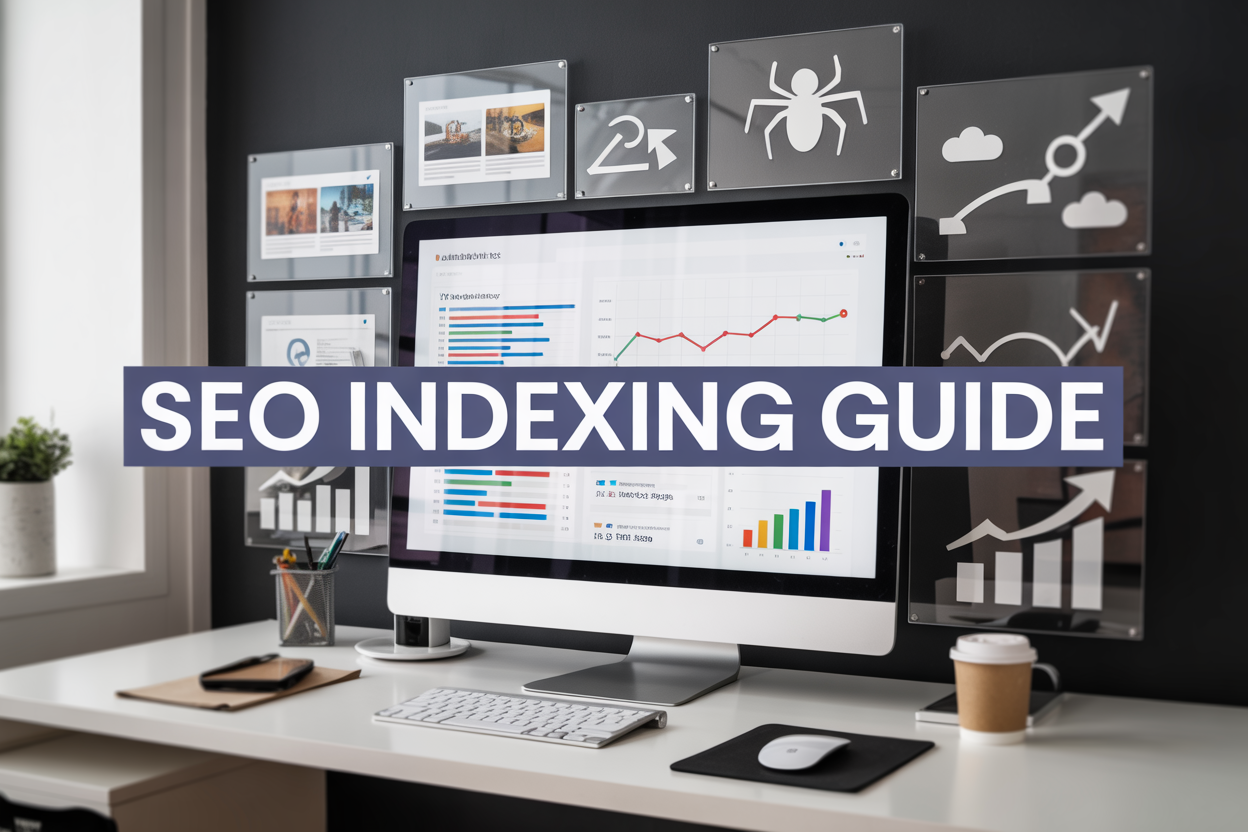
Getting your website found starts with getting it indexed. If search engines can’t index your pages, your SEO efforts won’t matter—your content simply won’t show up in search results.
This SEO indexing monitoring guide is for website owners, digital marketers, and SEO professionals who want to take control of their search visibility. You’ll discover how to track which pages Google has indexed, spot indexing issues before they hurt your rankings, and speed up the process of getting new content discovered.
We’ll walk through the essential monitoring tools that show your real indexing status, not just what you think is happening. You’ll also learn proven strategies to improve website indexing speed, from fixing technical barriers to optimizing your site structure for better crawl efficiency.
The difference between a site that gets indexed quickly and one that doesn’t can make or break your organic traffic growth.
SEO Indexing and Its Impact on Search Visibility

What search engine indexing means for your website
SEO indexing is the process where search engines discover, analyze, and store your web pages in their massive databases. Think of it as getting your website added to Google’s digital library. When your pages are indexed, they become eligible to appear in search results when people search for relevant topics.
The indexing process begins after search engine crawlers visit your site. These automated bots scan your content, understand what each page is about, and decide whether to include it in their index. Without proper indexing, your website remains invisible to potential visitors searching online, no matter how great your content might be.
Search engines like Google maintain separate indexes for different types of content – web pages, images, videos, and news articles. Each page gets categorized based on its content, structure, and relevance signals. The search engine then uses this indexed information to serve relevant results when users perform searches.
How indexing affects your organic traffic and rankings
Your website’s indexing status directly impacts how much organic traffic you receive from search engines. Pages that aren’t indexed simply won’t appear in search results, which means zero organic traffic from those pages. Even if you’ve created amazing content, poor indexing can severely limit your website’s visibility.
The speed at which your pages get indexed also matters. Faster indexing means your fresh content can start attracting visitors sooner. News websites and blogs particularly benefit from quick indexing since timely content often performs better in search results.
Indexing quality affects rankings too. Search engines prefer well-structured, easily crawlable websites. Pages that are difficult to index might receive lower rankings, even if their content quality is high. Your site’s technical SEO health directly influences how effectively search engines can index your content.
Common indexing problems that hurt website performance
Several technical issues can prevent proper website indexing. The most common problem is using noindex tags incorrectly, which tells search engines to skip certain pages. Sometimes these tags are left on important pages by mistake, blocking them from appearing in search results.
Crawl budget limitations can also hurt large websites. Search engines allocate limited resources to crawl each site, so if you have thousands of low-value pages, important content might not get indexed regularly. Poor site architecture makes it harder for crawlers to discover all your pages.
Other frequent issues include:
- Duplicate content confusing search engine algorithms
- Slow page loading speeds causing crawlers to timeout
- Broken internal links preventing page discovery
- XML sitemap errors leading to incomplete indexing
- Server errors blocking crawler access
- Improper redirect chains creating crawling loops
The relationship between crawling, indexing, and ranking
Understanding the connection between crawling, indexing, and ranking helps you optimize each stage of the process. Crawling comes first – search engine bots must find and access your pages before anything else can happen. They follow links from other websites, your sitemap, and previously crawled pages to discover new content.
After crawling, indexing evaluates whether your content deserves a spot in search results. The search engine analyzes page quality, relevance, and uniqueness. Pages that pass this evaluation get stored in the index with detailed information about their content and context.
Ranking happens when someone searches for something related to your indexed content. The search algorithm reviews all relevant indexed pages and decides which ones best match the search query. Higher-quality, more relevant pages typically rank better than weaker content.
This three-stage process means problems at any level can hurt your overall search performance. Poor crawling limits indexing opportunities, while indexing issues prevent ranking possibilities. Optimizing for all three stages creates the best foundation for strong organic search visibility.
Essential Tools for Monitoring Website Indexing Status

Google Search Console Setup and Navigation
Google Search Console stands as your most crucial free tool for monitoring website indexing. Setting up this essential platform takes just a few minutes but provides invaluable insights into how Google sees your site. Start by creating a Google account if you don’t have one, then head to search.google.com/search-console to add your website.
You’ll need to verify ownership through several available methods: HTML file upload, DNS record modification, Google Analytics connection, or Google Tag Manager integration. The HTML file method works best for most users – simply download the verification file and upload it to your site’s root directory.
Once verified, navigate to the “Coverage” report under the “Index” section. This powerful dashboard shows exactly which pages Google has indexed, which ones have issues, and which are excluded from search results. The “URL Inspection” tool lets you check individual pages in real-time, showing their current indexing status and any crawling problems Google encountered.
The “Sitemaps” section helps you submit XML sitemaps directly to Google, making it easier for search engines to discover and index your content. Regular monitoring of these reports gives you clear visibility into your site’s indexing health and helps identify problems before they impact your search rankings.
Using Site: Search Operators for Quick Index Checks
The site: search operator offers the fastest way to perform quick indexing checks without logging into any tools. Simply type “site:yourwebsite.com” into Google’s search bar to see all indexed pages from your domain. This method provides instant results and works from any device or browser.
For more specific checks, combine site: operators with additional search terms. Use “site:yourwebsite.com intitle:keyword” to find indexed pages with specific titles, or “site:yourwebsite.com filetype:pdf” to check if your PDF documents are getting indexed. These targeted searches help you verify that important content pieces are discoverable by search engines.
To check competitor indexing status, use “site:competitor.com” to see their indexed content volume. This competitive intelligence helps you understand their content strategy and identify potential gaps in your own indexing approach.
Recent changes to your site can be tracked using “site:yourwebsite.com after:2024-01-01” to see only pages indexed after a specific date. This time-based filtering proves valuable when monitoring the indexing success of new content or recent site updates.
Third-Party Indexing Monitoring Tools and Their Benefits
While Google Search Console provides excellent free monitoring, third-party tools offer advanced features and broader perspective on your indexing performance. SEMrush’s Site Audit tool tracks indexing issues across multiple search engines and provides detailed reports on crawlability problems that might prevent proper indexing.
Screaming Frog SEO Spider excels at comprehensive site crawls, identifying technical issues like broken internal links, missing meta descriptions, and redirect chains that can hurt indexing performance. The tool’s integration with Google Search Console data creates a complete picture of your site’s indexing health.
Ahrefs Site Explorer provides unique indexing insights through its massive database, showing you which pages are indexed by different search engines and tracking changes over time. Their “Top Pages” report reveals which indexed content drives the most organic traffic, helping you prioritize your indexing efforts.
DeepCrawl offers enterprise-level monitoring with automated crawls that track indexing status changes over time. The platform’s alert system notifies you immediately when pages drop out of the index or when new indexing issues appear.
| Tool | Best Feature | Pricing |
|---|---|---|
| SEMrush | Multi-engine monitoring | Starting at $119/month |
| Screaming Frog | Comprehensive crawling | Free version available |
| Ahrefs | Traffic-focused indexing data | Starting at $99/month |
| DeepCrawl | Enterprise automation | Custom pricing |
Setting Up Automated Alerts for Indexing Changes
Automated monitoring saves time and catches indexing problems before they impact your search visibility. Google Search Console’s email notifications automatically alert you to critical indexing issues, coverage problems, and manual actions affecting your site. Enable these alerts in your account settings to receive immediate notifications about significant changes.
Third-party monitoring services like Uptime Robot or Pingdom can be configured to monitor specific pages for availability issues that might prevent indexing. Set up keyword-based monitoring to get alerted when important pages disappear from search results or when new pages successfully get indexed.
IFTTT (If This Then That) creates powerful automation workflows connecting Google Search Console data with other platforms. Set up triggers that send Slack notifications when indexing errors spike or email alerts when new pages get successfully indexed.
For advanced users, Google Search Console API integration allows custom monitoring dashboards and automated reporting systems. Python scripts can pull indexing data regularly and generate alerts based on your specific criteria, such as sudden drops in indexed pages or increases in crawl errors.
Monitor changes to your robots.txt file and XML sitemaps using website change detection services like Visualping or ChangeTower. These tools alert you when critical files get modified, helping prevent accidental blocking of search engine crawlers or removal of important URLs from your sitemap.
How to Check Your Current Indexing Status

Performing comprehensive site-wide indexing audits
Starting with a complete website audit gives you the big picture of your indexing health. Google Search Console serves as your primary tool for this deep dive. Navigate to the “Pages” report under the “Indexing” section to see your overall indexing status. You’ll find a breakdown of indexed pages versus those that couldn’t be indexed, along with specific reasons for exclusions.
For a more thorough audit, combine Search Console data with third-party SEO tools like Screaming Frog, Ahrefs, or SEMrush. These tools crawl your site similarly to search engines, revealing technical issues that might prevent proper indexing. Run a full site crawl and export the results to identify patterns in indexing problems across different sections of your website.
Don’t overlook your XML sitemap when conducting audits. Compare the URLs listed in your sitemap against what Google has actually indexed. This comparison often reveals discrepancies that need immediate attention.
Identifying which pages are indexed vs. non-indexed
The most straightforward method to check individual page indexing involves the “site:” search operator in Google. Type site:yourdomain.com followed by the specific page path to see if Google has indexed that page. If the page appears in search results, it’s indexed. If not, you’ve found an indexing issue.
Google Search Console provides more detailed insights through its URL Inspection Tool. Simply paste any URL from your site to get comprehensive information about its indexing status, including when it was last crawled, any crawl errors encountered, and whether the page is eligible for indexing.
For bulk checking, create a spreadsheet listing all your important URLs and systematically check each one. This manual process, while time-consuming, gives you precise control over which pages you’re monitoring. Many SEO professionals automate this process using tools that can check hundreds of URLs simultaneously and flag non-indexed pages for further investigation.
Discovering indexing issues through Search Console reports
Search Console’s Coverage report (now called “Pages” in the newer interface) breaks down indexing issues into clear categories. Valid pages show your successfully indexed content, while error categories highlight critical problems preventing indexing. Warning categories indicate pages that are indexed but have issues that might affect their performance.
Pay special attention to the “Excluded” section, which shows pages Google discovered but chose not to index. Common exclusion reasons include duplicate content, thin content, crawl errors, and pages blocked by robots.txt. Each exclusion reason provides specific guidance on how to address the underlying issue.
The “Enhancements” section reveals structured data problems that might affect how your pages appear in search results. While these issues don’t prevent indexing, they can impact your search visibility and click-through rates.
Set up email notifications in Search Console to receive alerts when new indexing issues arise. This proactive approach helps you catch problems before they significantly impact your search visibility.
Analyzing indexing patterns across different page types
Different types of content on your website may experience varying indexing success rates. Product pages, blog posts, category pages, and static pages each face unique indexing challenges. Create separate reports for each content type to identify patterns and prioritize fixes accordingly.
E-commerce sites often struggle with product page indexing due to inventory changes, seasonal availability, or duplicate product descriptions. Monitor how Google handles your product pages, especially those with limited stock or frequent updates.
Blog content typically indexes more readily due to its fresh, unique nature. However, old blog posts might lose indexing priority over time. Track your blog’s indexing performance to understand Google’s treatment of your content over different time periods.
Category and navigation pages face their own indexing challenges, often related to thin content or excessive similarity between pages. Monitor these pages separately to ensure your site structure supports proper search engine understanding.
| Page Type | Common Indexing Issues | Monitoring Frequency |
|---|---|---|
| Product Pages | Inventory changes, duplicates | Weekly |
| Blog Posts | Content freshness, thin content | Monthly |
| Category Pages | Thin content, similarity | Quarterly |
| Static Pages | Technical errors, robots.txt blocks | Monthly |
Regular pattern analysis helps you understand how Google perceives different sections of your website and adjust your SEO strategy accordingly. This systematic approach to indexing monitoring ensures no content type gets overlooked in your optimization efforts.
Tracking Indexing Performance Over Time

Creating indexing monitoring dashboards and reports
Building effective dashboards transforms how you track your website’s indexing health. Your monitoring system needs to capture key metrics like total indexed pages, crawl errors, and indexing status changes. Google Data Studio offers free visualization tools that connect directly with Google Search Console, letting you create custom reports showing indexing trends over weeks or months.
Set up automated email reports that deliver weekly summaries of your indexing performance. Include metrics such as new pages indexed, pages dropped from the index, and any crawl budget issues. Third-party tools like SEMrush and Ahrefs provide additional dashboard features, allowing you to compare your indexing performance against competitors and industry benchmarks.
Your dashboard should display both high-level KPIs and granular details. Track metrics like indexing success rates by page type, average time for new content to appear in search results, and patterns in Google’s crawling frequency across different site sections.
Setting up regular indexing health check schedules
Consistent monitoring prevents small indexing issues from becoming major problems. Schedule weekly technical audits focusing on robots.txt files, XML sitemap updates, and server response codes. Many website owners discover indexing problems only after traffic drops significantly, which could have been avoided with regular checks.
Create a monthly checklist that includes verifying your sitemap submission status, checking for new crawl errors in Google Search Console, and reviewing any changes to your site’s URL structure. Set up automated alerts for critical issues like sudden drops in indexed pages or increases in crawl errors above your baseline levels.
Consider implementing daily automated checks for your most important pages using tools like Google Search Console API or custom scripts. This approach helps you catch deindexing issues within hours rather than weeks.
Monitoring new page indexing speed and success rates
Track how quickly Google discovers and indexes your fresh content. New blog posts or product pages should typically appear in search results within days, not weeks. Document your average indexing speed to establish performance baselines and identify when something goes wrong.
Use Google Search Console’s URL Inspection Tool to monitor specific pages after publication. Submit new URLs directly through the tool to speed up discovery, then track how long indexing actually takes. Keep records of this data to spot patterns – perhaps certain content types index faster, or updates during specific days of the week perform better.
Monitor your indexing success rates by calculating what percentage of published pages actually get indexed within your expected timeframe. A healthy website should see 90%+ of new content indexed within two weeks, assuming proper technical setup and content quality.
Tracking indexing recovery after technical issues
When technical problems affect your site’s indexing, recovery monitoring becomes critical. Document the timeline from problem identification through resolution and full recovery. This data helps you respond faster to future issues and proves the value of quick technical fixes to stakeholders.
Create incident reports that track key recovery metrics: how many pages were affected, how long reindexing took, and whether any pages never recovered their original rankings. Use Google Search Console’s Coverage report to monitor the progress of pages moving from “Error” or “Excluded” status back to “Valid.
Set up specific alerts for post-recovery monitoring. Sometimes pages that appear to recover initially may face ongoing indexing instabilities. Watch for patterns where recently recovered pages drop out of the index again, which might indicate unresolved underlying technical issues.
Identifying seasonal indexing trends and patterns
Google’s indexing behavior often follows predictable patterns throughout the year. E-commerce sites might notice faster indexing during holiday shopping seasons, while B2B websites could see different patterns around fiscal quarters or industry events.
Analyze your historical indexing data to spot these trends. Look for months when new content indexes unusually fast or slow, and correlate these patterns with your content publishing schedule and business cycles. This insight helps you time important content launches and adjust expectations for SEO results.
Document how major Google algorithm updates affect your indexing patterns. Some updates change how quickly Google processes certain content types or site structures. Building this historical knowledge helps you adapt your SEO strategy and set realistic timelines for new content initiatives.
Your seasonal analysis should also include crawl budget patterns – Google might allocate more crawling resources to your site during peak seasons, affecting how quickly new pages get discovered and indexed.
Diagnosing and Fixing Common Indexing Problems

Resolving crawl budget issues for large websites
Crawl budget problems hit large websites hard, especially those with thousands or millions of pages. Search engines allocate a limited number of resources to crawl your site, and when you waste this budget on low-value pages, your important content suffers.
Start by identifying pages that consume crawl budget without adding value. Check your server logs to see which pages Google crawls most frequently. Look for duplicate URLs, infinite scroll pages, faceted navigation paths, and session ID parameters that create multiple versions of the same content.
Block unnecessary pages through your robots.txt file. Add problematic URL patterns like /search?, /filter?, and printer-friendly versions to prevent crawlers from wasting time on them. Use the noindex directive for pages that must exist for users but don’t need search visibility, such as thank-you pages or internal search results.
Prioritize your most valuable content by optimizing your internal linking structure. Pages closer to your homepage typically receive more crawl attention, so ensure your key pages are easily accessible through your main navigation and important category pages.
Fixing technical barriers preventing proper indexing
Technical roadblocks often prevent search engines from properly accessing and indexing your content. Server errors, slow loading times, and improper redirects create significant barriers that need immediate attention.
Monitor your site’s response codes regularly. 5xx server errors tell crawlers your pages are temporarily unavailable, while excessive 4xx errors signal broken links that waste crawl budget. Set up alerts to catch these issues before they impact your indexing.
Page speed directly affects how many pages search engines can crawl during each visit. Sites that load slowly receive fewer crawl requests, limiting their indexing potential. Optimize images, minify code, and use content delivery networks to improve response times.
JavaScript-heavy sites face unique challenges since search engines must render pages to see the full content. Implement server-side rendering or pre-rendering for critical pages to ensure content is immediately visible to crawlers without waiting for JavaScript execution.
HTTPS issues can also block indexing. Mixed content warnings, expired certificates, or improper redirects from HTTP to HTTPS versions create accessibility problems that prevent proper indexing.
Addressing duplicate content and canonicalization issues
Duplicate content dilutes your indexing efforts by splitting ranking signals across multiple URLs. Search engines struggle to determine which version deserves indexing priority, often leading to the wrong page being indexed or excluded entirely.
Implement canonical tags correctly to consolidate duplicate content signals. The canonical URL should point to the preferred version of each page, whether that’s the original source or the most user-friendly version. Avoid common mistakes like self-referencing canonicals on paginated series or pointing to redirected URLs.
Product pages with multiple variations present frequent canonicalization challenges. If you sell the same item in different colors or sizes, decide whether each variation deserves its own indexed page or if they should consolidate under a main product page.
URL parameters often create duplicate content through filtering and sorting options. Configure Google Search Console to handle these parameters appropriately, either by ignoring them completely or specifying which ones change page content significantly enough to warrant separate indexing.
Cross-domain duplicate content requires careful handling. If you syndicate content across multiple sites, use canonical tags pointing to the original source to maintain proper indexing attribution.
Solving XML sitemap and robots.txt configuration problems
XML sitemaps and robots.txt files guide search engine crawling behavior, but misconfigurations in these files create serious indexing obstacles. Regular audits of these critical files prevent many common indexing problems.
XML sitemap errors often stem from including URLs that shouldn’t be there. Remove redirected URLs, noindexed pages, and canonicalized versions from your sitemaps. Include only the URLs you want indexed, and ensure each URL returns a 200 status code.
Keep your sitemaps updated and under the 50,000 URL limit per file. Large sites need multiple sitemap files organized logically, such as separating product pages from blog content. Submit updated sitemaps through Google Search Console whenever you make significant changes.
Robots.txt configuration mistakes can accidentally block important pages from indexing. Test your robots.txt file regularly using Google Search Console’s robots.txt tester to ensure you’re not inadvertently blocking critical content or resources like CSS and JavaScript files that help with rendering.
Sitemap references in your robots.txt file should use complete URLs and point to currently accessible sitemap files. Broken sitemap references in robots.txt create missed opportunities for efficient crawling and indexing of your content.
Proven Strategies to Improve Website Indexing Speed

Optimizing Internal Linking Structure for Better Crawlability
Search engines discover and index your content by following links, making your internal linking structure the foundation of crawlability. When you create logical pathways between your pages, you’re essentially building highways for search engine bots to travel through your site efficiently.
Start by implementing a hierarchical structure where your most important pages are easily accessible from your homepage. Create topic clusters by linking related content together, which helps search engines understand your site’s context and authority in specific areas. Use descriptive anchor text that includes relevant keywords naturally – this signals to crawlers what the linked page is about.
Avoid orphaned pages that exist without any internal links pointing to them. These pages often struggle with indexing since search engines may never discover them. Regular audits of your internal linking structure help identify and fix these gaps.
The depth of your pages matters too. Pages buried several clicks away from your homepage take longer to get indexed. Aim to keep important content within three clicks of your main navigation. Consider implementing breadcrumb navigation and footer links to create additional pathways to deeper content.
Implementing Strategic XML Sitemaps for Faster Discovery
XML sitemaps serve as roadmaps for search engines, telling them exactly which pages exist on your website and when they were last updated. Creating comprehensive sitemaps significantly speeds up the indexing process, especially for new or updated content.
Structure your sitemaps strategically by separating different content types – create separate sitemaps for blog posts, product pages, and static pages. This organization helps search engines prioritize crawling based on content freshness and importance. Include priority scores and change frequencies to guide crawlers toward your most critical content.
Keep your sitemaps updated automatically whenever you publish new content or make significant changes. Most content management systems offer plugins or built-in functionality for this. Submit your sitemaps through Google Search Console and monitor the submission reports to identify any issues preventing proper indexing.
Large websites benefit from sitemap index files that reference multiple smaller sitemaps. This approach prevents timeouts and ensures all your content gets discovered efficiently. Remember to reference your sitemap location in your robots.txt file for maximum visibility.
Using Google Search Console URL Inspection Tool Effectively
The URL inspection tool in Google Search Console provides real-time insights into how Google sees your individual pages. This powerful feature lets you check indexing status, identify crawling issues, and request immediate indexing for new or updated content.
When you enter a URL into the inspection tool, you get detailed information about whether the page is indexed, when it was last crawled, and any issues preventing indexing. The tool shows both the current indexed version and the live version, helping you spot discrepancies that might affect your search visibility.
Use the “Request Indexing” feature strategically for high-priority content. While Google doesn’t guarantee immediate indexing, this tool often speeds up the process for important updates or new pages. Don’t overuse this feature – save it for genuinely urgent content rather than routine updates.
Pay attention to the Coverage report which highlights indexing problems across your entire site. Common issues like “Crawled but not indexed” or “Discovered but not crawled” provide actionable insights for improving your site’s indexing performance.
Leveraging Social Signals and External Links for Indexing
While social signals don’t directly impact rankings, they play a valuable role in content discovery and indexing speed. When you share new content on social platforms, you create additional pathways for search engine crawlers to find your pages.
Social media platforms with high crawl rates can serve as indexing accelerators. Share your new content on Twitter, LinkedIn, and Facebook to increase the chances of search engines discovering it quickly. Engage with communities and industry groups where your content might get additional shares and visibility.
External links from authoritative websites remain one of the strongest signals for indexing priority. Focus on earning natural backlinks through valuable content, guest posting on reputable sites, and building relationships with other website owners in your industry. Even a single quality backlink can significantly speed up indexing for new pages.
Monitor your backlink profile using tools like Ahrefs or Semrush to track when new external links appear. These links often correlate with faster indexing times, especially from domains that search engines crawl frequently.
Creating Fresh, Valuable Content That Search Engines Prioritize
Search engines prioritize indexing content that provides genuine value to users. Fresh, comprehensive content that addresses specific user needs gets indexed faster than thin or duplicated material. Focus on creating in-depth resources that thoroughly cover your target topics.
Update existing content regularly to maintain its freshness and relevance. Search engines favor websites that consistently publish updated information. Even small updates like adding new statistics, examples, or sections can signal to crawlers that your content deserves re-indexing.
Target trending topics
Target trending topics and current events within your industry when appropriate. Time-sensitive content often gets indexed more quickly as search engines recognize the urgency of providing users with the latest information. Balance evergreen content with timely pieces for optimal indexing performance.
Implement structured data markup to help search engines better understand your content’s context and purpose. Rich snippets and schema markup provide additional signals that can influence indexing priority and improve your content’s visibility in search results.

Keeping track of your website’s indexing status isn’t just a technical checkbox—it’s the foundation of your entire SEO strategy. When you regularly monitor how search engines crawl and index your pages, you catch problems early and keep your content visible to potential visitors. The tools and techniques we’ve covered give you everything you need to stay on top of your indexing game, from basic status checks to advanced performance tracking.
Your website’s success depends on search engines finding and understanding your content. Start by checking your current indexing status today, set up regular monitoring routines, and don’t wait to fix any issues you discover. The faster your pages get indexed, the sooner they can start ranking and bringing traffic to your site. Make indexing monitoring a regular part of your SEO routine, and you’ll see the difference it makes in your search visibility.
FAQs
What is SEO indexing and why should I care about it?
SEO indexing is when search engines like Google add your website pages to their database so they can show up in search results. If your pages aren’t indexed, people won’t find your website when they search online. It’s essential for getting traffic to your site.
How can I check if my website pages are indexed by Google?
You can check if your pages are indexed by typing “site:yourwebsite.com” in Google’s search bar. This shows all the pages Google has indexed from your site. You can also use Google Search Console for more detailed information about your indexed pages.
What is Google Search Console and how does it help with indexing?
Google Search Console is a free tool from Google that shows you how your website performs in search results. It tells you which pages are indexed, which ones have problems, and helps you submit new pages for indexing. Every website owner should use it.
How long does it take for new pages to get indexed?
New pages can get indexed anywhere from a few hours to several weeks. It depends on factors like how often search engines visit your site, the quality of your content, and how well your website is structured. Popular websites with fresh content usually get indexed faster.
What should I do if my important pages aren’t getting indexed?
First, check if there are technical issues blocking the pages. Make sure your robots.txt file isn’t blocking them and that you haven’t accidentally set them to “noindex.” Then submit the pages directly through Google Search Console’s URL inspection tool to request indexing.
How often should I monitor my website’s indexing status?
You should check your indexing status at least once a month for small websites, and weekly for larger sites that publish content regularly. Set up regular monitoring to catch any indexing problems early before they affect your search traffic.
What are the most common reasons pages don’t get indexed?
Common reasons include: blocked by robots.txt file, marked with “noindex” tags, duplicate content, very slow loading pages, poor internal linking, or pages that are too thin on content. Technical errors on your website can also prevent indexing.
Can I speed up the indexing process for my new content?
Yes, you can help speed things up by submitting new pages through Google Search Console, creating and updating your XML sitemap, linking to new pages from existing indexed pages, and sharing your content on social media to get initial traffic.
What tools besides Google Search Console can help monitor indexing?
You can use tools like Bing Webmaster Tools for Bing search results, XML sitemap generators to create proper sitemaps, and various SEO tools that track indexing status. However, Google Search Console remains the most important tool since Google dominates search traffic.
How do I know if my indexing is improving over time?
Track the number of indexed pages in Google Search Console over time. Look for steady growth in indexed pages when you add new content. Also monitor your organic search traffic – if more pages get indexed and they’re quality pages, you should see gradual increases in website visitors from search engines.