Creating a proper semantic heading structure might seem like technical jargon, but it’s actually one of the most important things you can do for your website. Think of it as creating a clear roadmap that helps both search engines and people understand your content better. When you master semantic structure, you’re essentially building a bridge between your ideas and your audience.
What Is Semantic Heading Structure?
Semantic heading structure refers to the logical organization of content using HTML heading tags (H1, H2, H3, etc.) in a way that creates meaning and hierarchy. Instead of choosing headings based on how they look, you select them based on their importance and relationship to other content.
When we talk about what is semantic structure, we’re discussing a system where every element on your webpage has a specific purpose and meaning. It’s like organizing a book with clear chapters, sections, and subsections that flow naturally from one to the next.
The Foundation of Semantic Headings HTML
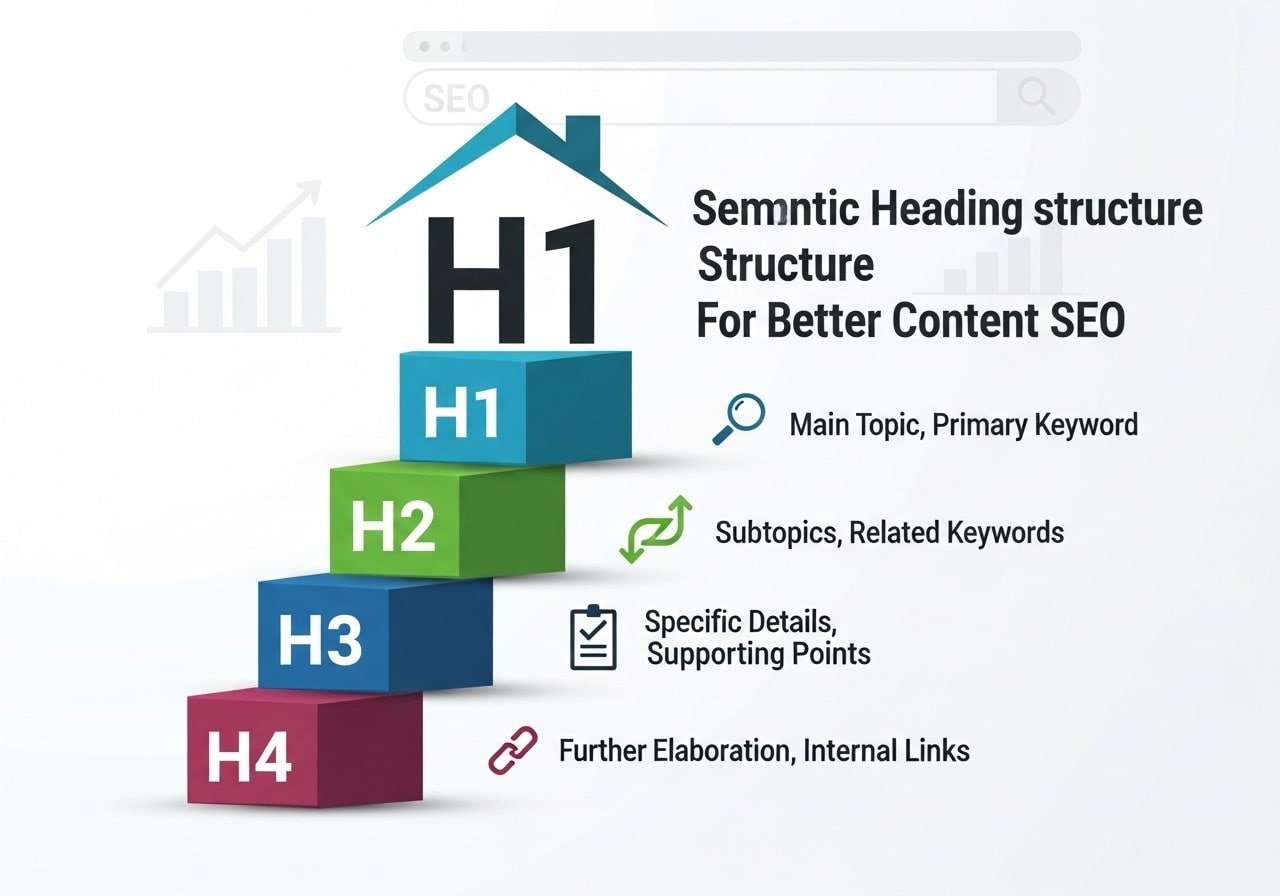
Semantic headings HTML follows a simple but crucial rule: start with one H1 tag per page, then use H2s for major sections, H3s for subsections under H2s, and so on. This creates what we call a semantic heading hierarchy that makes sense to both humans and machines.
Here’s how the hierarchy works:
- H1: Your main page title (use only one per page)
- H2: Major sections or topics
- H3: Subsections under H2s
- H4: Sub-subsections under H3s
- H5 and H6: Further subdivisions (rarely needed)
Why Semantic Structure Matters for SEO
Search engines use your heading structure SEO signals to understand what your page is about. When you use semantic headings correctly, you’re giving search engines a clear outline of your content. This helps them:
- Understand your main topics and subtopics
- Create better search result snippets
- Match your content with relevant search queries
- Improve your chances of appearing in featured snippets
The Connection Between Semantic Structure and Rankings
HTML heading semantics play a significant role in how search engines rank your content. When Google’s crawlers visit your site, they look for patterns and structures that indicate quality, organized content. A logical semantic structure suggests that your content is well-planned and valuable to readers.
Pages with proper semantic heading structure often perform better in search results because they:
- Provide clear topic signals to search engines
- Improve user experience through better organization
- Load faster due to cleaner code structure
- Work better with voice search and AI assistants
The Building Blocks of Semantic HTML
Semantic structure of HTML goes beyond just headings. It includes various HTML5 elements that give meaning to different parts of your webpage. These elements work together to create a complete picture of your content’s structure.
Header Semantic HTML Elements
Header semantic html elements include more than just your H1 tag. The <header> element typically contains:
- Site navigation
- Logo or brand name
- Page title or H1
- Introductory content
Main Semantic HTML Structure
Main semantic html content lives within the <main> element, which should contain the primary content of your page. This is where most of your semantic headings will appear, organized in their logical hierarchy.
Other Important Semantic Elements
W3 semantic html standards include several other elements that support your semantic heading structure:
- <nav>: Navigation menus
- <article>: Standalone content pieces
- <section>: Thematic groupings of content
- <aside>: Sidebar or supplementary content
- <footer>: Page or section conclusions
Semantic Heading Structure Examples
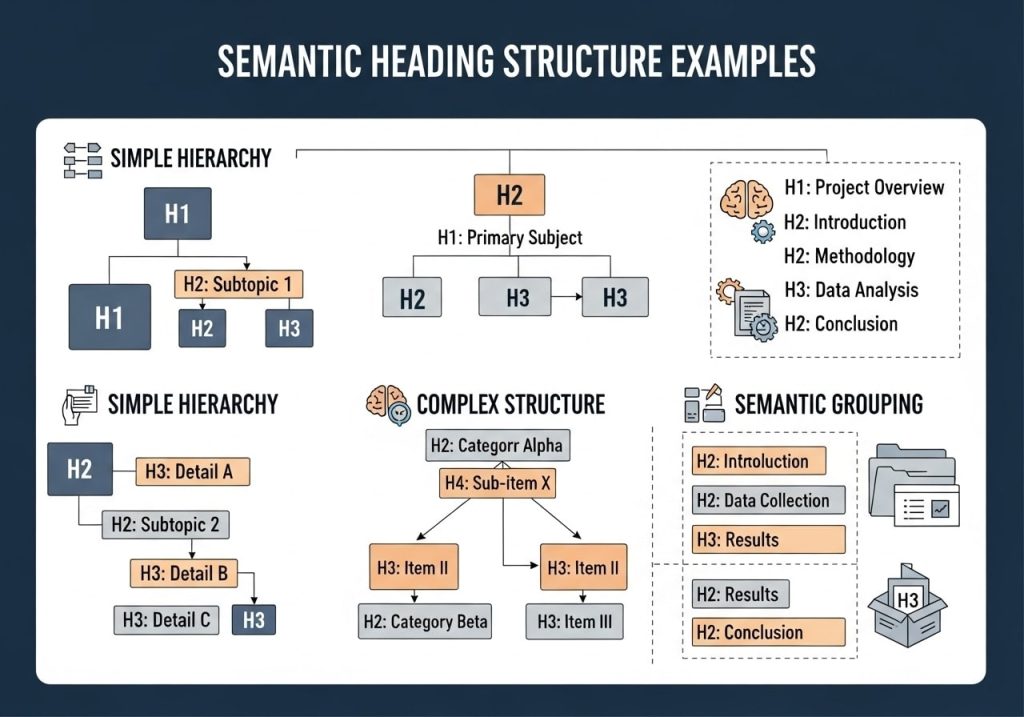
Let’s look at some practical semantic structure examples to see how this works in real situations.
Example 1: Blog Post Structure
<h1>How to Grow Tomatoes in Your Garden</h1>
<h2>Choosing the Right Tomato Varieties</h2>
<h3>Determinate vs. Indeterminate Types</h3>
<h3>Best Varieties for Beginners</h3>
<h2>Preparing Your Garden Soil</h2>
<h3>Testing Soil pH</h3>
<h3>Adding Nutrients and Compost</h3>
<h2>Planting and Care Instructions</h2>
<h3>When to Plant</h3>
<h3>Watering Schedule</h3>
<h3>Common Pest Problems</h3>
Example 2: Service Page Structure
<h1>Professional Web Design Services</h1>
<h2>Our Design Process</h2>
<h3>Initial Consultation</h3>
<h3>Design and Development</h3>
<h3>Testing and Launch</h3>
<h2>Pricing Packages</h2>
<h3>Basic Package</h3>
<h3>Professional Package</h3>
<h3>Enterprise Package</h3>
<h2>Portfolio Examples</h2>
<h3>E-commerce Sites</h3>
<h3>Business Websites</h3>
These examples show how semantic headings create a logical flow that readers can easily follow and search engines can understand.
Common Mistakes to Avoid
Many websites struggle with semantic heading structure because they make these common errors:
Skipping Heading Levels
Don’t jump from H1 directly to H3, skipping H2. This breaks the logical flow and confuses both readers and search engines. Always maintain the hierarchy.
Using Multiple H1 Tags
While HTML5 technically allows multiple H1 tags, it’s better for SEO to use just one per page. This creates a clear main topic signal.
Choosing Headings for Visual Appearance
Never select heading tags based on how big or small you want the text to appear. Use CSS to control appearance, and use semantic headings html for structure.
Empty or Meaningless Headings
Every heading should contain descriptive, meaningful text that accurately represents the content that follows.
CSS and Semantic Structure Best Practices

CSS semantic structure allows you to style your headings without compromising their semantic value. You can make any heading look however you want while maintaining proper HTML structure.
Styling Semantic Headings
h1 {
font-size: 2.5rem;
color: #333;
margin-bottom: 1rem;
}
h2 {
font-size: 2rem;
color: #555;
border-bottom: 2px solid #eee;
}
h3 {
font-size: 1.5rem;
color: #666;
}
This approach keeps your semantic heading structure intact while giving you complete visual control.
Responsive Considerations
Make sure your semantic headings work well on all devices. Use relative units like rem or em instead of fixed pixel sizes, and test your hierarchy on mobile devices.
Semantic Structure Analysis Tools
Several tools can help you analyze and improve your semantic structure analysis:
Free Analysis Tools
- Web Developer Browser Extension: Shows heading structure clearly
- WAVE Web Accessibility Evaluator: Checks semantic structure accessibility
- HeadingsMap Browser Extension: Visualizes your heading hierarchy
- Google Lighthouse: Provides SEO and accessibility insights
Professional SEO Tools
- Screaming Frog SEO Spider: Analyzes heading structures across your entire site
- Ahrefs Site Audit: Identifies heading structure issues
- SEMrush Site Audit: Checks semantic HTML implementation
Semantic Structure Accessibility
Semantic structure accessibility is crucial for users who rely on screen readers and other assistive technologies. Proper semantic headings allow these tools to:
- Create navigation shortcuts through your content
- Understand the relationship between different sections
- Provide context for complex information
- Jump quickly between topics of interest
Making Your Structure More Accessible
To improve semantic structure accessibility:
- Use descriptive heading text that makes sense out of context
- Don’t skip heading levels in your hierarchy
- Include enough detail in headings to be meaningful
- Test your site with screen reading software
Testing Your Semantic Headings
Regular testing ensures your semantic heading structure continues to work effectively. Here’s how to evaluate your implementation:
Manual Testing Methods
- Outline Test: Can you create a logical outline using only your headings?
- Navigation Test: Try navigating through your content using only heading jumps
- Context Test: Does each heading make sense if read by itself?
- Hierarchy Test: Does your structure follow a logical top-down flow?
Automated Testing
Use tools like Google’s Lighthouse or WAVE to identify structural issues automatically. These tools can catch problems you might miss during manual review.
User Testing
Ask real users to navigate through your content and provide feedback on whether the structure makes sense and helps them find information quickly.
Creating an effective semantic heading structure takes practice, but the benefits for SEO, accessibility, and user experience make it worth the effort. By following these guidelines and regularly testing your implementation, you’ll create content that both search engines and users can easily understand and navigate.
Remember that good semantic structure is about creating meaning and hierarchy, not just following rules. Focus on organizing your content in a way that genuinely helps your audience, and the technical benefits will follow naturally.
Ready to improve your website’s semantic structure? Start by auditing your current heading hierarchy and identifying areas for improvement. Your users and search engine rankings will thank you for the effort.
FAQs
What is semantic heading structure?
Semantic heading structure means organizing your content using HTML heading tags (H1, H2, H3, etc.) in a logical order. It creates a clear hierarchy that shows how different sections of your content relate to each other, making it easier for both readers and search engines to understand your content.
Why does heading structure matter for SEO?
Search engines use your heading structure to understand what your content is about and how it’s organized. A proper heading structure helps search engines index your content better, which can improve your rankings. It also makes your content more accessible and easier to read for visitors.
How many H1 tags should I use on a page?
You should use only one H1 tag per page. The H1 tag represents the main topic of your page and should contain your primary keyword. Using multiple H1 tags can confuse search engines about what your page is actually about.
What’s the correct order for heading tags?
Always follow a logical sequence: start with H1, then use H2 for main sections, H3 for subsections under H2, and so on. Don’t skip levels – for example, don’t jump from H1 directly to H3 without using H2 first.
How do I choose keywords for my headings?
Include your target keywords naturally in your headings, especially in H1 and H2 tags. Focus on what your audience is searching for, but make sure the headings still read naturally and provide value to your readers. Don’t stuff keywords just for SEO purposes.
Can I use headings just for styling purposes?
No, don’t use heading tags just to make text look bigger or bold. Headings should represent the actual structure and hierarchy of your content. If you need different styling, use CSS instead of heading tags.
How long should my headings be?
Keep your headings concise but descriptive, typically between 20-70 characters. They should clearly describe what the section is about without being too wordy. This helps both users and search engines quickly understand your content structure.
Should every section of my content have a heading?
Not necessarily, but major sections and topics should have appropriate headings. Use headings to break up long blocks of text and guide readers through your content. If a section introduces a new topic or important point, it probably deserves a heading.
How do headings help with user experience?
Well-structured headings make your content scannable, allowing readers to quickly find the information they need. Many people skim content by reading headings first, so good headings help visitors navigate your content and stay engaged longer.
What tools can help me check my heading structure?
You can use browser developer tools to view your heading structure, SEO browser extensions, or online SEO analysis tools. Many of these tools will show you if you’re missing H1 tags, skipping heading levels, or have other structural issues that need fixing.