
Why the Divi WordPress Theme is the Best Page Builder for Your Website
Looking to create a professional website without coding skills? The Divi WordPress theme has become one of the most popular choices for website builders worldwide. This Divi WordPress theme review covers everything you need to know about this powerful visual page builder and whether it’s the right choice for your project.
Divi Theme For WordPress
Get the Premium Divi Theme
What is the Divi WordPress Theme?
The Divi WordPress theme is a premium multipurpose theme developed by Elegant Themes. It’s not just a regular WordPress theme – it’s a complete website building solution that includes a powerful visual page builder. The Divi theme for WordPress allows users to create custom layouts without touching a single line of code.
Since its launch, Divi has evolved into what many consider the Divi Ultimate WordPress theme. It combines a flexible theme framework with an intuitive drag-and-drop builder, making it accessible for beginners while offering advanced features for experienced developers.
Why Choose Divi Over Other Themes?
The Divi WordPress theme stands out because it offers:
- Visual drag-and-drop editing
- Real-time design preview
- Responsive design controls
- Pre-made layouts and templates
- Complete theme customization
- Regular updates and improvements
Key Features of Divi Theme
Visual Page Builder
The heart of the Divi WordPress theme is its visual page builder. Unlike traditional WordPress editors, Divi lets you see exactly how your page will look as you build it. You can add, remove, and rearrange elements in real-time without switching between editing and preview modes.
Theme Customizer Integration
The Divi WordPress theme integrates seamlessly with WordPress’s native customizer. You can modify colors, fonts, layouts, and other design elements through an intuitive interface. This integration ensures compatibility with WordPress standards and future updates.
Responsive Design Controls
Every element in the Divi WordPress theme includes responsive design controls. You can customize how your website appears on desktop, tablet, and mobile devices separately. This level of control ensures your site looks perfect on all screen sizes.
Pre-built Layouts and Templates
The theme includes hundreds of pre-designed layouts covering various industries and use cases. These Divi WordPress theme examples serve as starting points for your projects, saving hours of design work.
Divi WordPress Theme Examples and Demo Sites
Business Websites
The Divi WordPress theme demo showcases various business website designs, including:
- Corporate websites with professional layouts
- Small business sites with a local focus
- Consulting firms with service-oriented designs
- Non-profit organizations with donation features
Creative Portfolios
Many creative professionals use the Divi WordPress theme for portfolio sites:
- Photography portfolios with gallery features
- Design agencies showcasing their work
- Artists displaying their creations
- Freelancers promoting their services
E-commerce Sites
The Divi WordPress theme WooCommerce integration enables powerful online stores:
- Product showcases with custom layouts
- Shopping cart and checkout customization
- Product page design flexibility
- Category and archive page styling
How to Install the Divi Theme in WordPress
Step 1: Purchase and Download
To download the Divi WordPress theme, you need to purchase it from Elegant Themes. The theme isn’t available as a free Divi WordPress theme, but the investment provides access to all Elegant Themes products and updates.
Step 2: WordPress Installation Process
Here’s how to install the Divi theme in WordPress:
- Log in to your WordPress admin dashboard
- Navigate to Appearance > Themes
- Click “Add New” then “Upload Theme.”
- Select the Divi theme zip file
- Click “Install Now” and then “Activate.”
Step 3: Initial Setup
After learning how to add the Divi theme in WordPress, you’ll need to:
- Import demo content (optional)
- Configure basic settings
- Set up your preferred design options
- Create your first page using the builder
Divi WordPress Theme Tutorial: Getting Started
Understanding the Interface
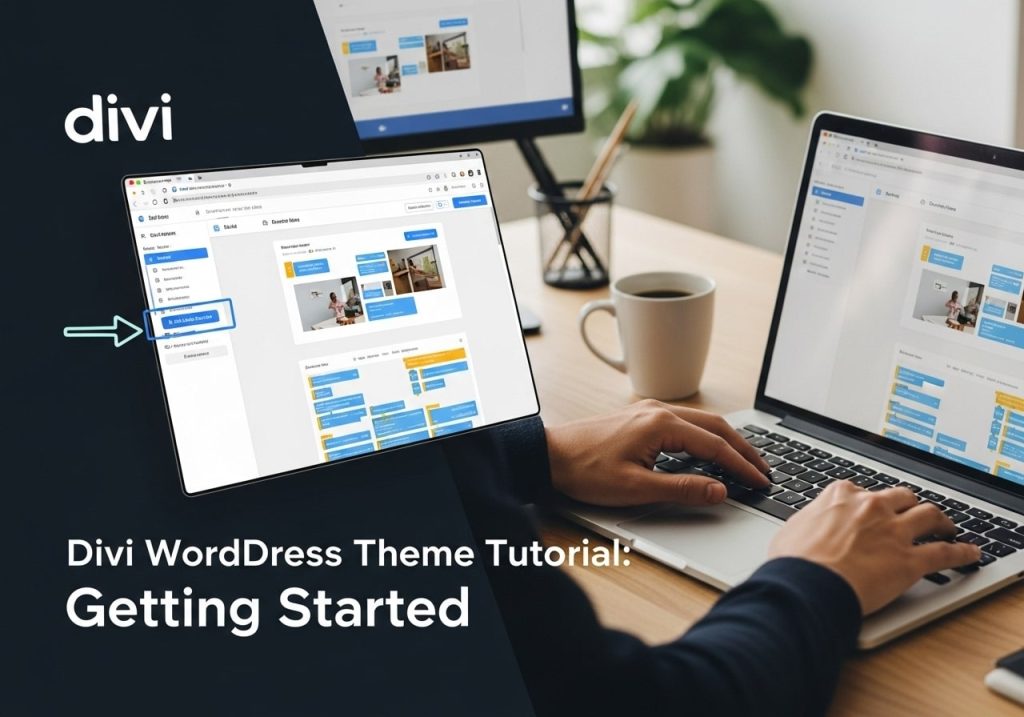
This WordPress Divi theme tutorial begins with understanding Divi’s interface. The theme operates through several key components:
- Visual Builder: Front-end editing interface
- Backend Builder: Admin-based editing option
- Theme Customizer: Global theme settings
- Divi Library: Save and reuse designs
Creating Your First Page
When starting your Divi WordPress theme tutorial journey:
- Create a new page in WordPress
- Click “Use Visual Builder”
- Choose to build from scratch or use a template
- Add sections, rows, and modules
- Customize styling and content
- Save and publish your page
Working with Sections, Rows, and Modules
The Divi theme WordPress uses a structured approach:
- Sections: Large containers that hold rows
- Rows: Define column layouts within sections
- Modules: Individual content elements like text, images, buttons
This hierarchy provides flexibility while maintaining organized layouts.
Divi Theme Builder Features
Global Elements
The Divi WordPress theme builder allows the creation of global elements:
- Headers and navigation menus
- Footer designs
- Sidebar layouts
- Pop-up designs
- Custom post type templates
Dynamic Content Integration
Advanced users can integrate dynamic content:
- Custom field integration
- Post metadata display
- User-generated content
- Third-party plugin compatibility
Conditional Display Logic
The theme builder includes conditional logic for:
- User role-based content
- Device-specific elements
- Page-specific customizations
- Time-based content display
Divi WordPress Theme with WooCommerce
E-commerce Integration
The Divi WordPress theme WooCommerce integration provides extensive customization options for online stores. You can design custom product pages, shopping cart layouts, and checkout processes that match your brand perfectly.
Product Page Customization
With Divi and WooCommerce, you can:
- Create unique product page layouts
- Add custom product information sections
- Design attractive product galleries
- Include related product displays
- Customize add-to-cart buttons and forms
Shop Page Design
The Divi theme for WordPress allows complete shop page customization:
- Grid and list layout options
- Custom filtering systems
- Product category displays
- Promotional banner integration
- Custom pagination styles
Creating a Divi Child Theme for WordPress

Why Use a Child Theme?
Creating a Divi child theme WordPress setup protects your customizations during theme updates. Child themes preserve:
- Custom CSS modifications
- Function.php additions
- Template overrides
- Design customizations
Setting Up Child Theme
To create a Divi child theme for WordPress:
- Create a new folder in your themes directory
- Add style.css with proper header information
- Create the functions.php file
- Upload via FTP or use a child theme plugin
- Activate the child theme
Best Practices
When working with child themes:
- Always test changes on staging sites
- Document your customizations
- Keep backups of modified files
- Update the parent theme regularly
- Monitor for compatibility issues
Divi WordPress Theme Pricing and Free Options
Pricing Structure
The Divi Premium WordPress theme uses a subscription model:
- Yearly Access: $89/year for all themes and plugins
- Lifetime Access: $249 one-time payment
- Both plans include unlimited website usage
- Access to all Elegant Themes products
Value Proposition
While there’s no free version of the Divi WordPress theme, the pricing includes:
- All Elegant Themes products
- Regular updates and new features
- Premium customer support
- Extensive documentation and tutorials
- Community forum access
Cost Comparison
Compared to hiring developers or buying multiple plugins, the Divi theme for WordPress offers excellent value for:
- Small businesses need professional sites
- Agencies managing multiple client sites
- Freelancers building websites regularly
- Organizations requiring ongoing design flexibility
Divi Theme Changelog and Updates
Recent Updates
The Divi WordPress theme changelog shows consistent development:
- WordPress 6.0 compatibility improvements
- New modules and design options
- Performance optimizations
- Security enhancements
- Bug fixes and stability improvements
Version Compatibility
The Divi theme WordPress version stays current with:
- Latest WordPress releases
- PHP version requirements
- Popular plugin compatibility
- Browser support updates
- Mobile device optimization
Future Development
Elegant Themes continues to develop:
- AI-powered design assistance
- Advanced animation options
- Improved performance tools
- Enhanced e-commerce features
- Better accessibility compliance
Common Issues and Solutions
Performance Optimization
Users sometimes experience slower loading times with the Divi WordPress theme. Solutions include:
- Enabling caching plugins
- Optimizing images before upload
- Minimizing unused CSS/JS
- Using CDN services
- Regular database cleanup
Customization Challenges
Common customization questions include how to change the logo on the WordPress Divi theme:
- Access WordPress Customizer
- Navigate to Header & Navigation
- Upload a new logo image
- Adjust logo sizing options
- Save changes
Plugin Conflicts
The Divi theme in WordPress occasionally conflicts with plugins:
- Test plugins individually
- Check for known compatibility issues
- Contact support for assistance
- Use alternative plugins when necessary
- Keep everything updated
Alternatives to Consider
Other Page Builders
While the Divi WordPress theme is popular, alternatives include:
- Elementor Pro
- Beaver Builder
- Oxygen Builder
- Gutenberg blocks
- Brizy Builder
Traditional Themes
Some users prefer traditional themes with:
- Faster loading speeds
- Simpler maintenance
- Lower learning curves
- Better developer workflows
- Specific niche focus
Choosing the Right Solution
Consider these factors when evaluating if Divi is a WordPress theme for your project:
- Technical skill level
- Project complexity
- Budget constraints
- Timeline requirements
- Long-term maintenance plans
Conclusion
The Divi WordPress theme offers a comprehensive solution for building professional websites without coding knowledge. Its visual page builder, extensive customization options, and regular updates make it a solid choice for many projects. While it requires a financial investment and has a learning curve, the flexibility and features justify the cost for most users.
Whether you’re building a simple business site or a complex e-commerce store, Divi provides the tools needed to create stunning websites. The combination of pre-built templates, custom design capabilities, and ongoing support makes it a valuable investment for anyone serious about their online presence.
Ready to start building with Divi? Consider your project requirements, budget, and timeline before investing. With proper planning and the tutorials available, you can create professional websites that stand out in today’s competitive online landscape.
Call to Action: Have you used the Divi WordPress theme for your projects? Share your experience in the comments below, or ask any questions about getting started with this powerful theme and page builder combination.