
Perfect Newspaper WordPress Theme for Your News Website
What is a Newspaper WordPress Theme? The newspaper WordPress theme is a specialized website template designed to showcase news, articles, and multimedia content in a professional newspaper-style layout. These themes are built specifically for news websites, online magazines, blogs, and digital publications that need to present information in an organized, readable format.
Unlike regular WordPress themes, a digital newspaper WordPress theme comes with features like breaking news tickers, multiple layout options, advertisement spaces, and content categorization systems that mirror traditional newspaper formats while taking advantage of digital capabilities.
Newspaper Theme For WordPress
Get the Premium Newspaper Theme

Why Choose a Newspaper Theme for Your Website?
Professional Appearance
A well-designed best newspaper WordPress theme gives your website instant credibility. Visitors immediately recognize the familiar newspaper layout, which builds trust and encourages them to stay longer on your site.
Content Organization
These themes excel at organizing large amounts of content. Whether you’re running a local news site or an international publication, newspaper themes help you categorize stories by sections like politics, sports, entertainment, and business.
User Experience
The advanced newspaper WordPress theme options available today focus heavily on user experience. They offer:
- Easy navigation menus
- Search functionality
- Related article suggestions
- Social media integration
- Mobile-responsive designs
Monetization Features
Many newspaper themes come with built-in advertising spaces and support for popular ad management plugins, making it easier to generate revenue from your content.
Top Features to Look for in a Newspaper WordPress Theme
Responsive Design
Your chosen newspaper WordPress theme must work perfectly on all devices. With more people reading news on mobile phones and tablets, responsive design is non-negotiable.
Speed Optimization
Page loading speed directly affects user experience and search engine rankings. Look for themes that are coded efficiently and optimized for fast loading times.
Multiple Layout Options
The Themeforest newspaper WordPress theme options often provide various layout choices:
- Grid layouts for category pages
- List layouts for breaking news
- Magazine-style layouts for feature stories
- Single-column layouts for in-depth articles
Advertisement Integration
Built-in ad spaces and compatibility with popular advertising plugins like Google AdSense help you monetize your content effectively.
Social Media Integration
Modern newspaper themes should include social sharing buttons, social media feeds, and integration with platforms like Facebook, Twitter, and Instagram.
Best Newspaper WordPress Themes in 2024
Newspaper by TagDiv
The newspaper news & WooCommerce WordPress theme by tagdiv is one of the most popular choices among news website owners. This theme offers:
- Over 100 pre-built demos
- Drag-and-drop page builder
- WooCommerce integration for selling subscriptions
- Advanced theme panel for easy customization
- Built-in review system
JNews Theme
JNews WordPress newspaper magazine blog amp theme stands out for its AMP (Accelerated Mobile Pages) support, which makes your website load incredibly fast on mobile devices. Key features include:
- AMP compatibility
- Multiple homepage layouts
- Advanced typography options
- Social login integration
- Built-in weather widget
Jannah Theme
The Jannah newspaper magazine news Buddypress WordPress theme is perfect for community-driven news sites. It offers:
- BuddyPress integration for user communities
- Dark and light mode options
- Infinite scroll feature
- Advanced search functionality
- User-generated content support
Soledad Theme
Soledad multipurpose newspaper blog & WooCommerce WordPress theme is incredibly versatile, offering:
- Over 6800+ homepage combinations
- WooCommerce integration
- Instagram integration
- Multiple header styles
- Advanced customization options
Foxiz Theme
Foxiz WordPress newspaper, news, and magazine theme is a newer option that focuses on modern design and performance:
- Lightweight and fast-loading
- Multiple dark mode options
- Advanced typography
- Flexible header builder
- Social proof features
Free vs Premium Newspaper Themes
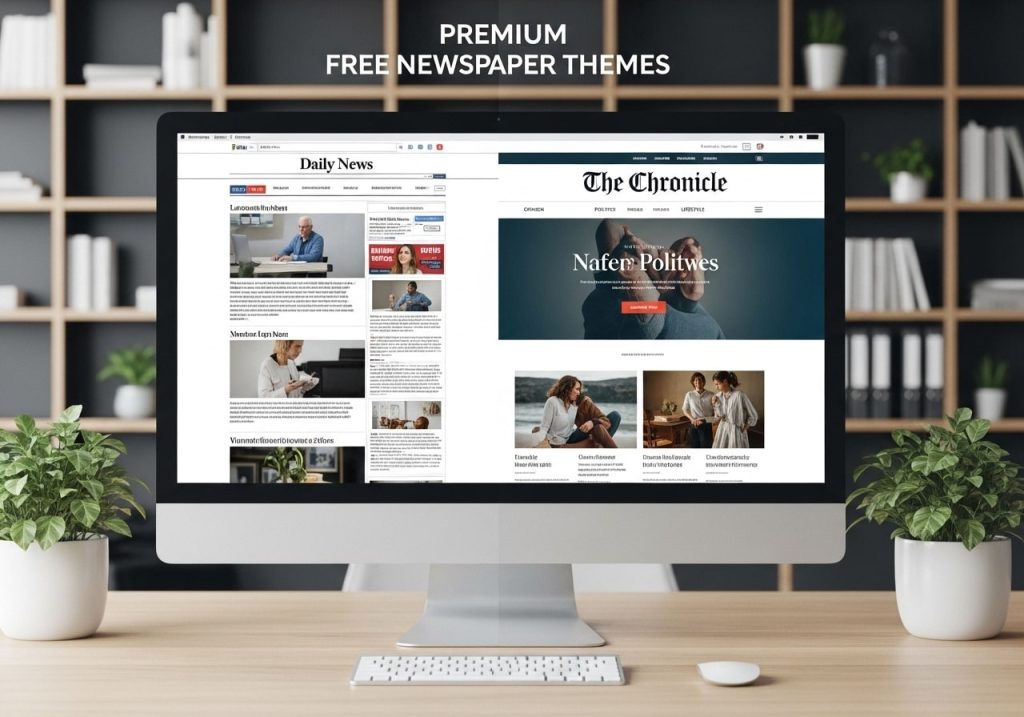
Free Newspaper Themes
Best free newspaper WordPress theme options are perfect for beginners or those with limited budgets. Popular free options include:
- Newspaper Lite: A simplified version of the premium Newspaper theme
- ColorMag: A magazine-style theme with newspaper elements
- Newsup: A clean, modern news theme
Pros of Free Themes:
- No upfront cost
- Good for testing and learning
- Basic functionality included
- Regular security updates
Cons of Free Themes:
- Limited customization options
- Fewer features
- Basic support
- Limited layout choices
Premium Newspaper Themes
Advanced newspaper WordPress theme options typically cost between $50-$100 and offer:
Pros of Premium Themes:
- Extensive customization options
- Professional support
- Regular updates and new features
- Advanced functionality
- Multiple demo designs
Cons of Premium Themes:
- Upfront investment required
- Can be overwhelming for beginners
- May include features you don’t need
How to Install a Newspaper Theme in WordPress
Method 1: Installing from WordPress Dashboard
- Log in to your WordPress admin panel
- Navigate to Appearance > Themes
- Click “Add New”
- Search for your chosen theme name
- Click “Install” then “Activate.”
Method 2: Installing Premium Themes
- Download the theme zip file from the provider
- Go to Appearance > Themes in your WordPress dashboard
- Click “Add New” then “Upload Theme.”
- Choose the zip file and click “Install Now.”
- Click “Activate” once installation is complete
Post-Installation Setup
After installing your newspaper WordPress theme, you’ll need to:
- Import demo content (if available) to see how the theme works
- Install required plugins as recommended by the theme
- Configure theme settings through the customizer
- Set up menus and widgets
- Add your logo and branding
Customizing Your Newspaper Theme
Using the WordPress Customizer
Most modern newspaper themes work with the WordPress Customizer, allowing you to:
- Change colors and fonts
- Upload your logo
- Modify header and footer layouts
- Set up social media links
- Configure homepage sections
Advanced Customization Options
Advanced newspaper WordPress theme options often include:
Page Builders
Many themes come with drag-and-drop page builders, like:
- Elementor integration
- Visual Composer compatibility
- Custom theme builders
Typography Controls
Professional themes offer detailed typography options:
- Google Fonts integration
- Font size and weight controls
- Line height and spacing options
- Custom font uploads
Color Schemes
Comprehensive color customization includes:
- Primary and secondary color selection
- Dark mode options
- Custom color palettes
- Gradient backgrounds
Widget Areas
Newspaper themes typically include multiple widget areas:
- Sidebar widgets for additional content
- Footer widgets for contact information and links
- Header widgets for search bars or social media
- Homepage widgets for featured content
Common Issues and Troubleshooting
Slow Loading Times
If your newspaper WordPress theme loads slowly, try:
- Optimizing images before uploading
- Using caching plugins like WP Rocket or W3 Total Cache
- Minimizing plugins and removing unused ones
- Choosing quality hosting with good server response times
Mobile Responsiveness Issues
To ensure your theme works on all devices:
- Test on multiple devices and screen sizes
- Use browser developer tools to simulate mobile views
- Check the theme documentation for mobile-specific settings
- Contact theme support if issues persist
Plugin Conflicts
When plugins don’t work properly with your theme:
- Deactivate all plugins and test the theme
- Reactivate plugins one by one to identify conflicts
- Update all plugins and themes to the latest versions
- Check plugin compatibility before installation
Theme Updates
To safely update your newspaper WordPress theme:
- Create a backup of your website first
- Test updates on a staging site if possible
- Check the changelog for important changes
- Update during low-traffic periods
SEO Benefits of Using Newspaper Themes

Structured Content
Best newspaper WordPress theme options are designed with SEO in mind:
- Proper heading hierarchy (H1, H2, H3 tags)
- Schema markup for news articles
- Fast loading speeds that Google prefers
- Mobile-first design for better mobile rankings
Content Organization
Newspaper themes help with SEO through:
- Category and tag organization for better content structure
- Related post suggestions to reduce bounce rates
- Breadcrumb navigation for a better user experience
- XML sitemap compatibility for search engines
Social Sharing Features
Built-in social sharing in the digital newspaper WordPress theme options helps:
- Increase social signals for SEO
- Drive traffic from social platforms
- Improve brand awareness through social sharing
- Build backlinks naturally through content sharing
Choosing the Right Theme for Your Needs
Consider Your Content Type
Different newspaper theme examples work better for different types of content:
- Breaking news sites need themes with prominent headlines and live updates
- Magazine-style sites benefit from image-heavy layouts and featured content areas
- Local news sites might prefer community-focused features and event calendars
- Niche publications need flexible customization options to match their brand
Budget Considerations
When selecting a newspaper WordPress theme, consider:
- Initial theme cost (free vs premium)
- Ongoing costs for updates and support
- Additional plugin costs that might be required
- Development costs if customization is needed
Technical Requirements
Ensure your chosen theme is compatible with:
- Your WordPress version
- Your hosting environment
- Required plugins
- Your technical skill level
Future Growth
Choose a theme that can grow with your website:
- Scalable design that works with more content
- Multiple layout options for different content types
- E-commerce integration, if you plan to sell subscriptions
- Multilingual support if you plan to expand internationally
Maintenance and Support
Regular Updates
Keep your newspaper WordPress theme current by:
- Checking for updates regularly
- Reading update notes before applying changes
- Testing updates on a staging site first
- Backing up your site before major updates
Getting Support
When you need help with your theme:
- Check the documentation first for common questions
- Search support forums for similar issues
- Contact theme developers through official channels
- Consider hiring developers for complex customizations
Security Considerations
Protect your news website by:
- Using strong passwords for all accounts
- Installing security plugins like Wordfence
- Keeping themes and plugins updated
- Regular backups of your content and database
The world of newspaper WordPress themes offers incredible opportunities to create professional, engaging news websites. Whether you choose a free newspaper WordPress theme to get started or invest in an advanced newspaper WordPress theme with premium features, the key is selecting one that matches your content needs, technical abilities, and long-term goals. Take time to research different options, test them thoroughly, and don’t hesitate to reach out to theme developers when you need support. With the right theme and proper setup, your news website can compete with the biggest publications in your niche.
Ready to transform your website with a professional newspaper theme? Start by exploring the options mentioned in this guide and choose the one that best fits your vision and budget.