
How to Create Stunning Sliders with Slider Revolution Plugin for WordPress
Are you looking to create sliders WordPress users will love? The Slider Revolution plugin stands out as one of the most powerful tools for building responsive sliders for WordPress websites. This comprehensive guide will walk you through everything you need to know about this popular WordPress image slider plugin.
Slider Revolution Premium Plugin WordPress
Get the Premium Slider Revolution Plugin
What is the Slider Revolution Plugin?
The Slider Revolution plugin is a premium WordPress plugin designed to help website owners create stunning, interactive sliders without any coding knowledge. This advanced sliders WordPress solution has been downloaded millions of times and powers sliders on countless websites worldwide.
Unlike basic slider plugins, Slider Revolution offers a complete visual editing experience. You can create everything from simple image carousels to complex animated presentations with layers, videos, and interactive elements. The plugin serves as both a WordPress image slider plugin and a comprehensive content creation tool.
Core Purpose and Functionality
The main goal of Slider Revolution WordPress integration is to provide users with professional-grade slider creation capabilities. Whether you need a hero section for your homepage, product showcases for an e-commerce site, or portfolio displays for creative agencies, this plugin handles it all.
The plugin works by providing a drag-and-drop interface where you can add various elements like images, text, buttons, and videos. Each element can be animated independently, creating rich, engaging experiences that capture visitor attention.
Why Choose Slider Revolution for WordPress
When comparing WordPress sliders for websites, several factors make Slider Revolution stand out from the competition. Let’s explore why this plugin consistently ranks as the best WordPress slider plugin in many reviews.
Professional Design Quality
One of the biggest advantages of using Slider Revolution is the professional quality of the output. The plugin includes hundreds of pre-designed templates that look like they were created by professional designers. These Slider Revolution templates cover various industries and use cases, from business presentations to creative portfolios.
No Coding Required
Many website owners worry about technical complexity when choosing plugins. However, Slider Revolution for beginners is surprisingly accessible. The visual editor means you never need to write HTML, CSS, or JavaScript code. Everything is handled through an intuitive interface.
Versatility Beyond Simple Sliders
While many plugins focus solely on image slideshows, Slider Revolution goes far beyond basic functionality. You can create:
- Hero sections with call-to-action buttons
- Product carousels with pricing information
- Video backgrounds with overlay content
- Interactive presentations
- Animated infographics
- Social media feed displays
Key Features of Slider Revolution
Understanding the Slider Revolution features helps you make the most of this powerful plugin. Let’s dive into the core capabilities that make it such a popular choice.
Visual Drag-and-Drop Editor
The heart of Slider Revolution is its visual editor. This interface allows you to see exactly how your slider will look while you’re building it. You can drag elements around, resize them, and apply animations in real-time.
The editor includes layers functionality, similar to professional design software like Photoshop. This means you can stack multiple elements and control which ones appear in front of others.
Animation System
One feature that sets Slider Revolution apart from other custom sliders WordPress plugins is its advanced animation system. You can animate virtually any element in your slider, including:
- Entrance animations (how elements appear)
- Exit animations (how elements disappear)
- Hover effects (what happens when users interact)
- Scroll-based animations (elements that move as users scroll)
Responsive Design Controls
Creating responsive sliders for WordPress is crucial in today’s mobile-first world. Slider Revolution includes sophisticated responsive controls that let you customize how your slider appears on different screen sizes.
You can set different layouts, font sizes, and element positions for desktop, tablet, and mobile views. This ensures your sliders look great regardless of how visitors access your site.
Template Library
The plugin comes with an extensive library of Slider Revolution templates. These aren’t just basic layouts – they’re complete, professionally designed sliders that you can customize to match your brand and content.
Templates are organized by category, making it easy to find designs suitable for your industry or purpose. Categories include business, creative, e-commerce, portfolio, and many others.
Slider Revolution Installation Guide

Getting started with Slider Revolution requires proper installation and setup. This Slider Revolution installation guide will walk you through the process step by step.
Purchasing and Downloading
Slider Revolution Premium is available through CodeCanyon, the Envato marketplace for plugins and scripts. After purchase, you’ll receive a downloadable ZIP file containing the plugin files.
The purchase also includes access to customer support, regular updates, and the template library. Keep your purchase code safe, as you’ll need it for plugin registration and support requests.
WordPress Installation Process
Installing Slider Revolution follows the standard WordPress plugin installation process:
- Download the Plugin: After purchase, download the main plugin ZIP file from your CodeCanyon account
- Access WordPress Admin: Log in to your WordPress dashboard
- Navigate to Plugins: Go to Plugins > Add New
- Upload Plugin: Click “Upload Plugin” and select your downloaded ZIP file
- Install and Activate: Complete the installation and activate the plugin
Initial Setup and Registration
After activation, Slider Revolution requires registration to access all features and receive updates. The registration process involves entering your purchase code from CodeCanyon.
Once registered, the plugin will download the latest template library and check for any available updates. This ensures you have access to all the newest features and security improvements.
Getting Started: Slider Revolution Setup for Beginners
The initial Slider Revolution setup can seem overwhelming due to the number of available options. However, following a structured approach makes the process much more manageable.
Understanding the Dashboard
The Slider Revolution dashboard serves as your control center. From here, you can create new sliders, edit existing ones, manage templates, and access global settings.
The main dashboard shows all your created sliders in a grid layout. Each slider displays a thumbnail preview, making it easy to identify different projects. You can also see important information like slider dimensions, creation date, and last modified time.
Creating Your First Slider
For Slider Revolution for beginners, starting with a template is often the best approach. Templates provide a solid foundation that you can customize rather than building everything from scratch.
To create your first slider:
- Choose Creation Method: Select either “Blank Slider” or “Template Slider.”
- Set Basic Parameters: Define slider dimensions, type, and basic settings
- Add Content: Import your images, text, and other content elements
- Customize Design: Adjust colors, fonts, and layout to match your brand
- Configure Animations: Set up timing and transition effects
- Test Responsiveness: Preview how the slider looks on different devices
Basic Settings Configuration
The Slider Revolution settings include several important options that affect how your slider behaves:
General Settings control overall slider behavior like autoplay timing, navigation controls, and loading options.
Navigation Settings determine what navigation elements appear, such as arrows, bullets, or thumbnails.
Performance Settings help optimize loading speed and resource usage, which is crucial for maintaining good site performance.
How to Create Your First Slider
This Slider Revolution tutorial section focuses on the practical steps of building a functional slider. We’ll cover the process from initial planning through final implementation.
Planning Your Slider Content
Before diving into the Slider Revolution editor, spend time planning your slider content. Consider:
- Purpose: What do you want the slider to achieve?
- Content: What images, text, and call-to-action elements do you need?
- Style: How should the slider match your overall site design?
- Audience: Who will be viewing this slider, and what do they expect?
Working with Slides
Each slider consists of individual slides that transition between each other. In Slider Revolution, each slide is like a blank canvas where you can place various elements.
Adding slides is straightforward through the slide manager. You can duplicate existing slides to maintain consistency or create entirely new ones. The slide manager also lets you reorder slides and set individual timing for each one.
Adding and Positioning Elements
The core of how to use Slider Revolution effectively involves understanding how to work with layers and elements. Every piece of content in your slider exists as a separate layer that can be positioned and animated independently.
Text Layers allow you to add headlines, descriptions, and call-to-action copy. The text editor includes formatting options like font selection, sizing, color, and effects.
Image Layers let you add graphics, photos, and icons to your slides. Images can be uploaded directly or selected from your WordPress media library.
Button Layers create clickable call-to-action buttons with customizable styling and hover effects.
Video Layers enable you to embed videos from various sources or upload your own video files.
Timing and Transitions
Setting up proper timing ensures your slider flows smoothly and gives users enough time to consume content. Slider Revolution offers detailed timing controls for both slide transitions and individual element animations.
Global Timing controls how long each slide displays and the speed of transitions between slides.
Element Timing lets you stagger when different elements appear and disappear, creating sophisticated animation sequences.
Slider Revolution Templates and Customization
The Slider Revolution templates library contains hundreds of professionally designed sliders covering various industries and use cases. Learning how to effectively use and customize these templates can save significant development time.
Template Categories and Selection
Templates are organized into logical categories that make finding relevant designs easier:
Business Templates focus on corporate presentations, service showcases, and professional layouts suitable for most business websites.
Creative Templates emphasize artistic designs with bold animations and unique layouts perfect for agencies, portfolios, and creative professionals.
E-commerce Templates are optimized for product displays, sales promotions, and online store integration.
Portfolio Templates highlight visual work with elegant galleries and project showcases.
Customization Best Practices
When customizing Slider Revolution templates, focus on maintaining design consistency while adapting content to your specific needs.
Brand Integration involves updating colors, fonts, and imagery to match your brand identity. The plugin includes global styling options that make consistent changes across all slides.
Content Replacement requires carefully substituting template content with your own while maintaining the original layout structure and visual hierarchy.
Animation Adjustments might be necessary to match your content timing and user experience preferences.
Advanced Customization Options
For users who want to go beyond basic template customization, Slider Revolution offers advanced styling options:
CSS Integration allows you to add custom CSS code for precise styling control.
Custom Fonts can be integrated through Google Fonts or by uploading your own font files.
Advanced Animations can be created using the timeline editor for complex, choreographed sequences.
Advanced Settings and Configuration
The Slider Revolution settings panel contains numerous options that control advanced functionality and optimization. Understanding these settings helps you create better-performing, more functional sliders.
Performance Optimization
Website speed is crucial for user experience and search engine rankings. Slider Revolution includes several performance-related settings:
Lazy Loading defers loading slider content until it’s needed, improving initial page load times.
Image Optimization automatically compresses and resizes images for optimal web delivery.
Script Loading options control when and how the plugin’s JavaScript files load.
SEO Considerations
While sliders can enhance visual appeal, they need proper configuration to avoid negatively impacting SEO:
Alt Text should be added to all images for accessibility and search engine understanding.
Loading Priority settings help ensure important content loads quickly.
Mobile Optimization is crucial since search engines prioritize mobile-friendly websites.
Integration Options
Slider Revolution WordPress integration extends beyond basic slider creation:
WooCommerce Integration allows product-focused sliders with shopping cart functionality.
Social Media Integration enables automatic content pulling from social platforms.
Third-Party Plugins can often be integrated for enhanced functionality.
Mobile Responsiveness and Performance
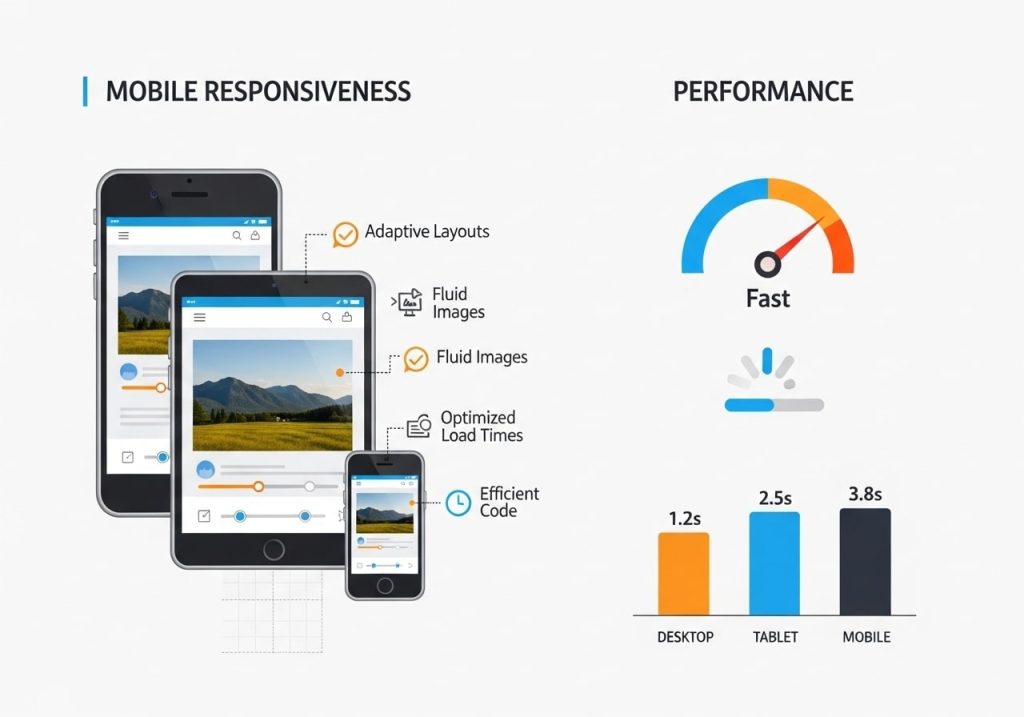
Creating responsive sliders for WordPress requires careful attention to how sliders perform across different devices and screen sizes.
Mobile-First Design Approach
Modern web design emphasizes mobile-first thinking. When creating responsive sliders for websites, start by designing for mobile devices and then enhance for larger screens.
Touch Navigation is essential for mobile users. Enable swipe gestures and ensure navigation buttons are appropriately sized for touch interaction.
Loading Speed becomes even more critical on mobile devices with potentially slower internet connections.
Testing and Optimization
Regular testing ensures your sliders work well across different devices:
Device Testing should include various smartphones, tablets, and desktop computers.
Browser Testing verifies compatibility across different web browsers.
Performance Monitoring helps identify and resolve speed issues.
Common Issues and Troubleshooting
Even experienced users occasionally encounter issues with Slider Revolution. Understanding common problems and their solutions helps maintain smooth operation.
Installation and Update Issues
Plugin Conflicts can occur when Slider Revolution conflicts with other plugins. Deactivating other plugins temporarily can help identify conflicts.
Update: Problems sometimes arise when updating to newer versions. Always back up your site before updating plugins.
License Issues may prevent access to updates and support. Ensure your license key is properly registered and current.
Performance Problems
Slow Loading can result from large image files, too many animations, or server performance issues.
Memory Errors might occur on sites with limited hosting resources. Contact your hosting provider if memory errors persist.
JavaScript Conflicts can cause functionality issues. The plugin includes debugging options to help identify conflicts.
Display Issues
Layout Problems on mobile devices often result from insufficient responsive configuration.
Animation Glitches can occur when animations are too complex or conflict with other site elements.
Browser Compatibility issues are rare but can affect older browsers or those with disabled JavaScript.
Slider Revolution vs Other WordPress Slider Plugins
When evaluating the best WordPress slider plugin options, it’s helpful to understand how Slider Revolution compares to alternatives.
Feature Comparison
Layer Slider offers similar advanced functionality but with a different interface approach.
Smart Slider 3 provides good functionality at a lower price point but with fewer advanced features.
Meta Slider focuses on simplicity and ease of use but lacks advanced animation capabilities.
Soliloquy emphasizes performance and clean code but has limited design flexibility.
Pricing Considerations
Slider Revolution premium pricing reflects its advanced feature set. While more expensive than basic alternatives, the extensive functionality often justifies the cost for professional websites.
The plugin’s pricing includes lifetime updates and six months of support, with extended support available for purchase.
Learning Curve
Slider Revolution has a steeper learning curve than simpler alternatives. However, the extensive documentation, video tutorials, and template library help users get up to speed quickly.
Pricing and Premium Features
Understanding Slider Revolution’s premium pricing and features helps determine if the investment makes sense for your specific needs.
Licensing Options
Regular License covers use on a single website and includes standard features and support.
An extended license allows use on multiple sites and includes additional commercial usage rights.
Bulk Licensing options are available for agencies and developers working with multiple clients.
Included Features
The premium license includes access to all Slider Revolution features:
- Complete template library with regular additions
- All animation and transition options
- Priority customer support
- Regular updates and new feature releases
- Add-on plugins for extended functionality
Return on Investment
For professional websites, the Slider Revolution plugin often pays for itself through:
- Time Savings compared to custom development
- Professional Results that enhance brand perception
- Improved Engagement leading to better conversion rates
- Long-term Value through continued updates and support
The Slider Revolution plugin represents one of the most comprehensive solutions for creating advanced sliders for WordPress websites. Its combination of powerful features, professional templates, and a user-friendly interface makes it suitable for both beginners and experienced developers.
Whether you’re building simple image galleries or complex interactive presentations, Slider Revolution provides the tools needed to create engaging, responsive sliders that enhance your website’s visual appeal and user experience.
Ready to transform your WordPress site with stunning sliders? Download Slider Revolution today and start creating professional-quality sliders that captivate your audience and drive results.
Get Slider Revolution Now →
Have questions about implementing Slider Revolution on your WordPress site? Share your thoughts in the comments below or reach out for personalized guidance on creating the perfect slider for your specific needs.